Published: March 27, 2026 | Updated: March 27, 2026
AI doesn’t stop at the page anymore—it paints the scene, too. In 2026 you can draft a chapter and watch matching art appear in the same window. Suites like DreamGen let you spin dialogue and drop illustrations without switching tabs, and analysts say that’s why storytellers are leaving “chat-only” bots for multimodal workspaces. One dashboard now keeps tone, pacing, and imagery in lockstep, trimming revision loops.
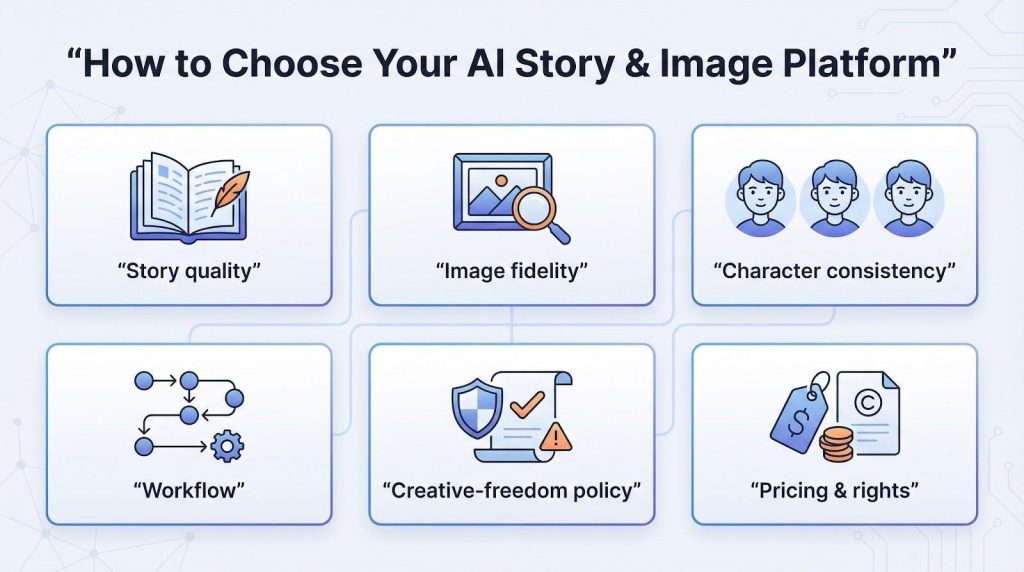
We tested 31 contenders, chose the top seven, and defined clear judging criteria—story quality, image fidelity, character consistency, workflow ease, content policy, and pricing—so you can pinpoint the right platform fast.
How to choose the right story-and-image platform
Before we rank the tools, we need a clear definition of “best.”
Great storytelling hinges on continuity. If the AI drops a subplot midway through a chapter, your readers will, too. The first checkpoint is story quality: look for long context windows and models tuned for fiction.
The second is image fidelity. Sharp, style-true art elevates a scene. Compare default resolution, style range, and how easily you can revise a prompt without starting over.
Next, test character consistency. Returning heroes should keep the same face, outfit, and tone across panels. Few platforms excel here, so rank it high if visual continuity matters.
A smooth workflow sustains momentum. Can you jump from prose to art with one click? Does the interface stay out of the way? The best tools feel invisible, keeping ideas front and center.
Policies vary, so review the creative-freedom policy early. Some services allow gritty sci-fi and adult romance, while others block anything above PG-13.
Last comes pricing and rights. Trials help, but image generation burns credits quickly. Confirm that the tier you choose covers commercial use if you plan to publish.
Keep these six criteria handy as we walk through each platform; they’ll spare you hours of trial and error.
At-a-glance: compare the seven contenders
Big decisions get easier when you can scan the field in one view. The table below distills each platform’s sweet spot, engine specs, image muscle, and entry price, so you can see which one matches your priorities. Use it as a quick reference: jump to any detailed review when something interests you, or keep it open while you weigh features side by side.
Tool
Ideal use case
Story model & memory
Image engine / style focus
Free access
Paid plan from
DreamGen
Long-form role-play, deep scenario control
GLM 4.7, Lucid Max (5k free, 30k Pro)
No built-in image gen
Yes (limited)
Subscription-based
NovelAI
Serious writers, anime fans
Kayra-XL (up to 128k tokens)
Diffusion V4 (anime, semi-real)
Trial text
$10–$30 per month
Glimora
Choose-your-own adventures with audio
Google Gemini (~4k+ tokens)
Built-in scene illustrator
2 story credits
about $7.99 per month
LTX Studio
Cinematic storyboards, video creators
Gen-4 text-to-video model
4 K multi-scene renderer
125 credits
$12 per month
The Spark Book
Personalized kids’ print books
GPT-3.5 short-form
DALL-E-based kids art
Free draft
Pay per book
InstaNovel.ai
Free mini-novel experiments
GPT-3 (short)
DALL-E 2 images
1 story
Free
ChatGPT + MidJourney
DIY, manual highest quality
GPT-4 (8k/32k)
MidJourney v5.2+ any style
Limited trials
$20 + $10 per month
1. DreamGen: deep scenario control for writers and role-players
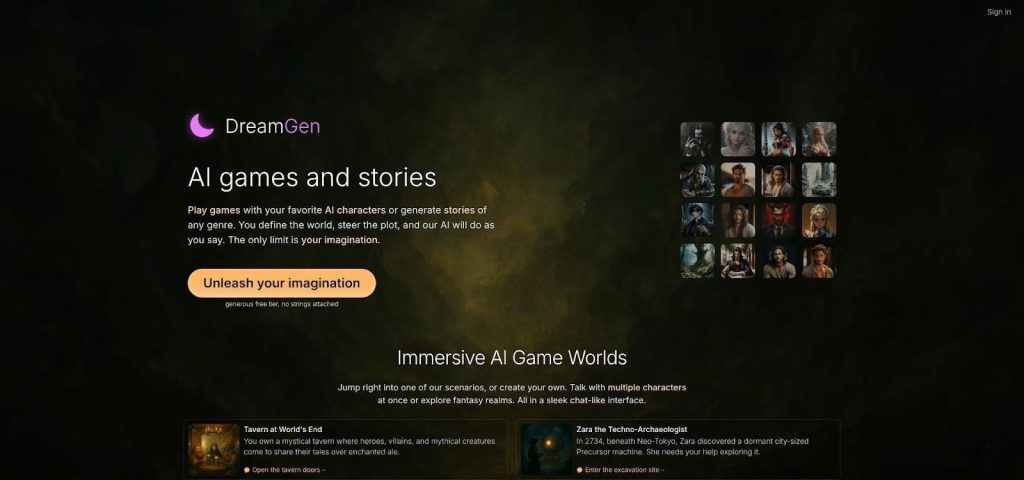
DreamGen feels less like a chatbot and more like a writers’ room. Open a project in the browser workspace on https://www.dreamgen.com/ and you get access to a scenario codex that goes far beyond a character description box. Define plot, setting, writing style, and multiple characters, each with their own personality, goals, and relationships. Side characters and foreshadowed twists still land in chapter ten because Pro plans push context to 30,000 tokens with models like GLM 4.7.
DreamGen AI Story Generator Workspace
What stands out is how much you control the narrative. Drop inline instructions mid-scene (“make the next exchange tense and under 50 words”) and the AI adjusts on the fly. You can edit, delete, or add any message in the conversation, including dialogue from other characters and the narrator. Most platforms lock you out of NPC lines once generated, so this level of access surprised us.
Multi-character support runs natively. Stage a courtroom drama, a love triangle, or a full-party dungeon crawl in one continuous thread without copy-pasting between chats. The Scenario Wizard helps you go from a rough idea (“1920s noir with a psychic detective”) to a fleshed-out world by generating plot hooks, character profiles, and setting details you can refine.
Beyond role-play, DreamGen also offers a story-writing mode with a text editor interface for writers who prefer narrative prose over chat-based interaction. The free tier gives you about 2,000 role-play messages per month with daily credits that refill, and we did not run into filter-related narrative interruptions during our testing.
Bottom line: if scenario depth and creative freedom top your wish list, DreamGen keeps the story straight while giving you the steering wheel.
2. NovelAI: precision for serious writers
If DreamGen is a writers’ room, NovelAI feels like a full publishing studio. Its flagship Kayra-XL model recalls up to 128,000 tokens, enough to track every subplot in a full-length novel. That deep memory lets you weave intricate lore without restating who the masked knight is every other chapter.
The prose starts refined, and the control panel takes it further. You can steer word choice, lock narrative voice, or pin facts to the Lorebook so the AI uses them only when relevant. This surgical approach appeals to authors who value consistency.
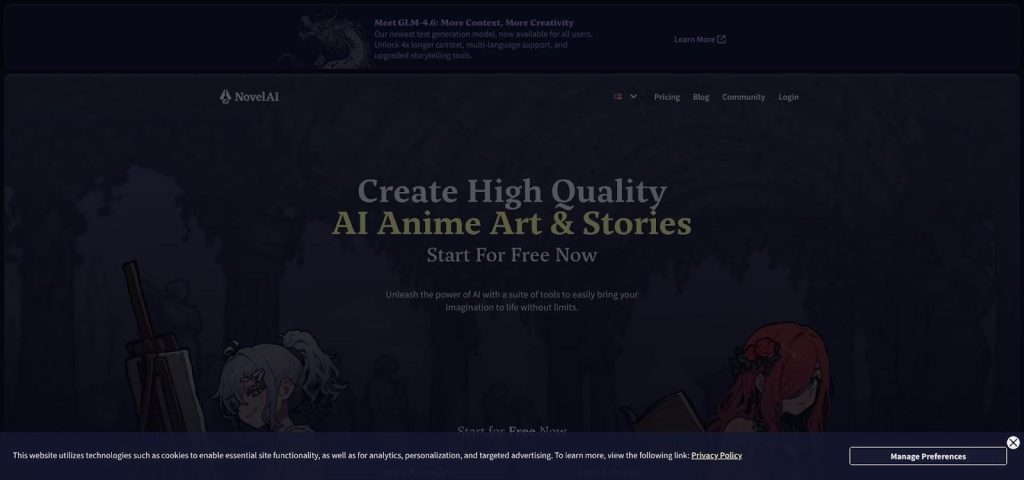
On the visual side, NovelAI’s Diffusion V4 module focuses on anime, semi-realistic art, and hybrid styles. Click the image icon in the editor, add a short style tag list, and a crisp illustration appears next to your paragraph. The Opus tier removes image limits, so concept art never slows you down.
NovelAI Story Editor and Anime Image Generation Interface
Privacy is another draw. Everything you write or render is encrypted client-side, keeping drafts safe under NDAs or personal preference.
Plans start at ten dollars for light use, but most pros choose the twenty-five-dollar Opus plan to unlock the big model and unlimited illustrations. If you crave granular control and ironclad memory, NovelAI earns its reputation.
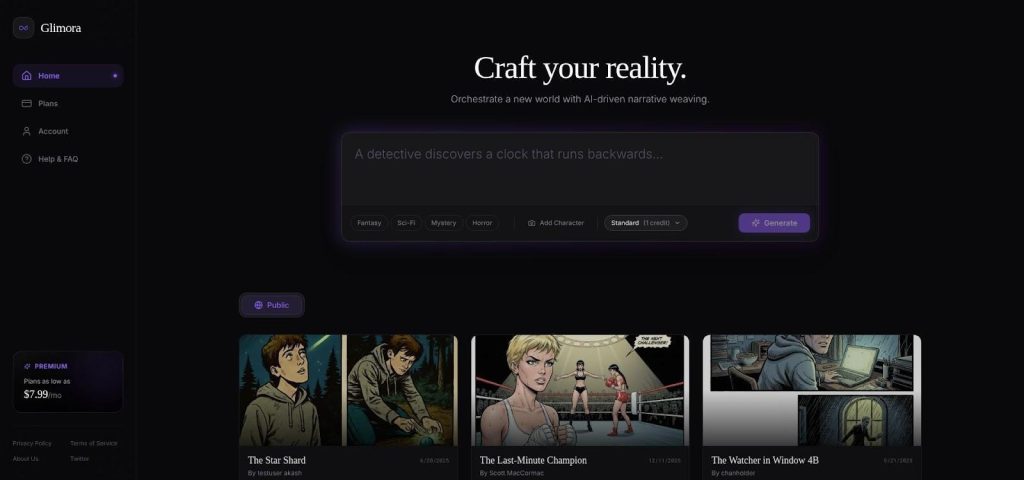
Remember those dog-eared CYOA paperbacks? Glimora pulls that feeling into the browser, with AI handling every branch.
Start by choosing a genre or typing a one-line premise. Google’s Gemini model writes the opening scene, then offers two or three paths forward. Pick a choice or add your own, and the story splits in real time. Each scene appears with an illustration and a natural voice-over, so the experience feels closer to a visual novel than a text generator.
Glimora Interactive Choose-Your-Own-Adventure Story Interface
Little effort is required. You never write separate image prompts; the platform reads the context and sketches art automatically. The pictures lean more “storybook” than “Oscar ready,” yet they appear seconds after the text, which keeps momentum high, especially when kids are watching.
Glimora runs on credits because every branch produces text, art, and audio together. The free tier covers two complete stories, enough to test the fit. After that, $7.99 per month funds a steady stream of interactive tales, useful for teachers, streamers, or parents crafting bedtime plots on demand.
If you want dark horror or R-rated drama, Glimora’s family filters may feel restrictive. For PG adventures that let the reader steer the plot, it is the most lively option in this roundup.
4. LTX Studio: cinematic storyboards in full 4K video
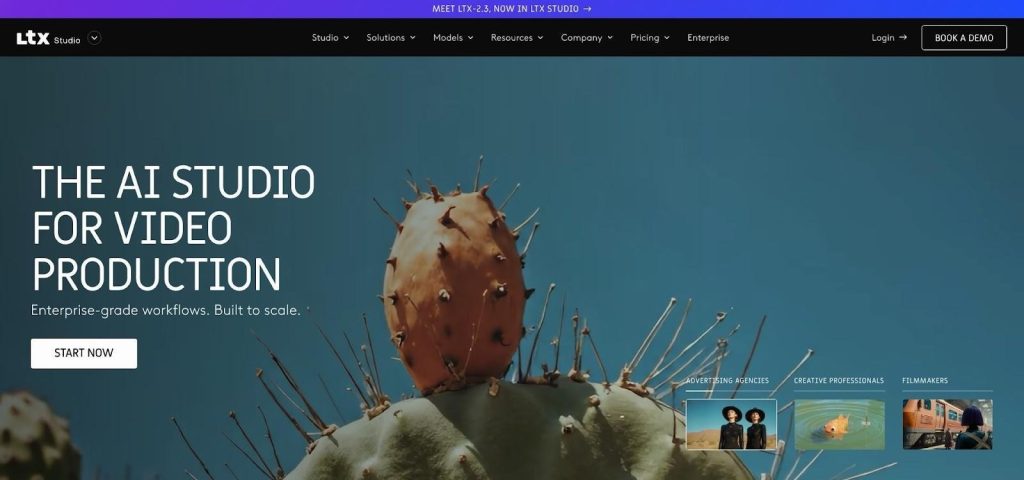
Text-to-video once meant grainy five-second clips. LTX Studio raises the bar. Feed it a scene description, and the Gen-4 engine frames the shot, sets the lighting, and even moves the camera as your hero sprints across the desert. The output looks like a first-pass storyboard straight from a film pre-viz team, yet it renders in minutes.
LTX Studio AI Text-to-Video Storyboard and Timeline UI
Precision follows power. A Multi-Elements panel lets you adjust angle, subject pose, or lens length before spending credits. You start with 125 free credits, enough to block a teaser trailer. The $12 Standard plan provides 625 credits, and the $28 Pro tier bumps that to 2,250 when deadlines loom. Reddit users praise the model’s “cinematic quality rivaling professional production” but note that long sequences “burn credits fast.”
Character consistency is the headline feature. Define your protagonist once, and LTX keeps the same face and wardrobe across scenes, saving hours compared with stitching MidJourney stills into pseudo-animation.
The interface runs deeper than a typical image generator. If your story depends on motion—pitch decks, book trailers, or game cut-scenes—no other tool in this list delivers big-screen visuals as quickly.
5. The Spark Book: turn your kid into the hero
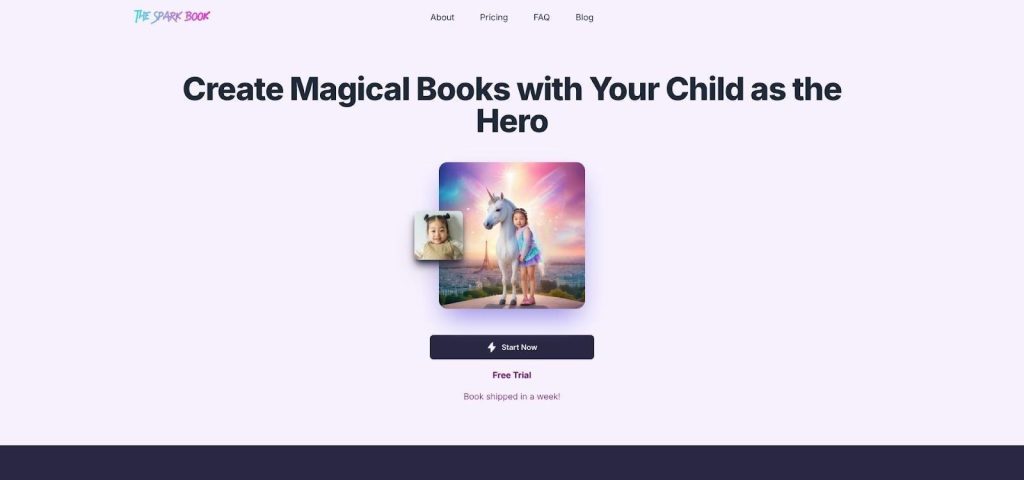
Some tools focus on cutting-edge fidelity; this one aims for bedtime smiles. Enter a child’s name, a favorite theme, and optionally a quick photo. In under a minute, GPT-3.5 writes a gentle adventure where that child saves the day, while a DALL-E illustrator paints bright cartoon panels to match.
Parents enjoy the friction-free flow. No prompt craft, no sliders. Answer a few friendly questions and preview the story in the browser. If the youngster’s grin says yes, you can order a hard-cover print that ships within a week.
The Spark Book Personalized Kids Storybook Preview Screen
Stories stay short by design, usually ten to twelve pages. Moral lessons about courage, kindness, and curiosity wrap each arc. Because the art engine references the uploaded photo, the main character even looks like your child—hair color, freckles, and more—though the resemblance is a playful caricature, not a photo likeness.
Cost depends on output. Digital previews are free, and printed books land in the twenty- to forty-dollar range based on page count and finish. That still beats most custom-illustrated options on Etsy, and you can redo the story as many times as needed before buying.
For personalized gifts or classroom projects, The Spark Book fits the job. Just do not expect sprawling epics or mature themes; this playground stays firmly rated G.
6. InstaNovel.ai: one-click stories for zero dollars
Sometimes you want to test an idea without spending a cent. InstaNovel.ai suits that need. Drop a bare-bones prompt such as “A detective cat unravels a Paris mystery,” hit Generate, and the site returns a tidy short story plus a handful of DALL-E 2 illustrations. The whole process takes less than a minute and costs nothing.
Quality is decent, not stellar. GPT-3 keeps the plot on track for a few paragraphs, then ties a neat bow. The images match the tone but can miss details; your red-haired hero might come back blond. That works when you are brainstorming blog fodder or giving students a quick reading exercise.
Limits are strict: one story per day per user, no style sliders, and no character memory. The speed makes up for it. Writers stuck in a rut use it to spark a new angle. Teachers print the output as a playful worksheet, and hobbyists share AI-crafted flash fiction on social for laughs.
Think of InstaNovel as a digital napkin sketch: rough, fast, and disposable. It shines at 2 am when you need words and pictures to collide before the idea fades.
7. ChatGPT + MidJourney: do-it-yourself flexibility with top-shelf art
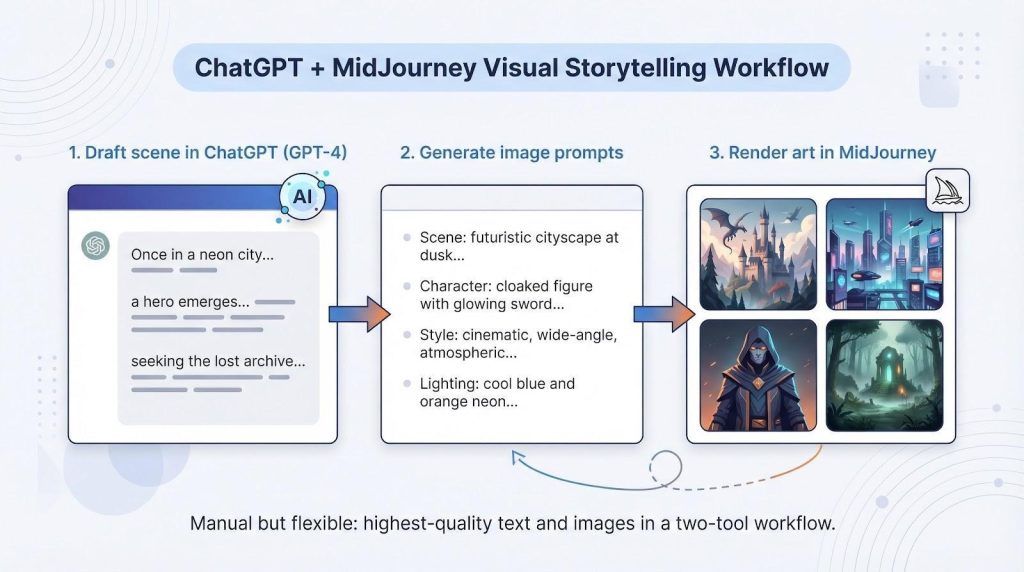
Sometimes the ideal toolkit is the one you assemble. Pair ChatGPT for prose with MidJourney for images, and you reach a quality ceiling no all-in-one platform has matched.
Most creators follow a simple rhythm. Outline in ChatGPT, coaching GPT-4 to lock tone, pacing, and character nuance. When a scene clicks, ask the same chat to produce image prompts, complete with style tags and aspect ratios. Paste those lines into MidJourney on Discord, watch the bot render gallery-worthy art, then loop back for tweaks.
The process is manual. You juggle two tabs and pay two subscriptions: twenty dollars for ChatGPT Plus, and at least ten dollars for MidJourney. The payoff shows on the page. GPT-4’s range covers everything from noir snark to lyrical high fantasy, while MidJourney’s v5 engine produces paintings, photographs, and cel-shaded panels that outshine most integrated generators on detail and lighting.
Character consistency requires diligence. Power users create a reference portrait first, then feed that image into every subsequent MidJourney prompt. It adds a step, yet it keeps your heroine’s scar and emerald jacket intact across chapters.
If you enjoy fine-tuning and want the best mix of text and art, this do-it-yourself pipeline still holds the crown. Just budget extra coffee breaks for the back-and-forth.
Eimantas Kazėnas is a forward-thinking entrepreneur & marketer with over 10 years of experience. As the founder of multiple online businesses and a successful marketing agency, he specializes in leveraging cutting-edge web technologies, marketing strategies, and AI tools. Passionate about empowering entrepreneurs, Eimantas helps others harness the transformative power of modern AI to boost productivity, streamline processes, and achieve their goals. Through TechPilot.ai, he shares actionable insights and practical guidance for navigating the ever-evolving digital landscape and unlocking new opportunities for success.
Share This Article
JOIN OUR COMMUNITY
Receive the latest AI insights directly to your inbox.