AI Video Enhancer: How to Improve Video Quality Online to 4K (Free Tool & Tips)
An AI video enhancer automatically upgrades video quality by analyzing each frame and restoring details—faster, more efficient, and skill-free compared to manual editing.
Alexi Carmichael
Business, Mentorship, and AI Verified By Expert
Published: January 23, 2026 | Updated: January 23, 2026
An AI video enhancer is designed to automatically improve video quality by analyzing each frame and intelligently restoring details. Compared with traditional manual editing, the AI tool is faster, more efficient, and often requires no professional skills.
However, there are lots of video quality enhancers on the market. How to choose the best one and how to use it for improving video quality to 4K? This blog explores these questions in detail.
How to Choose the Best AI Video Enhancer
With so many options available in 2026, selecting the right software can feel overwhelming. Before enhancing your videos, it’s important to understand what truly matters. The best AI video enhancer should balance quality, usability, and performance without adding unnecessary complexity.
Output Quality and Resolution Support: A reliable AI video enhancer should deliver natural-looking results without over-sharpening. Support for HD and 4K output is essential if you plan to use the video on modern platforms.
Ease of Use and Workflow: Online AI video enhancers with simple interfaces are ideal for beginners. Look for tools that require only a few steps to upload, enhance, and export videos.
Processing Speed and Stability: AI enhancement can be resource-intensive. A good tool should process videos efficiently while maintaining consistent quality, especially for longer clips.
Free Access Options: Many users prefer free or freemium tools to test results before committing. A free AI video enhancer with solid performance is often the best starting point.
Common Use Cases for AI Video Enhancers
AI video enhancers are not limited to professional studios. They are widely used across different industries and personal scenarios. Here are common use cases and examples for the AI tool.
1. Content Creators and YouTubers
Creators often work with older footage, screen recordings, or compressed videos. AI video enhancers help upgrade resolution and clarity, making content more appealing without re-recording.
2. Digital Marketing and Social Media
Marketing teams frequently repurpose existing videos for ads and social platforms. Enhancing video quality improves brand perception and increases viewer retention across short-form content channels.
3. Online Education and Training
Webinars, tutorials, and recorded lectures can suffer from poor lighting or resolution. AI video enhancement ensures clear visuals, improving learning experiences for students.
4. Business Presentations and Product Demos
Professional-looking videos are essential for business communication. AI video enhancers help refine demo videos and presentations without hiring video editors.
5. Personal and Archival Videos
Many of us have precious videos stored on old DVDs or recorded with early smartphones in 360p or 480p. AI can breathe new life into these memories, sharpening faces and removing the “grainy” look so they look clear on modern 4K televisions.
What Makes EaseMate AI Stand Out as the Best AI Video Enhancer
If you are looking for a seamless, high-performance solution, EaseMate AI has established itself as a leader in the online video quality enhancement space. It focuses on delivering reliable quality improvement while keeping the workflow simple and user-friendly.
The platform is especially suitable for users looking for a free AI video enhancer that can upscale videos to 4K with minimal effort. It can enhance video quality, sharpen details, correct colors, reduce noise, and modify the brightness, making your video more appealing, credible, and professional.
Key Advantages
Description
AI-Powered Video Upscaling
Enhances video resolution up to 4K using intelligent AI models
Free Online Access
No software installation required, works directly in the browser.
Simple User Interface
Designed for beginners and non-technical users.
Noise Reduction & Sharpening
Automatically improves clarity and reduces visual artifacts.
Fast Processing
Efficient enhancement without long waiting times.
Additionally, EaseMate AI also provides an AI video generator that allows users to create videos from text or images with the help of advanced AI models, including Veo 3.1, Runway, Seedance, Wan 2.2, and more. It’s designed for anyone who wants to quickly produce engaging video clips without starting from scratch.
How to Improve Video Quality Online to 4K Using EaseMate AI
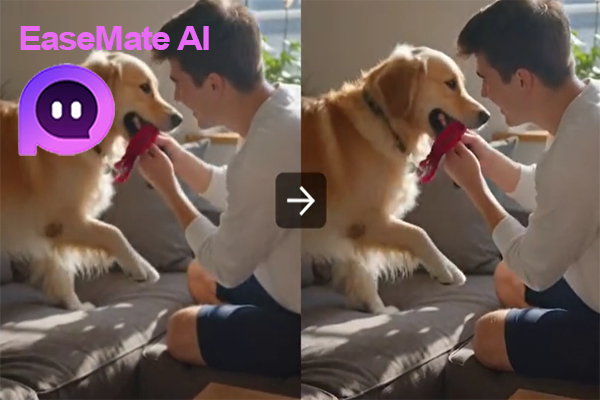
As discussed above, EaseMate AI offers the best free tool to enhance your video quality. For example, if you want to upscale a pet video to 4K for sharing, this platform is an excellent choice. Below are the simple steps to get started.
Step 1. Visit EaseMate AI’s official website and navigate to the AI Video Enhancer page.
Step 2. Upload your video by dragging and dropping it into the designated area or selecting it from your device.
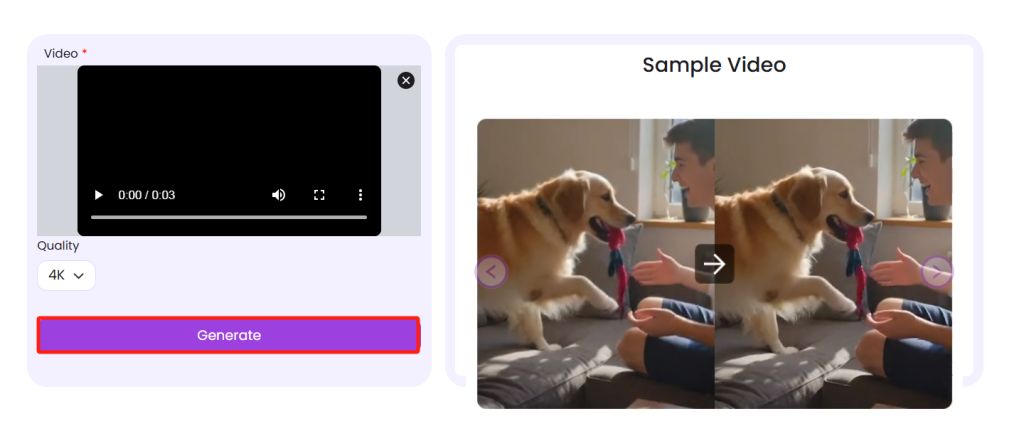
Step 3. Select the target resolution, like 4K, and click “Generate.” Then, the tool will enhance the video quality, modify the brightness, contrast, saturation, and sharpness automatically. After that, you can preview the high-resolution video and download it with no watermark.
In Conclusion
Simply put, this blog helps you choose the best AI video enhancer and shows you a step-by-step guide to improve the video quality. EaseMate AI stands out as the top choice as it combines ease of use with powerful AI technology, making high-quality video enhancement accessible to beginners and creators alike while saving time and improving overall visual impact.
Alexi Carmichael
Business, Mentorship, and AI Verified By Expert
Alexi Carmichael is a tech writer with a special interest in AI's burgeoning role in enhancing the efficiency of American SMEs. With her know-how and experiences, she has since taken on the role of mentor for fellow entrepreneurs striving for digital optimization and transformation. With Tech Pilot, she shares her insights on navigating the complexities of AI and how to leverage its capabilities for business success.
Share This Article
JOIN OUR COMMUNITY
Receive the latest AI insights directly to your inbox.