How to Create Stunning Presentations Using HIX AI — From Research to Final Slide
You know building presentations take a lot of hard work, but there is a smarter way. HIX AI, the ultimate AI Agent Workspace, handles the research, images, videos and slides.
I needed to build an investor-ready presentation on Vietnam’s real estate market. HIX AI handled the research, images, videos and slides — all without leaving a single platform.
If you’ve ever built a presentation from scratch, you know the real pain isn’t the slides themselves. It’s everything before the slides: digging through reports, pulling data, writing copy, hunting for visuals that don’t look like generic stock photos, and then somehow stitching it all together into something that actually impresses.
That workflow usually means jumping between a research tool, a writing assistant, an image generator, and a slide builder. Four tools. Four subscriptions. Four context switches that kill your flow state.
HIX AI Agents takes a different approach. It bundles deep research, AI chat, image generation, and slide creation into a single workspace — what the team calls “Your Ultimate AI Agent Workspace.” I wanted to see if that promise held up in practice, so I put it through a real project: building an investment presentation on Vietnam’s booming real estate market.
Here’s how the full workflow played out.
Step 1: Deep Research — Let the AI Do the Heavy Lifting
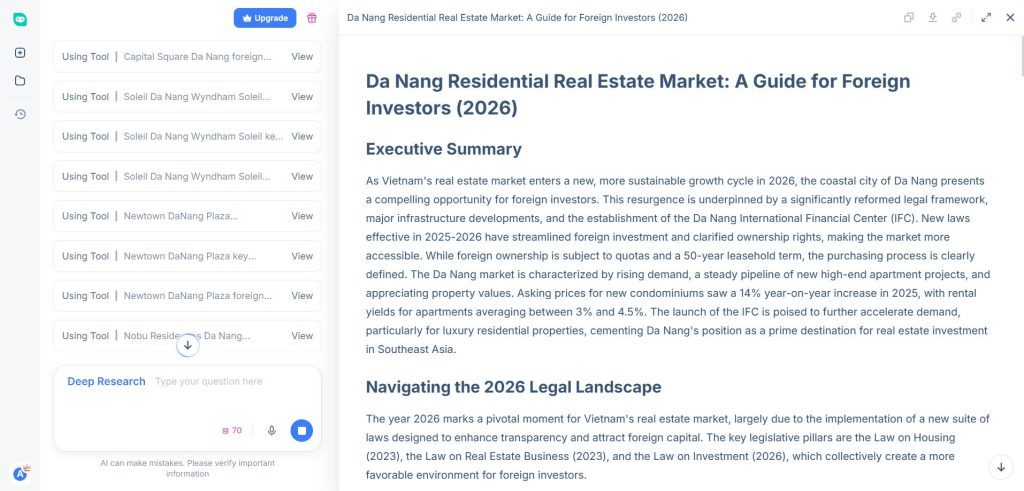
Every solid presentation starts with solid data. Instead of manually combing through market reports, I started with HIX AI’s Deep Research feature.
I entered a straightforward prompt: research the current state of Vietnam’s real estate market for foreign investors, covering price trends, legal frameworks, high-growth regions, and projected returns.
What came back wasn’t a shallow summary. The tool conducted multi-source research across current publications and data sets, then organized its findings into structured sections. I got up-to-date statistics on property prices in Ho Chi Minh City and Da Nang, regulatory details on foreign ownership caps, and growth projections from recent industry reports — all cited and organized.
The search went smart and deep.
The key advantage here is speed. What would normally take a couple of hours of tab-hopping and note-taking was condensed into minutes. And because the research lives inside the same platform where I’d build the presentation, there’s no copy-pasting between tools.
Pro tip: After the initial deep research output, I used the follow-up question feature to drill into specifics — things like “What are the tax implications for foreign property investors in Vietnam?” and “Compare rental yields in Da Nang vs. Ho Chi Minh City.” This iterative approach let me shape the research around exactly what my investor audience would care about.
Step 2: AI Chat — Refining the Narrative
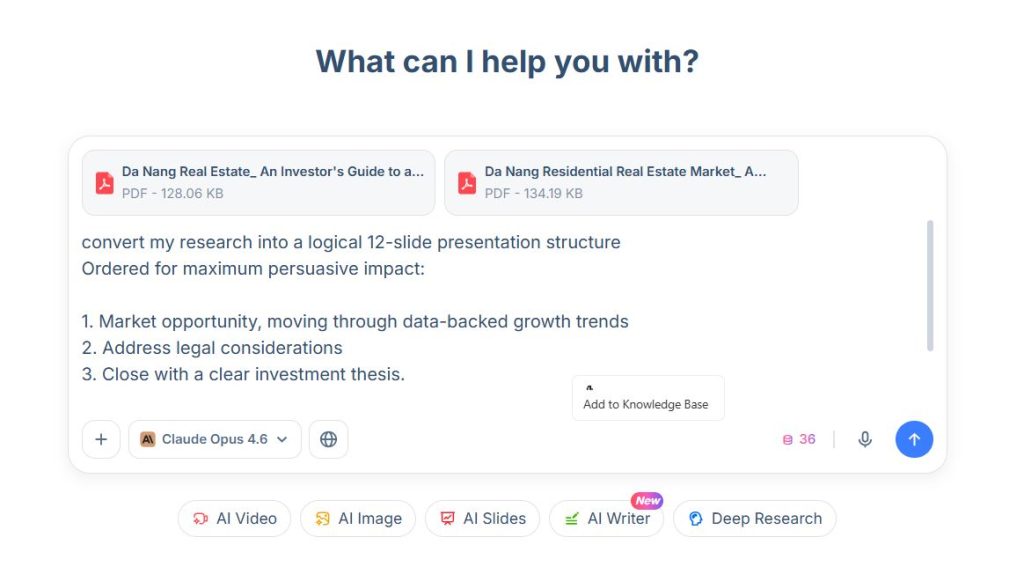
With raw research in hand, I switched to HIX AI’s AI Chat to transform that data into a presentation narrative.
This is where the platform’s multi-model access becomes genuinely useful. HIX gives you access to over 30 AI models — including the latest options like Gemini 3.1 Pro and GPT 5.2 Pro — all from the same interface. No separate subscriptions. No switching between ChatGPT, Gemini, and Claude tabs.
I used the chat to handle three things:
Outline creation. I asked the AI to convert my research into a logical 12-slide presentation structure, ordered for maximum persuasive impact — starting with market opportunity, moving through data-backed growth trends, addressing legal considerations, and closing with a clear investment thesis.
Copy refinement. Dense research paragraphs don’t work on slides. I had the AI distill key findings into concise, high-impact talking points — the kind of punchy copy that keeps an investor’s attention during a pitch.
Having all of this happen in one continuous conversation, with full context from the research phase, meant the AI’s suggestions were actually relevant. It wasn’t generating generic business slide copy — it was writing specifically about Vietnamese real estate with the data to back it up.
Step 3: AI Slides — Assembling the Final Deck
With research, copy, and visuals ready, the final step was building the actual presentation using HIX AI’s AI Slides feature.
I provided the tool with my outline and the research findings. The agent then handled the full assembly process — structuring the layout, placing content, applying design elements, and producing a polished deck. You can generate up to 30 slides, though for this project I scaled it to 12 focused slides that covered the investment thesis without padding.
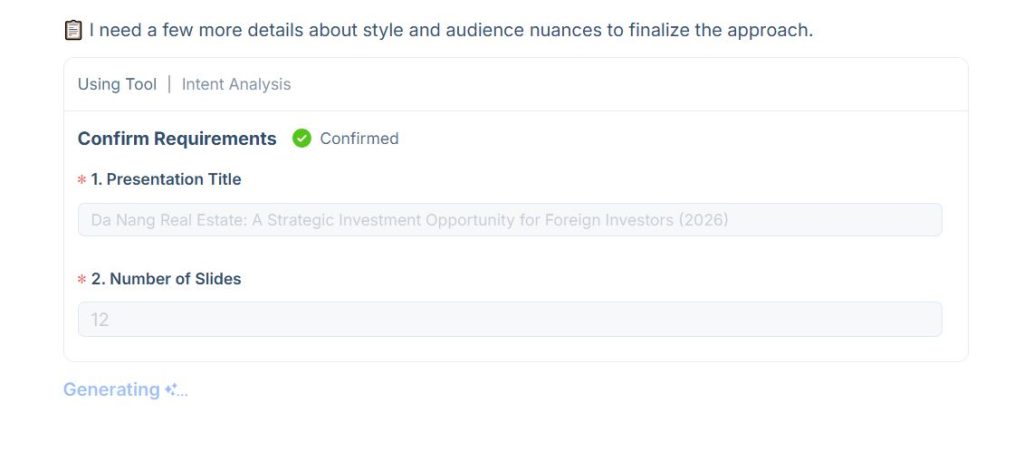
Before start creating – it actually gave me a quiz-style to select the type of presentation I prefer:
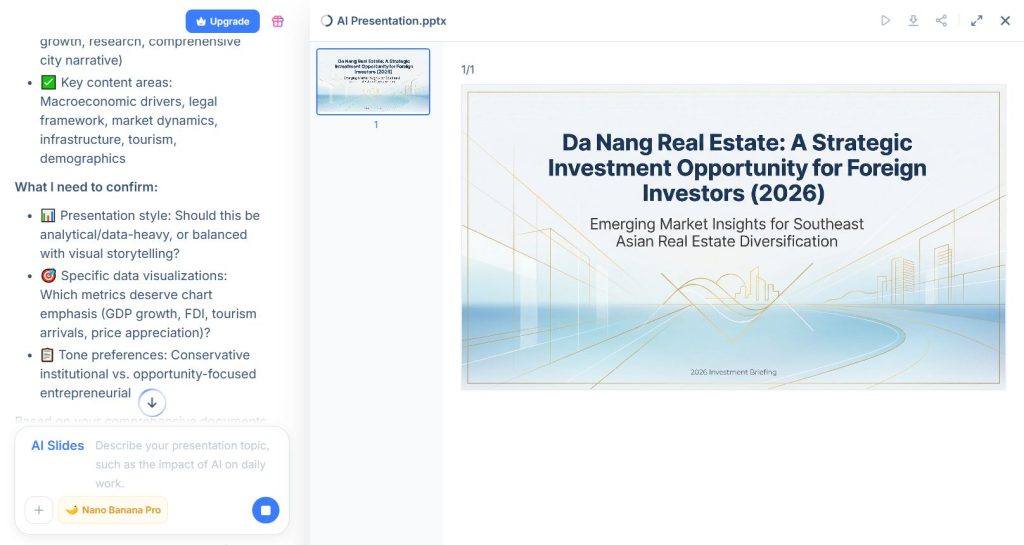
The results were amazing:
Two features worth highlighting:
Nano Banana Pro Design Mode gave the slides a professional visual treatment that went beyond basic templates. The layouts felt considered — proper visual hierarchy, balanced spacing, and design choices that actually supported the content rather than fighting it.
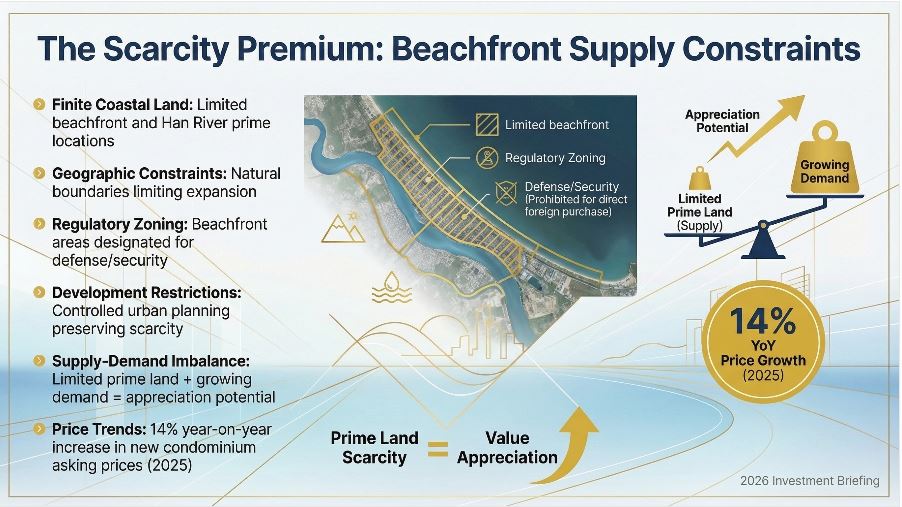
Text Coherence: Typography was consistent and 100% clear – no manual input form my side. Here is a slide example:
The entire process — from initial research prompt to finished presentation — took under 30 minutes. Building the same deck manually, with separate tools for each step, would easily have been a half-day project.
Building the same manually without any AI… would have perhaps taken weeks.
Additional Features: AI Image — Custom Visuals That Match Your Story
Stock photos are the fastest way to make a presentation look generic. HIX AI’s image generation tool gave me a better option.
The platform offers access to over 20 image models, including their own Nano Banana 2 and Nano Banana Pro. Each model has different strengths — some excel at photorealistic architecture renders, others handle infographic-style visuals or artistic compositions better.
The practical benefit: every visual in the deck was custom-made for the content, not forced to fit from a stock library. That’s a noticeable quality difference when you’re presenting to investors.
The Bigger Picture: Why an All-in-One Workspace Matters
The individual features of HIX AI are solid on their own. But the real value is in the integration.
When your research feeds directly into your content writing, which feeds into your image generation, which feeds into your slide builder — all within the same platform — you eliminate the friction that slows down every creative project. No context is lost between steps. No reformatting between tools. No managing four different subscriptions.
For anyone who regularly creates presentations — whether for client pitches, internal strategy decks, educational content, or investor meetings — Hix AI unified workflow is a meaningful time-saver.
The speed and cost efficiency are obvious wins. But the less obvious benefit is consistency. When one platform handles the entire pipeline, the final output feels cohesive in a way that’s hard to achieve when you’re stitching together outputs from separate tools.
Getting Started
If you want to test the workflow yourself, HIX AI offers trial access so you can explore the full feature set. Start with a presentation topic you actually need — the best way to evaluate any AI tool is with a real project, not a demo scenario.
Head to hix.ai to explore the deep research, AI chat, image generation, and slide creation features. The platform is designed to handle the entire content creation pipeline, and based on my testing, it delivers on that promise.
Mihai (Mike) Bizz: More than just a tech enthusiast, Mike's a seasoned entrepreneur with over 10 years of navigating the dynamic world of business across diverse industries and locations. His passion for technology, particularly the transformative power of Artificial Intelligence (AI) and automation, ignited his pioneering spirit.
Fueling Business Growth with AI: Through his blog, Tech Pilot, Mike invites you to join him on a captivating exploration of how AI can revolutionize the way we operate. He unlocks the secrets of this game-changing technology, drawing on his rich business experience to translate complex concepts into practical applications for companies of all sizes.
Share This Article
JOIN OUR COMMUNITY
Receive the latest AI insights directly to your inbox.