Compare the 5 best AI video generators for business in 2026. Freepik, Higgsfield, Canva, Adobe Firefly, and LTX Studio—pricing, features, and which fits your workflow.
John Daniel Corporate finance, Mathematics, GenAI Verified By Expert
Published: February 16, 2026 | Updated: May 16, 2026
AI video generation has crossed the threshold from novelty to necessity. In 2026, platforms routinely produce cinematic-quality clips with synchronized audio, consistent characters, and 4K output—capabilities that cost tens of thousands in production budgets just two years ago.
The real question for business users is no longer whether to adopt AI video, but which platform fits their workflow. After testing five leading platforms across features, pricing, quality, and practical business value, Freepik emerges as the best all-around choice for most users, thanks to its unmatched model variety and aggressive pricing. But each platform on this list dominates a specific niche.
1. Magnific: The Swiss Army Knife That Replaces Five Subscriptions
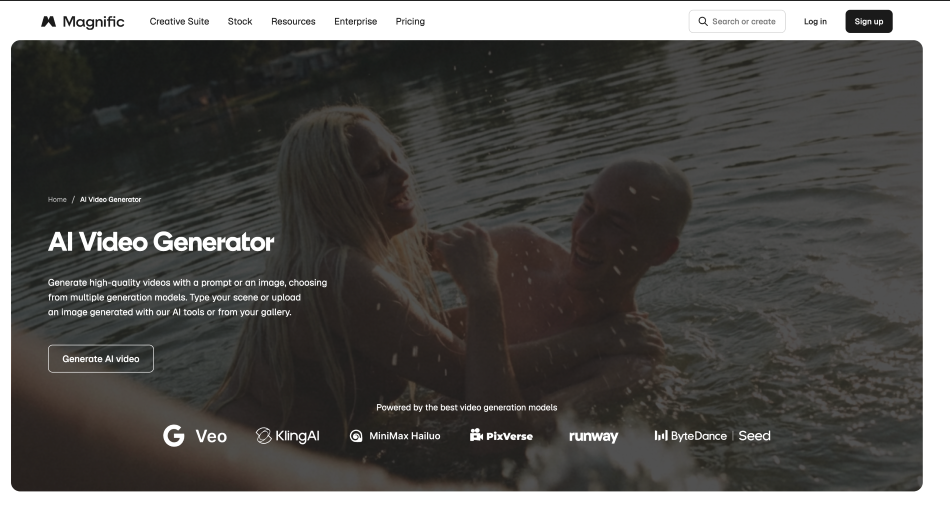
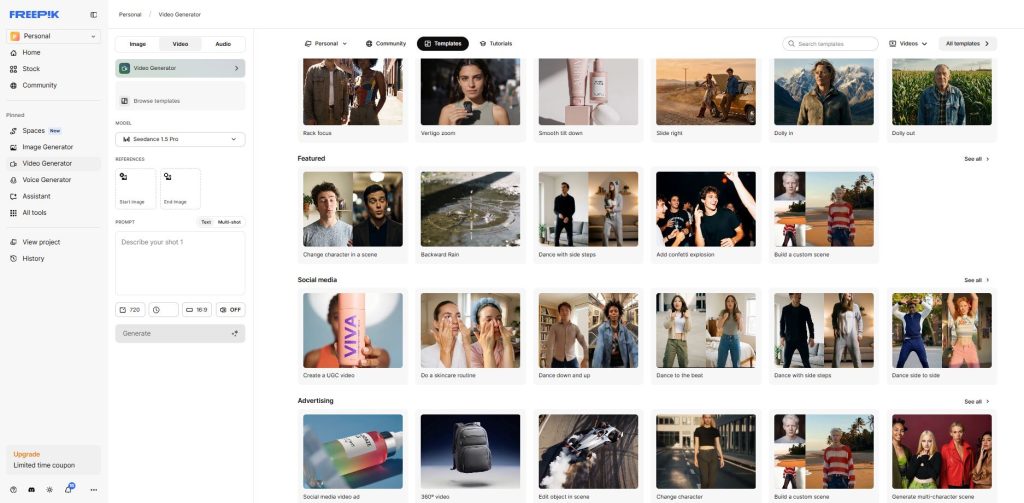
Magnific has transformed from a stock asset library into the most comprehensive AI video platform available. Its core strategy is model aggregation—rather than building a proprietary video model, it integrates 30+ third-party AI models into a single interface.
Best for: Content creators, solopreneurs, and marketing teams who need variety without juggling multiple subscriptions
What Models Can You Access?
Google Veo 3.1
OpenAI Sora 2
Runway Gen 4.5
Kling 3.0
Seedance 1.5 Pro
MiniMax Hailuo 2.3 Fast
Wan 2.2
Plus 20+ additional models
The workflow: Run the same prompt across multiple models, compare outputs side-by-side, and pick the best one. No other platform offers this breadth.
Pricing (February 2026)
Essential Plan – $7.25/month (billed monthly)
7,000 monthly AI credits
Access to all 30+ AI models
Commercial license included
AI image generation, video editing, voice cloning
Premium+ Plan – $40/month (billed monthly)
Everything in Essential
Unlimited generations on Wan 2.2 (480p), MiniMax Hailuo 2.3 Fast (768p), and Kling 2.5 (720p)
Topaz Video AI upscaling to 4K
45,000 monthly credits for premium models
Pro Plan – $300/month (300,000 monthly credits)
For agencies and high-volume creators
3.6 million annual credits
Higher resolution outputs
Early access to new features
The Full Creative Pipeline
Beyond video generation, Freepik delivers:
AI image generation across 15+ models
Voice cloning and AI voiceover
Sound effects and music generation
Lip sync for talking head videos
Built-in video editor
Stock library with 247 million+ assets
The Tradeoffs
Credit consumption is steep: A single 5-second Veo 3.1 clip in 4K costs 2,080 credits. That means the Essential plan covers roughly 3 top-tier generations per month.
Quality variance: Output quality can feel slightly degraded compared to using models directly at their source. Outputs are highly dependable on your prompting.
Why FreePik Still Wins
Individual subscriptions to Runway, Kling, and Sora would run $100+ per month combined. Freepik’s Essential plan provides access to all three for $5.75/month. For business users who need variety, speed, and cost efficiency, nothing else comes close.
2. Higgsfield: Built for the Social Media Marketing Grind
Higgsfield generates 4.5 million videos per day and raised a $130 million Series A in January 2026 at a $1.3 billion valuation. Founded by Alex Mashrabov (former Head of Generative AI at Snap), it’s designed specifically for social media content at scale.
Best for: Social media marketers and e-commerce brands that need high-volume, cinematic short-form content
Cinema Studio: Simulates real camera bodies from ARRI, RED, and Sony with lens characteristics and depth of field
No other AI video tool gives this level of film-centric motion control
Click to Ad
Paste a product URL
Platform automatically generates a 10-15 second video ad
Includes camera movement, transitions, and music suggestions
Perfect for e-commerce product launches
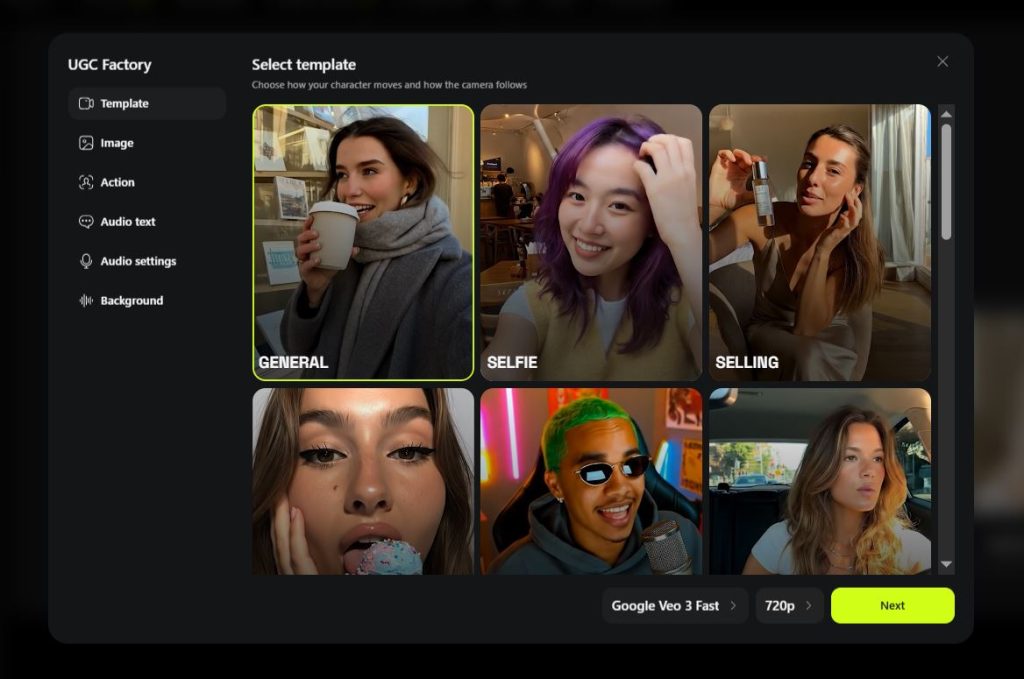
UGC Factory
Creates user-generated content style videos using AI avatars
Maintains consistent character identity with “Soul ID” across unlimited generations
Pricing (February 2026)
Free: 150 credits/month
Basic: ~$9/month (720p output)
Pro: ~$29/month (1080p output)
Ultimate: ~$39/month (4K output, advanced camera controls)
Creator: ~$139/month (4K output, Unlimited access to some Image & video generators)
Available Models
Higgsfield aggregates Sora 2, Veo 3.1, Kling 2.6, Kling 3.0 and proprietary models—though with fewer total options than Freepik.
The Catch
User sentiment is polarized: Trustpilot reviews split 47% five-star vs 40% one-star. Common complaints:
Credits expire after 90 days
Opaque pricing changes
Billing practices concerns
Moreover, Click to Ad feature produce pretty weak and inconsistent results.
For the right user (social media teams producing 20+ videos/week), Higgsfield’s camera controls and Cinema Studio features are unmatched.
2. Fliki: The King of Voice-First Automation
While other tools focus on raw cinematic pixels, Fliki has carved out a dominant niche in 2026 by perfecting the “Text-to-Video” workflow. For businesses that need to turn blog posts, tweets, or product descriptions into social-ready videos in under 60 seconds, Fliki is the most efficient SaaS tool on the market.
Best for: Content marketers, HR departments for training videos, and YouTubers who prioritize high-quality AI voiceovers and speed.
Standout Features
Life-like AI Voices: Fliki offers over 2,000 ultra-realistic voices in 75+ languages. In 2026, their “Emotional Inflection” engine allows users to adjust the tone (e.g., excited, professional, or empathetic) with a single click.
Blog-to-Video Magic: Simply paste a URL, and Fliki’s AI summarizes the content, selects relevant stock media, and generates a fully narrated video with accurate subtitles.
AI Avatar Integration: Seamlessly add “talking head” avatars to your videos to give training or explainer content a human touch without a camera crew.
Pricing (February 2026)
Free: 5 minutes of credits/month (watermarked).
Standard – $21/month: 180 minutes of credits, 1080p output, and access to the full premium stock library.
Premium – $66/month: 600 minutes of credits, 4K output, voice cloning, and advanced API access for enterprise automation.
The Tradeoff
Fliki is an assembly tool rather than a “generative artist.” While it uses AI to pick clips and generate voices, it doesn’t provide the frame-by-frame “creative” control found in tools like LTX Studio. It is built for output volume, not for directing a cinematic masterpiece.
4. Adobe Firefly: The Commercially Safe Choice for Professionals
Adobe Firefly’s value proposition is unique in this market: it’s the only AI video platform designed to be commercially safe from the ground up. The Firefly Video Model is trained exclusively on licensed Adobe Stock content and public domain material.
Best for: Professional video editors in the Adobe ecosystem, agencies producing client work, enterprises needing IP protection
IP Indemnification
The Firefly Video Model is trained exclusively on:
Licensed Adobe Stock content
Public domain material
Legal protection:
$10,000 per asset on VIP plans
$3 million per asset on Enterprise Term Licenses
If a client asks “can we prove this won’t trigger a copyright claim?”, Firefly is the only answer.
Pricing (February 2026)
Firefly Standard – $9.99/month
2,000 generative credits (~20 five-second videos)
Unlimited standard image and vector generation
Access to Adobe’s Firefly Video Model
Firefly Pro – $19.99/month
4,000 generative credits (~40 five-second videos)
Higher processing priority
Advanced features
Firefly Premium – $199.99/month
Unlimited AI videos per month with Adobe Firefly
50,000 generative credits
Multi-Model Hub
Firefly integrates partner models:
Runway Gen-4
Luma AI
Pika
Google Veo 3
OpenAI Sora
Critical caveat: IP indemnity only covers Adobe’s own model, not partner models.
Premiere Pro Integration
Generative Extend: Drag a clip’s edge in the timeline to generate new frames that match existing lighting, camera movement, and grain. For professional editors, this solves a real production problem—no other tool embeds AI generation directly into an industry-standard editing timeline.
Quality Assessment
Output quality from Adobe’s native model trails Runway and Sora for raw realism, particularly with complex human motion. But landscapes, atmospheric elements, and B-roll content consistently look polished.
5. LTX Studio: The Filmmaker’s Pre-Production Suite
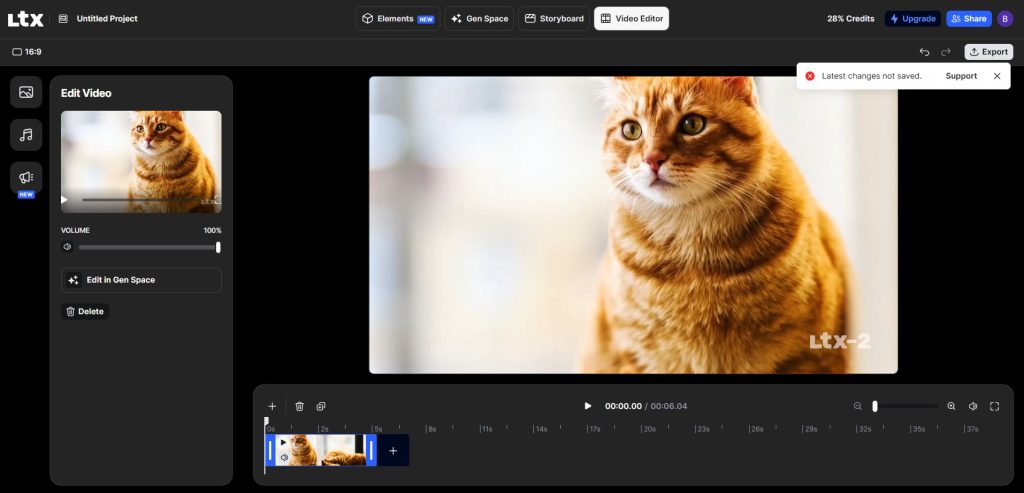
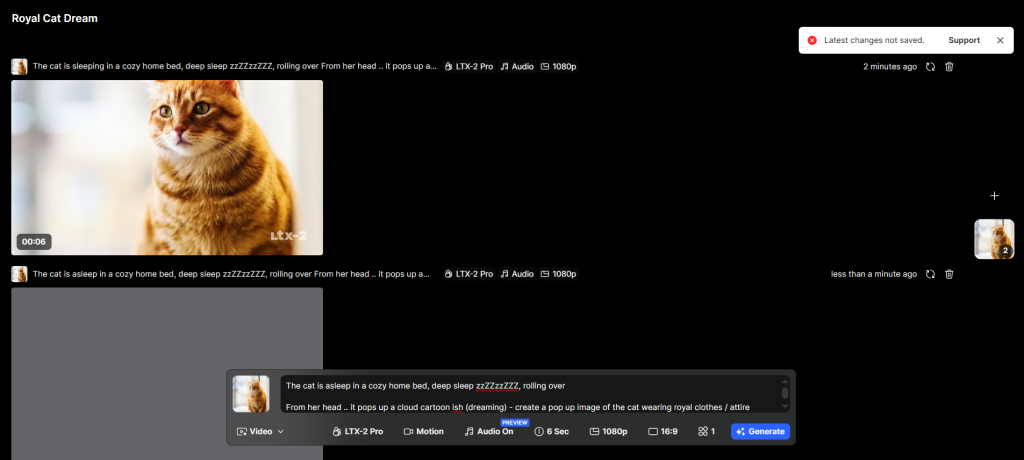
LTX Studio, built by Lightricks (the team behind Facetune and Videoleap), takes a fundamentally different approach. While every other platform focuses on generating individual clips, LTX Studio is designed around narrative structure—script to storyboard to video, scene by scene.
Best for: Filmmakers, advertising agencies, and creative studios that need structured narrative workflows
Workflow:
Paste a full screenplay
Platform automatically decomposes it into scenes and shots
Extracts characters and locations as reusable “Elements”
Generates shot-by-shot storyboard
Character consistency:
Define a character’s age, hairstyle, wardrobe, facial features once
Tag them with @ mentions across any scene
Update the character profile and every shot reflects the change
Retake feature: Surgically replace 2-16 second segments within shots without regenerating the entire scene.
Technology
LTX-2 Model
DiT-based architecture
Generates up to 4K at 50fps
30x faster than competing models
Open-source (runs on consumer GPUs)
Trained on licensed Getty Images and Shutterstock content
Also integrates Google Veo 3/3.1 for additional options.
Pricing (February 2026)
Lite – $15/month
8,000 credits
Basic video generation
Standard – $35/month
Unlimited character actors
Commercial licensing
Full Elements system
Pro – $125/month
Access to Veo 3/3.1
Priority rendering
Pitch deck export
Free tier: 800 one-time credits (essentially a brief trial)
Automatic Pitch Deck Generation
Export a PDF with:
Synopsis
Cast sheet
Moodboards
Storyboards
Style references
Academy Award-winning director Taika Waititi called it “amazing how fast it can generate ideas.”
The pitch deck feature alone makes LTX Studio invaluable for concept-stage client presentations.
Choosing the Right Tool: Match Your Workflow, Not Features
The AI video landscape in 2026 rewards specificity over spectacle. Here’s the decision framework:
Choose Magnific if:
You need access to multiple AI models (Veo, Sora, Runway, Kling)
Your budget is under $25/month
You produce social media content, product demos, or ad creative at scale
You want a full creative pipeline (image + video + audio + editing)
Choose Higgsfield if:
You’re a social media marketer producing 20+ videos/week
You need cinematic camera controls (dolly, crane, FPV shots)
You’re in e-commerce and need product video ads fast
You prioritize motion presets over model variety
Choose Canva if:
You’re already using Canva for design work
You need 5 or fewer AI video clips per month
You value ecosystem integration (templates, Brand Kit, Content Planner)
You publish across multiple social channels from one platform
Choose Adobe Firefly if:
You’re a professional video editor in Premiere Pro
You need IP indemnification for client work
You’re an agency or enterprise where legal certainty matters
You want Generative Extend for timeline-based AI generation
You want character consistency across multiple shots
Pro Tip: For businesses looking to create professional videos at scale, platforms like Synthesia allow teams to generate high-quality videos for corporate use cases using AI avatars and voiceovers without the need for cameras, studios, or editing expertise. This makes it especially useful for training, onboarding, and marketing content.
The Smart Strategy for 2026
Start with Magnific’s Essential plan ($7.25/month) for experimentation across 30+ models. Test which workflows and use cases emerge. Then layer in a specialized tool once you’ve identified your primary need:
Add Higgsfield if camera controls become essential
Add Canva if you’re already designing there
Add Firefly if you need legal protection
Add LTX Studio if narrative structure matters
Remember: Credits are the universal constraint across every platform. Budget for them the way you budget for stock assets, and you’ll avoid the most common frustration in AI video production today.
The winners in 2026 won’t be the teams using the “best” AI video generator. They’ll be the teams who matched the right tool to their specific workflow—and knew exactly what they were paying for.
John Daniel Corporate finance, Mathematics, GenAI Verified By Expert
Meet John Daniell, who isn't your average number cruncher. He's a corporate strategy alchemist, his mind a crucible where complex mathematics melds with cutting-edge technology to forge growth strategies that ignite businesses.
MBA and ACA credentials are just the foundation: John's true playground is the frontier of emerging tech. Gen AI, 5G, Edge Computing – these are his tools, not slide rules. He's adept at navigating the intricacies of complex mathematical functions, not to solve equations, but to unravel the hidden patterns driving technology and markets.
His passion? Creating growth. Not just for companies, but for the minds around him.
Share This Article
JOIN OUR COMMUNITY
Receive the latest AI insights directly to your inbox.