


MusicArt – AI Music Generator & Audio to MIDI Converter

MusicArt is a browser-based AI music platform that lets you generate original tracks, convert audio recordings into editable MIDI, and refine your output — all without installing software or needing a production background.
The core idea: describe what you want, upload what you have, and get usable music back fast. No installation, no audio drivers, no prior configuration — which immediately sets it apart from traditional DAWs.
It’s not a replacement for professional production software. It’s a fast, practical tool for getting musical ideas out of your head and into a format you can actually work with.
MusicArt Best Use Cases
- Content creators & podcasters — Generate royalty-free background scores without touching a DAW or hiring a composer.
- Instrumentalists & singers — Record a riff or hum a melody, convert it to MIDI, and build from there in your preferred software.
- Social media creators — Fast music iteration for video content, no licensing headaches.
- Music students — A low-barrier way to understand how audio translates into MIDI and musical structure.
Not ideal for professional productions requiring precise sonic control, complex arrangements, or a signature sound. MusicArt prioritizes accessibility and efficiency over depth — evaluate it within that scope.
Our Expert Rating

Pricing
Starts at: $10.49/month
Model: Pay per Month
Genuinely zero setup. Browser-based, no downloads. You're generating music within minutes of signing up.
Audio to MIDI actually works. Supports .wav, .mp3, .flac, and .ogg — and handles vocals, guitar, piano, and drums as separate MIDI tracks.
More tools than expected. Stem splitter, vocal remover, AI mastering, song cover generator, lyrics generator, lofi converter — it's a broader toolkit than the name suggests.
Commercial license included on paid plans. MIDI files and generated tracks can be used in commercial projects depending on your subscription plan.
Limited creative control. Advanced users will find the lack of granular control limiting, particularly on complex arrangements.
Outputs can feel conservative. Generated music is structurally sound but can feel stylistically safe — not ideal if you need something with a distinctive or experimental edge.
Free tier is very limited. Two songs per month won't take you far. You'll hit the ceiling quickly if you're testing it for real workflows.
- AI Music Generator — Describe a mood, genre, or style in text and get an original track back. Handles everything from ambient textures to energetic electronic arrangements. Good starting point for ideation; outputs are consistent rather than groundbreaking.
- Audio to MIDI — Upload a recording and the AI detects pitch, rhythm, and note structure and returns an editable MIDI file. Works well across a wide range of musical content — monophonic lines and clean single-instrument recordings get the best results.
- AI Stem Splitter & Vocal Remover — Separate a mixed track into its component parts. Useful for remixing, sampling, or isolating a vocal line before running it through Audio to MIDI.
- AI Music Mastering — Apply professional-grade finishing to generated or uploaded tracks directly in the browser. Saves a step for creators who need polished output without a full production chain.
- AI Lyrics Generator — Generate lyrics from a prompt or theme. Useful as a creative starting point, though most users will want to edit the output before using it.
- AI Song Cover Generator — Recreate a song in a different vocal style. Covers require a paid plan for commercial use.
- Lofi Converter — Subtly alters texture, timing, and tonal balance to create a relaxed, understated sound — without over-processing. Favors warmth and cohesion, making output suitable for long listening sessions or background use.
- MIDI Editor — Refine converted or generated MIDI directly in the platform before exporting to your DAW.
- Photo to Music — Feed in an image and the AI interprets it as a musical prompt. An experimental mode — treat it as a creative trigger rather than a precision tool.
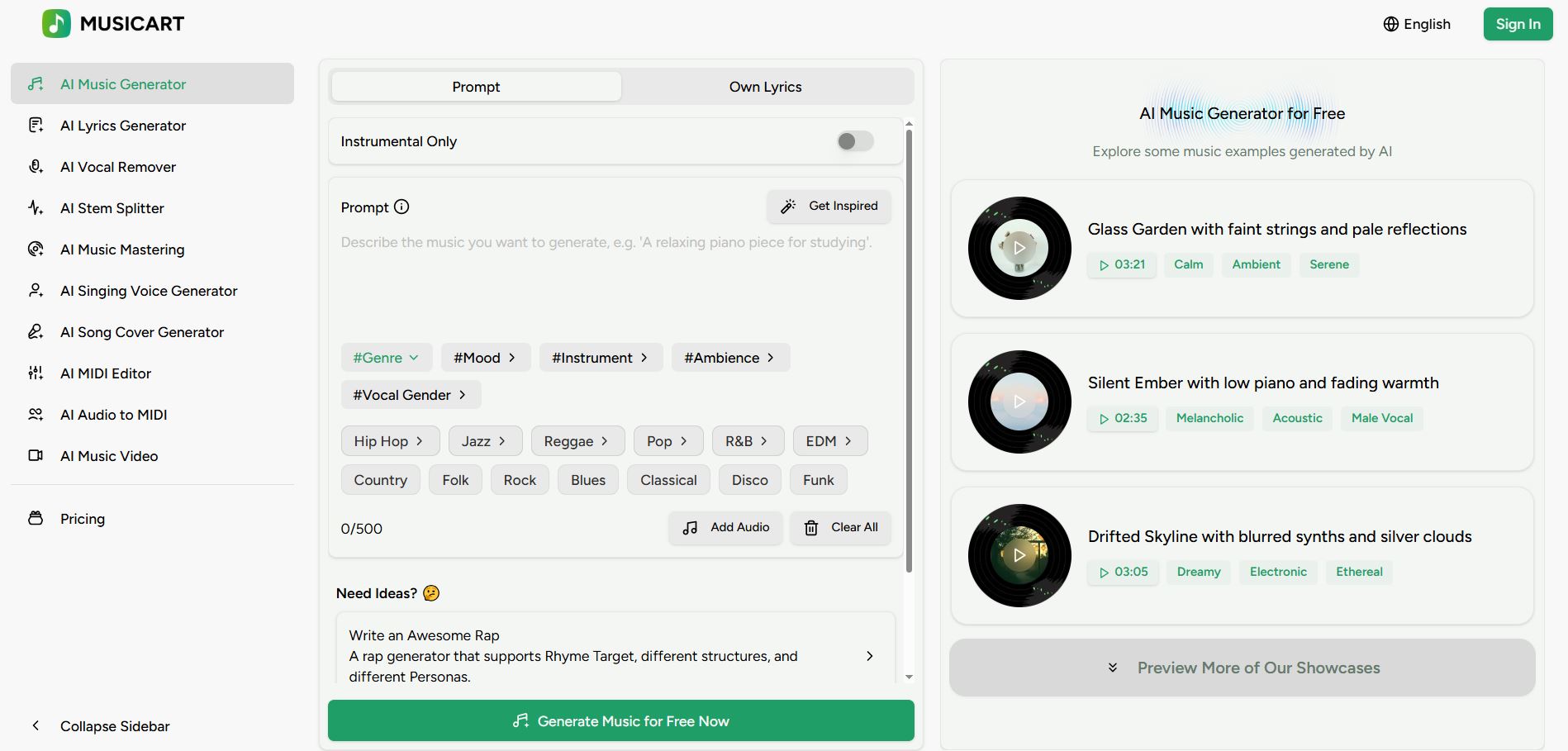 AI Music Generator
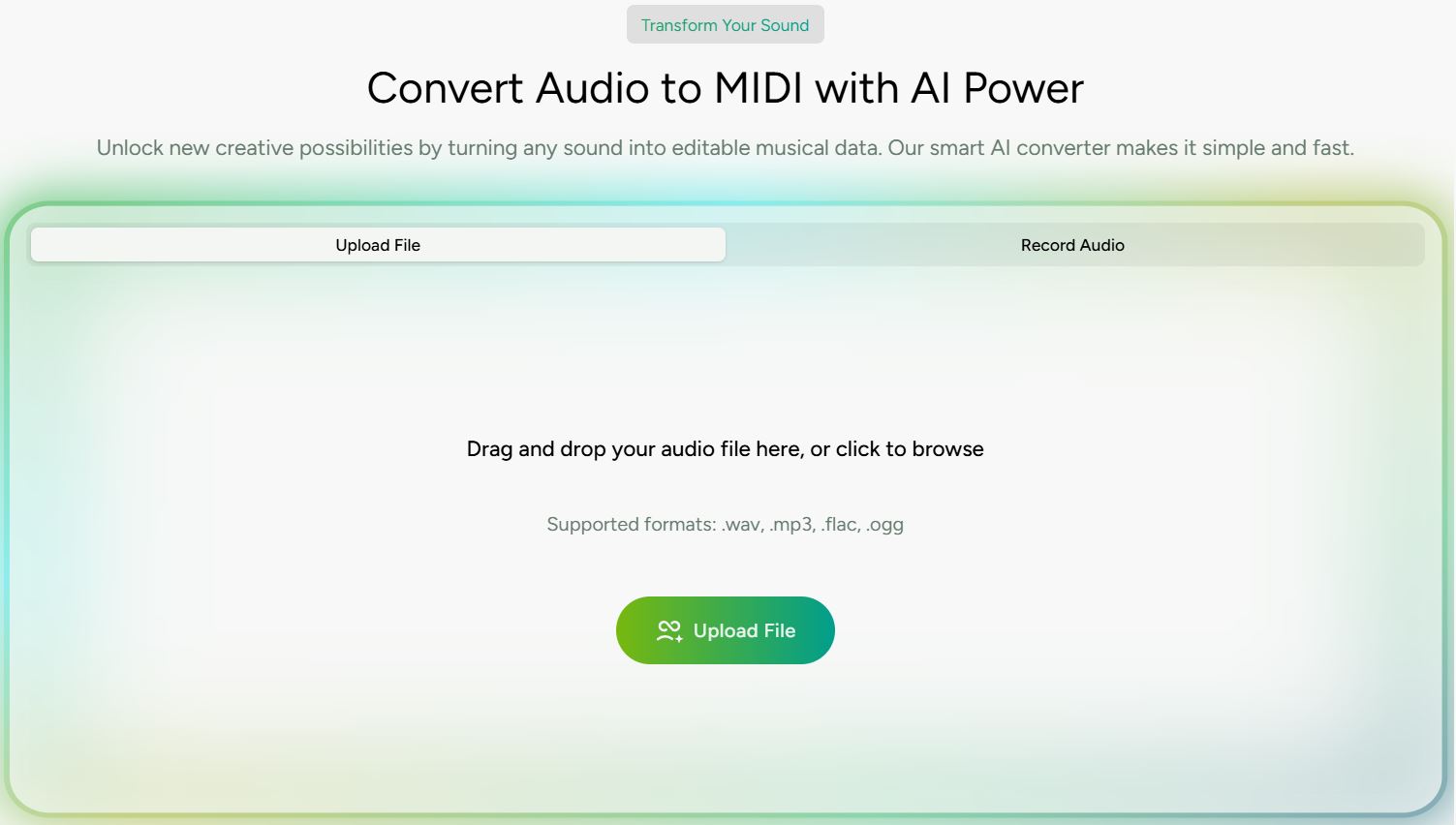 Audio to Midi
Frequently Asked Questions
Is MusicArt free to use?
Yes — there’s a free plan with 2 songs and 1 music generation per month, no credit card required. It’s enough to test the output quality but not enough for ongoing use. The Starter plan at $10.49/month is where it becomes a practical tool.
What audio formats does Audio to MIDI support?
MusicArt AI supports .wav, .mp3, .flac, and .ogg. Musicart Upload your file and the AI returns an editable MIDI within moments. Clean, isolated recordings — single instruments, clear vocals — get the most accurate results.
Can I use MusicArt tracks commercially?
Yes, on paid plans. Commercial use is supported depending on your subscription — the commercial license is included from Starter upward. Musicart The free plan is personal use only. Check the license page on their site for specifics before using in client work.
Do I need music production experience?
No. The interface is built around intent — describe what you want, upload what you have, and the AI handles the rest. That said, knowing your way around a DAW will help you get more from the MIDI output once it’s exported.
How does MusicArt compare to tools like Suno or Udio?
Different use cases. Suno and Udio are optimized for generating complete songs with vocals from text prompts — impressive output, but limited editability. MusicArt’s edge is the broader toolkit: Audio to MIDI, stem splitting, mastering, and vocal removal make it more useful for creators who want to work with and modify audio, not just generate it.
Techpilot’s Verdict on MusicArt
MusicArt is a solid, practical tool for content creators and musicians who need music assets without a full production setup. Based on hands-on testing, outputs are consistent, usable, and well-suited for modern content-driven workflows.
The Audio to MIDI converter is the real differentiator — it solves a genuine problem for anyone who has musical ideas they can’t easily translate into a DAW. The wider toolkit (stem splitter, mastering, lofi converter) adds useful depth beyond what most AI music generators offer.
The honest limit: it’s an ideation and workflow tool, not a professional production suite. If you need full creative control or distinctive sound design, you’ll hit its ceiling. If you need reliable, royalty-free music assets produced fast — it delivers.
The free plan is enough to run a real test. If the output works for your use case, the Starter plan at $10.49/month is a low-risk upgrade.