Canva Magic Design continues to raise the bar in the content creation space with its comprehensive suite of AI design tools. From generating personalized templates to AI-driven copywriting assistance, Canva’s latest release empowers entrepreneurs, marketers, and business leaders to create stunning visuals with ease. With its user-friendly interface and focus on brand consistency, Canva remains a top choice for professionals and novices alike.
Business · Tool review
Canva AI Image Generator: Craft & Pricing
 TechPilot.ai review team Hands-on testing, one published method
 - Last updated
- How we test
Summary
Pros and cons
What we like
- Enhances productivity Canva's AI tools streamline the design process, saving time and effort for content creators.
- Versatile applications From social media graphics to presentations and flyers, Canva's AI-powered features cater to diverse project needs.
- Improved accessibility Alt Text support ensures inclusivity by providing extra context for images and elements.
- Brand consistency The new Brand Hub allows teams to effortlessly stay on-brand with centralized assets, templates, and design guidelines.
- User-friendly interface Canva's intuitive platform makes it easy for anyone to create professional-looking designs, even without prior design experience.
- Canva Craft Canva's own image model with 2K output and text in 55 languages.
What could be better
- Feature overload With numerous AI-powered tools, it may take some time to explore and fully utilize the vast range of features.
- Slight learning curve While Canva is user-friendly, beginners may require some time to get accustomed to the platform's functionalities.
- Free plan includes only up to 20 AI uses.
Key features
- Assistant: Search for design elements, receive quick access to features, and get recommendations on graphics and styles that complement your designs.
- Magic Write: Canva’s AI-powered copywriting assistant, now available across all project types, provides smart suggestions for website copy, presentation summaries, and more in 18 different languages.
- Magic Design: Upload an image and choose from a curated selection of personalized templates, making customization a breeze.
- Magic Edit: Add or replace elements within an image effortlessly, simply describe what you need and let the magic happen.
- Beat Sync: Automatically match video footage with a soundtrack of your choice.
- Translate: Instantly translate text in designs to over 100 different languages.
Screenshots
Full review
Independent and reader-supported. Some links may earn us a commission; it never changes our scores. Editorial policy
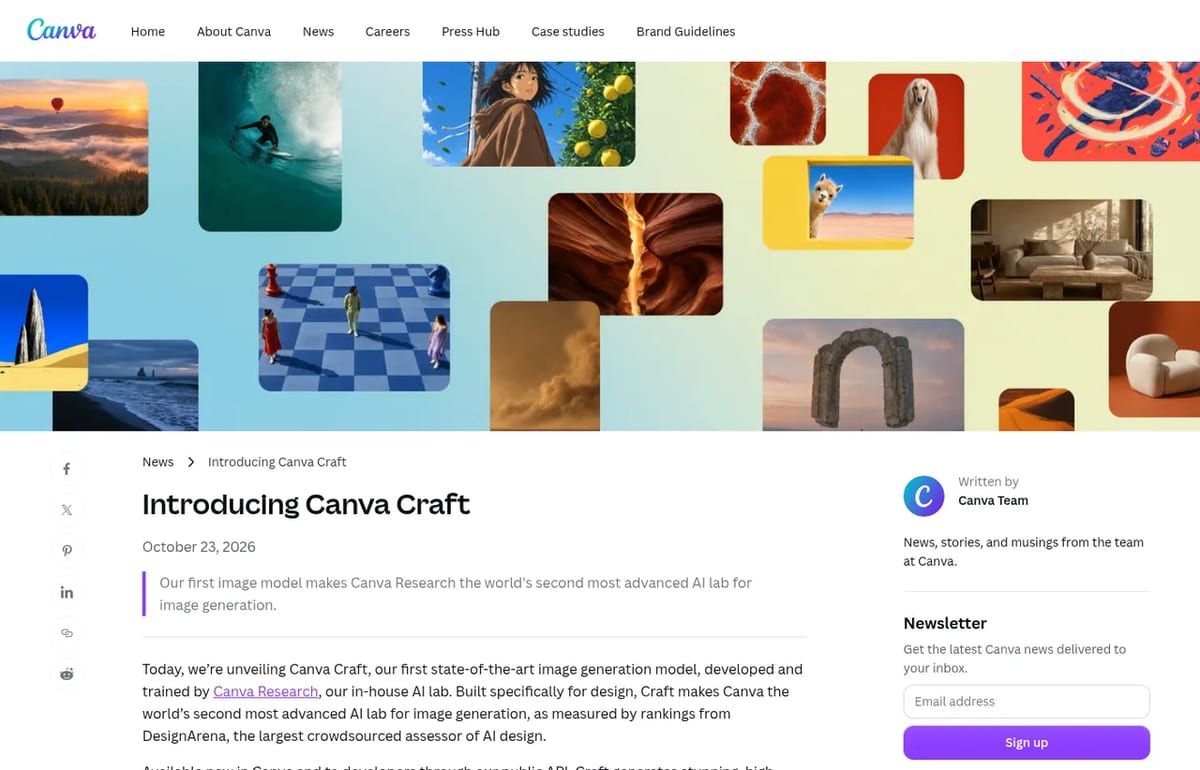
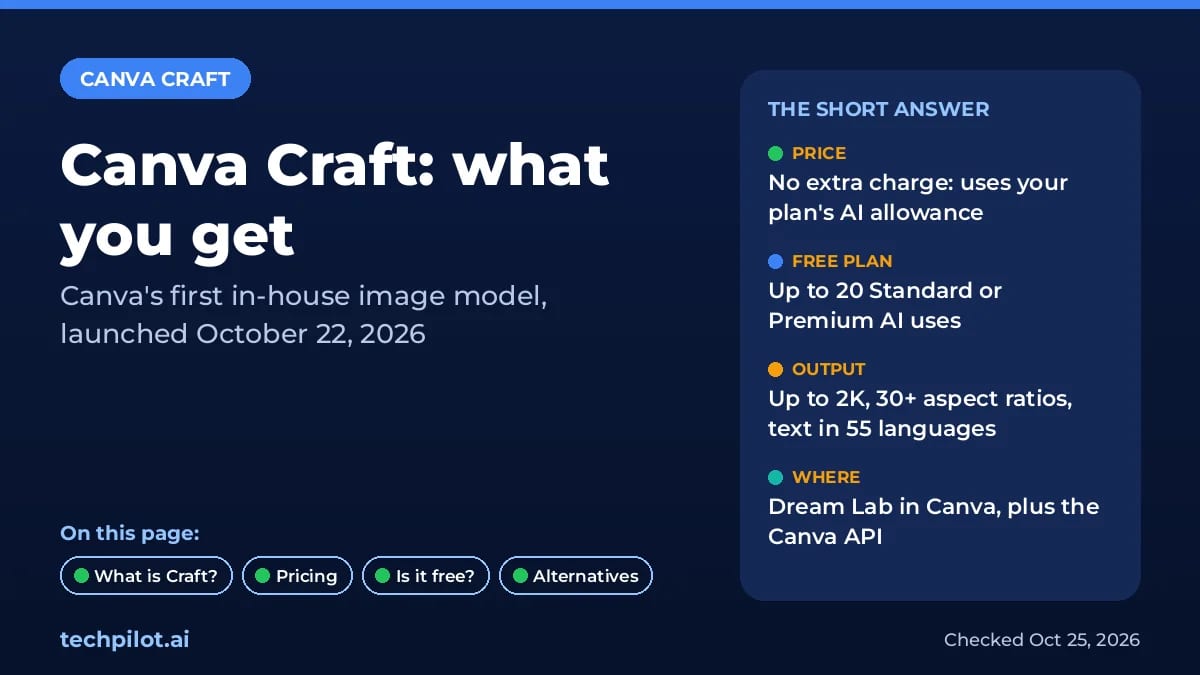
Canva AI image generator Craft launched October 22 for every Canva user, with 2K images and text in 55 languages. See Canva pricing and free AI limits.
Canva’s AI tools cover most of the design process: Magic Design for templates, Magic Write for copy, Magic Layers for turning flat images into editable designs, background removal, resizing and translation. The big change this month is that Canva now generates images with its own model, Canva Craft, instead of relying only on models from other labs.
What’s new: Canva Craft (October 22, 2026)
Canva announced Canva Craft on October 22, 2026 (October 23 in Australia, where Canva is based). It’s the first image model built and trained from scratch by Canva Research, the company’s in-house AI lab. It’s available to all Canva users worldwide in Dream Lab, and to developers through Canva’s public API. Canva says support through the Canva MCP Server, which lets AI assistants create images straight into a design, is coming soon.
What makes it different is a two-stage design. First, a planning model reads your prompt and writes out the composition: which elements appear, where they sit, how big they are and what text goes where. Then a rendering model draws the image from that plan. Canva says this is why Craft handles legible text and precise layouts better, and why its images convert cleanly into editable layers with Magic Layers.
- Resolution and sizes: up to 2K, in 30+ aspect ratios or your own custom size.
- Languages: prompts in any language, and text in the image in 55 languages.
- Training: millions of human-made templates from Canva’s library, such as posters, social posts, presentations, infographics and menus, rather than mostly photos.
- Ranking: Canva says Craft debuted fourth on the DesignArena image leaderboard and first in its People and Portraits and Landscapes and Nature categories.
- Coming next: faster, cheaper Craft-fast and Craft-ultrafast versions, plus reference-image editing.
How to use Canva Craft
- Open Canva and go to Dream Lab in the left-hand panel (it may sit under the three-dot menu).
- Describe the image, including any words that should appear and where.
- Pick an aspect ratio, or type a custom size for a banner or story.
- Add the result to a design, then use Magic Layers to split it into editable elements.
Canva Pricing (2026)
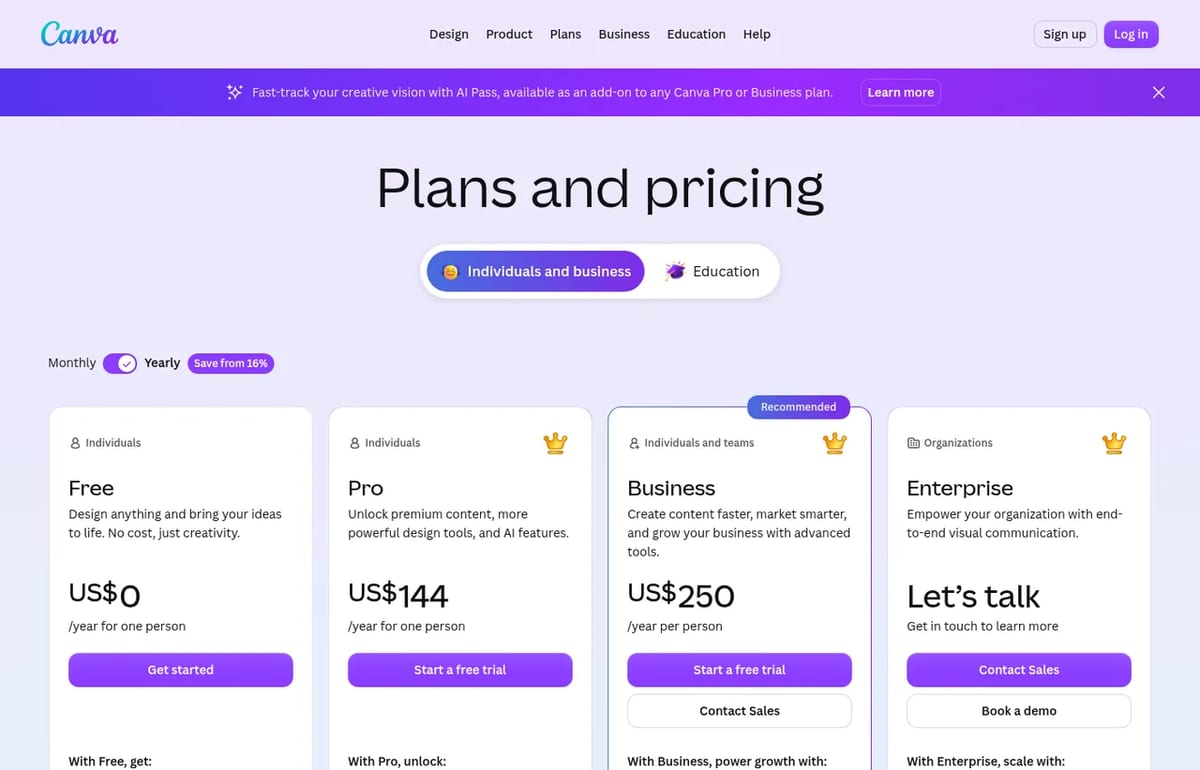
| Plan | Price (billed yearly) | AI usage |
|---|---|---|
| Free | US$0 | Up to 20 Standard or Premium AI uses |
| Pro | US$144 a year for one person | 10x more AI than Free, including Ultra quality |
| Business | US$250 a year per person | 20x more AI than Free, plus AI top-ups |
| Enterprise | Custom | 20x more AI than Free, SSO and admin controls |
| AI Pass add-on | Extra cost | 40x more AI than Pro, for Pro and Business |
Craft has no separate price. Image generation in Canva draws from your plan’s shared monthly AI allowance, which resets each month, and Canva hasn’t said how many uses one Craft image takes. Its AI quality help page explains the tiers: Standard and Premium are open to everyone, while Ultra, the highest quality for photos and videos, needs a paid plan and uses your allowance faster. Pro works out at US$12 a month on a yearly plan.
Best use cases for Canva AI
- Social posts and ads: generate an image with the headline already in place, then resize it for every channel.
- Posters, flyers and menus: layouts where text placement matters, which is what Craft was trained on.
- Presentations: custom visuals that match a deck instead of stock photos.
- Small business branding: one Brand Kit on Free, five on Pro and 100 on Business.
Limitations
- Free AI is tight: up to 20 AI uses won’t go far if you generate images often.
- Unclear cost per image: Canva hasn’t published how much allowance a Craft image uses.
- Ultra needs a paid plan: the highest-quality tier isn’t available on Free.
- Early version: Canva says fine print and technical drawings still need work.
Canva AI alternatives
- Ideogram AI: strong text in images, and now editable SVGs with Ideogram Vector.
- Recraft: brand-consistent images, icons and vector graphics.
- Free AI image generators: Gemini, ChatGPT, Bing and more compared.
For more design tools, see our list of AI design tools for businesses and freelancers.
TechPilot.ai’s Verdict on Canva AI
Canva Magic Design continues to raise the bar in the content creation space with its comprehensive suite of AI design tools. From generating personalized templates to AI-driven copywriting assistance, Canva’s latest release empowers entrepreneurs, marketers, and business leaders to create stunning visuals with ease. With its user-friendly interface and focus on brand consistency, Canva remains a top choice for professionals and novices alike.
For AI Video editing tools , AI Copywriters and other AI tools for business, as well as keeping updated with latest artificial intelligence trends, you can follow our blog or LinkedIn Page.
October 2026 update: with Canva Craft, image generation now runs on Canva’s own model, built for layouts and legible text. It’s a strong reason to try Dream Lab before paying for a separate AI image tool.
Canva AI FAQ
Is Canva AI free?
Yes, with limits. Canva Free includes up to 20 Standard or Premium AI uses from a shared monthly allowance, including Canva Craft image generation in Dream Lab.
•
How much does Canva Pro cost?
In the US, Canva Pro costs US$144 a year for one person and Canva Business costs US$250 a year per person. Monthly billing costs more, and prices exclude tax.
•
What is Canva Craft?
Canva Craft is Canva’s first in-house image model, launched on October 22, 2026. It plans the layout before rendering, creates images up to 2K in 30+ aspect ratios and writes text in 55 languages.
•
Is Canva Craft free?
Craft has no separate price. It’s available to all Canva users in Dream Lab and uses your plan’s monthly AI allowance, so Free users can try it within their AI limit.
•
Does Canva Craft have an API?
Yes. Developers can use Craft through Canva’s public API, and Canva says support through the Canva MCP Server for AI assistants is coming soon.
Abacus AI
Business
After weeks of testing Abacus AI, we’ve come to appreciate its strengths and understand its limitations. This platform is versatile,…
i10x
Business
I evaluated i10X across the two scenarios that matter for an aggregator platform: does it actually replace multiple subscriptions, and does…
TheDream AI
Business
TheDream AI is a versatile, user-friendly and capable tool for creating personalized, AI-generated images. Its use of Dreambooth technology…
Productivity  Eimantas Kazėnas · 5 min read
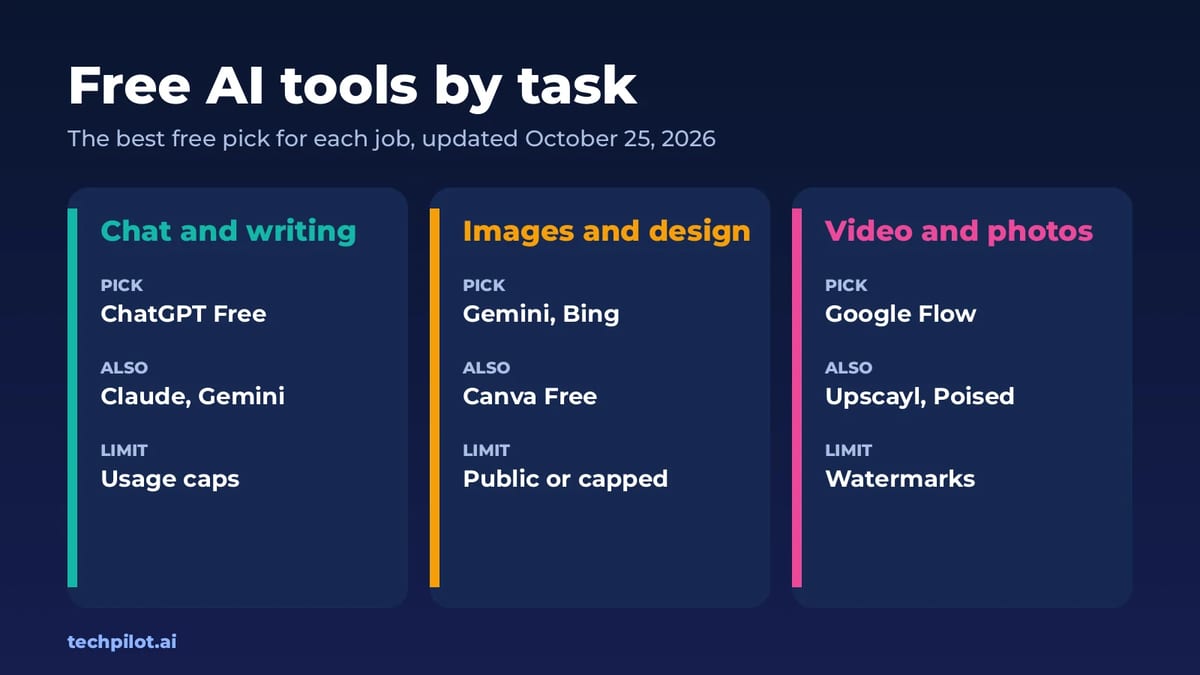
Free AI Tools: Best Free Picks by Task (2026)
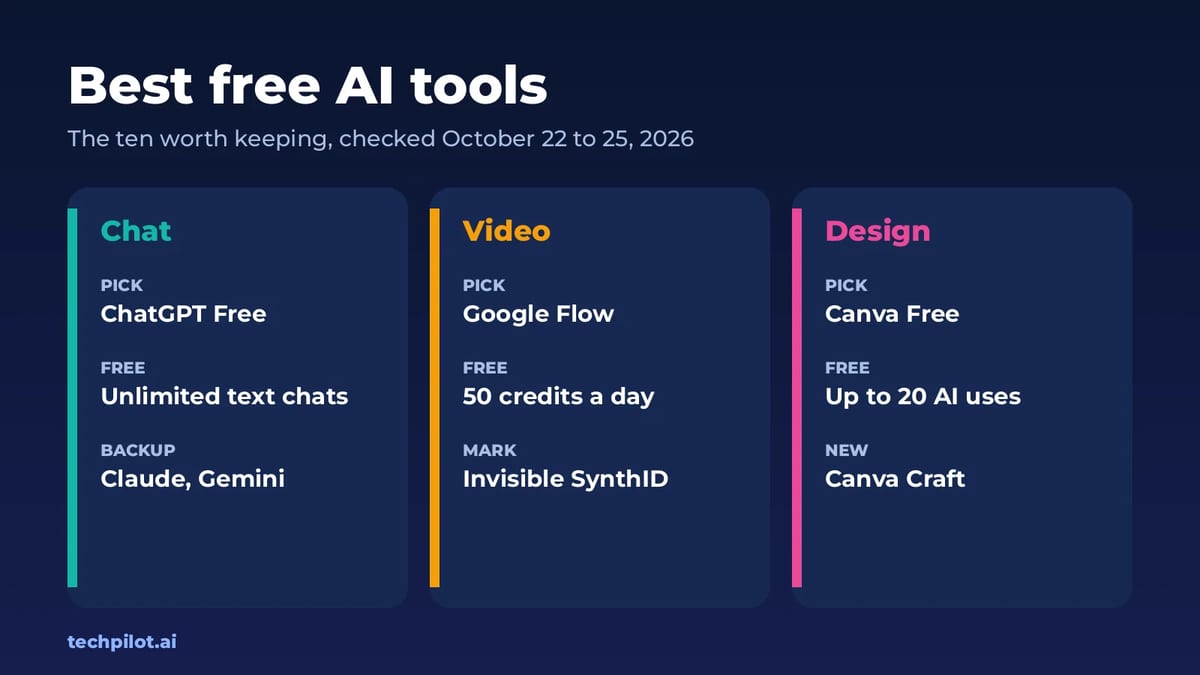
Free AI tools for chat, images, video, photos and design, with the best free pick for each task, real limits and links to our full tested guide for…
Eimantas Kazėnas · 5 min read
Productivity Eimantas Kazėnas · 6 min read
Best Free AI: 10 Tools Worth Using in 2026
Best free AI tools for 2026: ChatGPT, Claude, Gemini, DeepSeek, Google Flow, Canva and more. See what each free plan really includes and when to pay…
Eimantas Kazėnas · 6 min read