Highlight AI goes further than a meeting notetaker by turning calls into drafted next steps, and the approval step keeps you in control.
AI Agents · Tool review
Highlight AI Review: Features and Pricing
 TechPilot.ai review team Hands-on testing, one published method
- Last updated
- How we test
The AI news that actually mattered this week.
One short email every Friday: the biggest AI stories, what they mean for you, and the tools worth trying. A 3-minute read, no hype.
Free. Unsubscribe anytime.
You're in. Watch for the brief on Friday. Free. Unsubscribe anytime.
Summary
Pros and cons
What we like
- Drafts follow-ups after every call.
- Briefs before meetings.
- Works across connected apps.
- Approval before anything is sent.
- Mac and Windows desktop app.
What could be better
- Only 3 free follow-ups a month.
- Pro is pricey for notes alone.
- Screen capture may worry IT.
- Product is still in beta.
Key features
- Meetings: Transcripts, summaries, reminders.
- Briefs: Before meetings and daily.
- Follow-ups: Drafted, sent on approval.
- Skills: Scheduled or triggered.
- Privacy: App and site exclusions.
- Pricing: Free, Pro $35 a month.
Screenshots
Full review
Independent and reader-supported. Some links may earn us a commission; it never changes our scores. Editorial policy
Highlight AI is a desktop assistant for Mac and Windows that transcribes meetings and drafts follow-ups. Free covers 10 hours a month; Pro is $35 a month.
Quick answer: Highlight AI is a work assistant that sits on your desktop, captures your meetings and, with your permission, what is on your screen and in your connected apps. It then prepares briefs before meetings, summaries and reminders after them, and drafts follow-ups for you to approve. The free plan is a real trial of the idea; Pro is where follow-ups and scheduled skills become unlimited. Prices below are from Highlight’s pricing page on November 22, 2026.
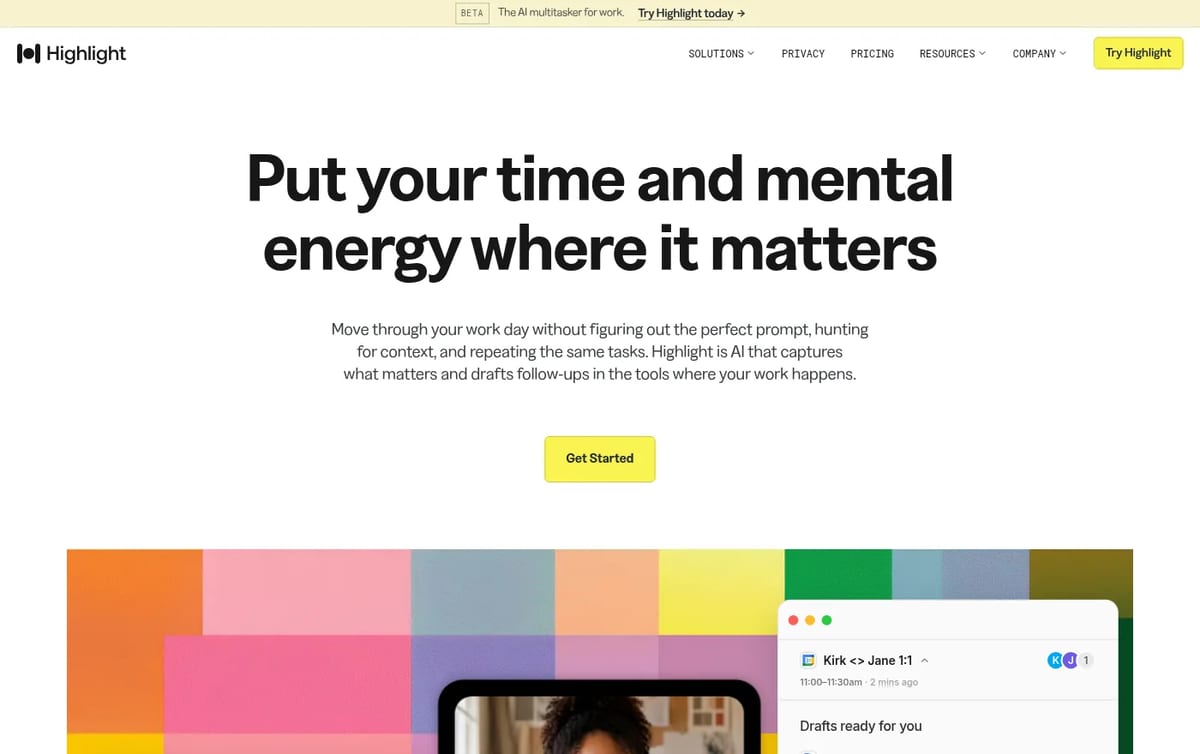
What Highlight AI does
- Meeting capture: transcription with summaries, decisions and reminders.
- Briefs and recaps: a brief before each meeting, a daily brief and recaps of what happened.
- Follow-ups: drafts the email, doc or meeting invite after a call and waits for your approval before anything is sent.
- Chat and search: ask questions across your meetings and connected tools, such as the status of a launch.
- Skills: built-in and custom routines that run on a schedule or when something happens (Pro and Max).
Highlight AI Pricing (2026)
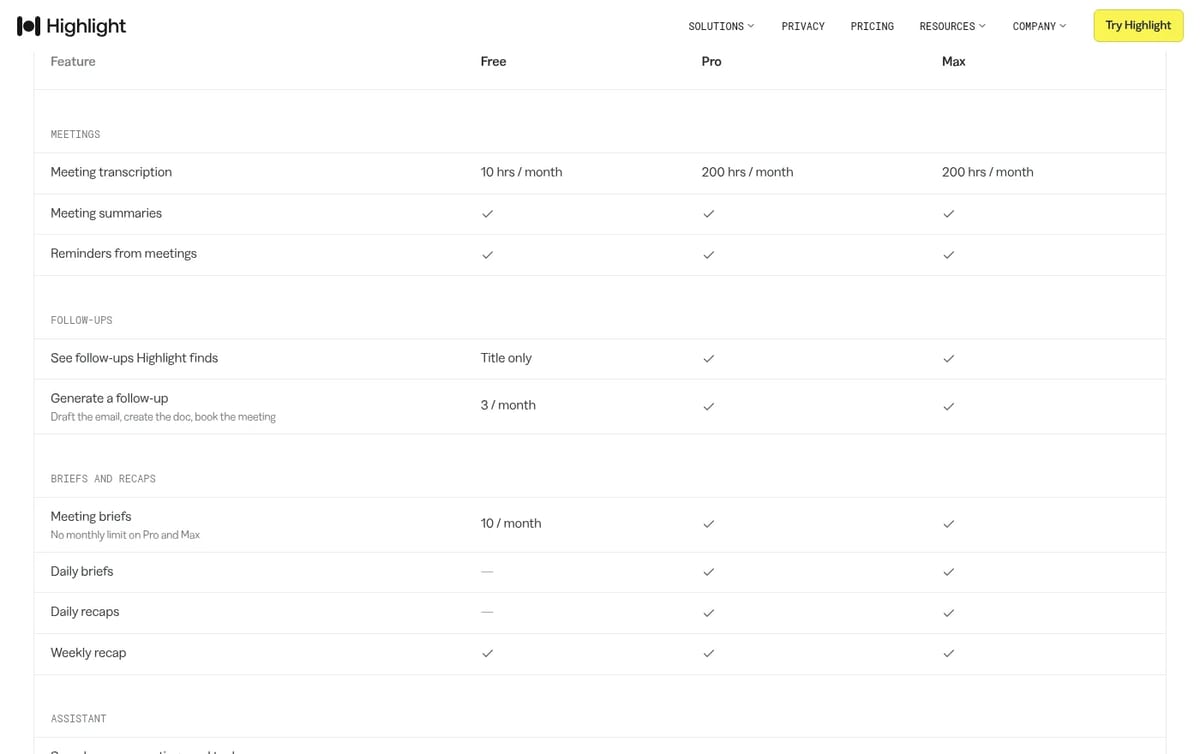
| Plan | Price | Transcription | Chat and skills credits | Key extras |
|---|---|---|---|---|
| Free | $0 | 10 hours a month | 500 a month | 3 follow-ups and 10 meeting briefs a month, weekly recap, all integrations, 14 days of Pro to start |
| Pro | $35 a month | 200 hours a month | 8,000 a month | Follow-ups for every meeting, unlimited briefs, daily briefs and recaps, skills, 14-day trial |
| Max | $200 a month | 200 hours a month | 60,000 a month | Everything in Pro, white glove support, early access to beta features |
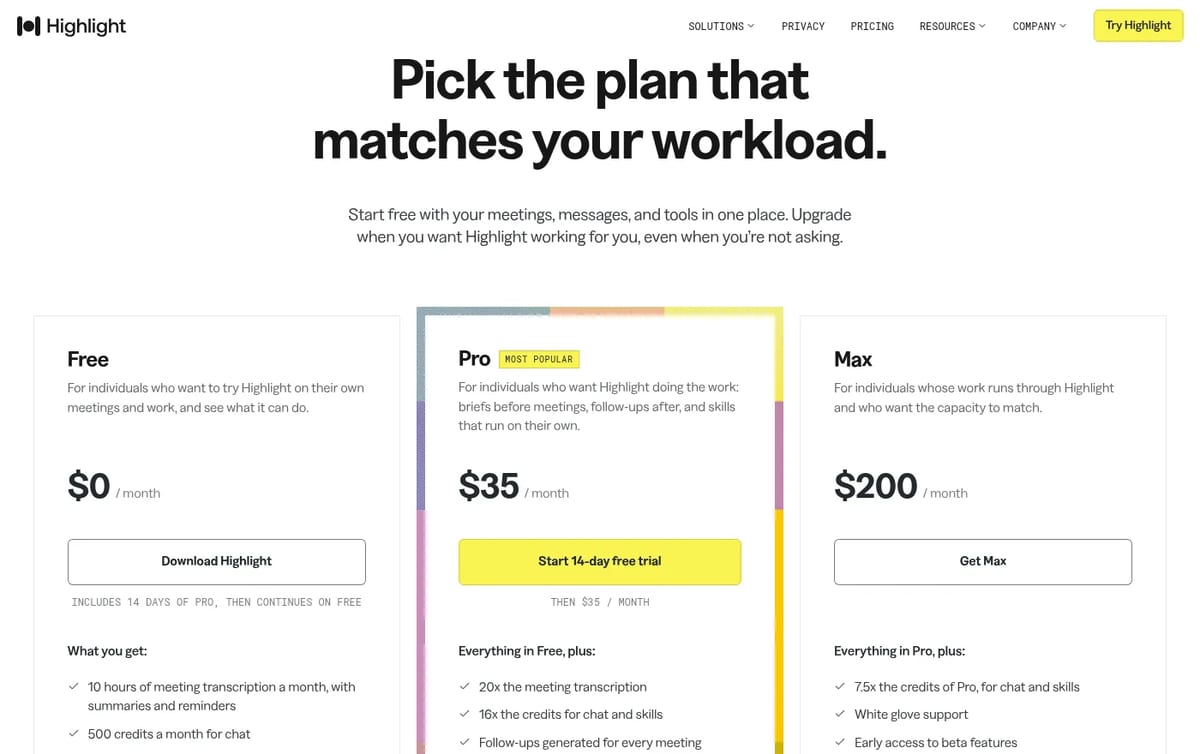
How to think about the cost: the free plan is generous on transcription but thin on the part that saves time, with only 3 generated follow-ups a month. If you sit in more than a handful of external calls a week and actually send follow-ups, Pro at $35 is the useful plan. That is more than a basic meeting notetaker, so the extra is worth it only if you use the briefs, daily recaps and skills. Max at $200 adds credits, not hours, so it is for people who run long chats and automated skills all day.
If you only need notes from calls, a dedicated notetaker such as Fireflies.ai or tl;dv may be enough. For a wider look at budgets, see how much an AI assistant costs.
Privacy and control
Because Highlight can see your screen, privacy matters more than with a chat app. The company says nothing is sent without your approval, that passwords, sign-ins and health, financial and government content are never captured, that you can exclude apps, websites and windows, and that your data is not sold or used for model training. It also states SOC 2 Type 2 certification. Turn on only the sources you need.
Who Highlight AI is for
Recruiters, marketers, chiefs of staff and anyone with back-to-back meetings who loses time writing follow-ups and catching up on context across Slack, email and docs.
Limitations
- Free follow-ups are scarce: 3 a month is a taste, not a workflow.
- Screen access: some companies will not allow a tool that reads the screen, even with exclusions.
- Pricey for notes only: $35 a month is high if you just want transcripts.
- Still a beta: the new Highlight launched as a beta in October 2026, so features are changing quickly.
TechPilot.ai’s Verdict on Highlight AI
Highlight AI goes further than a meeting notetaker by turning calls into drafted next steps, and the approval step keeps you in control.
Use the free plan and the 14 days of Pro to see whether you send its drafts; if you do, Pro is worth it, and if you only read summaries, a cheaper notetaker will do.
Highlight AI FAQ
Is Highlight AI free?
Yes. The Free plan includes 10 hours of meeting transcription, 500 chat credits, 3 generated follow-ups and 10 meeting briefs a month, and starts with 14 days of Pro.
•
How much does Highlight AI cost?
Highlight AI Pro costs $35 a month and Max costs $200 a month, checked November 22, 2026 on highlightai.com/pricing. Pro has a 14-day free trial.
•
Does Highlight AI work on Mac and Windows?
Yes. Highlight’s desktop app is available for both Mac and Windows.
•
Does Highlight AI send emails on its own?
No. Highlight drafts follow-ups and stages the work, then waits for your approval before anything goes out.
•
What is the difference between Pro and Max?
Both include 200 hours of transcription a month. Max gives 7.5 times the chat and skill credits of Pro (60,000 vs 8,000), white glove support and early beta access.
Aircall
AI Agents
Aircall is a solid mid-market pick when you want CRM-synced calling and AI agents in the same product, not a bolted-on bot.

OpenArt AI
AI Agents
I have spent considerable time with AI art generators, and my objective with OpenArt AI was to check its claim as a complete creative tool.…
YouMind
AI Agents
As someone who is constantly researching and writing, my workflow has always been a patchwork of different apps. I use one tool to save…

AI Agents  Mihai (Mike) Bizz · 7 min read
Agentic Process Automation in 2025: Adoption, Trends, and Case Studies
By late 2025, agentic process automation is expected to move from isolated pilots toward scaled deployments in some sectors. Find out more!
Mihai (Mike) Bizz · 7 min read

AI Automation  John Daniel · 6 min read
Building smarter solutions through the role of AI in custom software development
The role of AI in custom software development it’s revolutionary and offers unparalleled efficiency, innovation, and competitiveness.
John Daniel · 6 min read