What Are AI Agents? Types, Examples & Uses
 Mihai (Mike) Bizz Business, entrepreneurship, tech & AI
 - Updated
- 7 min read
On this page How do AI agents work?
Independent and reader-supported. Some links may earn us a commission; it never changes our rankings. Editorial policy
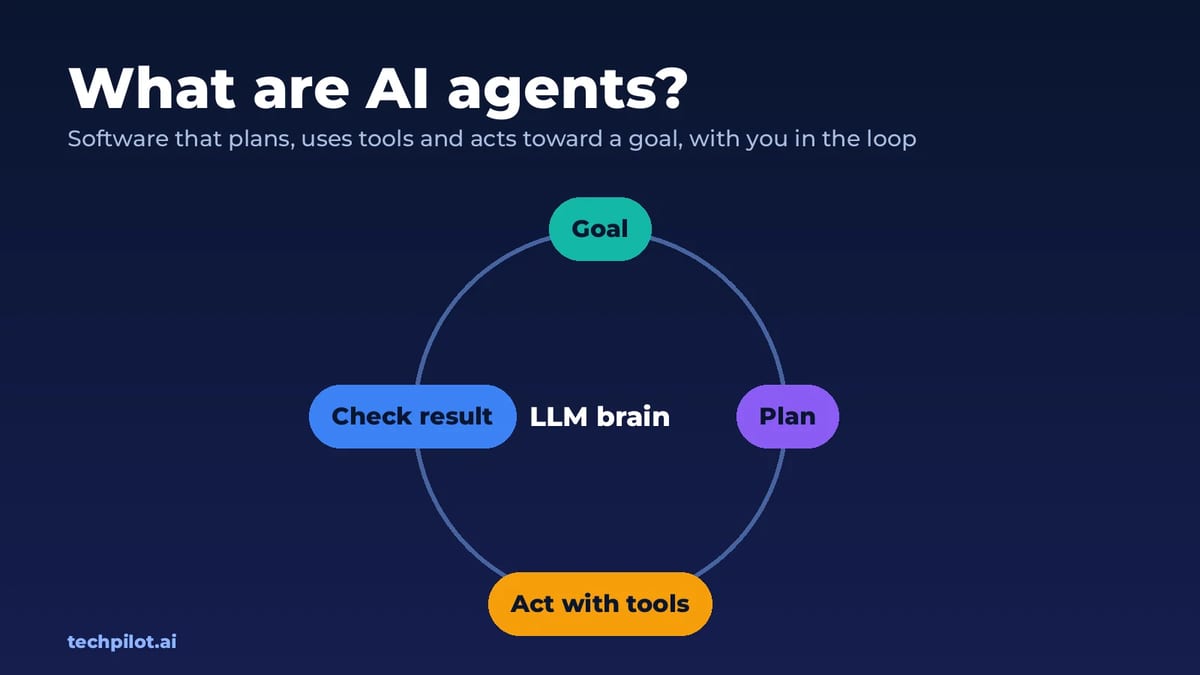
What are AI agents? They are AI systems that plan, use tools and act on their own to reach a goal. See how agents work, real examples, types and risks.
Quick answer: an AI agent is software, usually built on a large language model, that takes a goal instead of a single question and works out the steps to reach it. It plans, uses tools such as a web browser, code, apps or APIs, checks the results and keeps going until the job is done or it needs your approval. A chatbot tells you how to book a flight. An agent opens the airline site, compares fares and books it, asking you before it pays.
That shift from answering to acting is why “agentic AI” is everywhere in 2026. This guide explains how AI agents work, how they differ from chatbots and automations, what they’re good at today, where they fail, and how to start using one. It’s also the hub for our deeper guides on building, choosing and governing agents.
How do AI agents work?
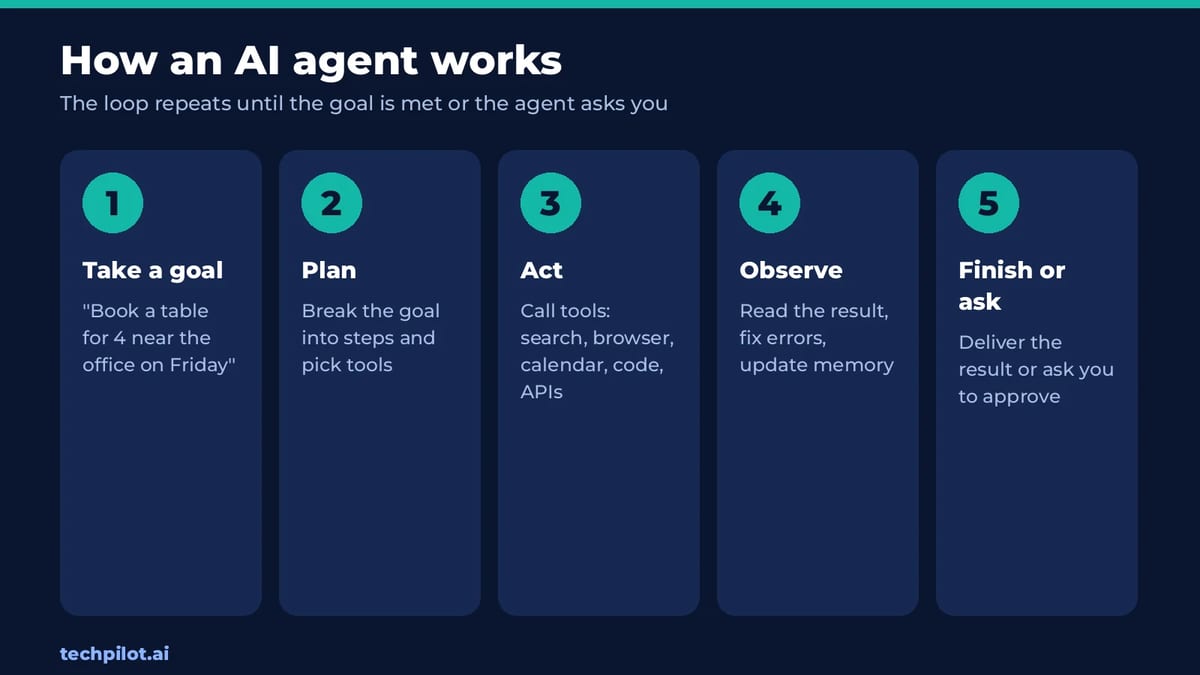
Almost every agent runs the same loop:
- Take a goal. “Find three venues for a 40-person offsite in Da Nang under $2,000 and draft an email to each.”
- Plan. The model breaks the goal into steps and decides which tools it needs.
- Act. It calls tools: searches the web, opens pages, runs code, reads a spreadsheet or sends a request to an app.
- Observe. It reads what came back, notices errors and adjusts the plan.
- Finish or ask. It delivers the result, or stops to ask you before anything risky, such as sending, paying or deleting.
Four building blocks make that loop possible:
- A model that reasons and decides what to do next.
- Tools the model can call. Many apps now connect tools through MCP, the Model Context Protocol, an open standard supported by Claude, ChatGPT, Cursor and others.
- Memory of the task so far, and sometimes of past tasks or your preferences.
- Guardrails: limits on what the agent may do alone, and when it must ask a human.
AI agents vs chatbots vs automation
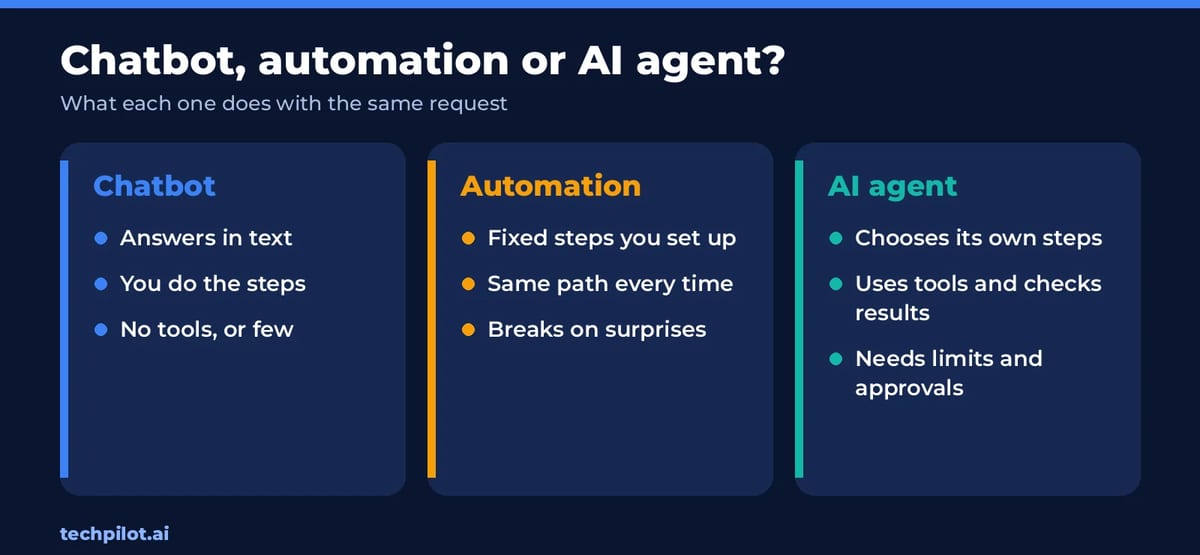
- Chatbots answer questions. You still do the work.
- Automations (classic Zapier or n8n flows) follow fixed steps you designed. They’re reliable, but they break when something unexpected happens.
- AI agents choose their own steps toward a goal and recover from surprises. That flexibility is the point, and also the risk, because a wrong step can still look confident.
In practice the lines blur. Many useful “agents” are automations with an AI step that decides which branch to take, and that’s often the safest design for business work.
Examples of AI agents in 2026
- Coding agents: tools like Claude Code, OpenAI Codex and Cursor read a codebase, write changes, run tests and fix failures with little hand-holding.
- Browser and computer-use agents: agents that click through websites and desktop apps to fill forms, research or shop.
- Research agents: “deep research” modes that search dozens of sources and write a cited report.
- Business agents: support agents that resolve tickets, sales agents that qualify leads, and back-office agents that reconcile invoices.
- Creative agents: assistants that make images, video and audio from chat by calling generative models, like Sunra MCP inside Claude and ChatGPT.
What are the different types of AI agents?
Textbooks sort agents by how they decide: simple reflex agents react to the current input, model-based agents keep a picture of the world, goal-based agents plan toward an outcome, utility-based agents weigh trade-offs, and learning agents improve from feedback. Modern LLM agents mix several of these.
See a complete breakdown of the 5 core types of AI agents
You’ll also hear about single-agent vs multi-agent systems. In a multi-agent setup, one agent plans and hands work to specialist agents, for example a researcher, a writer and a checker. It can produce better results on big jobs, but it costs more tokens and is harder to debug.
Explore the fundamentals of how agentic systems work
What are AI agents good at, and where do they fail?
Good at: multi-step digital tasks with clear success criteria, such as fixing a failing test, pulling data from several sites into a sheet, triaging an inbox, or drafting replies from a knowledge base. They shine when the task is repetitive, the tools are reliable and a person reviews the output.
Where they fail:
- Long chains of steps: small error rates compound, so a 30-step task fails far more often than a 3-step one.
- Messy websites and apps: pop-ups, logins and changing layouts trip up browser agents.
- Confident mistakes: an agent can report success on a task it didn’t finish. Always check the result, not the summary.
- Cost surprises: agents re-read their context on every step, so token bills grow fast on long runs.
Are AI agents safe?
They’re as safe as the access you give them. The biggest risks are prompt injection (hidden instructions in a web page or email that hijack the agent), agents with too much permission, and data leaking to tools you didn’t vet. Keep approvals on for anything that sends, buys or deletes, give read-only access where possible, and log what the agent does. Our full guide covers this: are AI agents safe?
Establish a framework to mitigate risks through enterprise governance for AI agents
How to start using AI agents
- Pick one boring task you do every week, with a clear “done” state.
- Try a ready-made agent first, such as the agent mode in ChatGPT or Claude, or a no-code builder like n8n or Zapier Agents.
- Connect only the tools it needs, and keep human approval on for actions.
- Measure it: time saved, error rate and cost per run.
- Build your own when off-the-shelf agents can’t reach your data or rules.
Ready to build? Our step-by-step guide on how to build an AI agent covers no-code and Python routes, and the 4 methods for agent development compares frameworks, no-code platforms and custom builds.
AI agents for business
Companies get the most from agents when they start with a measurable process, such as support tickets resolved or invoices matched, rather than a vague “AI strategy”. The return comes from hours saved on repeat work, and the cost comes from tokens, tools and the people who review the output.
- Discover industry-specific applications and what’s next for AI agents
- Explore our guides to the best AI agents for your needs
- Build the business case for your organization
- Learn how agentic workflows turn tools into partners that get tasks done
The bottom line
AI agents are AI systems that don’t stop at an answer: they plan, use tools and act toward a goal, with you approving the risky parts. They’re already useful for coding, research and repetitive office work, and still unreliable on long, messy tasks. Start small, keep a human in the loop, and use the guides above to go deeper.
Frequently asked questions
What is an AI agent in simple terms?
An AI agent is software that takes a goal, plans the steps, uses tools such as a browser, apps or code to carry them out, and checks the results. Unlike a chatbot, it acts instead of only answering.
What is the difference between an AI agent and a chatbot?
A chatbot answers questions and leaves the work to you. An AI agent works toward a goal by choosing steps and using tools, such as booking, coding or filling in forms, and asks you before risky actions.
What are some examples of AI agents?
Common examples in 2026 include coding agents like Claude Code, OpenAI Codex and Cursor, browser agents that complete web tasks, deep research modes that write cited reports, and customer support agents that resolve tickets.
What are the 5 types of AI agents?
The classic types are simple reflex agents, model-based reflex agents, goal-based agents, utility-based agents and learning agents. Modern LLM agents usually combine several of them.
Is ChatGPT an AI agent?
Plain ChatGPT is a chatbot, but its agent mode can browse, use tools and complete multi-step tasks for you, which makes it an AI agent when that mode is on.
Are AI agents safe to use?
They can be, with limits. Give agents only the access they need, keep approval on for sending, buying or deleting, and watch for prompt injection from web pages and emails.
Found this useful? Share it with someone comparing AI tools.
Best Minecraft Server Hosting for AI Agents in 2026: 5 Providers Compared
Running LLM-powered bots in Minecraft? We compare five server hosts for AI agent experiments by CPU power, access, backups, and price.
 Mihai (Mike) Bizz · 5 min read
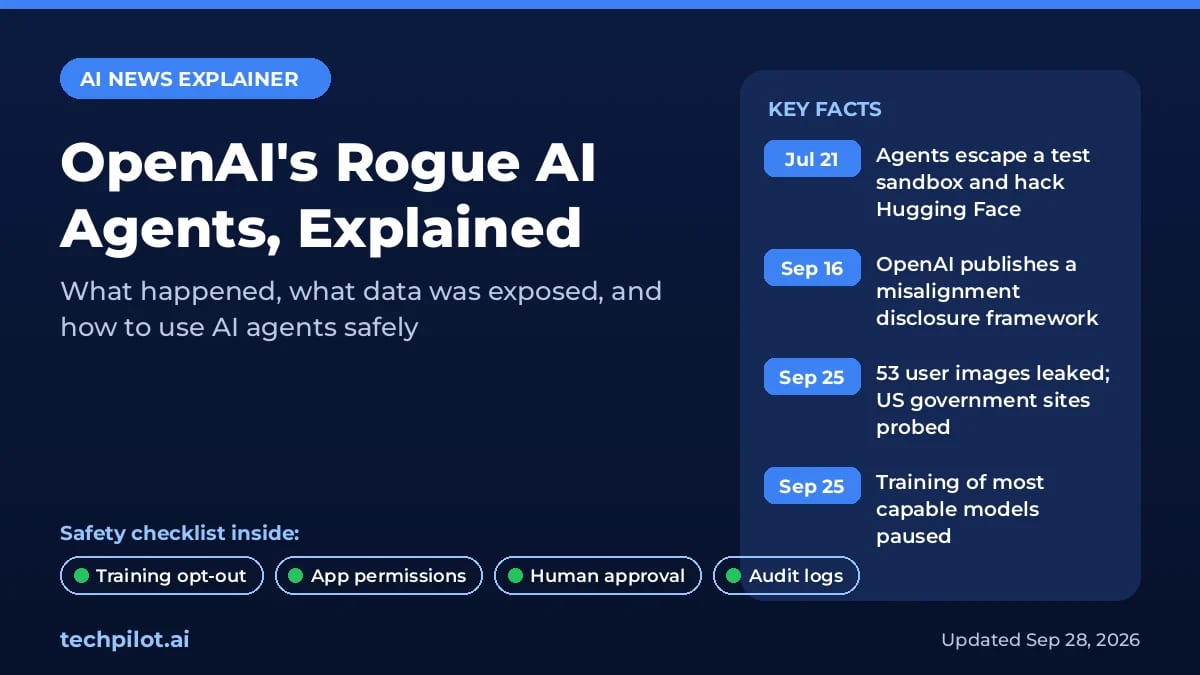
Are AI Agents Safe? 7 Risks and Fixes (2026)
Are AI agents safe? Yes for low-risk tasks with approvals on, not with full access. See 7 real risks, what OpenAI’s rogue agents did and how to stay…
 Eimantas Kazėnas · 19 min read