How to Build an AI Agent (2026): Step-by-Step Guide
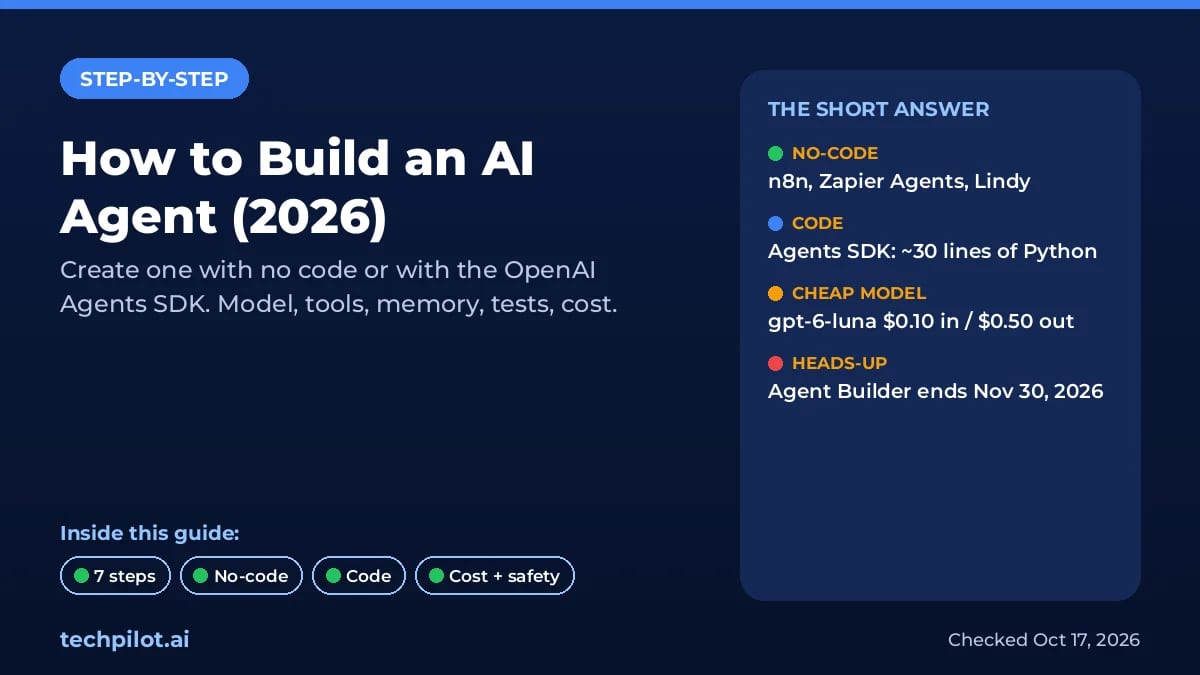
How to build an AI agent in 2026: create one with no code (n8n, Zapier Agents) or in Python, then choose a model, tools, memory, testing and guardrails.
 Eimantas Kazėnas Marketing & Tech
 - Updated
- 9 min read
On this page How to create an AI agent in 7 steps
- How to create an AI agent in 7 steps
- How to build an AI agent without code
- How to build an AI agent with code (Python example)
- No-code vs code: which way should you build?
- Choosing a model for your agent
- Tools and memory: giving your agent hands and context
- How to test an AI agent before launch
- What does it cost to run an AI agent?
- Keep your agent safe
- Our verdict
- Frequently asked questions
Independent and reader-supported. Some links may earn us a commission; it never changes our rankings. Editorial policy
To build an AI agent, pick one narrow job, choose a platform (no-code like n8n or Zapier Agents, or code like the OpenAI Agents SDK), connect a model, give it one to three tools and some memory, test it on real examples, then add guardrails before it touches anything important. This guide shows how to create an AI agent both ways, with a working Python example checked against the official docs on October 17, 2026.
One big change first: OpenAI is retiring Agent Builder, the drag-and-drop part of AgentKit. Its official guide says it shuts down on November 30, 2026. If an older tutorial sent you there, use the options below instead.
How to create an AI agent in 7 steps
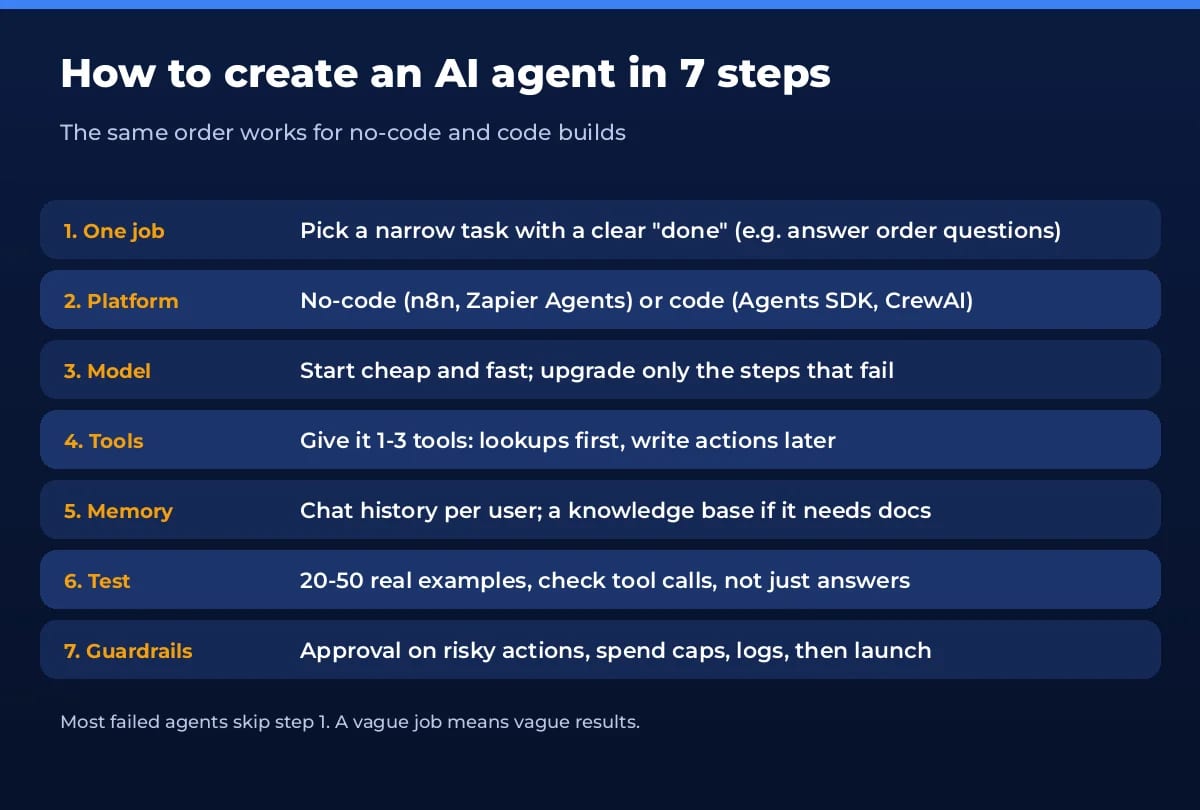
- Define one job. “Answer order-status questions from our Shopify data” is buildable. “Handle customer service” is not. Write down what done looks like and what the agent must never do.
- Choose no-code or code. No-code is faster for business workflows across common apps. Code wins when you need custom logic, your own data, or low cost at volume.
- Pick a model. Start with a cheap, fast model and upgrade only where tests fail.
- Add tools. Tools are functions the agent can call: search your docs, read a CRM record, send an email. Start with read-only lookups.
- Give it memory. Keep the conversation per user, and connect a knowledge base if it needs your documents.
- Test on real examples. Collect 20 to 50 real requests, including messy ones, and check which tools it called, not only the final answer.
- Add guardrails and launch small. Human approval for risky actions, spending limits, logging, then roll out to a few users first.
How to build an AI agent without code
These tools let you create an AI agent with a visual builder. All prices are from the vendors’ own pages on October 17, 2026.
n8n: best for technical teams and self-hosting
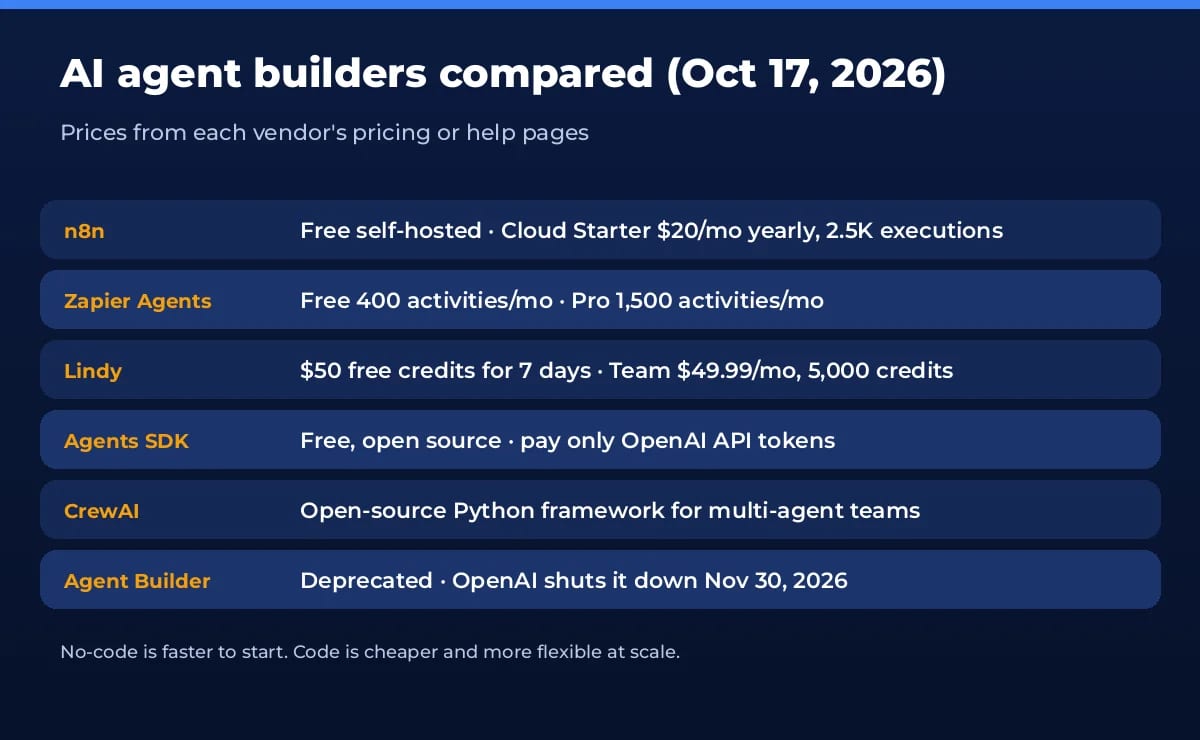
n8n has an AI Agent node that connects a model to tools, memory and MCP servers, with human approval for tool calls. The Community Edition is free to self-host, and n8n Cloud starts at $20 a month billed yearly for 2,500 workflow executions (unlimited steps). You pay per full run, not per step, which suits multi-step agents. See our n8n tool page.
Zapier Agents: best for non-technical teams
Zapier Agents connect to 9,000+ apps and can work on command or on their own in the background. The free plan gives 400 activities a month (tests count, max 10 per run); Pro gives 1,500 a month with free testing and up to 40 per run, per Zapier help. Agent activities are separate from normal Zap tasks. The catch: activities go fast on research-heavy agents.
Lindy, Relevance AI and Sim Studio
Lindy is an assistant-style agent that lives in Slack, email and meetings; it starts with $50 of free credits for 7 days, then $49.99 a month for 5,000 credits. Relevance AI lets you build a no-code workforce of specialist agents for sales and ops. Sim Studio is a visual canvas for AI workflows if you want n8n-style building with an AI-first editor.
OpenAI AgentKit: use the SDK, not Agent Builder
OpenAI AgentKit bundled Agent Builder, ChatKit, the Agents SDK and evals. With Agent Builder closing on November 30, 2026, the parts worth learning now are the Agents SDK (below) and ChatKit for embedding a chat window. OpenAI points non-developers to Workspace Agents inside ChatGPT business plans.
How to build an AI agent with code (Python example)
The OpenAI Agents SDK is the shortest path from zero to a real agent. Version 0.24.0 shipped on October 15, 2026 and needs Python 3.10 or newer. Install it and set your key (see our ChatGPT API key guide if you don’t have one):
python -m venv .venv && source .venv/bin/activate
pip install openai-agents
export OPENAI_API_KEY=sk-...
Save this as agent.py. It creates a support agent with one tool and saved memory:
import asyncio
from agents import Agent, Runner, SQLiteSession
from agents.decorators import tool

@tool
def get_order_status(order_id: str) -> str:
    """Look up the shipping status of an order by its ID."""
    fake_db = {"A100": "shipped, arriving Tuesday", "A200": "processing"}
    return fake_db.get(order_id.upper(), "order not found")

agent = Agent(
    name="Support Agent",
    instructions=(
        "You help customers with order questions. "
        "Use get_order_status when someone gives an order ID. "
        "If you don't know, say so. Never invent order details."
    ),
    tools=[get_order_status],
    model="gpt-6-luna",  # cheap, fast; swap for gpt-6.1-sol on harder tasks
)

async def main():
    session = SQLiteSession("customer_42", "memory.db")  # saves the chat to a local file
    first = await Runner.run(agent, "Where is my order A100?", session=session)
    print(first.final_output)
    second = await Runner.run(agent, "And what did I just ask about?", session=session)
    print(second.final_output)

if __name__ == "__main__":
    asyncio.run(main())
Run python agent.py. Here is what each part does:
- @tool turns a normal Python function into a tool. The SDK reads the type hints and docstring to tell the model what the tool does and what arguments it takes. Swap the fake dictionary for a real database or API call.
- Agent holds the instructions, tools and model. Clear rules like “never invent order details” do more than clever prompts.
- Runner.run runs the loop: the model decides to call a tool, the SDK runs it, sends back the result, and repeats until there is a final answer.
- SQLiteSession is memory. It stores the conversation in a local file, so the second question knows about the first. Use one session ID per user.
Next steps when it works: add a second specialist agent with handoffs=[...], view every run in the Traces page of the OpenAI dashboard, and point the SDK at another provider if you prefer non-OpenAI models. Prefer other frameworks? CrewAI is popular for teams of role-based agents, and LangGraph suits complex, stateful flows.
No-code vs code: which way should you build?
| Option | Best for | Starting cost | Watch out for |
|---|---|---|---|
| n8n | Technical teams, self-hosting | Free self-hosted; Cloud $20/mo (yearly) | Setup and hosting if self-hosted |
| Zapier Agents | Non-technical teams, 9,000+ apps | Free, 400 activities/mo | Activities run out on busy agents |
| Lindy | Assistant work in Slack and email | $50 free credits for 7 days | Per-seat credit pricing |
| OpenAI Agents SDK | Developers, custom logic, scale | Free SDK + API tokens | You own hosting and testing |
| CrewAI | Multi-agent Python projects | Free open source + model costs | More moving parts to debug |
| OpenAI Agent Builder | Existing users only | Standard API pricing | Shuts down Nov 30, 2026 |
For a deeper comparison of the four main approaches, including building from scratch, see our guide to agentic AI development methods.
Choosing a model for your agent
Agents call the model several times per task, so price and speed matter more than for a chatbot. Current OpenAI API prices per 1M tokens: gpt-6-luna $0.10 input / $0.50 output, gpt-6.1-sol $2 / $10, and gpt-6-astra $10 / $50. A good rule: build on the cheapest model, run your tests, and upgrade only the agent or step that keeps failing. Routing and classification can stay on the cheap model, while hard reasoning goes to a stronger one.
Tools and memory: giving your agent hands and context
- Keep tools few and specific. Three well-named tools beat fifteen vague ones. Write the docstring like instructions for a new hire.
- Return short, clean tool results. Huge JSON dumps cost tokens and confuse the model.
- Use MCP for existing apps. n8n, Zapier and the Agents SDK can all connect to MCP servers, so you can plug in tools others have already built.
- Separate short and long memory. Session history covers the current chat. For company knowledge, use file search or a vector database instead of stuffing documents into the prompt.
How to test an AI agent before launch
Most agents fail on the boring cases, not the demo. Build a test set of 20 to 50 real requests with the result you expect, including vague questions, wrong order numbers and requests it should refuse. Run the whole set after every prompt or model change. Check the trace for each run: did it call the right tool with the right arguments, and did it stop when it should? Track three numbers: task success rate, average cost per run, and how often a human had to step in.
What does it cost to run an AI agent?
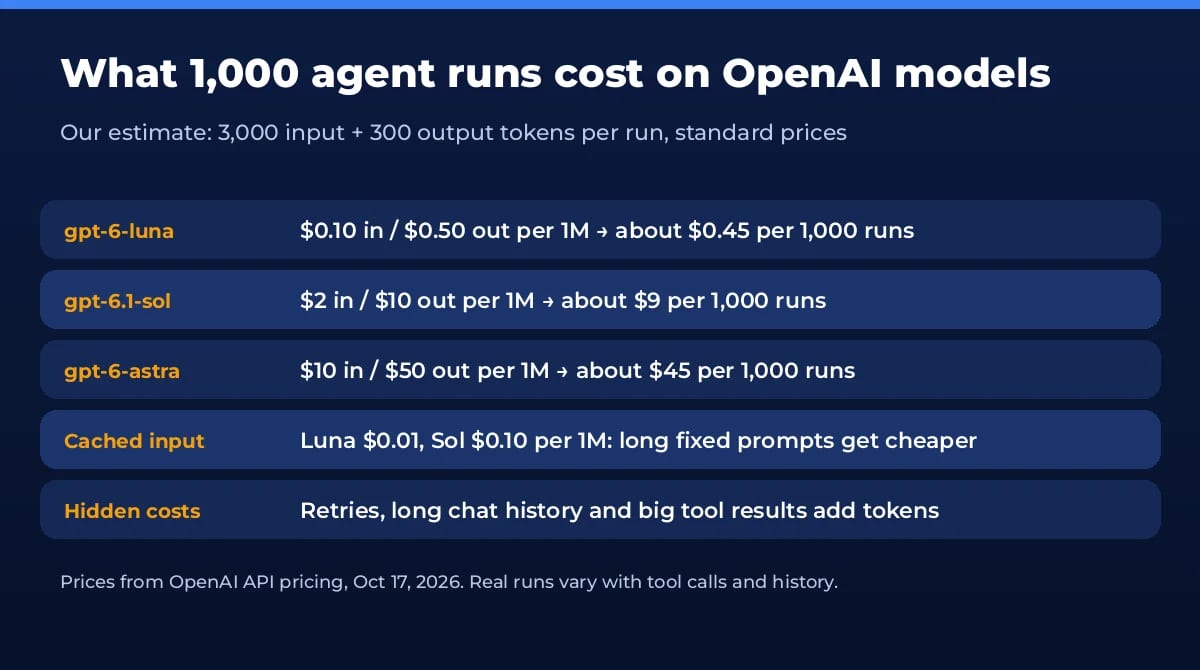
Our estimate for a simple support agent is about 3,000 input and 300 output tokens per run (instructions, history and one tool result). That works out to roughly $0.45 per 1,000 runs on gpt-6-luna, $9 on gpt-6.1-sol and $45 on gpt-6-astra. Long chat histories, retries and big tool outputs push it up, so cap conversation length and set usage limits on your OpenAI project. On no-code platforms, add the plan fee: n8n counts executions, Zapier counts activities, Lindy counts credits.
Keep your agent safe
An agent with tools can do real damage if it is tricked or simply wrong. The basics: give each tool the least access it needs, require human approval for anything that sends money, deletes data or emails customers (the Agents SDK supports @tool(needs_approval=True), and n8n has approval for tool calls), treat web pages and emails the agent reads as untrusted input, and log every action. Our guide Are AI agents safe? covers the seven main risks and fixes, and our list of AI agent security tools helps once you go to production.
Our verdict
If you have never built one, create your first AI agent in Zapier Agents or n8n this week: one job, one or two tools, and a test list. If you write Python, the Agents SDK example above is a real foundation you can grow into a production agent. Either way, the hard part is not the code, it is a narrow job, good tests and sensible guardrails. New to the idea? Start with what AI agents are and agentic workflows.
Frequently asked questions
Can I build an AI agent for free?
Yes. n8n’s Community Edition is free to self-host, Zapier Agents has a free plan with 400 activities a month, and the OpenAI Agents SDK is free and open source. With the SDK you only pay for model tokens, which on gpt-6-luna is about $0.45 per 1,000 typical runs by our estimate.
Do I need to know how to code to create an AI agent?
No. n8n, Zapier Agents, Lindy and Relevance AI let you build agents visually. Code gives you more control and lower running costs once an agent handles real volume, so many teams prototype without code and rebuild the winners in code.
How long does it take to build an AI agent?
A simple no-code agent or the Python example above takes an afternoon. A reliable agent that touches customers or money usually takes a few weeks, because most of the time goes into testing, edge cases and guardrails.
What is the difference between an AI agent and a chatbot?
A chatbot answers. An agent decides what to do and acts: it calls tools, looks things up, updates systems and loops until the job is done. Our guide to what AI agents are covers the basics.
Is OpenAI Agent Builder still worth learning?
Not for new projects. OpenAI says Agent Builder shuts down on November 30, 2026. Use the Agents SDK for code, or a no-code tool like n8n or Zapier Agents. ChatKit, OpenAI’s chat UI kit, stays available.
Which model should I use for my first agent?
Start with a cheap, fast model such as gpt-6-luna ($0.10 per 1M input tokens, $0.50 output). Move only the steps that fail your tests to a stronger model like gpt-6.1-sol. Mixing models this way keeps cost low.
Found this useful? Share it with someone comparing AI tools.
Best Minecraft Server Hosting for AI Agents in 2026: 5 Providers Compared
Running LLM-powered bots in Minecraft? We compare five server hosts for AI agent experiments by CPU power, access, backups, and price.
 Mihai (Mike) Bizz · 5 min read
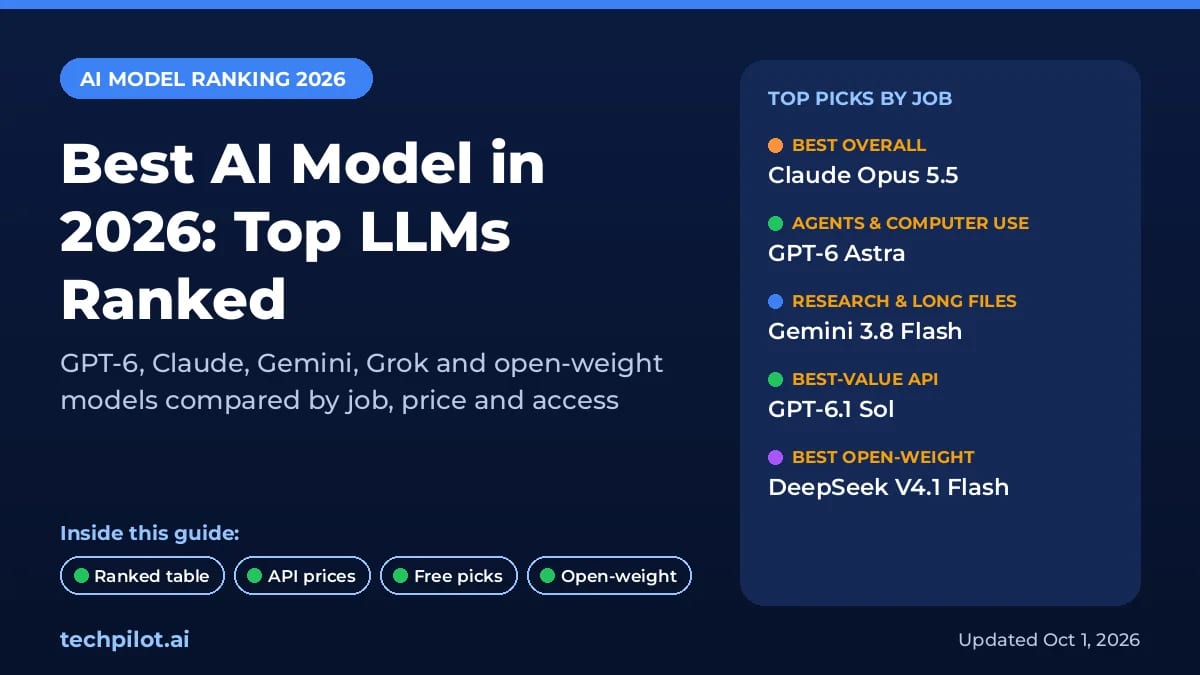
Best AI Model in 2026: Top LLMs Ranked
Find the best AI model for your job in 2026. We rank GPT-6, Claude Opus 5.5, Gemini 4 Argon, Grok 4.7 and open models on coding, agents, price, free…
 Eimantas Kazėnas · 16 min read