5 Best Free Telehealth Tools for Patient Consultations
We compared five free telehealth tools for patient consultations in 2026. FreeConference leads, followed by VSee Clinic, Carepatron, Upheal and Doxy.me.
 Eimantas Kazėnas Marketing & Tech
- Published
- 10 min read

On this page What a free telehealth tool has to handle in a consultation
Independent and reader-supported. Some links may earn us a commission; it never changes our rankings. Editorial policy
Free telehealth tools can carry a lot of routine patient consultations, as long as you know exactly where each free plan stops. Most small practices do not need a full virtual clinic to run follow-ups over video. They need a link a patient can open on a phone, no per-minute bill, and a call that does not cut out halfway through a medication review. Patients are used to this by now: the CDC’s National Center for Health Statistics found that in 2021, 37.0% of adults used telemedicine in the past 12 months.
We compared five free options for one-to-one consultations. For each one you get what the $0 plan includes, what the first paid tier costs, and the catch.
What a free telehealth tool has to handle in a consultation
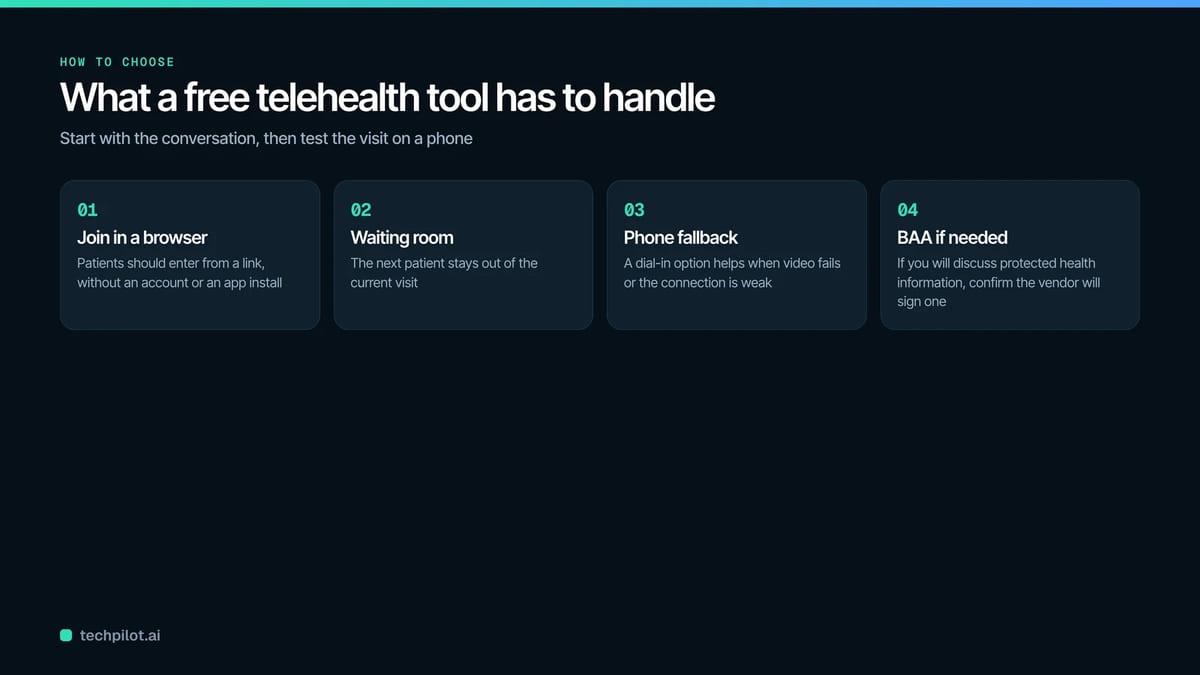
A telehealth consultation is a scheduled video (or phone) visit between a clinician and a patient. The software is the room the visit happens in. For a short consultation, a free telehealth tool has to do five plain things:
- Let the patient join from a link in a browser, without creating an account or installing an app.
- Keep the next patient out of the current visit, either with a waiting room or a meeting lock.
- Give the patient a fallback when video fails, such as a phone number to dial.
- Run long enough for the visit. Some free video plans cap meetings, so check the limit.
- Come with a Business Associate Agreement (BAA) if you will discuss patient health information.
A BAA is the contract that makes the software vendor legally responsible for protecting the patient information that passes through its system. HHS states that covered providers must use technology vendors that comply with the HIPAA Rules, and that those vendors will enter into business associate agreements. If a free plan does not include a BAA, it is a tool for scheduling chats, coaching and non-clinical calls, not for visits where you talk about a diagnosis.
How we compared these free telehealth tools
We read each vendor’s live pricing and plan pages in November 2026 and recorded four things: what the $0 plan includes, its usage limits, whether a BAA is offered on that free plan, and the price of the first paid tier. Ratings come from Capterra or G2 as shown on those review pages at the same time, with the review count, because a 5.0 from five reviews means less than a 4.4 from several hundred.
The ranking weighs fit for a solo provider or a small clinic doing short consultations. Tools that appear on nearly every roundup did not get extra credit just for being familiar.
The 5 free telehealth tools at a glance
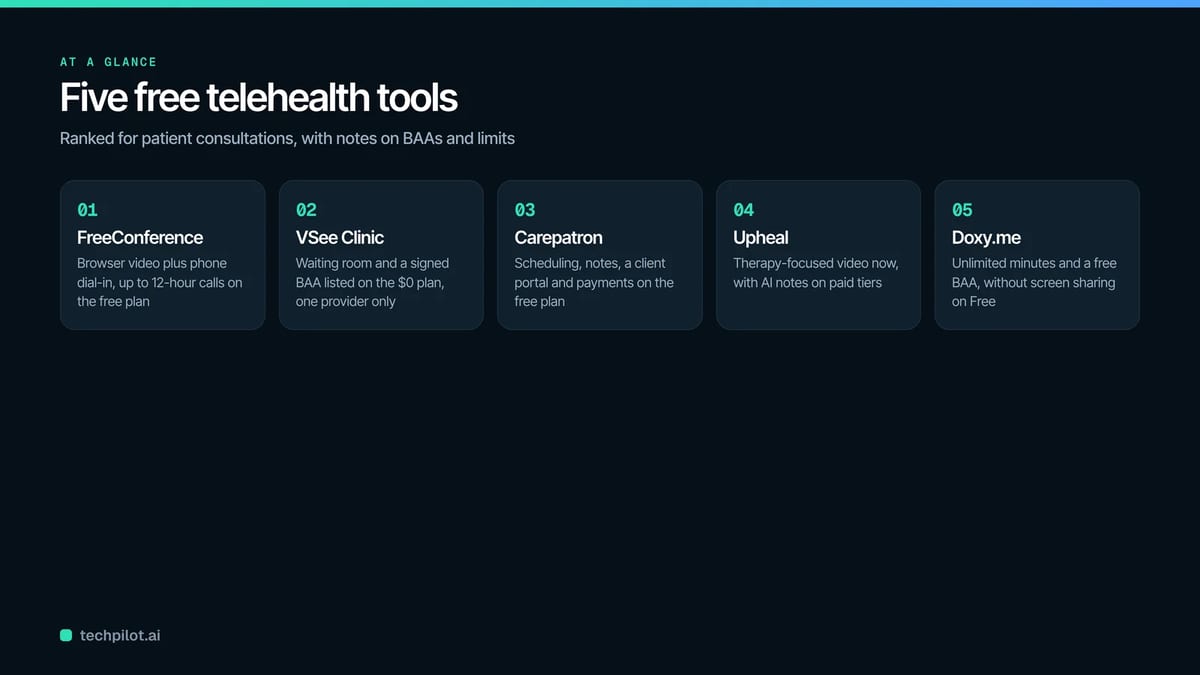
| Tool | What the free plan covers | Free plan limit | BAA on the free plan | First paid tier |
|---|---|---|---|---|
| FreeConference | Browser video, phone dial-in, screen sharing, whiteboard | 5 web and 100 phone participants | No | Starter, $9.99 per month |
| VSee Clinic | One-to-one video, waiting room, quick intake | One provider | Yes, listed on Free | Plus, $29 per month per provider |
| Carepatron | Telehealth, scheduling, client portal, notes | 100 appointments per user per month | Not stated on the pricing page | Plus, $31 per month (regular price) |
| Upheal | Telehealth calls, basic notes | No AI notes from free calls | Not stated for Free | AI Notes, $39 per month |
| Doxy.me | Browser video, waiting room | No screen sharing or group calls | Yes, “Free BAA” | Premium, $29 per month |
The 5 tools, ranked
1. FreeConference
Best for: therapists, coaches and small practices that want a free telehealth tool where the patient can join from a browser or just dial in from a regular phone.
FreeConference is a free video and audio conferencing service that runs in the web browser, so a patient opens a link and joins without installing anything. It is a meeting room, not a clinic system. You send the patient one link and one dial-in number, and if their home internet is poor they call in on the phone instead of missing the visit. Phone dial-in is the main reason to pick it over the other free telehealth tools in this list. In the company’s own early user feedback, screen sharing and the online whiteboard were the two features people called out, which fits a consultation where you walk a patient through a results sheet or an exercise plan.
- Free plan includes video, screen sharing, an online whiteboard, meeting chat and document sharing
- Up to 5 web participants and up to 100 phone participants on Free
- Calls can run up to 12 hours, according to its FAQ
- Voice and video are encrypted with DTLS and SRTP, according to its FAQ
Rating: 4.6 out of 5 on Capterra (27 reviews)
Pricing: Free at $0. Starter is $9.99 per month and Pro is $29.99 per month. A separate Healthcare Secure Plan is listed at $49.99 per month.
Not good for: consultations involving protected health information on the free plan. The free plan does not include a BAA, the general FAQ says “currently, we are not HIPAA compliant”, and meeting lock and one-time access codes are paid features.
2. VSee Clinic
Best for: a solo provider who wants a free telehealth platform with a proper waiting room and a signed BAA on the $0 plan.
VSee Clinic is a telehealth platform built for clinical visits rather than general meetings. The patient clicks a one-click video link (no download), lands in your personalized waiting room and fills in a quick intake form while waiting. You see who is waiting and start the visit when you are ready. That intake step is something the plain conferencing tools on this list do not have.
- Unlimited one-to-one HD video, chat and screen share
- Personalized waiting room and quick intake
- Signed BAA listed as a feature of the Free plan
- VSee states it uses 256-bit AES encryption at rest and in transmission
Rating: 4.1 out of 5 on Capterra (70 reviews)
Pricing: Free at $0 per provider. Plus is $29 per month per provider, Premium is $49 per month per provider plus a $200 one-time setup fee, and Enterprise is quoted by sales.
Not good for: group practices. VSee says Free and Plus allow only one provider, and the free plan lists one-to-one video only.
3. Carepatron
Best for: practitioners who want free telehealth software that also handles scheduling, notes, a client portal and payments.
Carepatron is practice management software with telehealth built in. You book the appointment, the client gets portal access, the video session happens inside the same system, and an AI scribe can draft your notes afterwards. If you would otherwise juggle a calendar app, a payment link and a separate video tool, this keeps it in one place.
- Telehealth, a client portal and automated online payments on the free plan
- AI scribe and note taker
- Unlimited clients
- 1GB of storage, 100 appointments and 100 email sends per user per month
Rating: 4.4 out of 5 on Capterra (860 reviews)
Pricing: Free at $0. Plus is $31 per month and Advanced is $39 per month at regular prices; when we checked, both were shown at half price ($15.50 and $19.50) for the first 6 months, with 20% off for yearly billing.
Not good for: a full caseload. The free plan stops at 100 appointments per user per month, and the pricing page does not say whether a BAA comes with the free plan, so ask before you book patients.
4. Upheal
Best for: therapists who want a free telehealth platform for video calls now and AI-written session notes later.
Upheal is a platform for therapists that started with AI progress notes and now includes its own telehealth video. On the free plan you can hold telehealth calls and write notes in standard therapy formats. The AI part on Free works from text you type, dictate or upload; the calls themselves do not produce a transcript or AI notes unless you pay.
- Telehealth video calls on the free plan, with no AI notes from those calls
- Unlimited session notes in SOAP, DAP and intake formats
- AI notes from text-to-note, dictation and uploads
- AI assistant chat with a monthly usage limit
Rating: 5.0 out of 5 on G2 (5 reviews)
Pricing: Free at $0. AI Notes is $39 per month, EHR is $1 per session, and EHR Pro is $99 per month.
Not good for: medical clinics outside behavioral health. The whole product is built around therapy note formats, so a GP or physiotherapy clinic would use only a slice of it.
5. Doxy.me
Best for: a provider who wants the best-known free telehealth tool, with unlimited minutes and a free BAA, and who does not need to share a screen.
Doxy.me is a browser-based telemedicine platform. You get a personal room link, the patient opens it in a browser with no download, checks in to a waiting room, and you start the call from your dashboard. It is the name most small practices already know, and the free plan is generous on time. It lands fifth on fit for consultations, not on quality.
- Unlimited video call minutes and sessions on Free
- Virtual waiting room
- Free BAA, according to its homepage
- Patients join in a browser with no downloads
Rating: 4.6 out of 5 on Capterra (1,227 reviews)
Pricing: Free at $0. Premium is $29 per month, and a Custom plan is quoted.
Not good for: visits where you need to show something on screen or bring in a family member. Screen sharing, group calling, audio calls and HD video are listed with Premium, not Free.
Where free telehealth platforms fall short
Free plans are built to get you started, and each one leaves something out on purpose. Across these five, the gaps repeat. Recording is usually paid. Group visits (a parent plus a teen patient, or a carer joining) tend to sit on paid tiers. Branding, payment collection and automated reminders mostly cost extra, Carepatron being the exception on payments.
The other gap is paperwork. Two of the five list a BAA on the free plan. Two do not say on their pricing pages. One says in its FAQ that it is not currently HIPAA compliant. That difference matters more than video quality for most clinical work.
Our view: a free tool is fine for follow-ups, check-ins, coaching calls and admin conversations. For a new patient intake with forms and history, you will probably want a paid tier or a clinic platform within a few months.
How to choose a free telehealth tool for your practice
Start with the conversation, not the software. If you will discuss a diagnosis, treatment or anything else in the patient record, you need a vendor that signs a BAA, and that narrows the field fast.
Think about who your patients are. Older patients and patients in rural areas are often the ones with weak internet, so a phone dial-in fallback can save a visit that video would lose.
You need intake forms or scheduling in the same place? A platform like Carepatron or VSee Clinic does more than a meeting tool. Teams that already use a separate EHR usually want the opposite: a plain video room that does not duplicate records.
When more than one clinician will see patients, check the per-provider pricing before you commit. Several free plans cover one provider only, and the paid tiers on this list are priced per provider or per user.
Finally, run a test visit with a colleague on a phone, on hotel-grade Wi-Fi, before a real patient tries it.
FAQ
Are free telehealth tools HIPAA compliant?
Some free plans include a BAA and some do not, so it depends on the specific plan. During the pandemic, HHS relaxed enforcement for everyday video apps, but that ended: the HHS civil rights office set a transition period that expired at 11:59 p.m. on August 9, 2023. Since then, a covered provider needs a vendor that signs a BAA for visits involving patient health information.
Can patients join a free video visit without downloading an app?
Yes, with most tools on this list. FreeConference, VSee Clinic and Doxy.me all let patients join from a browser link with nothing to install.
Which free telehealth tool works for more than one patient on a call?
On the free plans, FreeConference is the most flexible here, with up to 5 web participants and up to 100 phone participants. VSee Clinic lists one-to-one video on Free, and Doxy.me keeps group calling on Premium.
How long can a free telehealth visit last?
Doxy.me lists unlimited video call minutes on Free, and FreeConference says calls can run up to 12 hours. Check the current limits on any other tool before you book back-to-back visits.
Bottom line
If most of your consultations are short follow-ups, start on a free plan and upgrade only when a real gap shows up, such as group visits, recording or a missing BAA. For small practices and solo therapists that want a free telehealth tool with browser joining, phone dial-in for patients on weak connections and calls of up to 12 hours, FreeConference offers its Free plan at $0, with a separate Healthcare Secure Plan listed at $49.99 per month for practices that want a dedicated healthcare setup.
Found this useful? Share it with someone comparing AI tools.