8 Best Agentic SDLC Tools for Enterprise Engineering Teams
Compare 8 agentic SDLC tools for enterprise engineering teams, from Port and Harness to Devin, Codex and Cursor, plus how to pilot and measure AI agents.
 Eimantas Kazėnas Marketing & Tech
- Published
- 10 min read
On this page Key takeaways
Independent and reader-supported. Some links may earn us a commission; it never changes our rankings. Editorial policy
Key takeaways
- Agentic SDLC platforms differ in where they act: workflow coordination, coding, delivery, or issue management.
- More autonomy is useful only when teams can review outputs, control access, and measure the work that agents complete.
- Port connects engineering context and workflows with agent management and governance across the SDLC.
- A pilot should test real engineering tasks, including review effort, rework, and process changes, not just code generation.
Agentic SDLC tools use AI agents to take on work across software development, from clarifying a request to preparing code for review. But “agentic” can describe very different products. One platform may coordinate agents across teams and workflows. Another may give an agent a cloud workspace to complete a coding task. A third may connect engineering work to issues, documentation, and reviews.
For enterprise teams, the practical question is how agents fit into the existing delivery system. Can they use the right context? Can a person inspect their work? Do security and engineering teams have enough control to expand adoption without creating a parallel process?
At a glance: Best Agentic SDLC Tools
| Tool | Primary point of entry |
|---|---|
| Port | Engineering workflows and shared organizational context |
| Harness | Delivery processes and governed execution |
| Atlassian Rovo Dev | Work tracked across engineering projects |
| Factory | Agent-led software work across developer environments |
| Devin | Delegated, asynchronous engineering tasks |
| Tabnine | Enterprise coding workflows and organizational context |
| OpenAI Codex | Parallel coding tasks in cloud environments |
| Cursor | Developer-directed and cloud-based coding agents |
Agentic SDLC is about the workflow around the code
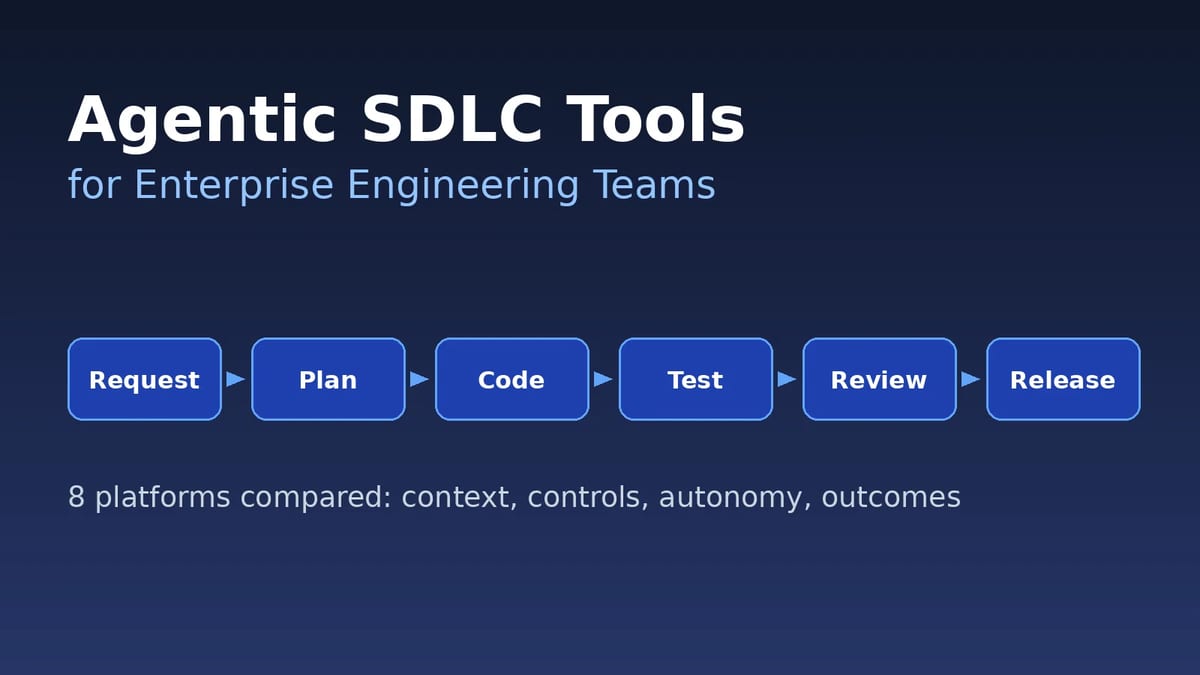
An AI coding agent can make changes, but an enterprise SDLC includes more than implementation. Work begins with a request, depends on service and team context, and moves through testing, review, security checks, and release. An agent may help with one step or participate across several.
When comparing platforms, separate these capabilities:
- Task execution: Can an agent plan and complete a bounded coding or engineering task?
- Workflow coordination: Can work move between people, agents, systems, and approval steps?
- Engineering context: Can agents access relevant information about services, standards, ownership, and dependencies?
- Controls: Can the organization set permissions, review points, and operating policies?
- Feedback: Can teams learn from test results, review comments, and completed work?
These distinctions help clarify whether a platform augments a developer’s workflow, delegates individual tasks, or provides a shared layer for coordinating agentic work across teams.
8 agentic SDLC tools for enterprise engineering teams
1. Port: Best Overall Agentic SDLC Tool
Port is a platform for building and operating an agentic SDLC across engineering teams. It combines a software catalog and shared engineering context with workflows, agent management, governance, and interfaces for developers and platform teams. Agents can use context about services, ownership, dependencies, and standards, while workflows connect requests to actions and review steps.
This coordination model gives Port a broader role than a coding agent that works on one task at a time. Teams can build workflows for activities such as ticket resolution, incident response, resource management, and other recurring engineering processes. Port also supports managing AI agents, skills, prompts, and MCP access, helping platform teams define how agents fit into their operating environment.
What to assess:
- Context quality: Check whether the catalog reflects current ownership, service relationships, and engineering standards.
- Workflow design: Identify which tasks should be automated and where developers or platform teams should review.
- Governance: Confirm that permissions, approvals, and agent access match internal policies.
Port’s differentiator is the shared operating layer around agent work. It connects organizational context and workflows with the agents that execute tasks, giving teams a way to govern adoption across the SDLC. The value depends on how well the context and workflows represent the organization’s actual processes. During a pilot, choose a real workflow and measure not only task completion, but also review time, rework, and handoffs.
2. Harness
Harness combines software delivery capabilities with AI agents that can work within delivery processes. Its platform includes agents for software delivery and other engineering operations, with shared delivery context and workflows. Teams can connect agent work to build, test, security, deployment, and infrastructure steps already represented in their delivery system.
This approach places agentic automation closer to execution and release processes. It can help engineering organizations that want to automate work between a code change and production, or run AI-generated code through established delivery controls. Buyers should map which capabilities they need and how they connect with the tools and pipelines already in place.
What to assess:
- Delivery integration: Test how agents interact with current pipelines, environments, and approval stages.
- Policy enforcement: Check how required controls behave when an agent’s work fails a check.
- Operational scope: Identify which product capabilities are needed for the workflow you plan to automate.
3. Atlassian Rovo Dev
Rovo Dev is an AI agent for software teams, connected to Atlassian’s environment for planning and development work. Atlassian describes capabilities across planning, coding, code review, and repetitive tasks. Rovo agents can also draw on knowledge sources such as Jira and Confluence, giving engineering teams a way to connect development work with project information and documentation.
The platform’s context is especially tied to how teams manage work in the Atlassian ecosystem. This can connect agent activity to issues, project plans, and team knowledge. Organizations should verify which development tasks can be delegated and how agent work is reviewed in their specific setup.
What to assess:
- Work management fit: Check how the agent uses existing issue, project, and documentation practices.
- Task coverage: Test planning, coding, review, and repetitive work against real team needs.
- Review and permissions: Confirm how the agent respects user access and how proposed changes are reviewed.
4. Factory
Factory provides software development agents called Droids that can work across developer environments, including desktop, web, terminal, and pipeline contexts. The platform is designed for delegating software tasks to agents that can work with a codebase, follow engineering standards, and run tests. Teams can use different interfaces depending on how and where they want to initiate or review agent work.
This agent-led approach supports multiple types of engineering tasks and working styles. Factory also emphasizes enterprise use, with capabilities intended to help teams apply their standards and connect to development systems. Buyers should assess how much setup is needed to make agents effective in their repositories and workflows.
What to assess:
- Work surface: Decide whether developers need desktop, web, terminal, or pipeline-based agent access.
- Repository context: Test performance on unfamiliar services and codebases with internal conventions.
- Testing and review: Confirm how test execution, change summaries, and human review fit existing practices.
5. Devin
Devin is a software engineering agent designed to take on tasks in a cloud environment and return work for review. It can inspect a codebase, plan changes, make edits, run tests, and prepare a pull request. The product also supports background and automated workflows, allowing teams to delegate work asynchronously instead of keeping an agent session tied to a developer’s active editor.
The cloud execution model can be useful for longer tasks or work that can proceed independently. It also makes permissions and execution boundaries important parts of an enterprise evaluation. Teams should understand what repositories and tools Devin can access and how developers inspect its output.
What to assess:
- Task definition: Start with work that has clear acceptance criteria and a testable outcome.
- Execution boundaries: Review how the agent accesses repositories, tools, and development environments.
- Review process: Check how changes, test results, and agent decisions are presented to engineers.
6. Tabnine
Tabnine offers an enterprise AI coding platform with agents that can work across development workflows. Its Enterprise Context Engine is intended to give agents relevant organizational and codebase information, while its platform supports connections to development tools through MCP. Tabnine also provides deployment options across cloud, on-premises, and air-gapped environments.
These features make deployment and data handling central considerations for enterprise teams. Organizations with strict source code policies may want to understand how the product is configured and what information is shared with external services. Its agents can be evaluated for coding and workflow tasks, including work initiated from tools such as Jira.
What to assess:
- Deployment model: Confirm whether the available hosting options match security and infrastructure requirements.
- Organizational context: Test how agents use internal code, guidelines, and development sources.
- Workflow connections: Check which tools and task types are supported in your current setup.
7. OpenAI Codex
OpenAI Codex is a coding agent that can take on software tasks in cloud environments, with support for parallel work across tasks. Developers can ask Codex to implement features, fix issues, or make larger changes, then review its code and test results. Codex is available through ChatGPT plans that include business and enterprise options, subject to workspace settings and rollout.
Codex can fit into an engineering workflow where developers delegate bounded work and review the result asynchronously. Teams should decide how tasks are prepared, what environment the agent uses, and how completed changes move into the organization’s review process.
What to assess:
- Task suitability: Choose tasks that can be described clearly and validated through tests or review.
- Environment setup: Check dependencies, repositories, and access required for Codex to complete work.
- Team controls: Review workspace administration, sharing, and policies for enterprise use.
8. Cursor
Cursor combines an AI coding environment with cloud agents that can work in isolated virtual machines. Teams can delegate coding tasks to cloud agents with repository access and a configured development environment, then inspect the work and continue development locally. Cursor supports integrations with multiple code hosts, allowing organizations to consider it alongside existing source control workflows.
The product’s entry point is developer-directed coding work. Enterprise teams should review how cloud agents receive repository access, secrets, dependencies, and network access, as well as how administrators manage usage across teams. The ability to work in isolated environments should be evaluated against the organization’s security and development requirements.
What to assess:
- Cloud environment: Confirm how repositories, dependencies, secrets, and network permissions are configured.
- Developer workflow: Test how work moves between cloud agents, local development, and code review.
- Administration: Review enterprise controls for access, usage, and agent configuration.
Match autonomy to the risk of the task
An agent should not receive the same level of freedom for every task. A documentation update and a production configuration change have different consequences. Setting autonomy levels by task risk helps teams expand delegation while preserving appropriate review.
A practical model can start with three levels:
- Assist: The agent researches, explains, or drafts a plan, but does not change files or systems.
- Implement for review: The agent edits code or prepares a change, then a person reviews and approves it.
- Execute within controls: The agent can carry out a defined workflow after passing required tests, policies, and approvals.
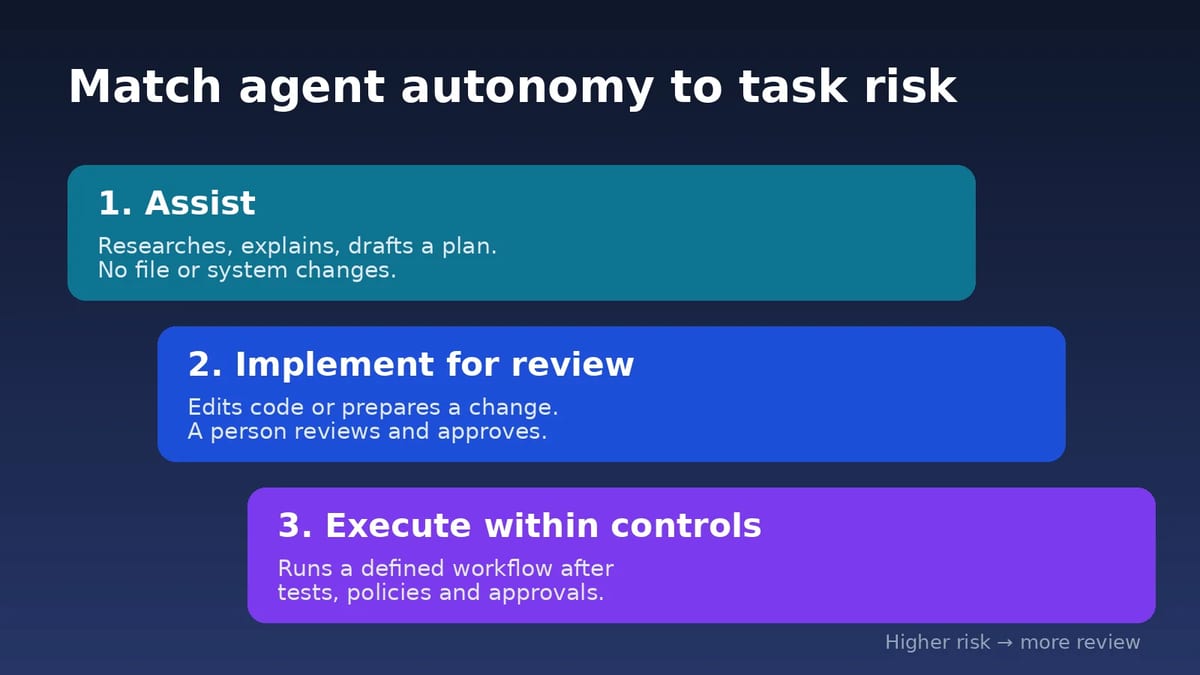
For each workflow, define the task boundaries, permitted tools, expected output, and stop conditions. Also identify who owns the final decision. These rules help developers know when they can delegate freely and when they should inspect the agent’s plan before work begins.
Measure engineering outcomes beyond code volume
More generated code does not necessarily mean faster or better delivery. An agent may produce a change quickly but shift effort into debugging, review, or maintenance. Enterprise pilots should measure the complete workflow so teams can understand whether agentic tools improve engineering capacity.
Track a small set of measures:
- Cycle time: Time from an accepted task to a reviewed, merge-ready change.
- Review effort: Time engineers spend understanding and checking agent output.
- Rework: Changes required after tests, review, or integration.
- Reliability: Frequency of failed tasks, broken builds, or incomplete work.
- Adoption: The share of eligible tasks that teams choose to delegate.
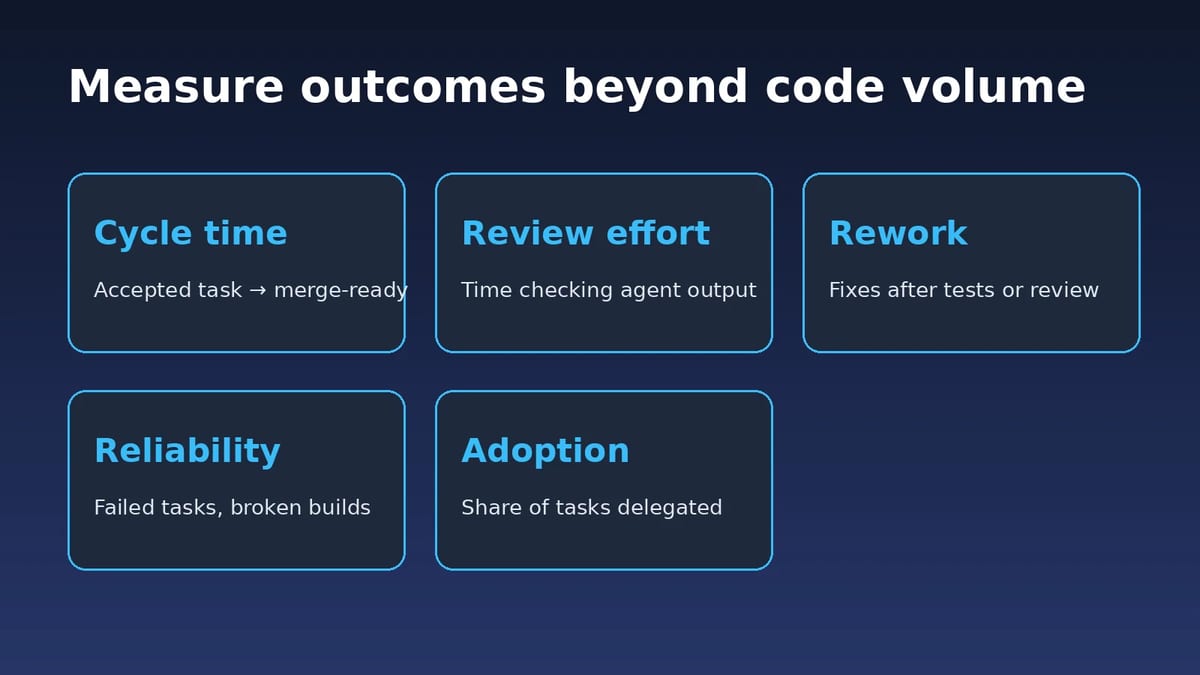
Use the same task types before and during the pilot, and include both straightforward and more complex work. Review results with developers and platform teams to identify where agents help, where they need better context, and where human judgment remains essential.
FAQs
How is an agentic SDLC platform different from an AI coding assistant?
An AI coding assistant usually helps a developer write or understand code within a focused interaction. An agentic SDLC platform can delegate multi-step work, connect agents to development systems, and route tasks through testing or review. Some products combine both experiences, so compare the actual workflows and controls rather than the marketing category.
Do enterprise engineering teams need a central orchestration layer?
Not every organization needs one immediately. Teams adopting agents across multiple tools may benefit from shared context, workflow coordination, governance, and measurement. If agent use is limited to individual coding tasks, an orchestration layer may be premature. Start from the workflows and control gaps the organization needs to solve.
How should teams choose tasks for a pilot?
Choose recurring tasks with clear acceptance criteria and a way to validate the result. Examples include contained bug fixes, test creation, documentation updates, or routine code changes. Avoid starting with work that requires undocumented business judgment or broad production access. Measure review time and rework, not only initial completion.
Will agentic SDLC tools replace developers?
These tools can take on parts of software work, but teams still need engineers to define requirements, assess architecture, review changes, and own production outcomes. Their value depends on assigning appropriate tasks and providing useful context. A realistic goal is to increase team capacity and reduce repetitive work while keeping engineering judgment accountable.
Found this useful? Share it with someone comparing AI tools.