Home / Guides / AI Video Generator
Evaluating an Enterprise Talking Photo Maker Across Product Teams
Learn how B2B software and enablement buyers test a talking photo maker across voice timing, editing boundaries, licensing clarity, and multi-language QA.
 Mihai (Mike) Bizz Business, entrepreneurship, tech & AI
- Published
- 5 min read
On this page What differentiates talking photo maker tiers in production
- What differentiates talking photo maker tiers in production
- Architecture and legal guardrails before buying seats
- Structured pilot rubric using Leadde for talking portrait workflows
- Stress-testing edge cases: pronunciation, pacing, and localization
- Procurement questions every software buyer asks first
Independent and reader-supported. Some links may earn us a commission; it never changes our rankings. Editorial policy
Software buyers testing a talking photo maker rarely fail because the mouth animation looks weak on sample marketing reels; they run into trouble two weeks after onboarding when product marketers expect multi-scene editing, enterprise security paperwork, or effortless custom brand typography that single-photo generators were never built to provide.
B2B software teams evaluate talking portrait tools under totally different pressures than solo social creators. Customer education specialists need crisp release updates that match help center glossaries, international marketing managers care whether Polish or Japanese scripts break speech pacing, and legal teams want strict clarity around voice cloning rights and visual consent before an executive headshot ever leaves internal drives.
Skip dedicated talking photo software entirely if your primary backlog consists of deep UI click-through tutorials or live engineering demos. Screen-capture editors still serve product telemetry walkthroughs cleanly, whereas animated spokesperson clips excel specifically on feature introductions, FAQ cards, and executive changelog summaries where human delivery anchors quick trust.
What differentiates talking photo maker tiers in production
Before scoring vendor demos on facial smoothness alone, technical evaluators should separate lightweight portrait speech tools from full multi-scene avatar studios. Trying to push thirty-second changelog cards through heavy studio composers wastes weekly time, while assuming a single-photo renderer handles slide transitions creates last-minute rebuilds.
| Evaluation dimension | Lightweight portrait speech tool | Full studio avatar video editor | Key buyer diligence question |
|---|---|---|---|
| Input and scene depth | Single portrait frame paired directly with script audio | Multiple sequenced slides, shapes, and interchangeable backdrops | Do updates stay under 45 seconds without slide cuts? |
| Revision agility | Fast voice re-renders from edited text prompts | Scene-by-scene layout edits, transitions, and media swaps | Can marketing update one background banner mid-quarter? |
| Multilingual coverage | Broad text-to-speech dialect lists across regions | Project duplication per locale plus synchronized canvas text | Are product terms customizable with Pronunciation controls? |
| Team asset governance | Shared individual login downloads | Role permissions, shared media pools, and Brand Kits | Do lower tiers lock fonts or team seats behind Enterprise? |
Look past glossy vendor homepages when assessing plan gates too. Verify strictly which capabilities live on Starter versus higher plans (Brand Kits and Custom fonts sit exclusively on higher creator/enterprise plans across many platforms, while watermark removal and downloadable .srt/.vtt captions frequently split free tiers from paid tiers).
Architecture and legal guardrails before buying seats
Procurement leads running pilot tests across sales enablement and customer success departments eliminate 80 percent of post-contract friction by auditing five non-negotiable rules during trial sprints:
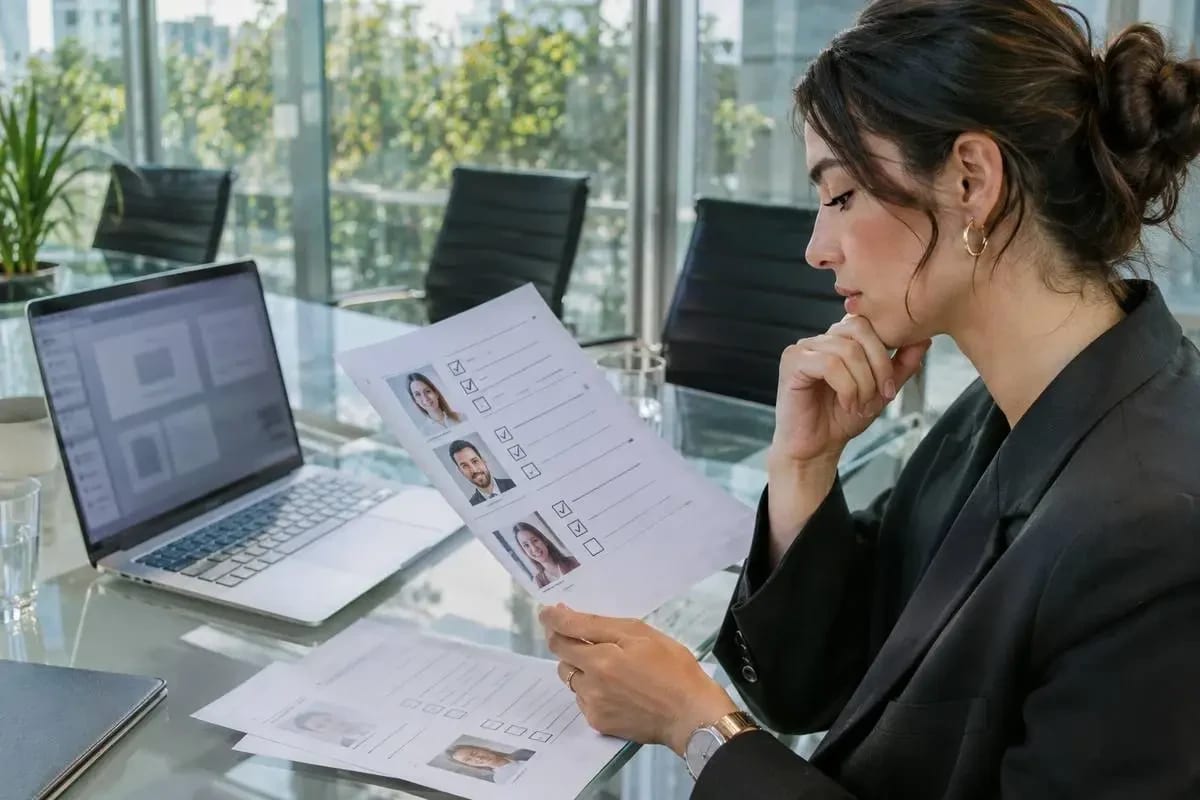
- Verify explicit performer consent and portrait rights policies upfront, confirming whether internal employees or customer-facing spokespeople hold written usage clearance before cloning likenesses or vocal samples.
- Test accessibility compliance early rather than retrofitting transcripts right before launch; as outlined in W3C accessibility planning guidance for audio and video media, synchronized captions and clean transcript exports matter from initial storyboard staging onward.
- Confirm how vendor editors separate quick photo animation from full multi-track editing (Video Fit for recorded .mp4 UI walk-throughs, slide layers for decks) so product marketers know upfront when to switch authoring modes.
- Audit credit consumption rules transparently during trial weeks, checking whether minor typo fixes or pronunciation retries re-bill full minute quotas before allocating departmental budgets across seats.
- Reject vendors claiming vague “bank-grade compliance” on marketing pages without providing signed security documentation during vendor risk review.
Structured pilot rubric using Leadde for talking portrait workflows
Running a disciplined 60-minute benchmark across one authentic internal announcement lets product buyers judge usability without falling for curated demo avatars. Passing a real company spokesperson portrait through an AI talking photo generator alongside Leadde’s wider project ecosystem exposes practical strengths and boundaries rapidly.
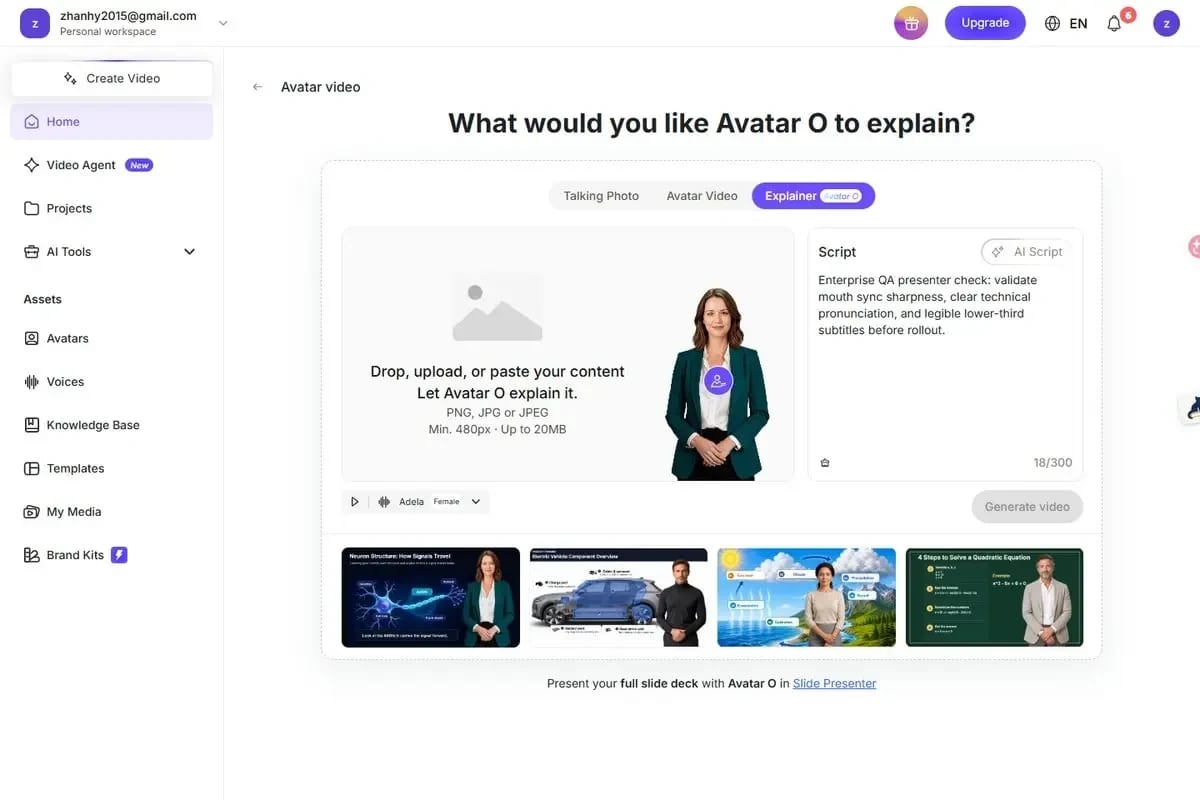
Execute your team trial cleanly across these six scored checkpoints:
- Upload one uncropped chest-up employee headshot .jpg or .png captured under balanced frontal lighting (avoiding deep chin glare or sharp profile angles) and compare natural blink timing against one of Leadde’s built-in scene portraits.
- Load a real 90-word product release update containing two technical SaaS terms, insert intentional comma pacing, and verify whether Leadde’s Pronunciation settings allow spelling corrections cleanly across 88 platform languages and 175 regional accents.
- Inspect framing export versatility: switch directly between 16:9 widescreen (for knowledge base documentation headers) and 9:16 vertical (for LinkedIn launch feeds or in-app announcement banners) and verify headroom clearance.
- Trace workflow escalation cleanly when requirements expand past one still frame: confirm Leadde’s separation between quick single-portrait Talking Photo renders and full Avatar Video Studio projects (300+ official platform avatars plus multi-scene canvas layers and media uploads for recorded software demos).
- Measure audio intelligibility and caption readiness by checking whether exported .mp4 tracks align crisply with generated .srt or .vtt subtitle downloads (available on paid Starter and Creator plans) across muted mobile players.
- Run final sign-off previews explicitly in desktop Chrome (recommended per Leadde technical guidance for cleanest timeline stability) before rolling training seats out to remote non-technical team members.
Stress-testing edge cases: pronunciation, pacing, and localization
Synthetic lip-sync glitches rarely appear during smooth plain English greetings (“Welcome to our platform”). They expose themselves abruptly on fast product demos stuffed with version numbers (v2.4.8), German compound nouns, and multi-syllable chemical or financial labels. Always anchor your pilot evaluation script on ugly real-world strings pulled straight from engineering release notes.

Check how gracefully translated variants preserve visual real estate too. Expanding an English summary into French or Spanish regularly adds 20 percent more syllable runtime. Verify that your team’s review checklist builds natural 0.5s pauses around sentence closes rather than stacking breathless thirty-word run-ons that rush facial jaw muscles into unnatural chatter.
Procurement questions every software buyer asks first
Should a B2B company use custom Photo Avatars or presets for external product updates?
Use verified employee or executive portraits only with signed internal media consent when personal trust anchors customer relationships; default to standardized platform presets (300+ available in Leadde subject to plan scope) for evergreen documentation that survives role turnover cleanly.
What happens when teams outgrow single talking photos and need UI screen recordings too?
A pure single-photo clip cannot pull external .mp4 product demos onto its timeline directly. Move that project into Leadde’s full Studio Editor, add your recorded clip through My Media, and combine speaker scenes beside screen captures via Video Fit.
How accurately do browser previews match final downloaded lip sync?
Interactive previews inside studio canvases deliberately prioritize speed over full neural mouth rendering (preview does not enable full lip synchronization per Leadde documentation), so run your final visual lip-sync QA strictly on rendered MP4 downloads.
Choosing the right talking photo software depends far less on flashy demo avatars than matching workflows to your actual team bottlenecks. Score legal clarity, script pronunciation tools, and multi-scene escalation paths during a one-hour live trial, and you avoid buying tools that marketers abandon after month one.
Found this useful? Share it with someone comparing AI tools.