How to Recycle and Repurpose Used NVIDIA Graphics Cards
Used NVIDIA graphics cards should be reused, redeployed or resold before recycling. Check health first, then pick a path that keeps hardware in service.
 Eimantas Kazėnas Marketing & Tech
- Published
- 11 min read

On this page Why Recycling Comes Last on the List
- Why Recycling Comes Last on the List
- Step 1: Check Whether the Card Has a Job Left In-House
- Step 2: Redeploy It to Lighter Work
- Step 3: Resell It to Someone Who Will Put It Back to Work
- Step 4: Recycle What Cannot Be Used
- The Four Paths Side by Side
- Frequently Asked Questions
- Making the Call on Your Own Hardware
Independent and reader-supported. Some links may earn us a commission; it never changes our rankings. Editorial policy
A mid-sized software company finished moving its model training onto a newer generation of NVIDIA cards last quarter. The new nodes are racked and running, and in a locked cage at the back of the data hall there are now two servers holding sixteen A100 cards, as well as a cardboard box of RTX workstation cards that came out of the design team’s desktops during the same refresh. Nobody has decided what happens to any of it, and every month the hardware sits there it gets a little less useful to the next owner.
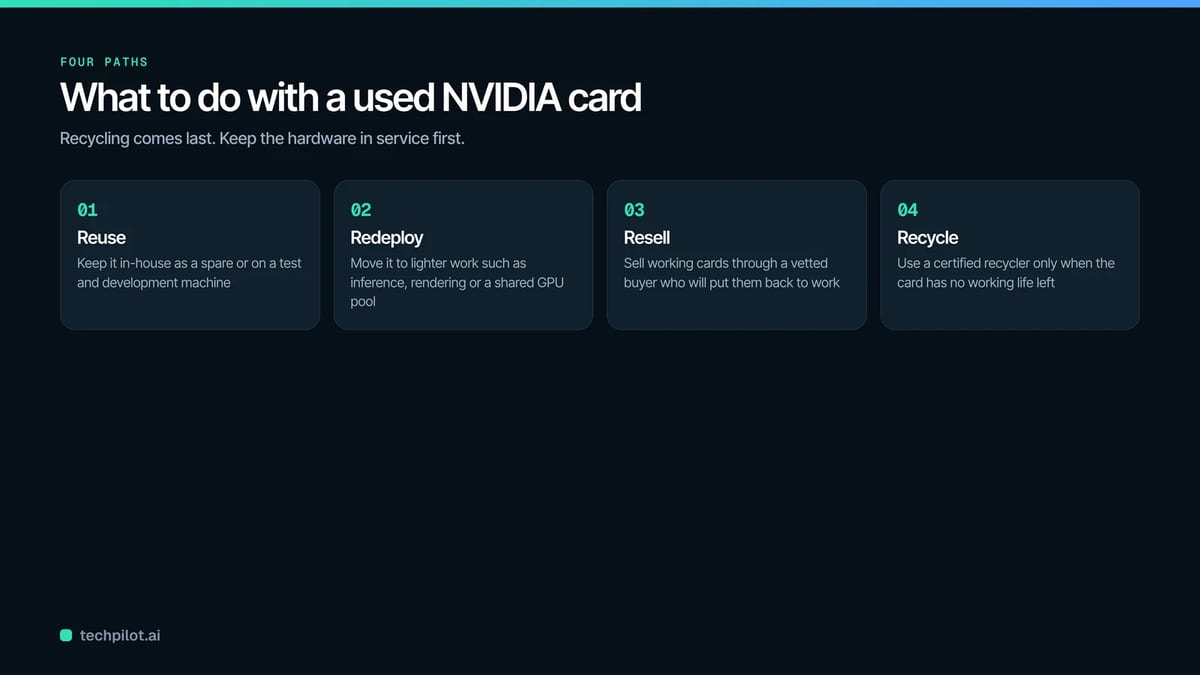
That is the most common situation behind this question, and it tends to get handled in one of two poor ways. Either the hardware sits in the cage for a year, or someone sends all of it to the nearest recycler on the assumption that old means scrap. In most cases neither is the right call. A used NVIDIA card has four possible next stops, and it is worth checking them in a set order, because each step further down the list gets back less of what the card is still worth:
- Reuse it inside your own organization.
- Redeploy it to a different, lighter job.
- Resell it to a buyer who will put it back into service.
- Recycle it for materials once it has no working life left.
The rest of this guide goes through that path one step at a time, with the checks that tell you when it is time to move on to the next step.
Why Recycling Comes Last on the List
Recycling a graphics card recovers the materials in it (copper and aluminum from the heatsink, and gold, silver and other metals from the circuit board), but it throws away everything the card can still do. A working card is worth far more as a card than as a pile of separated metals, and that holds for a five-year-old workstation card just as much as for a data-center accelerator.
There is also a waste problem that makes the order matter. The Global E-waste Monitor estimates that the world generated a record 62 million tonnes of e-waste in 2022, and that less than a quarter of it (22.3%) was documented as properly collected and recycled. Every card that gets a second working life is one less item in that pile, and one less replacement part that has to be manufactured.
So the working rule is simple: a card goes to recycling when nobody can use it, which is a different test from whether your own team still needs it.
Step 1: Check Whether the Card Has a Job Left In-House
Reuse means keeping the card inside your own organization for the same kind of work, or something close to it. This is the cheapest option because nothing gets shipped, sold or re-bought.
Some common places where used NVIDIA cards fit:
- Spares for the rest of the fleet. If you still run older servers with the same model, holding back a few cards as hot spares saves a replacement order the next time one fails.
- Development and test machines. A GeForce or RTX workstation card that is too slow for production rendering is usually fine for a developer’s test box, a build server or a CI runner that needs CUDA.
Before you assign a card anywhere, check that it will physically work in the new home. If you are moving data-center cards, this is where most plans fall apart:
- Form factor. SXM cards (the A100 and H100 SXM versions, for example) mount on a special baseboard and will not go into a standard PCIe slot. Only PCIe versions can move into ordinary servers.
- Cooling. Most data-center cards are passively cooled and rely on strong server airflow. If you put one in a desktop tower it will overheat.
- Display outputs. Cards such as the A100 and H100 have no video outputs at all, so they cannot drive a monitor.
- Power. High-end cards need the right auxiliary power connectors and enough headroom on the power supply.
Run a Basic Health Check First
If a card is going to be reused, redeployed or sold, you need to know its condition. On Linux, the nvidia-smi tool that ships with the NVIDIA driver will show temperatures, power draw, clock behavior and memory error counts (the ECC section of the output). On Ampere-generation cards and later, it is also worth checking the row remapping status, which is how the card swaps degrading memory rows for spare ones. A card with a growing count of uncorrectable errors, or one that has run out of spare rows, should not be reassigned to anything important, and it is a good candidate to skip straight to Step 4.
Step 2: Redeploy It to Lighter Work
Redeploying means giving the card a different and usually less demanding job. The classic example is a card that was bought for training and still has plenty of capacity for inference, where the workload is smaller and steadier.
Some redeployment options that work well for older NVIDIA hardware:
- Inference and fine-tuning. A generation-old card that is too slow for training new large models will still run many production models, including smaller language models, recommendation systems and computer vision jobs.
- Shared GPU pools. On A100 and newer data-center cards, Multi-Instance GPU (MIG) lets you partition each A100 into up to seven GPU instances that are isolated at the hardware level, so one card can serve several teams or several small workloads at once.
- Rendering, simulation and video work. Workstation and Quadro-class cards often move from frontline design machines to render nodes or video transcoding boxes.
In our view, redeployment only makes sense when the power, rack space and cooling are already available. Older cards do less work per watt than newer ones, and if you would need to build out new capacity just to run them, it is usually better to let someone else use them and put that money toward newer hardware instead.
Step 3: Resell It to Someone Who Will Put It Back to Work
If your organization has no use for the cards, the next best outcome is that somebody else does. Resale keeps a working card in service, and it turns hardware that is sitting in a cage into recovered value that can go back into the IT budget.
How you sell depends mostly on what you have and how much of it. If it is one or two consumer GeForce cards, a public listing site can be fine, provided you are comfortable handling the photos, the shipping and the buyer questions yourself. Once you are dealing with data-center cards, full GPU servers, or dozens of units at once, the job changes, because the cards usually come with servers, drives and asset records attached, and those need to be handled properly.
This is where IT asset disposition comes in. IT asset disposition (ITAD) is the business of retiring used IT equipment in a secure, documented way: buying back and reselling what still works, destroying any data on storage devices, and sending anything left over to certified recycling. It is different from a plain recycler, which is set up to break hardware down for materials and not to resell it.
What to Prepare Before You Ask for a Quote
A buyer can only quote accurately from accurate information, so it helps to put together a simple list before you contact anyone:
- Model and exact variant (for example, an A100 40GB PCIe card is a different item from an A100 80GB SXM4 module).
- Quantity, and whether the cards are loose or still installed in servers.
- Condition notes, including the health check results from Step 1.
- Serial numbers and asset tags, so that every unit can be tracked once it leaves your building.
- Photos of the cards and of any original packaging you still have.
Where the Real Risk Sits
The data risk is rarely the card itself (see the FAQ below). It is the GPU servers the cards ship in, which contain boot drives, local scratch storage, and management controllers that can hold credentials and configuration details, and those need to be erased or destroyed with proof.
For data-center cards in particular, the cleaner route is to hand the whole job to a single buyer that handles the pickup, the storage, and the paperwork together, and a few ITAD providers have built their process around exactly this. If you want to sell used NVIDIA GPU inventory such as A100, H100, or L40S cards, Big Data Supply is one of them: it runs an NVIDIA GPU buyback program that quotes from the equipment list you send, arranges pickup or shipping, tracks chain of custody from pickup to final delivery, and issues a data destruction certificate once any storage has been erased, under its R2v3 and RIOS certifications. For a company with a cage full of retired cards, that turns a sale, a data destruction job and a recycling job into one project with one paper trail.
Whichever buyer you use, ask the same questions before you agree to anything:
- Will you give me a written quote based on my list, and what can change it after inspection?
- Who handles packing and transport, and who carries the risk while the hardware is in transit?
- How is chain of custody recorded, and will I get serialized reporting for every unit?
- What happens to drives and other storage, and what certificate do I receive?
- What happens to any items that cannot be resold, and are they sent to a certified recycler?
If a buyer cannot answer the third and fourth questions clearly, keep looking.
Step 4: Recycle What Cannot Be Used
Recycling is the right choice when a card has no working life left. That usually means one of these situations:
- Physical damage, such as cracked boards, burnt power connectors or corrosion.
- Failing memory, for example a card that has run out of spare rows or keeps throwing uncorrectable errors.
- Cards old enough that current NVIDIA drivers and software no longer support them, so nobody can realistically put them back into service.
Graphics cards should never go into the regular trash. When you recycle, use a certified electronics recycler. The U.S. EPA recognizes two accredited certification standards for electronics recyclers, the R2 standard and the e-Stewards standard, and either one gives you a baseline of assurance that the material is processed responsibly and not dumped or exported improperly. Ask for a certificate of recycling for your records, and if the cards came out of servers, make sure the drives are handled under a separate data destruction certificate.

The Four Paths Side by Side
| Path | Best fit | What you get back | Check first | Paperwork to keep |
|---|---|---|---|---|
| Reuse in-house | Spares for the same model, test and dev machines | Avoided purchase of new hardware | Form factor, cooling, power, health check | Internal asset record update |
| Redeploy | Training cards moving to inference, render or shared GPU pools | Extra years of work from hardware you already paid for | Power, rack space, driver support, memory health | Internal asset record update |
| Resell | Working cards your organization no longer needs | Recovered value through a buyback or sale | Exact variant, quantity, condition, attached storage | Quote, chain of custody record, serialized report, data destruction certificate |
| Recycle | Damaged, failing or unsupported cards | Materials recovery and responsible disposal | Recycler certification (R2 or e-Stewards) | Certificate of recycling |
Frequently Asked Questions
Do graphics cards hold data that needs to be wiped?
The card’s own memory is volatile and is cleared when the power is removed, so a loose graphics card does not hold your files the way a drive does. The data risk sits in the servers and workstations the cards come out of, including boot drives, local storage and management controllers, and those should be erased or destroyed with a certificate before they leave your control.
Can a data-center card like the A100 go into a desktop PC?
Usually not. SXM versions need a special baseboard, and even the PCIe versions are passively cooled, have no display outputs and expect server airflow. If you want to reuse a card in a desktop, a GeForce or RTX workstation card is a much better fit, and data-center cards are generally better redeployed in servers or resold.
Is it worth reselling older cards instead of recycling them?
If the card still works and current drivers support it, it is usually worth asking a buyer before recycling it, even for older generations. Older data-center and workstation cards still find work in inference, rendering and lab environments. Recycling becomes the better choice once the card is damaged, failing, or no longer supported by NVIDIA software.
What records should a business keep after disposing of GPUs?
At a minimum, keep a list of the serial numbers that left your building, the chain of custody record from the buyer or recycler, the data destruction certificate for any storage that went with the cards, and a certificate of recycling for anything that was broken down for materials. Those documents are what auditors and security teams will ask for later.
Making the Call on Your Own Hardware
If you are looking at a shelf or a cage of retired NVIDIA cards right now, the useful first step is sorting the cards, before you talk to any vendor. Separate what still passes a health check from what does not, note the exact variants and quantities, and then work down the path: keep what your own teams can use, redeploy what fits a lighter job, sell the working cards nobody needs, and send only the genuinely dead hardware to a certified recycler. Done in that order, the same pile of hardware gets back far more of its value and creates far less waste.
Found this useful? Share it with someone comparing AI tools.