Home / Guides / AI Data analytics
Practical NLP Without a Data Science Team: Using ChatGPT for Text Analytics
How small teams can use ChatGPT for text analytics without a data science team: seven steps, a product-review example, and when to bring in specialists.
 Eimantas Kazėnas Marketing & Tech
- Published
- 6 min read

On this page Classic NLP tasks, new tools
- Classic NLP tasks, new tools
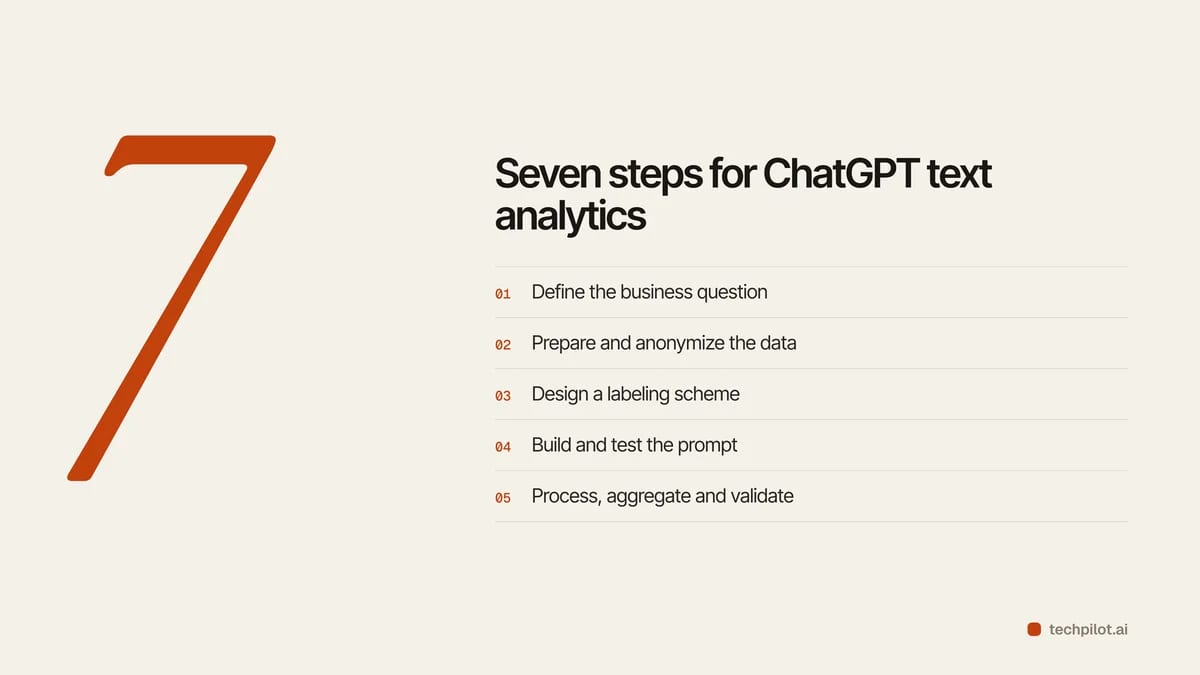
- Step 1: Define the business question
- Step 2: Prepare the data
- Step 3: Design a labeling scheme
- Step 4: Build and test the prompt
- Step 5: Process in batches
- Step 6: Aggregate and visualize
- Step 7: Validate continuously
- A worked example: analyzing product reviews
- Beyond classification
- When to bring in specialists
- Conclusion
Independent and reader-supported. Some links may earn us a commission; it never changes our rankings. Editorial policy
Most organizations sit on large amounts of unstructured text: customer reviews, support tickets, survey responses, sales call notes and social media comments. This text contains valuable signals about what customers want and what frustrates them, but analyzing it has traditionally required natural language processing expertise. Building sentiment classifiers or topic models meant hiring data scientists, labeling training data and maintaining pipelines.
Large language models have changed this. Tools such as ChatGPT can perform many classic NLP tasks, including classification, summarization, entity extraction and sentiment analysis, from plain-language instructions. For small teams without dedicated data scientists, this opens the door to text analytics that was previously out of reach. This article explains how to approach it methodically and where the limits lie.
Classic NLP tasks, new tools
Traditional NLP projects usually fall into a few categories. Sentiment analysis determines whether a text is positive, negative or neutral. Topic classification assigns texts to predefined categories. Topic discovery finds recurring themes without predefined categories. Named entity recognition extracts names of products, companies, places or people. Summarization condenses long texts into short overviews.
Before large language models, each task typically required a separate model trained on labeled examples. Today, a single general-purpose model can perform all of these tasks when given clear instructions and a few examples, an approach known as zero-shot or few-shot prompting.
Step 1: Define the business question
Text analytics is only useful when it answers a concrete question. "What are customers saying?" is too vague. Better questions include: "What are the top five reasons for negative reviews this quarter?", "Which product features are mentioned most often in support tickets?" or "How has sentiment about delivery times changed since the new logistics partner started?" A clear question determines which data to collect and which tasks to run.
Step 2: Prepare the data
Data preparation is still important. Texts should be exported into a consistent format, such as a spreadsheet with one row per review or ticket, along with useful metadata like date, product and customer segment. Personal data such as names, email addresses and phone numbers should be removed or masked before the text is sent to any external service, in line with the organization's privacy policies and applicable regulations. It is also worth checking how the chosen plan handles business data before any processing begins.
Step 3: Design a labeling scheme
For classification tasks, the categories should be defined explicitly. A labeling scheme for support tickets might include billing, delivery, product defect, account access and other. Each category needs a short definition and, ideally, one or two examples. This scheme is then included in the prompt. Without clear definitions, the model may invent categories or apply them inconsistently.
Step 4: Build and test the prompt
A good prompt for text analytics includes the role of the model, the task, the category definitions, examples, the required output format and instructions for edge cases. Requesting structured output, such as one label per line or a JSON object with fields for category, sentiment and key phrase, makes the results easy to load back into a spreadsheet.
Before processing the full dataset, the prompt should be tested on a small sample, for example fifty texts that a person has already labeled manually. Comparing the model's labels with the human ones reveals ambiguous categories and unclear instructions. The prompt is then refined until agreement is acceptable.
Step 5: Process in batches
For a few hundred texts, pasting batches into the chat interface may be sufficient. Paid plans typically allow longer inputs, file uploads and built-in data analysis features, which make it possible to upload a spreadsheet and ask the model to classify each row. Teams that use the tool daily for this kind of work usually move to a paid subscription; some compare offers from different sellers, for example listings for ChatGPT Plus on ggsel, while organizations handling sensitive data generally prefer official business plans with explicit data handling commitments.
For thousands or millions of texts, the API is more appropriate. OpenAI's help center explains the differences between plans and the API, including how data is handled in each case. A simple script can send texts in batches, store the responses and handle errors. This requires some programming, but far less than building a traditional NLP pipeline.
Step 6: Aggregate and visualize
Once each text has a label, standard analytics tools take over. Pivot tables, charts and dashboards show how categories and sentiment change over time, across products or across customer segments. The model can also summarize the texts within each category, providing qualitative context for the numbers: not just that delivery complaints increased, but what exactly customers are complaining about.
Step 7: Validate continuously
Language models are not perfect classifiers. They can be inconsistent on borderline cases, sensitive to small changes in wording and occasionally wrong with high confidence. Good practice includes:
Keeping a manually labeled validation set and re-checking accuracy whenever the prompt or model changes.
Reviewing a random sample of results each time a new batch is processed.
Treating results as directional insights rather than precise measurements, especially for small categories.
Documenting the prompt and model version used for each analysis so results can be reproduced.
A worked example: analyzing product reviews
Consider an online retailer with two thousand product reviews collected over six months. The business question is why the average rating of one product line dropped. The team exports the reviews with dates and product names, removes customer names and defines five categories: quality, sizing, delivery, price and customer service. A prompt asks the model to return, for each review, one category, a sentiment label and a short quote supporting the decision.
After testing on fifty manually labeled reviews and clarifying the difference between quality and sizing complaints, the team processes the full set. A pivot table shows that negative sizing complaints tripled after a change of supplier, while other categories remained stable. Asking the model to summarize the sizing complaints reveals a specific pattern: one size runs significantly smaller than the size chart indicates. The fix is an updated size chart and a note on the product page, a decision reached in days rather than the weeks a manual review would have taken.
Beyond classification
The same approach supports other tasks. Entity extraction can pull product names, competitor mentions or feature requests from sales notes. Summarization can turn hundreds of open-ended survey answers into a short brief for leadership. Comparative analysis can contrast what customers in different regions or segments emphasize. Each of these follows the same pattern: a clear question, a defined output format, testing against human judgment and ongoing validation.
Over time, teams often turn successful analyses into recurring reports. A monthly review of support tickets, for example, can use the same prompt and categories each time, making trends comparable from month to month. Keeping the prompt stable is important here: changing category definitions midway makes historical comparisons unreliable, so any change should be documented and, ideally, applied retroactively to earlier data.
When to bring in specialists
Prompt-based text analytics works well for exploratory analysis and moderate volumes. Some situations still call for specialists: very large datasets where cost per text matters, regulated domains where decisions must be explainable, multilingual data with complex nuances, or production systems that need consistent, auditable results. In these cases, fine-tuned models or traditional NLP approaches may be more appropriate, and large language models can serve as a tool for creating training data.
Conclusion
Large language models have made practical NLP accessible to teams without data science resources. By defining a clear business question, preparing and anonymizing data, designing explicit labeling schemes, testing prompts against human judgment and validating results continuously, small teams can turn unstructured text into actionable insight. The technology does much of the heavy lifting, but careful methodology is what makes the results trustworthy.
Found this useful? Share it with someone comparing AI tools.

Using AI for Enhanced Workflows in Pyramid Analytics
Learn how Pyramid Analytics creates enhanced workflows by combining data prep, analytics, data science, and insights in one platform.
 John Daniel · 5 min read

5 Best Platforms for Connecting LLMs with Structured Data
Connecting LLMs with structured data – the key step to building accurate, efficient AI systems that dramatically improve output quality.
John Daniel · 5 min read