Auris AI is a practical, low-cost pick for transcripts and subtitles, and it stands out when your audio is in an Asian language that bigger tools handle less well.
Home / Tools / Audio / Voice
Audio / Voice · Tool review
Auris AI Review: Transcription Pricing
 TechPilot.ai review team Hands-on testing, one published method
- Last updated
- How we test
The AI news that actually mattered this week.
One short email every Friday: the biggest AI stories, what they mean for you, and the tools worth trying. A 3-minute read, no hype.
Free. Unsubscribe anytime.
You're in. Watch for the brief on Friday. Free. Unsubscribe anytime.
Summary
Pros and cons
What we like
- Strong Southeast Asian language support.
- Transcripts, subtitles and translation in one editor.
- Dual-language subtitles.
- Low entry price at $6 a month.
- SRT and video exports.
What could be better
- Free plan is only 15 minutes.
- Monthly hour caps on every plan.
- Small annual discount.
- Few integrations beyond YouTube.
Key features
- Transcription: Editable, with speaker labels.
- Subtitles: Timed, styled, dual-language.
- Translation: Inside the same editor.
- Languages: Strong across Asia.
- Export: Text, SRT, subtitled video.
- Pricing: Free, paid from $6 a month.
Screenshots
Full review
Independent and reader-supported. Some links may earn us a commission; it never changes our scores. Editorial policy
Auris AI turns audio and video into editable transcripts and subtitles, with strong Asian language support. Free gives 15 minutes a month; Starter is $6.
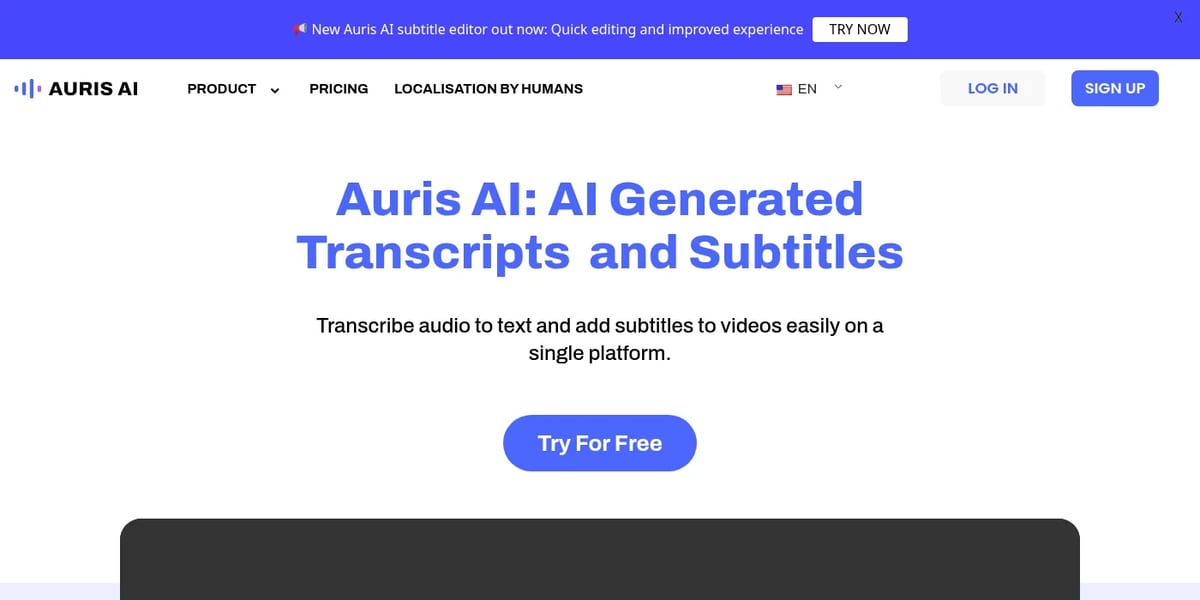
Quick answer: Auris AI (aurisai.io, made by AI Communis) is a browser tool that transcribes audio and video, lets you fix the text like a document, translates it, and burns or exports subtitles. Its edge is language coverage across Asia: Thai, Vietnamese, Khmer, Burmese, Tagalog, Javanese, Hindi, Tamil and more sit next to English, Japanese and Chinese. Plans are sold by hours of upload per month. Prices below are from Auris AI’s pricing page on November 22, 2026. Note that auris.ai is a different company.
What Auris AI does
- Transcription: upload MP3, WAV, M4A, MP4 or MOV and get an editable transcript with punctuation and speaker labels.
- Subtitles: generate timed captions, adjust the font, and add dual-language subtitles to one video.
- Translation: translate a transcript inside the same editor instead of copying it into another tool.
- Exports: download text, SRT caption files or the subtitled video, and send videos to YouTube.
- Human option: a separate localisation service with human translators for work that needs proofreading.
Auris AI Pricing (2026)
| Plan | Monthly | Billed annually | Usage and limits |
|---|---|---|---|
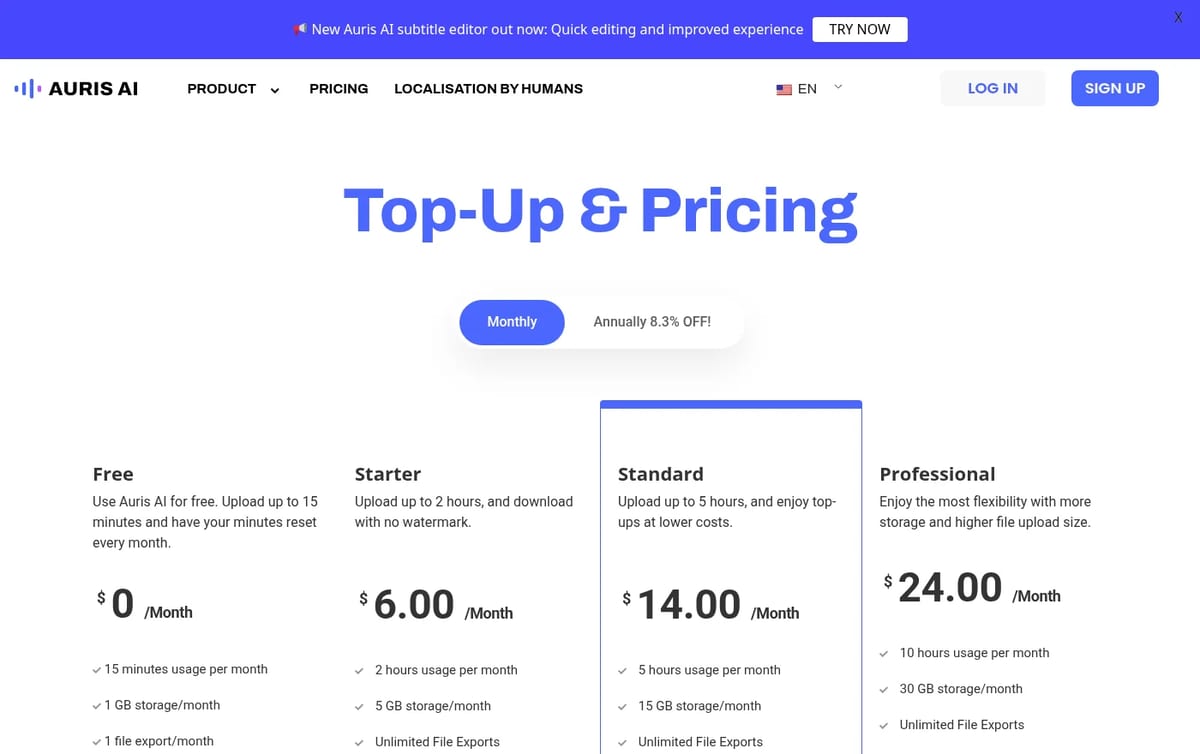
| Free | $0 | $0 | 15 minutes a month, 1 upload and 1 export, 1 GB, watermark; extra 30 min $1.80 |
| Starter | $6 | $5.50 a month | 2 hours a month, 5 GB, no watermark; extra 30 min $1.40 |
| Standard | $14 | $12.80 a month | 5 hours a month, 15 GB; extra 30 min $1.30 |
| Professional | $24 | $22 a month | 10 hours a month, 30 GB; extra 30 min $1.10 |
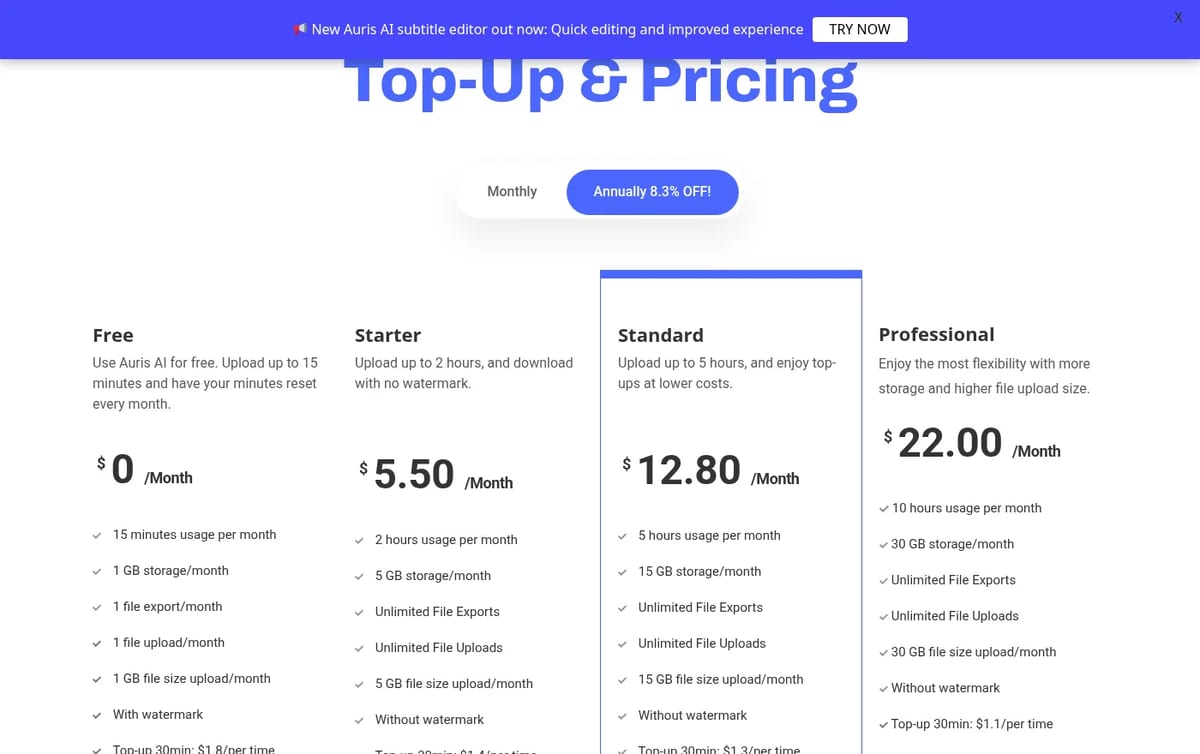
How to think about the cost: work out your monthly hours first. The free 15 minutes with one upload and a watermark is only a test. A creator subtitling four 20-minute videos a month needs about 80 minutes, which fits Starter at $6. Ten hours on Professional works out to $2.40 an hour of audio, against $12 an hour on Starter, so heavy users should size up rather than buy top-ups. Top-ups also get cheaper on higher plans, from $1.80 to $1.10 per 30 minutes. Annual billing only saves 8.3%, so stay monthly until your volume settles.
If you mainly need meeting notes rather than subtitles, compare it with our Fireflies.ai review. For editing the video itself, see our free AI video editor guide or the VEED review.
Who Auris AI is for
YouTubers, educators, marketers and researchers who publish in, or translate into, Southeast and South Asian languages, and anyone who wants transcripts and subtitles in one place on a small monthly budget.
Limitations
- Small free tier: 15 minutes, a single upload and a watermark on exports.
- Hour caps: every plan has a monthly hour limit, and extra time is sold in 30-minute top-ups.
- Accuracy varies: as with any speech-to-text tool, check names and technical terms before you publish.
- Purchase needs a login: you sign in to buy, so plan details are worth checking on the pricing page first.
TechPilot.ai’s Verdict on Auris AI
Auris AI is a practical, low-cost pick for transcripts and subtitles, and it stands out when your audio is in an Asian language that bigger tools handle less well.
Start on Starter for light use and move to Professional once you pass about four hours a month.
Auris AI FAQ
Is Auris AI free?
Yes. The Free plan gives 15 minutes of transcription or subtitling a month, one upload, one export and 1 GB of storage, with a watermark on exports.
•
How much does Auris AI cost?
Auris AI costs $6 (Starter), $14 (Standard) or $24 (Professional) a month, or $5.50, $12.80 and $22 a month billed annually, checked November 22, 2026.
•
What languages does Auris AI support?
It covers English and major European languages plus many Asian ones, including Japanese, Korean, Chinese, Hindi, Tamil, Thai, Vietnamese, Khmer, Burmese, Malay, Indonesian and Tagalog.
•
Can Auris AI export SRT files?
Yes. You can download transcripts as text, captions as SRT files, or the video with subtitles added, on paid plans without a watermark.
•
Is Auris AI the same as auris.ai?
No. The transcription and subtitle tool reviewed here is at aurisai.io and is run by AI Communis; auris.ai is an unrelated company.
Jammable
Audio / Voice
Jammable is one of the quickest ways to hear a song in a different voice, and Basic at $8.99 a month is enough for most hobbyists.

Mirage
Audio / Voice
I have spent considerable time with Mirage, concentrating on its primary function: the quality, realism, and practical use of its AI…

Akool AI
Audio / Voice
At TechPilot.ai, we’ve reviewed countless AI tools, and Akool AI stands out for its ambitious approach to generative video and image…