Top 5 Digital Workplace Platforms for Unifying Frontline Communication and Operations
We compared five digital workplace platforms for frontline teams without company email. iTacit leads, then Connecteam, Blink, MangoApps and Staffbase.
 Eimantas Kazėnas Marketing & Tech
- Published
- 11 min read
On this page Digital Workplace Platforms Compared At A Glance
- Digital Workplace Platforms Compared At A Glance
- What A Digital Workplace Platform Does For Frontline Teams
- How We Compared These Digital Workplace Platforms
- The Five Platforms, Ranked
- How To Choose A Frontline Communication Platform That Also Runs Operations
- Frequently Asked Questions About Digital Workplace Platforms
- Bottom Line
Independent and reader-supported. Some links may earn us a commission; it never changes our rankings. Editorial policy
If your people work on plant floors, in trucks or across care homes, most digital workplace platforms built for office staff will miss them. A digital workplace platform is one app where employees get company news, messages, training, forms and tasks. For frontline teams, the hard part is reaching people who have no company email address and no desk. That is a very large group. According to a World Economic Forum analysis, 80% of the world’s workers (roughly 2.7 billion people) are not desk-based.
We compared five platforms that try to put communication and day-to-day operations (forms, checklists, tasks and shifts) in one place. iTacit is first on the list because it combines messaging, compliance training and digital forms for workers who do not have company email. The other four are good choices for different kinds of teams, and each entry says where the product falls short.
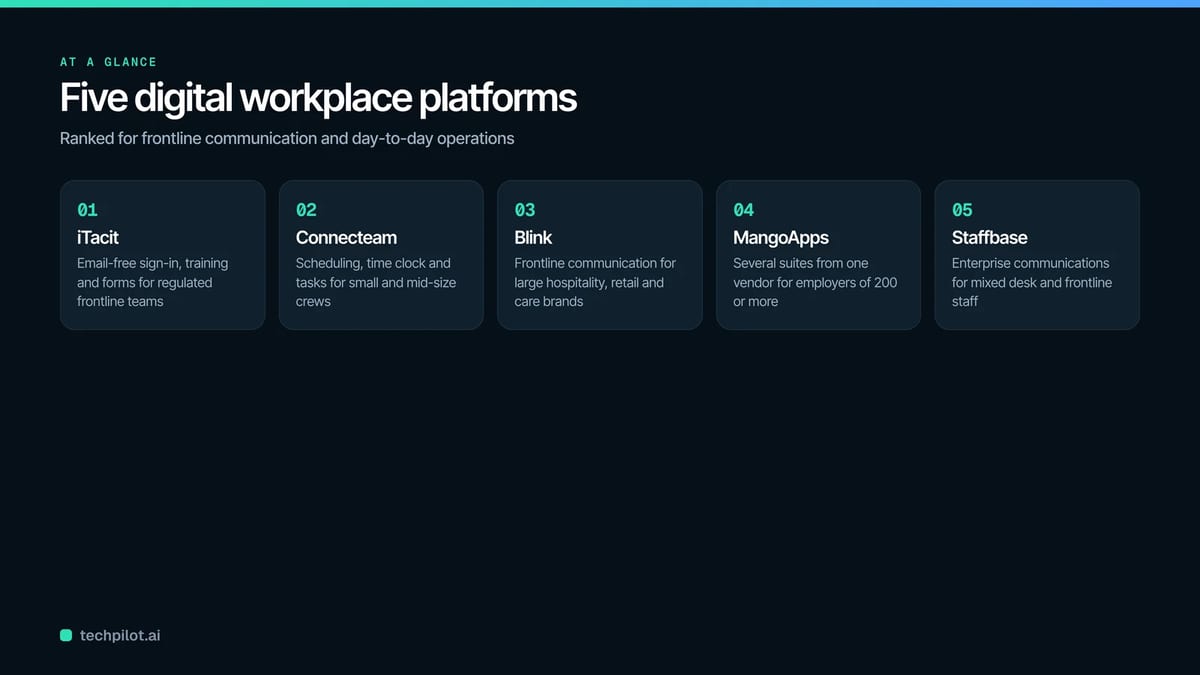
Digital Workplace Platforms Compared At A Glance
| Platform | Best for | Workforce fit | Published pricing | Capterra rating |
|---|---|---|---|---|
| iTacit | Regulated frontline employers that want messaging, training and forms in one app | Deskless staff, with or without company email | Quote-based, no public prices | 4.6 (42 reviews) |
| Connecteam | Small and mid-size businesses with hourly crews | Shift teams, priced in blocks of 30 users | Free for up to 10 users; paid hub plans from $29 per month (billed yearly) | 4.6 (5,320 reviews) |
| Blink | Large service brands that want a frontline communication platform | Restaurants, retail, healthcare, transit | From $3.75 per user per month (billed yearly) | 4.7 (133 reviews) |
| MangoApps | Large employers buying several suites from one vendor | 200 or more employees per suite | From $9 per employee per month | 4.4 (150 reviews) |
| Staffbase | Enterprise internal communications teams | Mixed desk and frontline staff | Custom quote only | 4.7 (80 reviews) |
What A Digital Workplace Platform Does For Frontline Teams
A digital workplace platform gives employees one place, usually a phone app plus a web version, to read updates, message each other, take training and complete work tasks. In an office, that job is often split between email, an intranet (a private company website for news and documents) and a chat tool. Frontline workers often have none of these.
So a frontline digital workplace has to do a few extra things:
- Let people sign in without a company email address.
- Work on shared devices, such as one tablet in a break room that ten people use.
- Handle operational work. A digital form replaces a paper checklist, a task is assigned to a shift, and a sign-off proves that someone read a safety update.
- Give head office a view across every location, so a manager can see which sites have finished a form or read a message, filtered by site, region and role.
Our opinion: the sign-in question matters more than any feature list. If a worker has to ask IT for an email account before they can log in, they mostly will not bother, and every other feature goes unused.
How We Compared These Digital Workplace Platforms
We read each vendor’s own product and pricing pages in November 2026 and checked each product’s current Capterra rating. We then looked at five things: sign-in for workers without email, communication tools, operations tools (forms, tasks, shifts), training, and whether pricing is published.
We gave extra weight to products that do communication and operations in the same app, because that is what this guide is about. We left out tools that only do one of the two jobs, such as a stand-alone intranet or a stand-alone scheduling app. Nobody paid to be included, and ratings are shown as plain numbers from Capterra.
The Five Platforms, Ranked
iTacit
Best for: regulated frontline employers (logistics, healthcare, energy, manufacturing) that want a frontline digital workplace where messaging, compliance training and digital forms share one login, including staff without company email.
iTacit is a cloud-based digital workplace platform for deskless teams, delivered through the My iTacit mobile app (iOS and Android) and a web browser. Employees sign in with their organization’s key and a personal login, so nobody needs a company email address. Shared and kiosk devices are supported with individual logins, so a driver can sign in on the depot tablet, finish a sign-off and sign out for the next person.
Here is how a normal day looks. A manager sends a message to one role at one site, attaches a short course, and sends a digital form that the crew fills in on their phones. Head office then sees who finished what, by location. iTacit sells this as four packages that build on each other:
Connect (messages, social feed, polls, document library), Educate (the learning management system, or LMS, which delivers and tracks courses), Engage (onboarding, surveys, performance reviews) and Operate (form builder, tasks, automated workflows, audit trail). The internal messaging looks and feels like email but does not need an email address, which is the whole point for crews who were never given one.
Key features:
- Messages targeted by role, location or division, with tracking of who has read them
- LMS with SCORM support (a common file format for e-learning courses), learning paths by role and compliance tracking
- Digital forms, sign-offs, tasks and workflows in the Operate package
- An AI Assistant that answers employee questions only from the company’s approved documents, never the open internet (it answers questions; it does not deliver the training itself)
- 180+ integrations, including ADP, UKG and Workday, so employee records in the digital workplace platform match what is in your HR and payroll systems
- A customer result stated by iTacit: Seaboard Transport reports 100% safety training attendance and zero training-related incidents
Rating: 4.6 out of 5 on Capterra (42 reviews)
Pricing: quote-based, per user. iTacit publishes no prices, and Capterra lists no free version or free trial. Basic messaging can launch in under two days, and full rollouts usually take two to four weeks.
Where it falls short: shift scheduling and a time clock are not among iTacit’s listed modules, so a team that wants rosters and clock-in inside the same app will need a second tool for that.
Connecteam
Best for: small and mid-size businesses with hourly crews that want scheduling, time tracking and team chat in one frontline employee app at a published price.
For a small business, Connecteam is the most complete operations toolkit on this list. It is an all-in-one employee app split into three hubs. The Operations hub has a time clock, scheduling, forms, checklists and task management. The Communications hub has chat, company updates, a directory, a knowledge base, a help desk and events. The HR hub covers hiring and onboarding, training, documents with e-signing, time off and recognition.
In practice, a supervisor builds next week’s schedule, workers clock in from their own phones, and the same app carries the morning update and the opening checklist. Connecteam says more than 80,000 businesses use it.
Key features:
- Time clock, shift scheduling and task management
- Forms and checklists that replace paper
- Chat, updates and a searchable knowledge base
- Training, onboarding and document e-signing in the HR hub
Rating: 4.6 out of 5 on Capterra (5,320 reviews)
Pricing: the Small Business Plan is free for up to 10 users. Above that, each hub is priced on its own: Basic $29, Advanced $49 and Expert $99 per month when billed yearly, each covering the first 30 users, with a per-user fee after that. Enterprise pricing is custom.
Where it falls short: because every hub is priced separately, a company that wants operations, communication and training together is paying for three plans, and the total grows quickly past 30 users.
Blink
Best for: large hospitality, retail and healthcare brands that want a frontline communication platform with forms and shift tools added on.
Blink’s homepage lists McDonald’s, with 700,000 employees across 32 countries, among its customers, which tells you the scale it is built for. Blink is an employee communication app made for frontline teams. Workers get a news feed, chat, critical alerts, voice and video calls and live streaming. On the operations side, Blink lists digital forms, employee journeys (guided steps for onboarding and other milestones), task management and shift management, plus an offline mode.
It also connects to the systems a large employer already runs. Blink shows integrations with Workday, Microsoft 365, ServiceNow and ADP, among others.
Key features:
- Feed, chat, critical communications and live streaming
- Digital forms, task management and shift management
- Offline mode listed on its features page
- Integrations with Workday, Microsoft 365 and ADP
Rating: 4.7 out of 5 on Capterra (133 reviews)
Pricing: Core starts at $3.75 per user per month (billed yearly) and Pro at $5.00 per user per month. Enterprise is custom. A free trial is offered.
Where it falls short: Blink’s site does not list a learning management system or courses, so a company with compliance training to deliver and track would need a separate LMS.
MangoApps
Best for: large employers (200 or more staff) that want to buy communication, frontline operations, learning and safety tools from one vendor.
MangoApps is a digital workplace platform sold as separate suites that you combine. Communications & Intranet costs $9 per employee per month. Frontline Operations costs $10 and covers shift scheduling, time and attendance and frontline tasks. Performance & Learning ($15) includes training and an LMS, and HR Operations is $16. All employee suites together cost $39 per employee per month.
For safety teams there is a specialist Safety & Compliance suite (incidents, inspections, certifications) at $45 per safety-team seat, with a 10-seat minimum. MangoApps names AutoZone (125,000 employees) and PetSmart (50,000+) among its company-wide rollouts.
Key features:
- Intranet, news, recognition and an employee app
- Shift scheduling, time and attendance and frontline tasks
- Training and LMS in the Performance & Learning suite
- Optional Safety & Compliance suite for incidents and inspections
Rating: 4.4 out of 5 on Capterra (150 reviews)
Pricing: published per suite, from $9 per employee per month, with a 200-employee minimum on each employee suite.
Where it falls short: the 200-employee minimum applies to every employee suite, so a 120-person company pays for seats it does not use.
Staffbase
Best for: enterprise internal communications teams that need to reach desk and frontline staff through an app, email newsletters, an intranet and digital screens.
Staffbase appears on most lists of digital workplace platforms, and it earns that place for communication. It is an employee communications platform with a mobile app for frontline and shift staff (including tasks and services), targeted email newsletters, an intranet for desk-based employees, digital signage and a Microsoft 365 integration. Its AI Assistant, called Navigator, answers employee questions from company knowledge.
Staffbase says it has more than 1,500 enterprise customers. One example on its site: Alaska Airlines, with 30,000+ employees and 96% of them active each month.
Key features:
- Employee app for shift and frontline workers
- Targeted email newsletters and an intranet for desk staff
- Digital signage and Microsoft 365 integration
- Navigator AI Assistant for employee questions
Rating: 4.7 out of 5 on Capterra (80 reviews)
Pricing: custom quotes only, with separate frontline pricing and mixed-workforce pricing. Staffbase publishes no figures.
Where it falls short: its homepage does not describe shift scheduling or digital forms, so it ranks last here on the operations half of this guide.
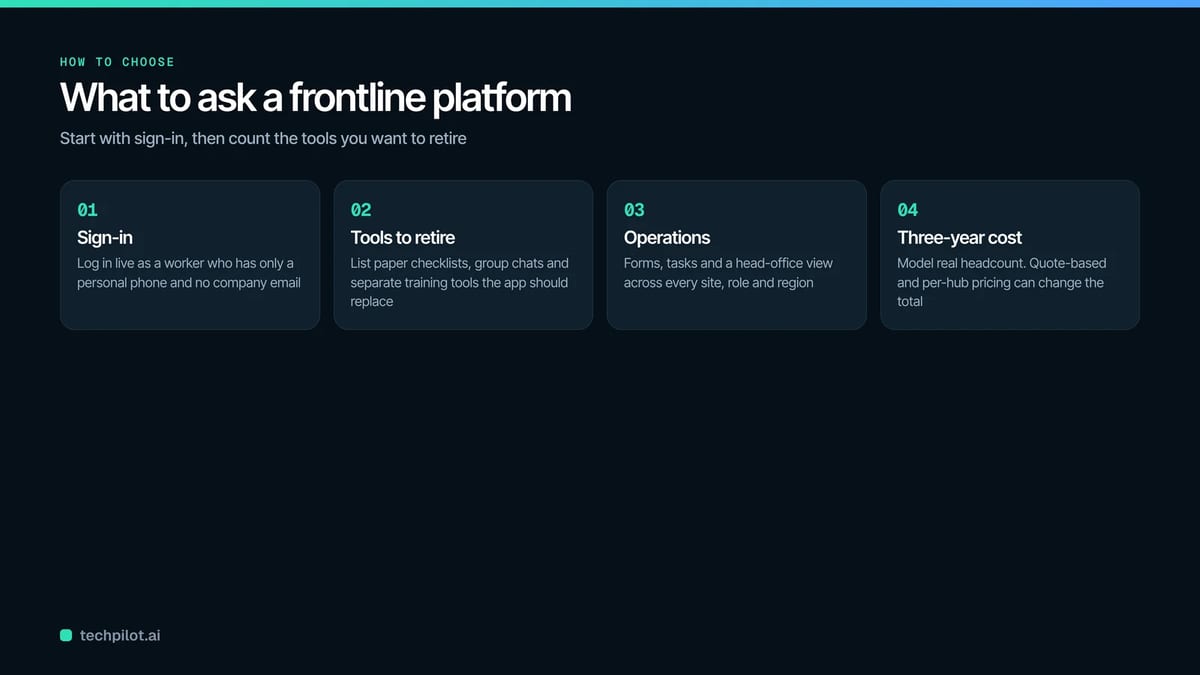
How To Choose A Frontline Communication Platform That Also Runs Operations
Start with sign-in. Ask each vendor to log in, live, as a worker who has only a personal phone and no company email. If that takes more than a couple of minutes, adoption will suffer.
Next, count the tools you want to retire. Write down every paper checklist, group text thread, scheduling spreadsheet and separate training system your sites use today. The right digital workplace platform replaces most of that list, not one item on it.
Operations tools are worth real weight, because supervisors lose a lot of their day to paperwork. McKinsey research on frontline managers found they spend 30 to 60 percent of their time on administrative work and meetings. Digital forms, assigned tasks and automatic reminders give some of that time back.
Teams with more than a handful of sites should ask for the head office view. You want to see open items filtered by location, region and owner, with overdue items flagged and escalated automatically, so you can tell whether one site is closing its checklists as fast as another.
When crews work in basements, on rural routes or anywhere with weak signal, ask what happens when a phone goes offline halfway through a form, and test it on site rather than in the demo room.
You will also want the platform to sync with your HR system (often called an HRIS, a human resources information system) so new hires appear and leavers disappear without anyone typing names in by hand.
Finally, model the cost for your real headcount over three years. Pricing on this list comes in four shapes: per hub (Connecteam), per suite with a minimum (MangoApps), per user (Blink) and quote only (iTacit and Staffbase).
Frequently Asked Questions About Digital Workplace Platforms
Can frontline workers use a digital workplace platform without a company email?
Yes, if you pick one built for it. iTacit, for example, uses an organization key plus a personal login and supports shared tablets with individual logins. Ask every vendor to show you the exact sign-in steps for a worker with only a personal phone.
What is the difference between an intranet and a frontline digital workplace?
An intranet is a private company website for news and documents, usually read at a desk. A frontline digital workplace includes that, then adds messaging, digital forms, tasks and often training, all on a phone.
How long does rollout usually take?
It depends on how many modules you switch on at once. iTacit says basic messaging can launch in under two days and full rollouts take two to four weeks. With any vendor, start with one pilot site, fix what breaks, then expand.
Bottom Line
The choice comes down to which half of the job is harder for you. If scheduling and clock-in are the daily headache in a small business, Connecteam is the practical pick. If communication at very large scale matters most, Blink and Staffbase are built for it, and MangoApps suits large employers that want many suites from one vendor.
For logistics, healthcare and manufacturing employers that want a frontline digital workplace with email-free sign-in, compliance training and digital forms on one login, iTacit offers its Connect, Educate, Engage and Operate packages on quote-based, per-user pricing.
Found this useful? Share it with someone comparing AI tools.