Adobe Commerce to Shopify Plus: When Does Migration Make Financial Sense for a Growing Retail Business?
Is moving from Adobe Commerce to Shopify Plus worth it? See the costs, ROI triggers and B2B factors that decide when migration makes real financial sense.
 Eimantas Kazėnas Marketing & Tech
 - Published
- 7 min read
On this page Introduction
- Introduction
- When Does Migration Make Financial Sense?
- Why Retailers Are Reconsidering Adobe Commerce
- What Does Adobe Commerce Development Really Cost?
- Adobe Commerce vs Shopify Plus: Side-by-Side
- The Conversion Argument: Checkout Matters
- Seven Signs Migration Makes Financial Sense
- When You Should Stay on Adobe Commerce
- B2B eCommerce Website Development: A Special Case
- How to Build Your Migration Business Case
- Protect Your SEO During Migration
- What a Good Shopify Plus Migration Service Looks Like
- Final Thoughts
- FAQ
Independent and reader-supported. Some links may earn us a commission; it never changes our rankings. Editorial policy
Introduction
Your Adobe Commerce store worked well when you built it. Then the catalogue grew, the developer invoices climbed, and every campaign launch needed a sprint plan.
Sound familiar? Then you are probably asking the right question: is it time to move to Shopify Plus?
The honest answer is that it depends on your numbers, not on platform hype. This guide shows you where the savings and risks sit, and how to decide.
When Does Migration Make Financial Sense?
Migration usually pays off when three things are true:
- Your annual platform spend (licence, hosting, developers, security) is high relative to the revenue the store delivers.
- Your team ships change slowly because of custom code, extension conflicts or upgrade work.
- Your business model fits Shopify Plus without heavy workarounds.
If all three apply, the move often pays back within 12 to 24 months. If your store depends on deeply customised logic, Adobe Commerce may still be the cheaper option over the long term.
Why Retailers Are Reconsidering Adobe Commerce
The retail market keeps growing, and expectations keep rising. Australians spent a record $82.6 billion online in 2025, up 13.9% year on year, according to Australia Post. That is around 24% of all retail, with 9.8 million households shopping online.
Australia Post also found that 73% of online shoppers say a good delivery experience makes them more likely to choose online. Growth like this rewards retailers who can change their store quickly.
That is where heavy platforms struggle. Adobe Commerce is powerful, and it is a strong choice for complex catalogues and bespoke logic. But power has a running cost:
- Hosting and infrastructure that you manage or pay a partner to manage
- Security patches and version upgrades that need developer time
- Extension compatibility checks after every update
- Specialist talent, which is harder to hire and costs more per hour
None of these costs appear on a licence quote. They show up in your monthly spend.
What Does Adobe Commerce Development Really Cost?
Most retailers underestimate the total cost of ownership (TCO). Licence fees are only one line.
When you review your Adobe Commerce development spend, add up the following for the last 12 months:
- Licence or cloud subscription fees
- Hosting, CDN and monitoring
- Developer retainers and ad hoc fixes
- Upgrade and security patch projects
- Third-party extension licences
- Downtime and lost sales during incidents
Then divide the total by your online revenue. That percentage is your platform cost ratio, and it is the most useful number in this whole decision.
Compare it against a realistic Shopify Plus budget, which covers the subscription, apps, theme work and an ongoing agency retainer. Shopify handles hosting, security and core upgrades, so those lines shrink or disappear.
Be careful with vendor claims. Many published “X% lower TCO” figures come from platforms or agencies that sell the move. Use them as a prompt to run your own numbers, not as proof.
Adobe Commerce vs Shopify Plus: Side-by-Side
| Factor | Adobe Commerce | Shopify Plus |
|---|---|---|
| Hosting and security | Self-managed or via Adobe Commerce Cloud | Managed by Shopify |
| Upgrades | Project-based, developer-led | Automatic core updates |
| Time to launch a campaign or feature | Often weeks, depends on code complexity | Often days, using themes and apps |
| Customisation depth | Very high, full code access | High, within Shopify’s architecture and APIs |
| Developer availability | Specialist, higher rates | Larger talent pool |
| Complex B2B pricing and workflows | Strong out of the box | Strong, with B2B features plus apps |
| Cost profile | Higher fixed and maintenance cost | Subscription plus apps, lower upkeep |
| Best for | Highly bespoke, complex operations | Fast-growing brands that value speed and lower overhead |
The Conversion Argument: Checkout Matters
Cost is half the story. Revenue is the other half.
Baymard Institute has compiled studies on cart abandonment. It calculates an average abandonment rate of 70.22% across 50 studies. Much of that is unavoidable, since shoppers browse and compare. Still, Baymard finds that the average large ecommerce site could gain a 35.26% increase in conversion rate through better checkout design.
Here is the catch. Better checkout design is possible on any platform. But on a heavily customised Adobe Commerce build, every checkout improvement needs developer time. On Shopify Plus, you start with a mature, tested checkout, so more of your budget goes into testing and less into rebuilding.
Treat this as a possible upside, not a guarantee. Your results depend on your audience, pricing and execution.
Seven Signs Migration Makes Financial Sense
Look at your own store. Migration is likely worth a serious business case if you see four or more of these:
- Maintenance eats more than half of your development budget.
- Upgrades keep getting postponed because they feel risky.
- Marketing waits weeks for simple landing pages or promotions.
- You run many extensions with overlapping features.
- You struggle to hire or keep Magento-skilled developers.
- Page speed or uptime problems hurt campaigns.
- Your roadmap includes new channels, markets or storefronts.
When You Should Stay on Adobe Commerce
A good advisor tells you when not to move. Stay put, or at least pause, when:
- Your catalogue logic, pricing rules or order workflows are so custom that rebuilding them costs more than five years of savings.
- You have deep ERP or PIM integrations that already work well.
- Your contract has a long runway and a stable, low-maintenance setup.
- You run complex multi-store, multi-currency operations that fit Adobe’s model perfectly.
Staying is a valid financial decision. A migration that delivers no gain is just an expensive project.
B2B eCommerce Website Development: A Special Case
B2B retailers often assume Shopify Plus cannot handle wholesale. That belief is out of date, but it still needs checking.
Shopify Plus now supports features such as company accounts, customer-specific catalogues, volume pricing, payment terms and quote workflows. Many B2B teams also rely on apps and integrations for approvals, punch-out or complex contract pricing.
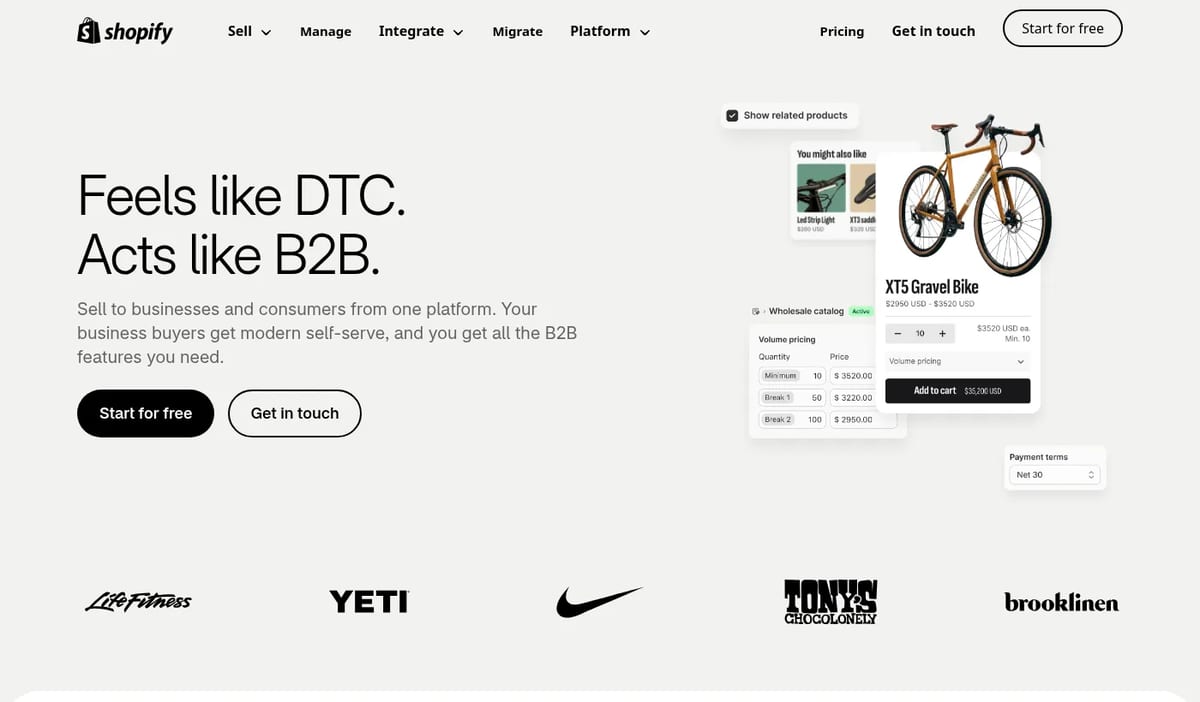
So test your must-haves before you commit. List every B2B rule that affects revenue, then mark each as native, solved by an app, or needing custom work. The more rows that need custom work, the weaker the case for moving.
A good B2B eCommerce partner will map this with you before quoting. If a vendor promises “everything works out of the box” without reviewing your pricing logic, be careful.
How to Build Your Migration Business Case
Follow this simple five-step process:
- Calculate your current TCO. Use the six cost lines listed earlier.
- Estimate the one-off migration cost. Include design, data migration, integrations, testing, redirects and training.
- Model the run cost on Shopify Plus. Add subscription, apps, theme upkeep and agency support.
- Estimate revenue effects carefully. Use conservative assumptions for speed, conversion and campaign agility.
- Calculate payback. Divide the migration cost by the yearly saving plus the extra profit.
If payback lands within two years and the risk is manageable, you have a solid case. Build in a buffer, because most projects find hidden complexity during discovery.
Protect Your SEO During Migration
Migration risk is not only technical. It is also about search visibility.
A poorly handled move can wipe out years of rankings. Protect them with this checklist:
- Crawl the old site and export every URL.
- Map each old URL to the correct new URL with 301 redirects.
- Keep titles, meta descriptions and headings unless you plan to improve them.
- Carry over structured data such as product, review and breadcrumb schema.
- Check canonical tags, hreflang and XML sitemaps before launch.
- Monitor Search Console and rankings daily for the first 30 days.
Also think about AI search. Tools like Google AI Overviews, ChatGPT, Gemini and Perplexity pull from clear, structured, trustworthy pages. Clean product data, consistent schema and helpful content give your new store a better chance of being cited.
What a Good Shopify Plus Migration Service Looks Like
Not all Shopify Plus migration services are equal. Before you sign, ask:
- Do you run a discovery phase and share a written scope?
- How will you handle customer data, order history and passwords?
- What is your redirect and SEO protection plan?
- Can you show migrations of a similar size and model?
- Who supports us after launch, and under what terms?
For Australian retailers, local knowledge also matters. Payment methods, GST, shipping carriers and customer expectations differ from other markets. A partner who works in the Australian market will spot those details early.
Final Thoughts
Migration makes financial sense when your current platform costs more than it earns, slows your team down, and your business fits Shopify Plus without painful workarounds.
Start with your own numbers. Calculate TCO, test your B2B and integration needs, and build a cautious payback model. Then decide with evidence, not trends.
If you want a second opinion, a trusted B2B eCommerce partner can review your setup and give you a clear, honest view on whether to migrate, stay or optimise first.
FAQ
How long does an Adobe Commerce to Shopify Plus migration take?
Most mid-sized projects take roughly three to six months, depending on catalogue size, integrations and design changes. Complex B2B builds can take longer.
Will I lose my SEO rankings if I migrate?
Not if you plan for it. Correct 301 redirects, preserved on-page elements and post-launch monitoring protect most of your traffic. Expect small fluctuations in the first few weeks.
Is Shopify Plus cheaper than Adobe Commerce?
Often, but not always. Shopify Plus tends to cut hosting, security and upgrade costs. Heavy app use or custom builds can narrow the gap, so model your own numbers.
Can Shopify Plus handle B2B?
Yes, for many wholesale models. Complex contract pricing or approval chains may need apps or custom work, so test your requirements first.
Found this useful? Share it with someone comparing AI tools.