Free AI Tools for Students: 7 Worth Using
 Eimantas Kazėnas Marketing & Tech
- Published
- 5 min read
On this page The seven at a glance
- The seven at a glance
- 1. Gemini student plan: the best free upgrade
- 2. Gemini Notebook: study from your own sources
- 3. Jungle AI: practice questions from your slides
- 4. ChatGPT Free: a patient explainer
- 5. Claude Free: feedback on long drafts
- 6. Grammarly Free: the last check before you submit
- 7. GitHub Copilot Student: free coding help
- A free study setup that uses each tool for one job
- Check the rules before you use AI for coursework
- Frequently asked questions
Independent and reader-supported. Some links may earn us a commission; it never changes our rankings. Editorial policy
Free AI tools for students can explain topics, quiz you and check your writing at no cost. These seven free plans are the most useful for study in 2026.
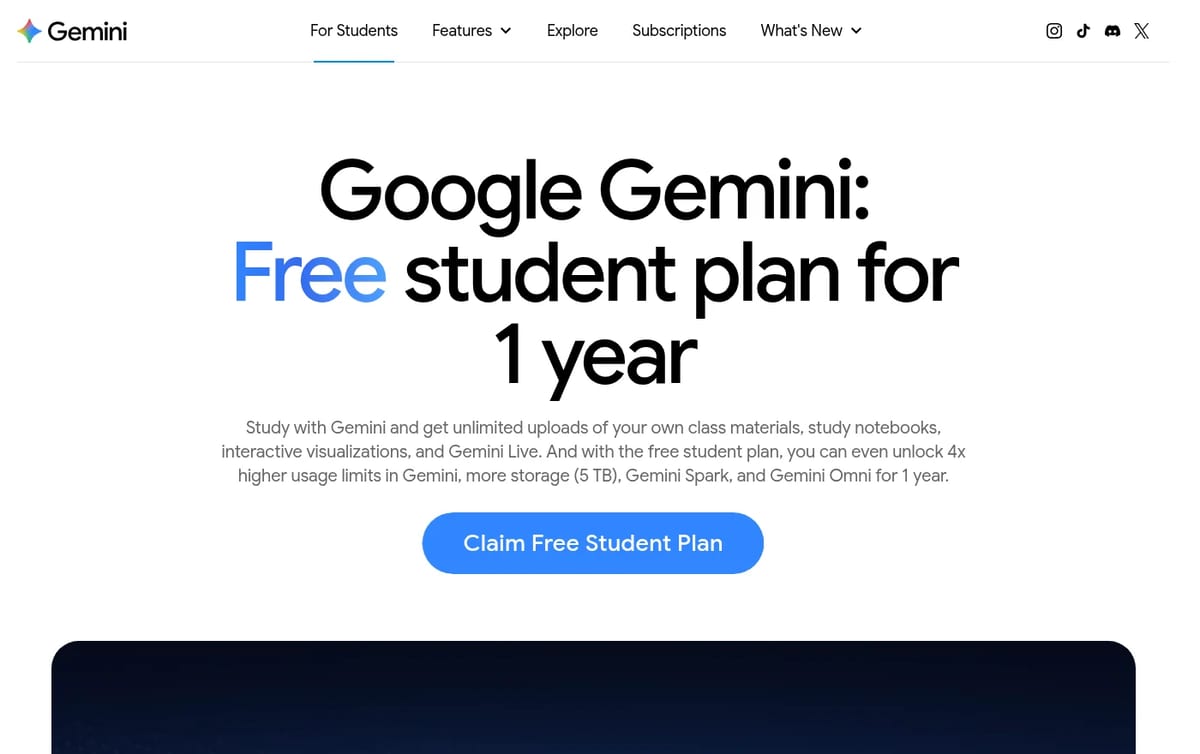
Quick answer: the strongest free deal for students right now is Google’s free Gemini student plan, which gives verified students a year of higher limits. Pair it with Gemini Notebook for studying your own readings, Jungle AI for practice questions, Grammarly for proofreading and, if you code, GitHub Copilot’s free student access. ChatGPT and Claude’s free plans cover everything else. We checked every free plan on the official pages on November 15, 2026.
The seven at a glance
| Tool | Best study job | What is free | Main limit |
|---|---|---|---|
| Gemini student plan | Explanations, study notebooks, quizzes | 1 year of higher limits for verified students | Needs student verification; check if your country is eligible |
| Gemini Notebook | Studying your own readings | Answers grounded in your sources, Audio Overviews | Up to 50 sources per notebook |
| Jungle AI | Flashcards and practice questions | 2 generations a month from slides, notes or videos | 30 pages per document |
| ChatGPT Free | Brainstorming and step-by-step help | Unlimited text chats with GPT-6 | Limited uploads, voice and deep research |
| Claude Free | Long readings and feedback on drafts | Chat, web search, files and memory | Usage limit every 5 hours and every week |
| Grammarly Free | Proofreading | Spelling, grammar, tone and 100 AI prompts | No full-sentence rewrites |
| GitHub Copilot Student | Coding coursework | Copilot plus GitHub Pro for verified students | Verification through GitHub Education |
1. Gemini student plan: the best free upgrade
Google’s free student plan runs for one year and unlocks 4x higher usage limits in Gemini, 5 TB of storage, and newer features such as Gemini Spark and Gemini Omni. The study tools are the real draw: upload your class materials to build a study notebook, get a learning plan, turn notes into personalized quizzes and track where you are weak. You have to verify that you are a student, and the offer is not available everywhere, so check the page in your country. Set a reminder for the end of the year so it does not roll into a paid plan unnoticed.
2. Gemini Notebook: study from your own sources
Gemini Notebook, Google’s renamed NotebookLM, answers only from the sources you add, such as lecture PDFs, readings or links, which makes it more trustworthy for revision than a general chatbot. The free version allows up to 50 sources per notebook and includes Audio Overviews, which turn your sources into a spoken summary you can play on the bus. Make one notebook per course.
3. Jungle AI: practice questions from your slides
Rereading notes feels productive but testing yourself works better. Jungle AI turns lecture slides, notes or a YouTube lecture into flashcards and multiple-choice questions. The free plan is small, 2 generations a month, so save it for the hardest topic before an exam. See our Jungle AI review for the paid plans.
4. ChatGPT Free: a patient explainer
The free plan includes unlimited text chats with GPT-6, subject to OpenAI’s abuse guardrails, while uploads, image creation, voice and deep research are limited. Use it to explain a concept three different ways, check your reasoning on a problem step by step, or plan a revision timetable. Ask it to question you rather than give answers, and it becomes a tutor instead of a shortcut.
5. Claude Free: feedback on long drafts
Claude’s free plan covers chat on web, desktop and mobile, web search, file creation and memory, with a usage limit that resets every 5 hours and every week. It is good at reading a long essay draft and telling you where the argument is weak. Our guide to whether Claude AI is free explains the limits in detail.
6. Grammarly Free: the last check before you submit
Grammarly Free catches spelling and grammar mistakes, shows your tone and includes 100 AI prompts. Full-sentence rewrites and plagiarism checks need Pro, which is fine: for coursework you should be fixing your own sentences anyway. For more writing tools, see our list of free AI writing tools.
7. GitHub Copilot Student: free coding help
Verified students get GitHub Copilot Student for free through GitHub Education, along with a free GitHub Pro account that includes unlimited private repositories, 3,000 Actions minutes and 180 Codespaces hours a month. That covers most programming courses and side projects. Our guide to the best free AI for coding compares other options.
A free study setup that uses each tool for one job
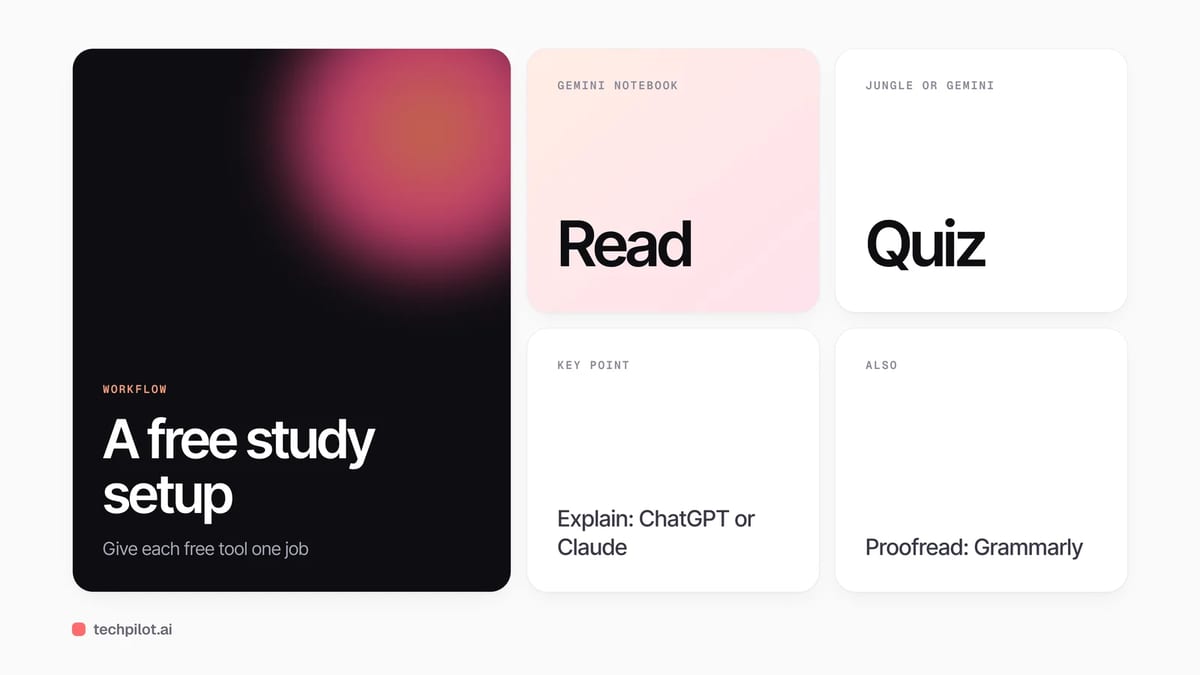
The mistake is asking one chatbot to do everything. A better week looks like this: load the week’s readings into Gemini Notebook and ask it for the five key ideas; turn the slides into questions in Jungle or Gemini’s quizzes and answer them without notes; ask ChatGPT or Claude to explain only the questions you got wrong; write the assignment yourself; then run Grammarly as a final proofread. Each step stays inside a free limit because each tool does a small job.
Check the rules before you use AI for coursework
Schools and even individual courses set different rules on AI. Many allow it for explanations, quizzes and grammar checks but not for writing graded work. Read your syllabus, cite AI use when your course asks you to, and check facts against your readings, because AI tools can be confidently wrong.
Frequently asked questions
What is the best free AI tool for students?
For most students, Google’s free Gemini student plan, which gives verified students a year of higher limits and study tools like notebooks and quizzes. Availability depends on your country.
Is Gemini free for students?
Google offers a free student plan for 1 year to verified students, with 4x higher usage limits, 5 TB of storage and study tools. Check the offer page for your country.
Is GitHub Copilot free for students?
Yes. GitHub Copilot Student is free for verified students through GitHub Education, together with a free GitHub Pro account.
Which free AI tool makes flashcards?
Jungle AI makes flashcards and multiple-choice questions from your slides, notes or YouTube lectures. Its free plan allows 2 generations a month.
Is it allowed to use AI tools for school?
It depends on your school and course. Many allow AI for explanations, quizzes and grammar checks but not for writing graded work, so check your syllabus.
Found this useful? Share it with someone comparing AI tools.
AI Essay Writer Free: 5 Best Tools in 2026
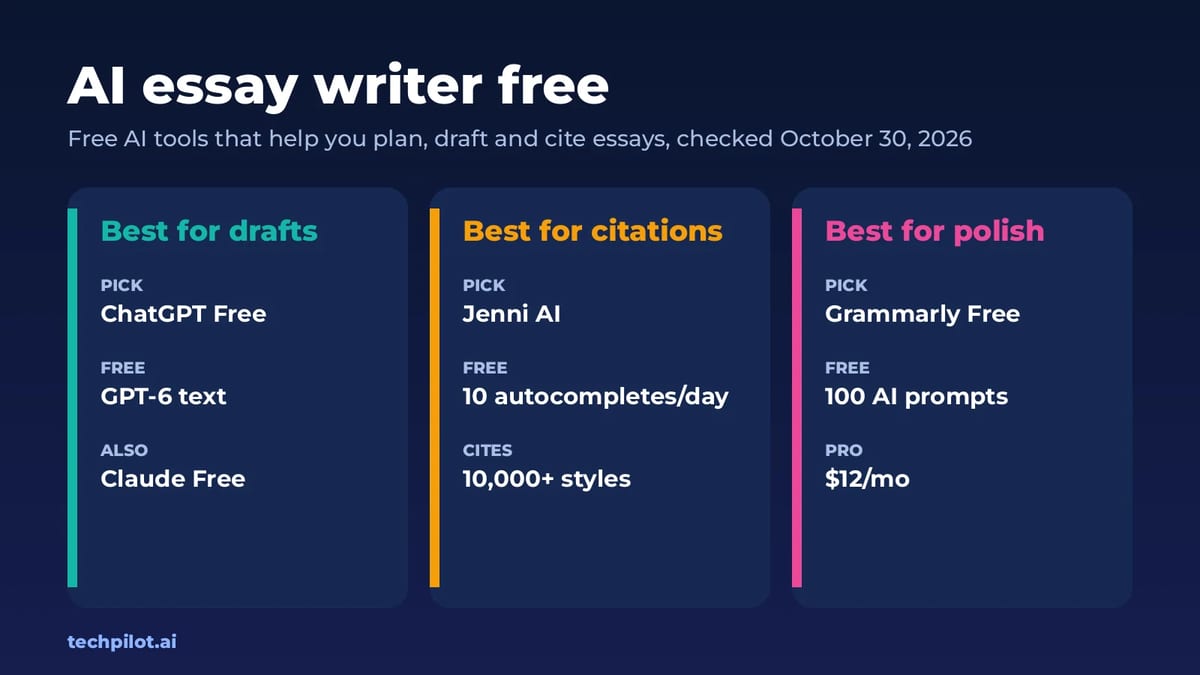
The best AI essay writer free options in 2026 are ChatGPT, Claude, Jenni AI and Grammarly. We compare free limits and explain how to use them…
 Eimantas Kazėnas · 4 min read

AI for Students: Unlocking Your Academic Potential in the Digital Age
Artificial intelligence is reshaping education. It offers students personalized learning, accessible study tools, and new ways to prepare for a…
 Mike Paul · 9 min read