How to Rank in ChatGPT: A 5-Step Plan
 Eimantas Kazėnas Marketing & Tech
- Published
- 6 min read
On this page What ranking in ChatGPT actually means
- What ranking in ChatGPT actually means
- Step 1: Make sure ChatGPT is allowed to see you
- Step 2: Put the answer where ChatGPT reads it
- Step 3: Match the long questions ChatGPT searches for
- Step 4: Publish the pages ChatGPT likes to cite
- Step 5: Get named on pages ChatGPT already trusts
- How to check whether it is working
- Common mistakes
- Frequently asked questions
Independent and reader-supported. Some links may earn us a commission; it never changes our rankings. Editorial policy
How to rank in ChatGPT: let OAI-SearchBot crawl your site, answer the question in the first line, publish real prices and get named on pages ChatGPT reads.
Quick answer: there is no position 1 in ChatGPT. When it searches the web, it reads a handful of pages and names the sources and brands it trusts in its answer. To “rank”, your page has to be allowed into ChatGPT search, come back for the searches ChatGPT runs, be easy to quote, and be backed up by other sites that mention you. The first step takes five minutes and is the one most sites never check.
What ranking in ChatGPT actually means
ChatGPT can answer in two ways. It can answer from what the model learned in training, or it can search the web and cite what it finds. Only the second gives you a link. OpenAI’s help page on ChatGPT search says it ranks results “using multiple factors intended to help users find relevant, reliable information” and that placement is not guaranteed. So the goal is not a rank number. It is to be one of the few pages ChatGPT reads and the one it names.
Two details from the same page shape everything below. First, ChatGPT rewrites your question into one or more targeted search queries before it looks anything up. Second, it sometimes sends those queries to third-party search providers, and the providers it lists include Microsoft. In practice that means long, specific pages do better than pages built around one short keyword, and being indexed in Bing as well as Google is worth the ten minutes it takes.
Step 1: Make sure ChatGPT is allowed to see you
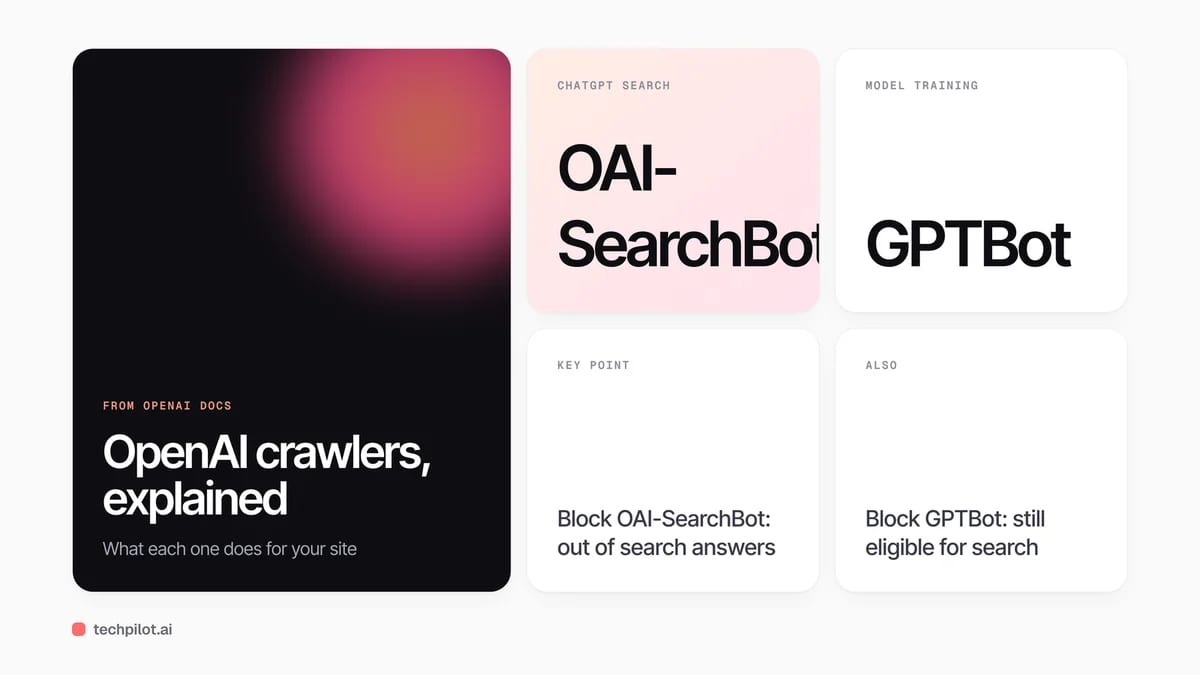
OpenAI runs separate crawlers for separate jobs, and mixing them up is the most common mistake. Its crawler documentation describes three that matter for publishers:
| Crawler | What it does | If you block it |
|---|---|---|
| OAI-SearchBot | Finds pages to show in ChatGPT search answers | Your pages are not shown in search answers, though they can still appear as navigational links |
| GPTBot | Collects content that may be used to train OpenAI’s models | Your content is not used for training; search is not affected |
| ChatGPT-User | Visits a page when a user asks ChatGPT to open it | robots.txt may not apply because a person triggered the visit; it does not decide search inclusion |
The settings are independent. You can block GPTBot to keep your content out of training and still allow OAI-SearchBot so you appear in search. OpenAI says changes to robots.txt take about 24 hours to reach its search systems. It also asks site owners to allow traffic from its published IP ranges, so check that your firewall or CDN is not quietly blocking bots that robots.txt allows.
How we checked our own site: on November 21, 2026 the TechPilot.ai robots.txt allowed every crawler, and test requests to one of our pages with the OAI-SearchBot, GPTBot and ChatGPT-User user agents all returned HTTP 200. A user-agent test only rules out a user-agent block. It cannot prove that OpenAI’s real IP addresses get through, so if your host has bot protection, add OpenAI’s published ranges to its allow list.
Step 2: Put the answer where ChatGPT reads it
ChatGPT is looking for a passage it can quote. Pages that bury the answer under a long intro give it nothing to lift. Write each important page so that:
- The first two or three sentences answer the question directly, with the key number or name in them.
- Each section heading is a question people really ask, and the first line under it answers that question.
- Facts that change, such as prices and limits, carry a date, so a reader and a model can tell they are current.
- Comparisons sit in a simple HTML table, not inside an image.
- The page loads its main text in the HTML, not only after JavaScript runs.
Step 3: Match the long questions ChatGPT searches for
Because ChatGPT rewrites a short prompt into longer, more specific searches, a page aimed only at “best CRM” competes with everyone. A page that answers “best CRM for a five-person agency under $50 a month” matches the kind of query ChatGPT actually sends. Take your main topics and write down the follow-up questions a buyer would ask: price, who it is for, how it compares to the main rival, and what it cannot do. Cover those on the same page, or give the big ones their own page.
Step 4: Publish the pages ChatGPT likes to cite
For product and buying questions, the pages that give ChatGPT something concrete are pricing pages, comparison pages, how-to guides and FAQ pages with direct answers. If your pricing is hidden behind “book a demo”, ChatGPT has to take the number from someone else’s review, and it will name that review instead of you. A public pricing page with plan names, prices and limits is one of the easiest ways to become the source.
Step 5: Get named on pages ChatGPT already trusts
When ChatGPT recommends a brand, it usually repeats what the pages it read say. That makes mentions on other sites, such as “best tools” roundups, review sites, forums and industry lists, as important as your own content. You cannot write those pages yourself, but you can make them easy to write: keep your product facts public and current, answer reviewers, and pitch the writers of the lists that already rank for your topic.
How to check whether it is working
There is no ChatGPT ranking report, so build a simple one. Write 20 to 30 questions your customers would ask, run each one in ChatGPT with search on, and record whether you are named, where in the answer, and which pages it cites. Run the same list once a month. Answers vary from run to run, so look at how often you appear across the whole list rather than at one screenshot. For traffic, look for chatgpt.com referrals in your analytics.
If you are new to this, our guide on how to use AI for SEO covers the classic search side, and our Wellows review looks at one tool built to track AI visibility. If you want to test prompts with more search and research capacity, see what each tier includes in ChatGPT free vs paid.
Common mistakes
- Blocking the wrong bot: blocking GPTBot to stop training is fine, but blocking OAI-SearchBot removes you from search answers.
- A CDN that blocks bots: robots.txt says yes, but the firewall says no.
- Only chasing Google rank: ChatGPT runs its own searches, so a page-one Google result is not a guaranteed citation.
- Vague pages: long intros, no numbers and no dates give ChatGPT nothing to quote.
- Judging by one prompt: answers change between runs, so track a list over time.
Frequently asked questions
Can you pay to rank in ChatGPT?
No. OpenAI says ChatGPT ranks search results using multiple factors meant to surface relevant, reliable information, and placement is not guaranteed.
Does blocking GPTBot remove my site from ChatGPT?
No. GPTBot is only for model training. ChatGPT search uses OAI-SearchBot, and OpenAI says the two settings are independent, so you can block one and allow the other.
How long does it take to appear in ChatGPT search?
OpenAI says robots.txt changes take about 24 hours to reach its search systems. Being cited after that depends on whether your page matches the searches ChatGPT runs and answers them well.
Does Google ranking help you rank in ChatGPT?
Indirectly. ChatGPT runs its own rewritten searches and sometimes uses third-party search providers such as Microsoft, so strong pages help, but a Google page-one spot does not guarantee a citation.
How do I know if ChatGPT mentions my brand?
Run a fixed list of 20 to 30 customer questions in ChatGPT with search on each month, note whether you are named and which pages are cited, and watch for chatgpt.com referrals in analytics.
Found this useful? Share it with someone comparing AI tools.