Home / Guides / Productivity
Is Notion AI Free? Free vs Paid Limits 2026
 Eimantas Kazėnas Marketing & Tech
- Published
- 4 min read
On this page What you get with Notion AI for free
Independent and reader-supported. Some links may earn us a commission; it never changes our rankings. Editorial policy
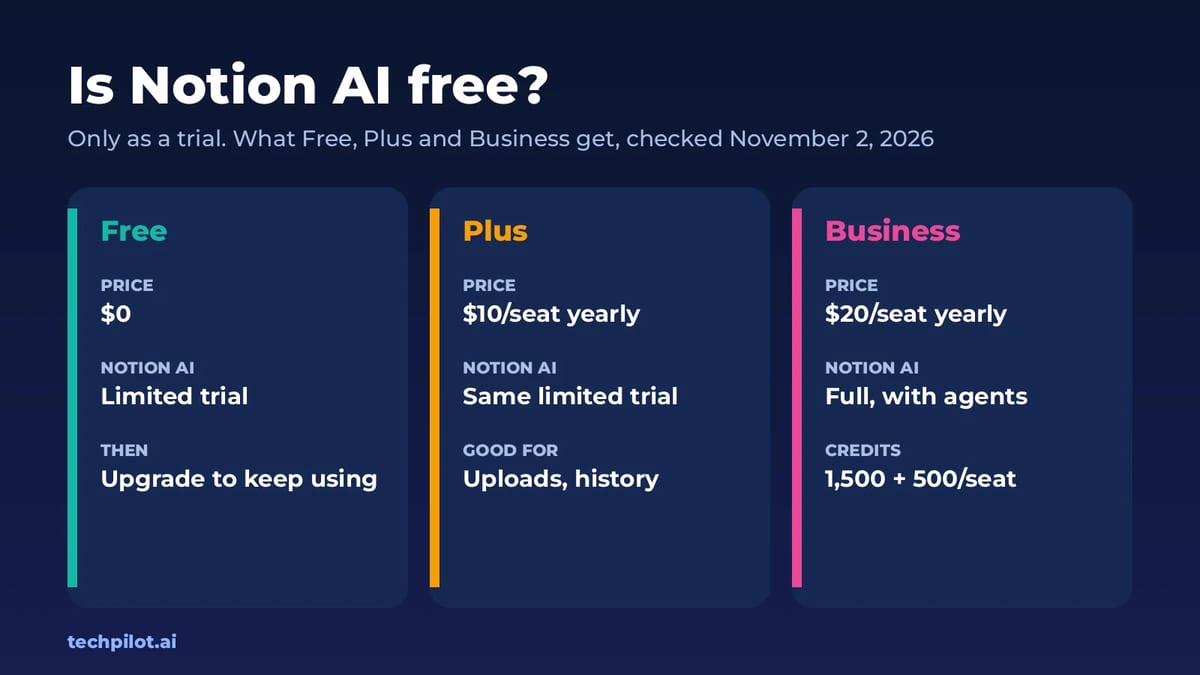
Is Notion AI free? Only as a trial. Free and Plus plans get a few trial AI responses, then full Notion AI needs Business, $20 a seat a month billed yearly.
Quick answer: Everyone can try Notion AI for free, but it isn’t free to keep using. Free and Plus workspaces get a one-off batch of trial responses. When those run out, Notion asks you to upgrade to Business or Enterprise. The catch most people miss: paying for Plus doesn’t unlock AI either. We checked every price and limit on the Notion pricing page and Notion’s help center on November 2, 2026.
What you get with Notion AI for free
On the Free and Plus plans, Notion lists AI as a “Limited Trial”. You can test the same features paid users get, such as writing and editing help, AI blocks, database autofill and Q&A, until the trial runs out. Notion doesn’t publish a fixed number of trial responses, so treat it as a short test drive rather than a free tier.
Every AI action that returns a response counts against the trial. That includes:
- Writing or editing text with AI on a page
- Generating an AI block or a summary
- Adding an AI autofill property to a database
- Asking Notion AI a question
- Clicking Try again, which counts as one more response
Once you hit the limit, you’ll see a message that you need Business or Enterprise to keep going. Only a workspace owner can upgrade, and it has to be done on desktop.
Notion AI pricing in 2026
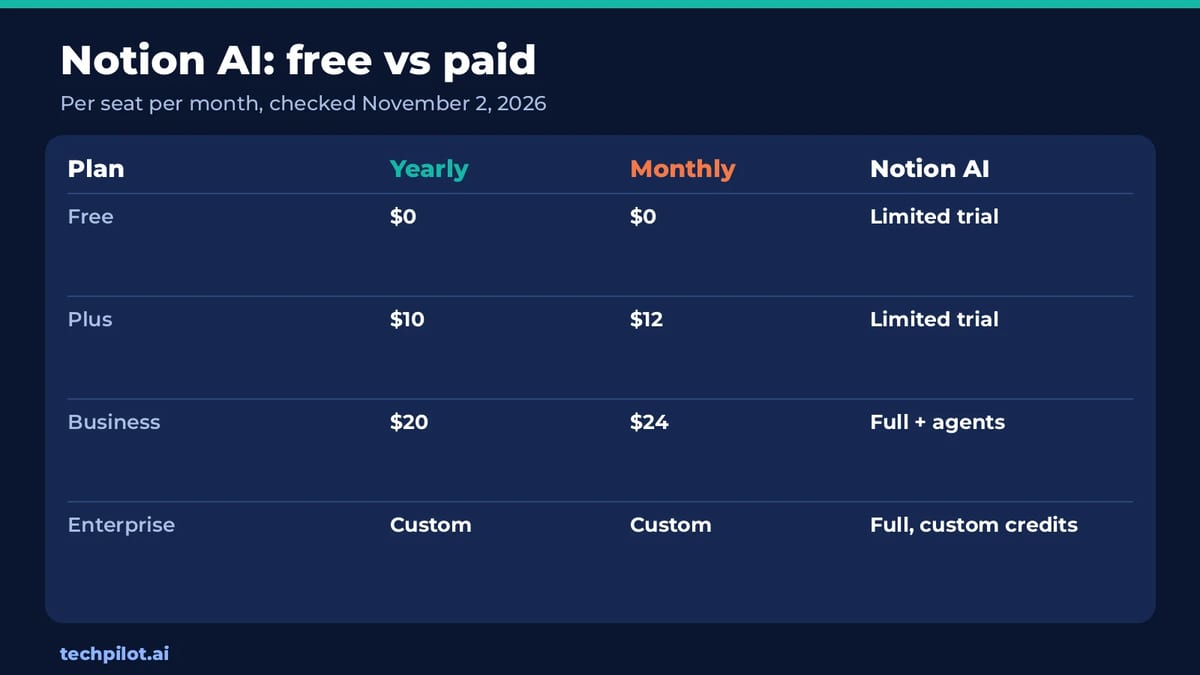
| Plan | Billed yearly | Billed monthly | Notion AI |
|---|---|---|---|
| Free | $0 | $0 | Limited trial |
| Plus | $10 per seat | $12 per seat | Limited trial |
| Business | $20 per seat | $24 per seat | Full: 1,500 Standard and 500 Select credits per seat a month |
| Enterprise | Custom | Custom | Full, custom credit amounts |
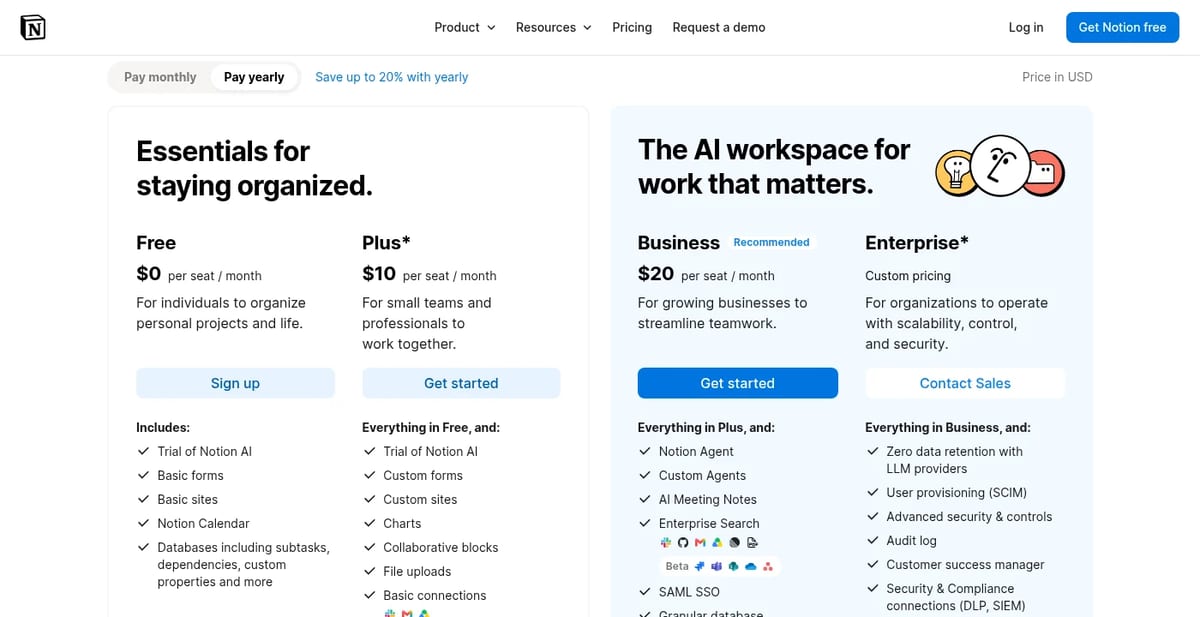
Business is the cheapest plan with ongoing Notion AI. It adds Notion Agent (chat, generate, autofill and translate), Custom Agents, AI Meeting Notes, Enterprise Search across connected apps such as Slack and Google Drive, and a model picker. Some high-usage models don’t draw from your included credits at all. They spend Notion credits, which an admin has to buy and switch on.
Our take: don’t buy Plus for the AI
Plus at $10 a seat is a good upgrade for file uploads, longer page history and custom forms, but it gets the same AI trial as Free. If AI is the reason you’re paying, you’ll go straight from Free to Business. For a solo user that’s $240 a year on yearly billing, double the cost of Plus.
That price makes sense if you’ll use the agent features on your own workspace data every day, like turning meeting notes into tasks or asking questions across your docs and Slack. If you mostly want an AI to draft and rewrite text, a free chatbot does that job without changing your Notion plan. We compared the free tiers of Claude and Perplexity if you want options.
Is Notion AI free for students?
Partly. Notion gives the Plus plan free to students and educators who sign up with a school email, limited to one member. That gets you more guests, longer version history and bigger file uploads. It doesn’t include full Notion AI, because Plus only has the AI trial.
Other Notion AI limits to know
- Image generation: only on Business and Enterprise, and capped during beta at 10 images or edits per 24 hours and 30 per 30 days.
- Usage pauses: if your team uses more than its Standard or Select credits, AI may pause until the allowance refreshes, unless an owner lets the team spend Notion credits.
- Data: Notion says it doesn’t train its models on your data unless you opt in, and its AI providers are contractually barred from training on it.
- Refunds: Notion refunds a monthly plan within three days of signing up, or a yearly plan within 30 days.
How to get the most from the free trial
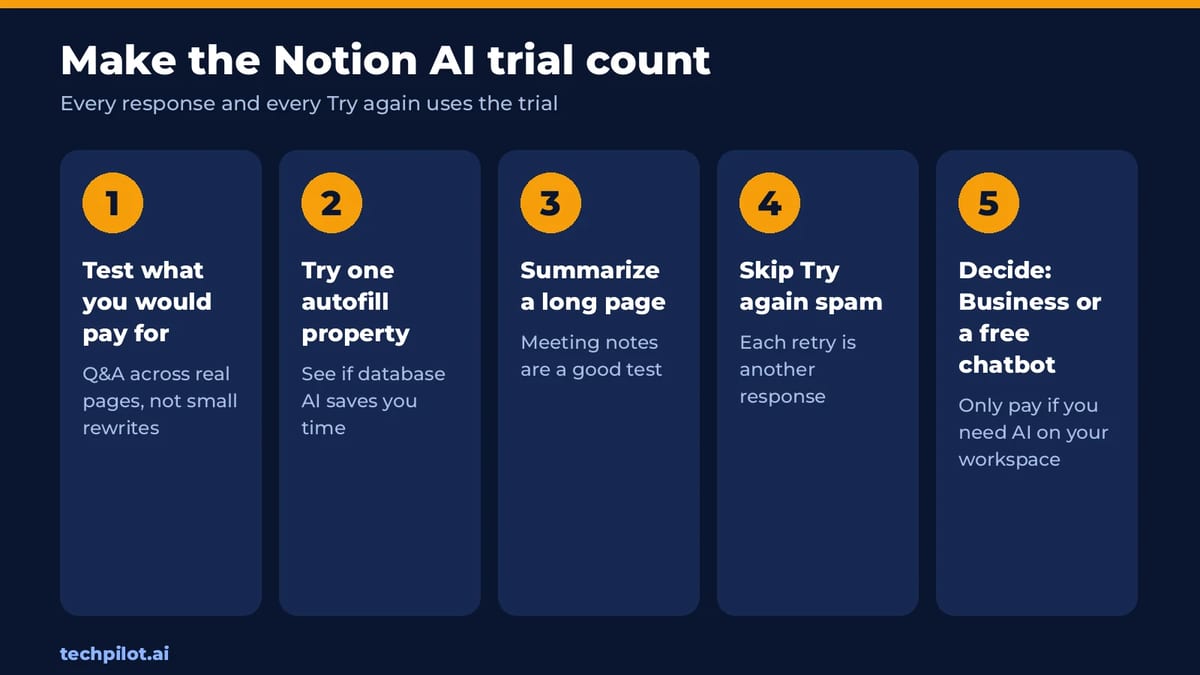
Because every response counts, plan your trial. Test the features you’d pay for, not small rewrites. Good tests are asking a question across a few real pages, autofilling one database property and summarizing a long meeting page. Avoid hammering Try again, since each retry spends another response.
If your team needs AI search across company tools more than writing help, Notion’s Enterprise Search competes with dedicated tools. Our explainer on what Glean is covers the enterprise alternative, and our list of no-code AI agent platforms shows other ways to automate work.
Frequently asked questions
Is Notion AI free?
Only as a trial. Free and Plus plans get a limited number of AI responses. After that you need the Business or Enterprise plan to keep using Notion AI.
How much does Notion AI cost?
Full Notion AI comes with Business at $20 per seat a month billed yearly, or $24 billed monthly. Enterprise pricing is custom.
Does Notion Plus include AI?
No. Plus costs $10 per seat a month yearly but only gets the same limited AI trial as the Free plan.
What counts as a Notion AI response?
Any AI action that returns a result, such as writing, editing, AI blocks, autofill or a question. Each Try again counts as another response.
Is Notion AI free for students?
Students and educators get the Plus plan free with a school email, but Plus only includes the AI trial, not full Notion AI.
Found this useful? Share it with someone comparing AI tools.
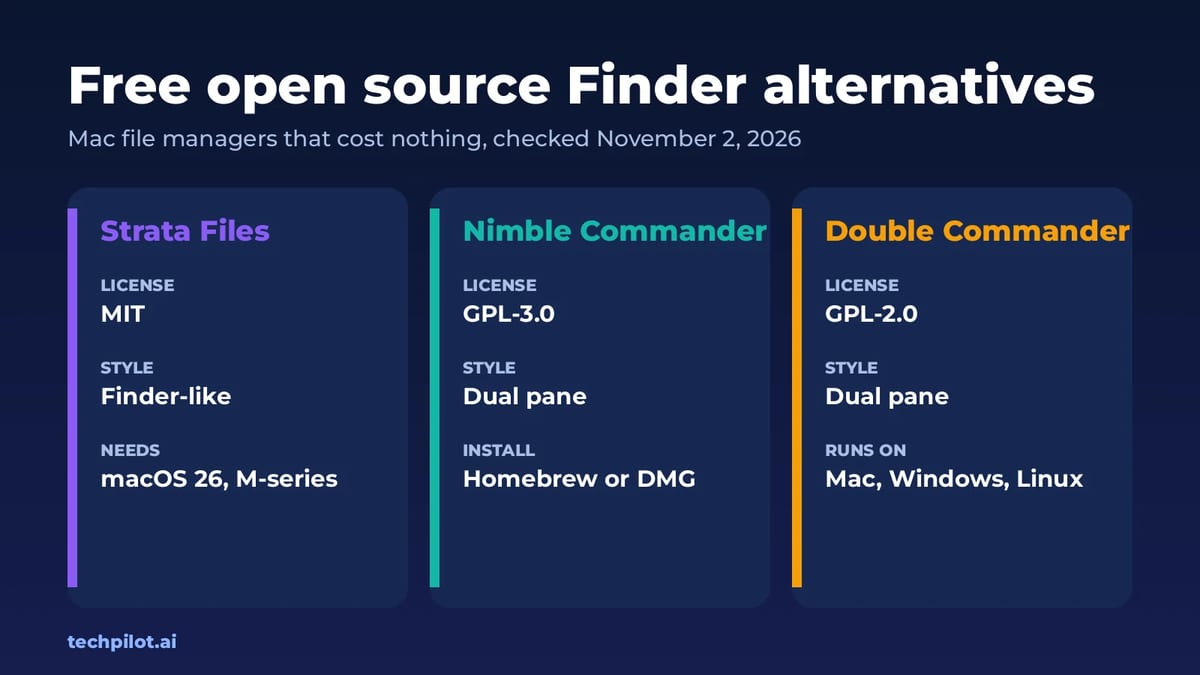
Free Open Source Finder Alternatives for Mac
Want a free, open source Finder alternative for Mac? Strata Files, Nimble Commander and Double Commander cost nothing and publish their full source…
 Mihai (Mike) Bizz · 4 min read
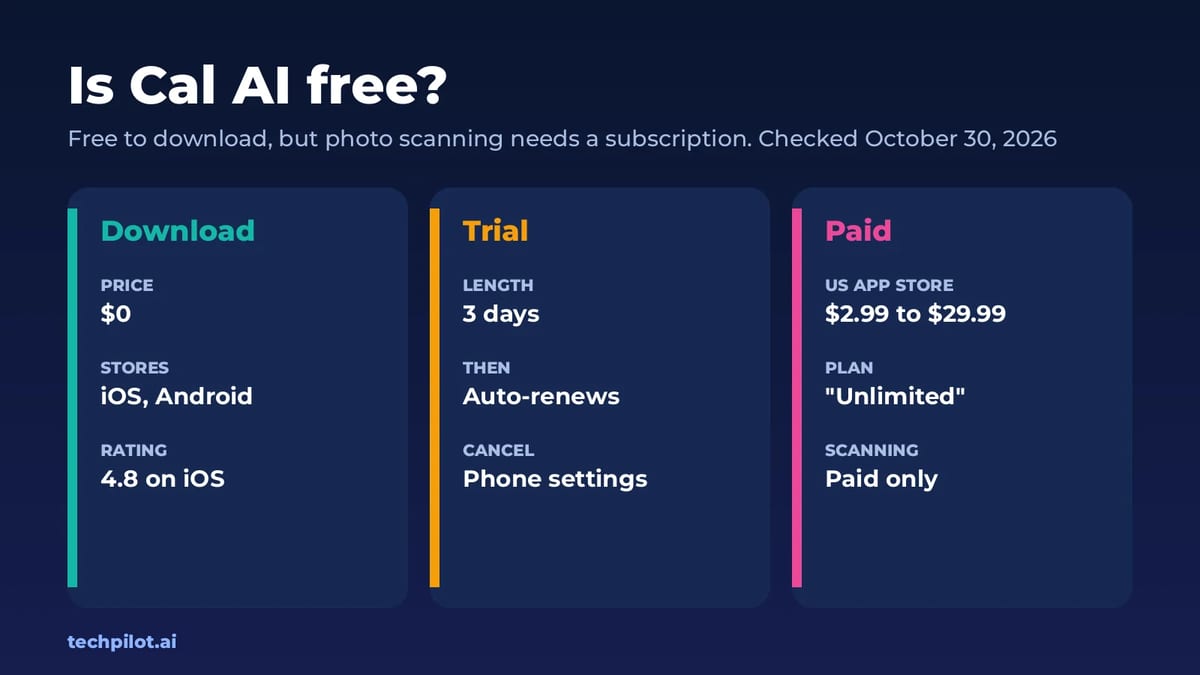
Is Cal AI Free? Trial, Price & Free Options
Is Cal AI free? Not really. The app is free to download, but photo food scanning needs a subscription after a 3-day free trial. Here’s what it costs…
 Eimantas Kazėnas · 4 min read