Recruiting database software: what an agency’s candidate base should store
Recruiting database software for agencies: what every candidate record should store, which features matter first and how to test a tool during a demo.
 Eimantas Kazėnas Marketing & Tech
- Published
- 6 min read
On this page Key takeaways
- Key takeaways
- Which features of a recruiting database matter first, and which can wait?
- What does a sourcing workspace cover on the candidate side?
- What should every candidate record store?
- Who owns the candidate base when a recruiter leaves?
- When does an agency need a full suite or ATS as well?
- How to test recruiting database software in a demo
- FAQ
Independent and reader-supported. Some links may earn us a commission; it never changes our rankings. Editorial policy
In short, recruiting database software for a small agency filling permanent technical roles through outbound sourcing should store five things on every candidate: the profile with its source, the conversation history, who on the team is in touch, the stage in each job, and who may see or export the record.
This guide follows an agency of three to ten recruiters that fills permanent roles through outbound sourcing in networks and messengers, with contracts and invoicing in accounting software. Agencies that place contractors or bill timesheets should set their priorities around those processes first.
Key takeaways
- A candidate record helps the agency when it carries the source, contact history and current owner, not just a CV.
- Contact status matters once two recruiters share a market, so each candidate hears from one recruiter at a time.
- Roles and export rights decide whether the base stays with the agency when a recruiter leaves.
- Client CRM, placements and fees can come later; test any tool with a handover scenario in the demo.
A candidate record is useful to an agency when it carries the source, the contact history and the current owner, not just a CV.
Which features of a recruiting database matter first, and which can wait?
Features that store and share candidate history matter first; commercial features follow as deal volume grows.
| Feature | Becomes a priority when | What to check in the demo |
|---|---|---|
| Capture from sourcing channels | Recruiters source outside job boards | Save a profile from your main platform and see which fields arrive |
| Teammate contact status | Two recruiters search the same market | Recruiter B sees that A already wrote |
| Conversation history | Candidates reply in chats and email | A chat reply appears on the record without copying |
| Search over your own records | Recruiters return to candidates from past searches | A plain-language query finds past candidates |
| Roles and export rights | The first recruiter joins or leaves | Records stay after a user is removed |
| Client view of the search | Clients ask for status between calls | The client sees only the roles you choose |
| Client CRM, placements and fees | Deals outgrow the accounting tool | Where fees live and how they link to candidates |
| Timesheets and payroll | The agency places contractors | Whether the module is needed for permanent placements |
For the agency in this guide, rows one, two, three and five matter from day one.
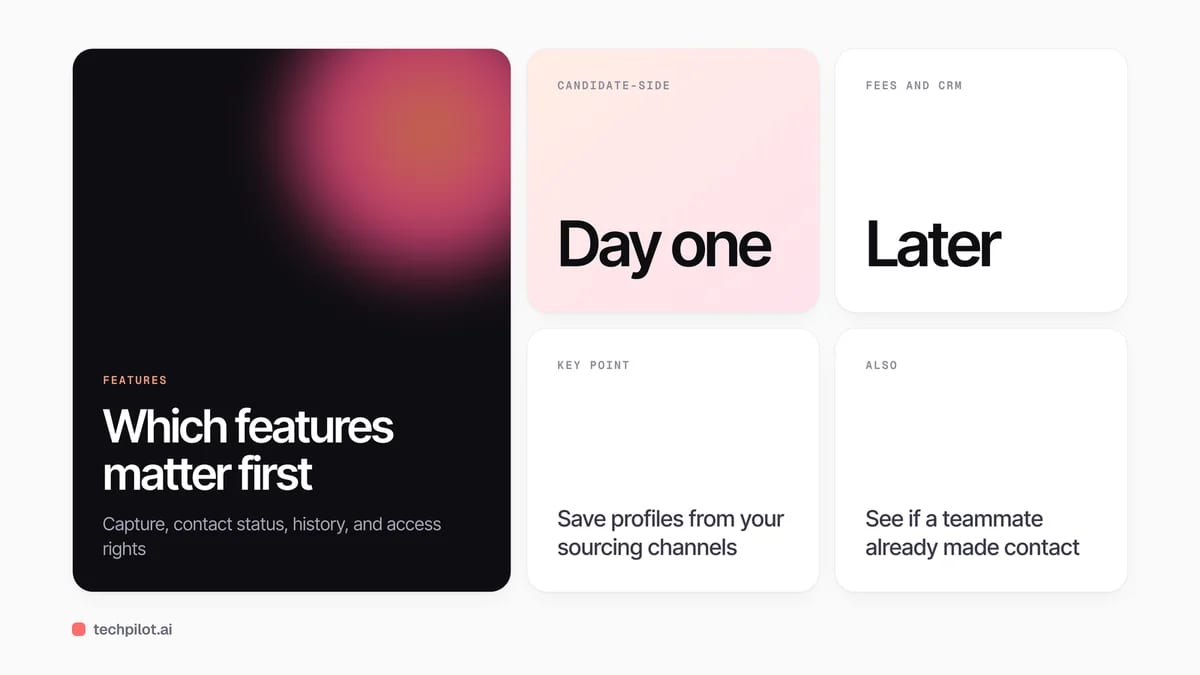
Candidate-side features matter from day one; client CRM, placements and timesheets become priorities as the agency’s commercial work grows.
What does a sourcing workspace cover on the candidate side?
A sourcing workspace covers the candidate rows of the table. OliApp (oliapp.co) is one example of a recruiting CRM for sourcing teams: a team sourcing workspace where recruiters save a profile in a few clicks from supported platforms such as LinkedIn, Telegram, WhatsApp or Gmail, and a colored indicator in the browser extension’s side panel shows when a teammate already talked to the candidate. What can be saved follows each platform’s permissions.
An agency should check this against its own workflow: which of its channels are supported, and which team features come with a paid account.
What should every candidate record store?
Every candidate record in a recruiting database should store five layers: the profile and its source, the contact history, the team contact status, the stage in each job, and internal notes with files.
Profile fields and the source of the record
The profile holds position, skills, location, languages, experience and salary expectations, plus the channel where the recruiter found the person. Candidate management software can parse a CV into structured fields; the recruiter checks the fields and makes every decision about the candidate.
Contact history across channels
The contact history shows every conversation with the candidate in one place, whichever platform it happened on. Without it, a recruiter returning months later cannot see what was promised or why the person declined. Look for conversations that sync into the record automatically.
Who on the team is already in touch
The record should show which recruiter last contacted the candidate and when, as soon as someone opens the profile. When two recruiters from one agency message the same specialist, the agency looks disorganized to the candidate and the client.
Stage in each job and the reason behind decisions
A candidate can sit in several jobs at once, so the record stores a stage per job rather than one global status. Rejection reasons belong on the record as notes, so the next search knows whether the person declined the role, the salary or the client.
Notes, files and internal discussion
CVs, notes and the team’s comments sit on the same record, and a change history shows who edited what.
Who owns the candidate base when a recruiter leaves?
The agency keeps the base when an admin sets roles, permissions and export rights in a shared workspace. When each recruiter keeps records in a personal tool, the base leaves with the recruiter. Check that records stay in the shared workspace after a user is removed, that export is a granted right, and that exported profiles carry notes and comments.
Ask the vendor where candidate data is hosted and whether it publishes a data processing agreement and subprocessor list.
When does an agency need a full suite or ATS as well?
An agency needs a full agency suite or an ATS when client contracts, placements, fees and candidate submissions to clients become daily work that its accounting tool can no longer carry.
OliApp works alongside an ATS or as the agency’s main base. The workspace covers capture, shared candidate records, jobs with stages, calendar reminders and the client’s view of the board, while placements, invoicing, client CRM and a submission portal stay in a full agency suite or ATS. On a paid account, the OliApp team builds an ATS integration on request.
How to test recruiting database software in a demo
Ask the vendor to run a handover test on your own channels, and check the result after each step.
- Recruiter A saves a candidate from the platform your team sources on and sends a first message. Check: the profile, the source and the message sit on one record.
- Recruiter B opens the same candidate before writing. Check: B sees that A is in touch, and since when.
- The manager assigns the candidate to recruiter B for a new job. Check: the record keeps its history and shows a stage per job.
- The admin removes recruiter A from the workspace. Check: every record A created stays with the agency.
- The admin exports the candidate. Check: the export carries notes and comments.
Then put five questions to the vendor:
- Which of our sourcing channels are supported, and what can be saved from each?
- Which team features need a paid account?
- Who can export records, and who grants that right?
- How does the tool connect to our ATS or accounting software?
- Where is candidate data hosted, and how are data requests handled?
A handover test shows in one demo whether candidate records stay with the agency when work moves between recruiters.
FAQ
What is recruiting database software?
Recruiting database software stores the candidates an agency or hiring team has found, with their profiles, contact history, stages and notes, so any recruiter on the team can search and reuse them. Some tools focus on sourcing and shared candidate records; others are part of an ATS or a full agency suite with client and billing modules.
Is a candidate management system the same as an ATS?
Not always. A candidate management system keeps relationships with people the team has sourced, including those who never applied to a job. An ATS tracks applicants through a defined hiring process, often starting from job ads. Many agencies use both, with candidate records connected to the ATS at the moment someone becomes an applicant.
When does a small agency outgrow a spreadsheet as a recruiting database?
A spreadsheet stops working when two or more recruiters contact candidates in parallel and need to see each other’s conversations before writing. It holds fields well, but it cannot show live contact status, sync chats or control who exports records. For an outbound agency that moment arrives with the second recruiter, well before deal volume grows.
Found this useful? Share it with someone comparing AI tools.
Open-Source Alternatives to Paid Software
These 12 GitHub repos can replace paid tools like ChatGPT Plus, Midjourney, Notion and Zapier. We checked official prices and stars on November 19,…
 Eimantas Kazėnas · 13 min read

What Criteria Matter Most When Recruiting AI and ML Candidates
Recruiting AI and ML candidates? Here’s how to build role scorecards, run technical evaluations, and screen for the skills that actually predict…
 John Daniel · 7 min read