Home / Guides / E Commerce
Shopify Dropshipping Themes in 2026: Six Options, From a Free Theme to an AI-Built Store
Most new dropshipping stores do not need a paid theme. Compare six 2026 options, from free Horizon and Dawn to paid Impulse and AutoDS’s AI Store Builder.
 Eimantas Kazėnas Marketing & Tech
- Published
- 7 min read
On this page What does a theme actually decide in a dropshipping store?
- What does a theme actually decide in a dropshipping store?
- Six Shopify dropshipping themes and builders, as spec cards
- Do paid themes include much more than free ones?
- What does switching themes later cost you?
- How to test a paid theme before buying
- The first hour on a new theme
- Four ways to spend less on a store’s look
- FAQ
Independent and reader-supported. Some links may earn us a commission; it never changes our rankings. Editorial policy
Updated November 2026
Most new dropshipping stores do not need a paid theme. That is the short answer, and it saves many beginners money they would rather spend testing products. Shopify’s own free themes now include most of what a young store relies on, from stock counters to back-in-stock alerts and a slide-out cart. A paid theme earns its one-time cost only when a store needs something specific that free themes lack, such as quantity pricing for a big catalog or built-in countdowns for a store that lives on promotions.
The bigger decision is often whether to build the store yourself at all. AutoDS’s AI Store Builder is best for beginners because it hands over a finished store with products already listed. Horizon is the best free theme, Dawn suits a single-product test, Warehouse and Impulse are the paid themes worth considering for large catalogs and promotion-heavy stores, and Debutify sells a bundle of themes under one license.
What does a theme actually decide in a dropshipping store?
A theme controls how the store looks and behaves for shoppers: the homepage, product pages, cart, menus and search. Products, orders and customers stay in the Shopify admin whichever theme you use. For a dropshipper, three parts of the theme matter most:
- The product page, because visitors from TikTok and Instagram ads land there first and decide in seconds.
- The cart, where a slide-out drawer keeps shoppers on the page and makes it easy to add a second item.
- Speed on a phone, since most ad traffic is mobile and Google’s Core Web Vitals measure how quickly the main content loads, how fast the page responds and whether the layout jumps around.
Six Shopify dropshipping themes and builders, as spec cards
1. AutoDS AI Store Builder: Best for beginners
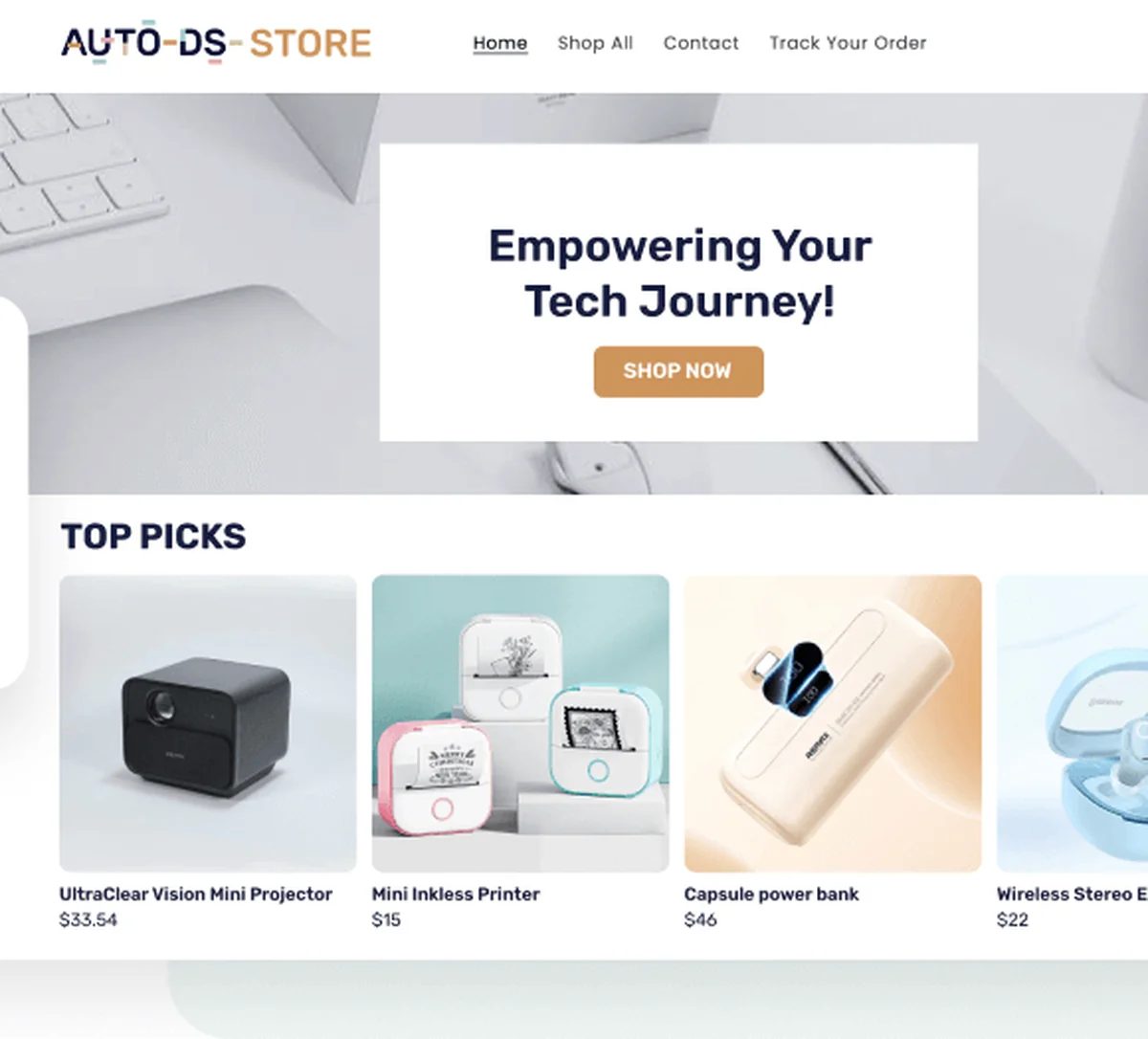
The AI Store Builder builds a whole Shopify store for a niche you choose, theme included.
- What you get: a customizable theme tailored to the niche, 10 vetted best-selling products already listed, ready-made product pages you can drag into place, and a free .store domain.
- Cost model: the builder itself is free; you pay for an AutoDS plan after its trial, plus your Shopify plan.
- Suits: a first store, when week one should go on testing products, not fonts.
2. Horizon: Best free Shopify theme for dropshipping
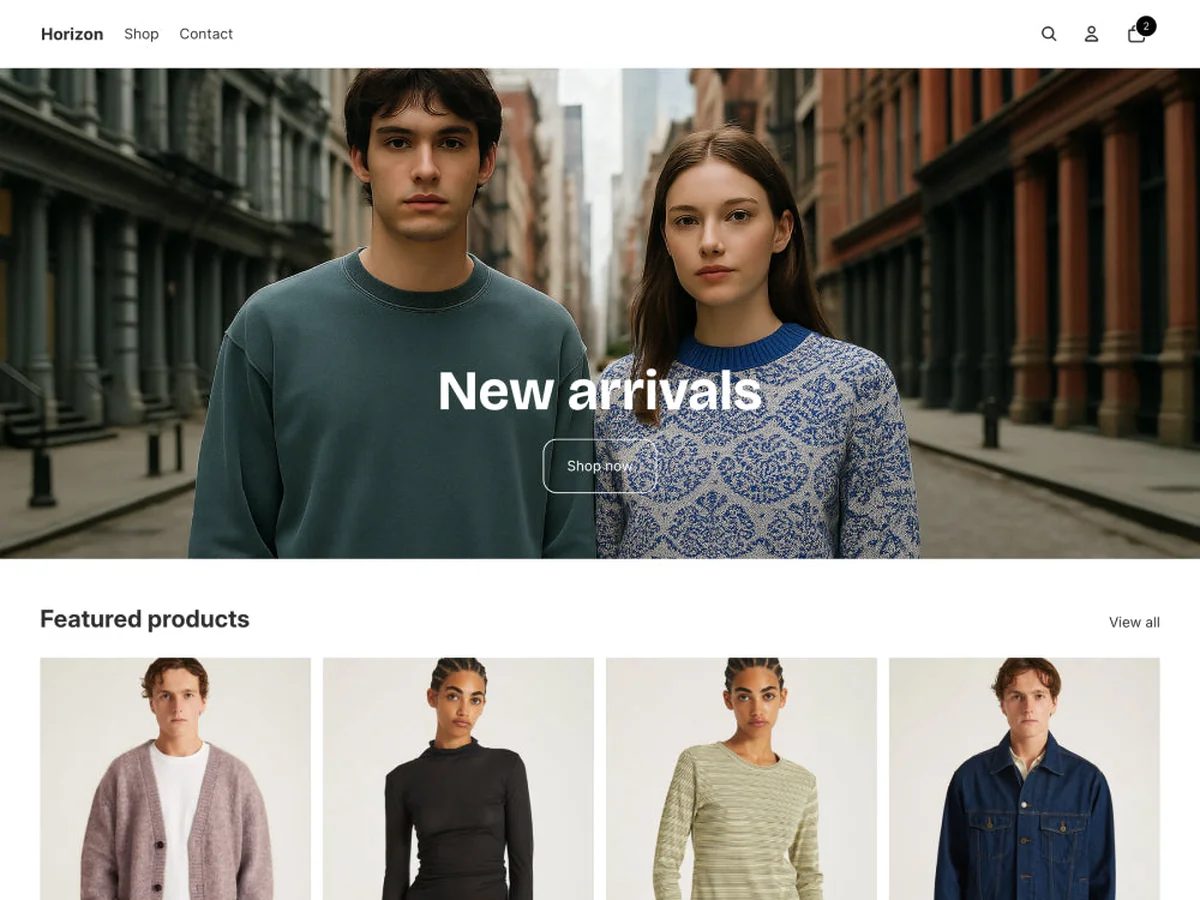
Shopify’s newer free theme lists 14 marketing and conversion features on its Theme Store page, as many as paid Warehouse.
- Stand-out features: a stock counter, back-in-stock alerts, quick view, product badges, pre-orders and a slide-out cart.
- Cost model: free.
- Suits: most niche stores growing from a dozen to a hundred-plus products. Back-in-stock alerts help when supplier stock runs out without warning.
3. Dawn: Best for a stripped-back test store
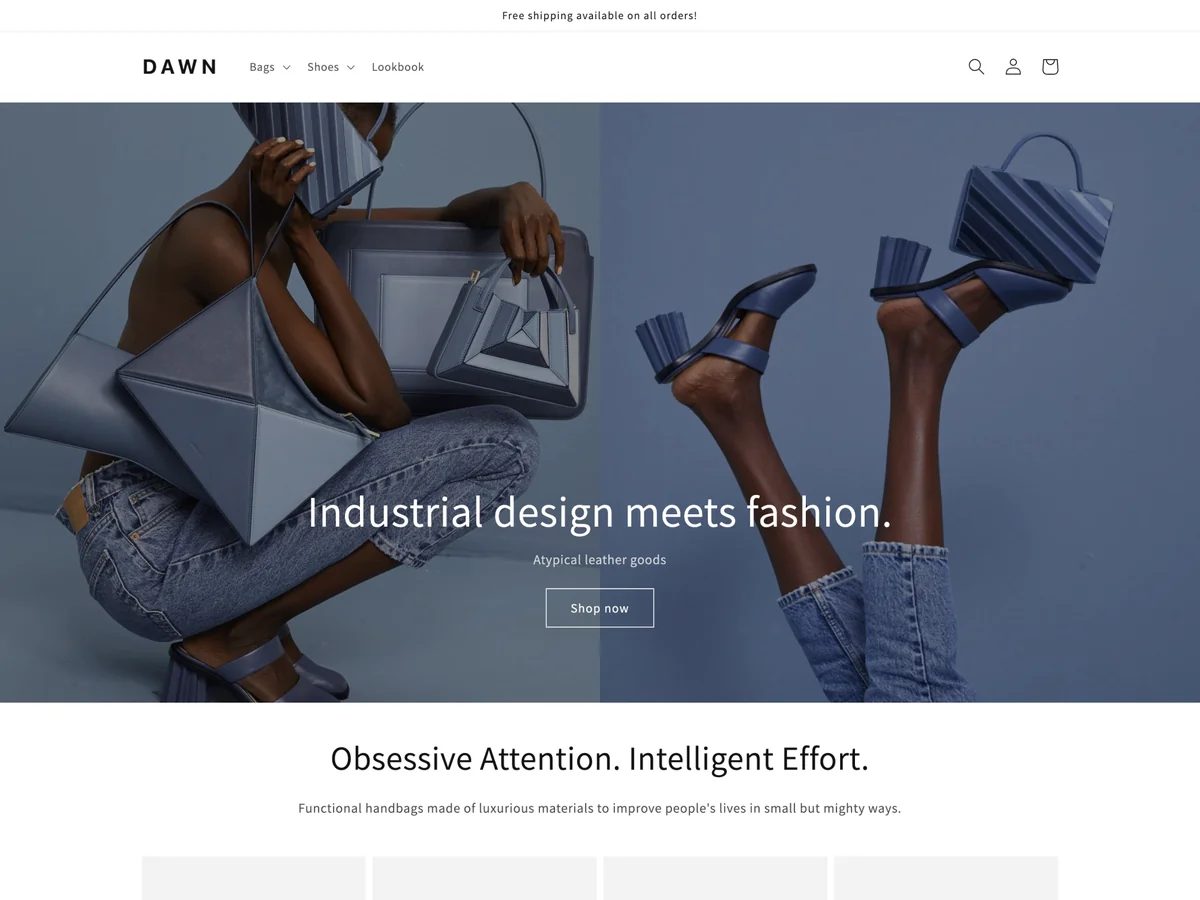
Dawn is Shopify’s minimal free theme, with six listed conversion features and the least to configure.
- Stand-out features: recommended products, cross-selling, a size chart and quick buy.
- Cost model: free.
- Suits: a one-product test, where the product page should do all the talking and ad visitors see a big image, the variants, the price and a button.
4. Warehouse: Best for large supplier-fed catalogs
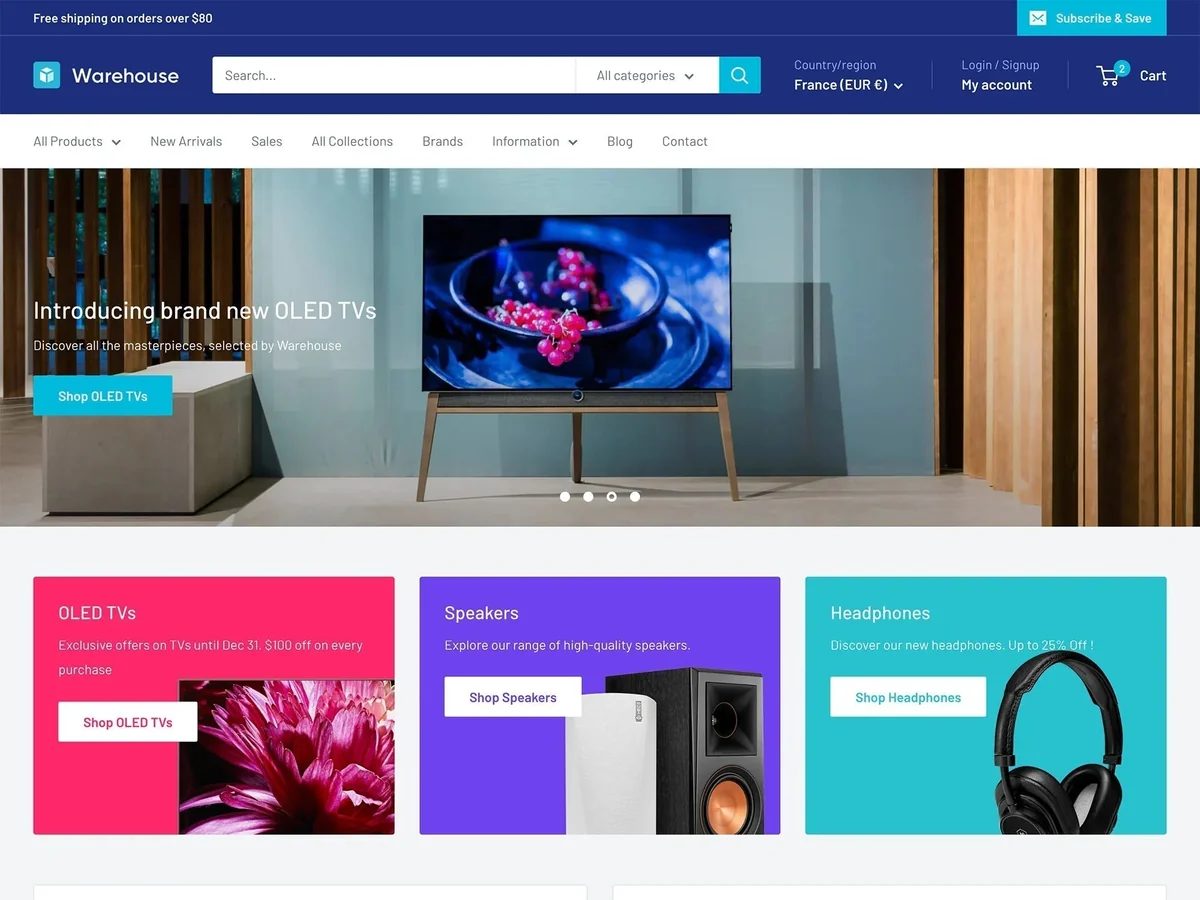
A paid theme from Maestrooo, built for shoppers who browse and filter many products.
- Stand-out features: quantity pricing, a mega menu, collection navigation, swatch filters and recently viewed products.
- Cost model: one-time purchase, licensed to one store.
- Suits: a gadget or home goods store importing a wide supplier range, where quantity pricing replaces a separate discount app.
5. Impulse: Best for promotion-heavy stores
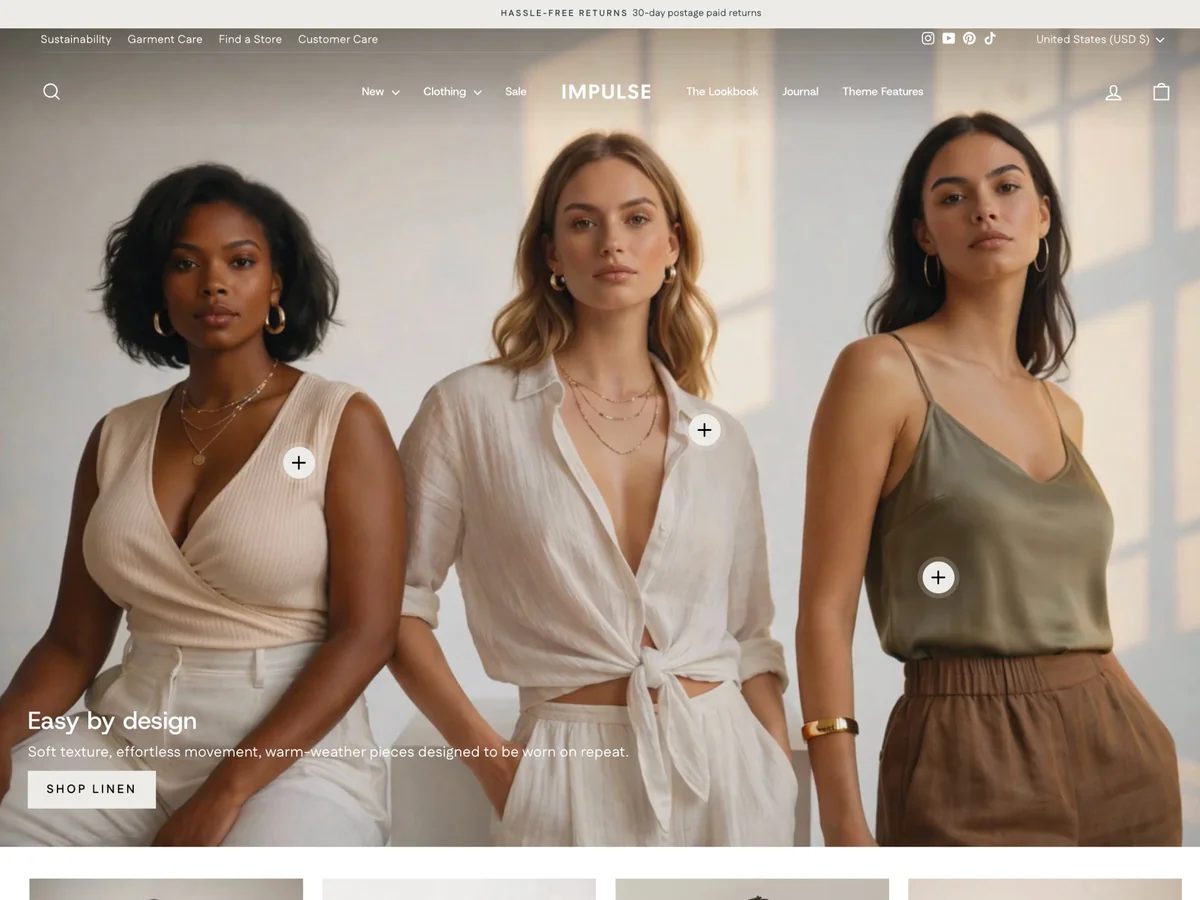
Archetype’s paid theme lists 17 marketing and conversion features, the most of any theme here.
- Stand-out features: a countdown timer, promo popups, promo tiles, trust badges, image hotspots and a before and after slider.
- Cost model: one-time purchase, licensed to one store.
- Suits: stores that sell through launches, flash sales and seasonal drops, where countdowns and popups would otherwise mean extra apps.
6. Debutify: Best one-time bundle outside the Theme Store
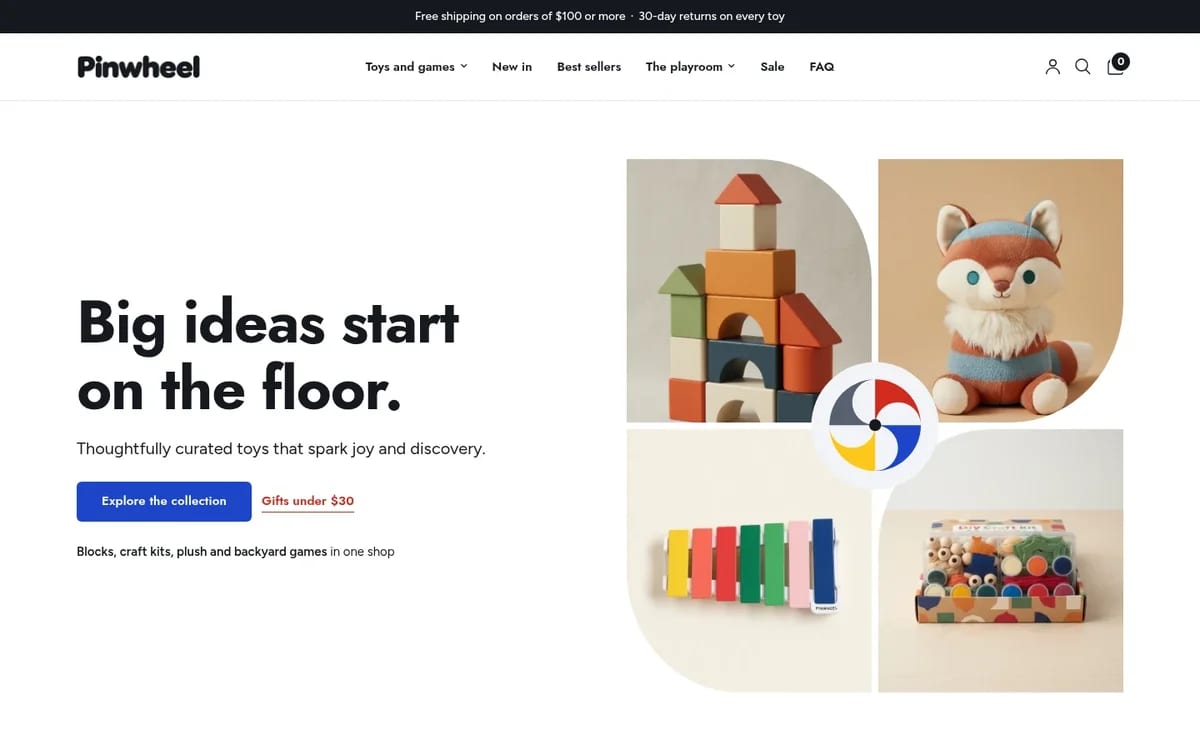
Debutify sells a library of themes rather than one, outside Shopify’s Theme Store.
- Stand-out features: all 30 Debutify themes on one license, free switching among them, and more than 140 built-in features per theme, such as upsells, bundles and a free shipping bar.
- Cost model: one-time license with no monthly fee; it covers one store at a time and can move between stores. Debutify does not give refunds.
- Suits: a dropshipper who expects to change niche and wants a new look without a new purchase.
Do paid themes include much more than free ones?
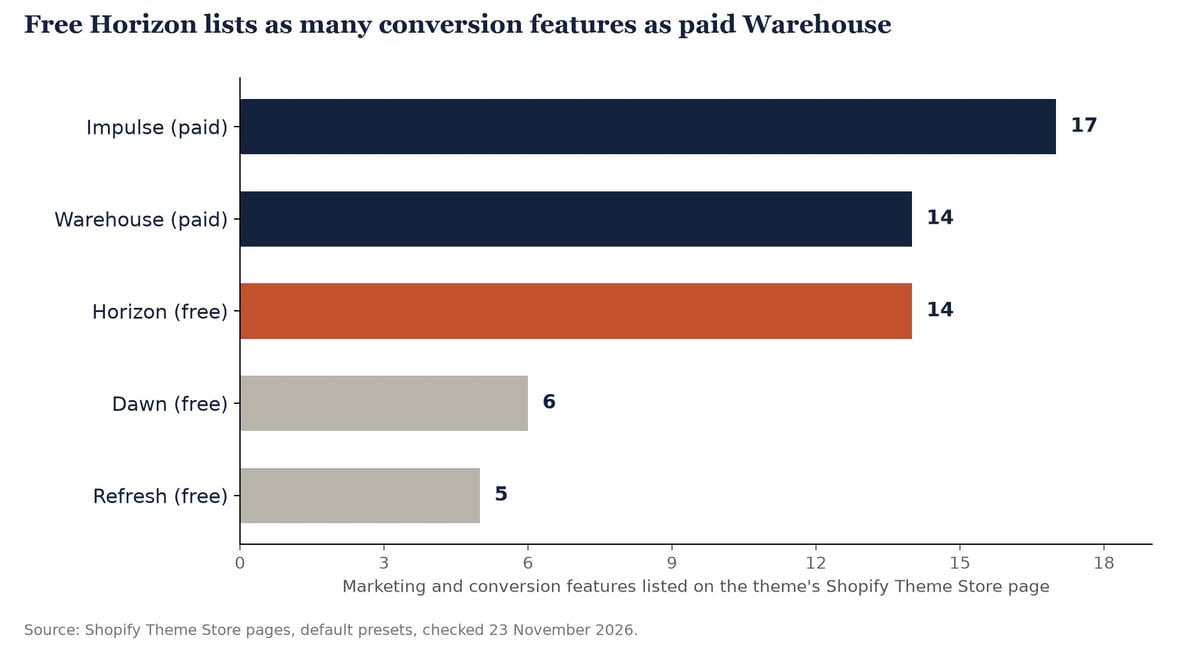
Less than most buyers expect. We counted the features each theme lists under “Marketing and conversion” on its Theme Store page: Refresh lists 5, Dawn 6, Horizon 14, Warehouse 14 and Impulse 17. Trust badges appear only on the two paid themes, and only Impulse lists a countdown timer. Almost everything else a new store leans on is already in free Horizon. Pay for a theme when you can name the feature you are paying for.
What does switching themes later cost you?
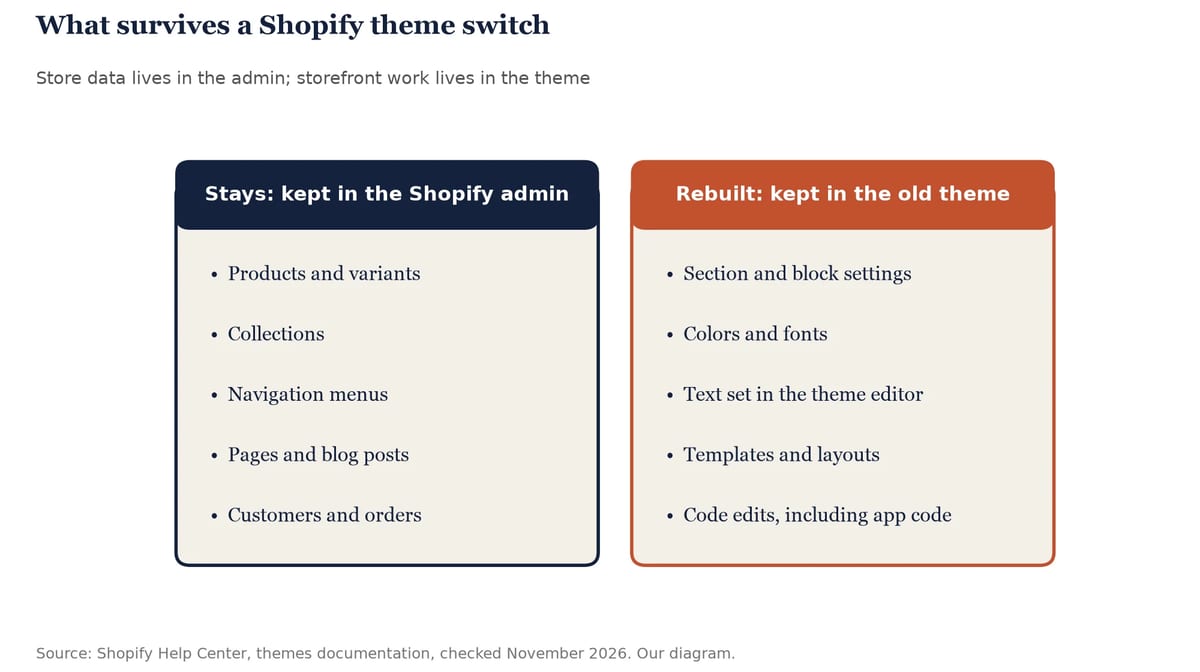
Your products, collections, menus, pages and orders are safe, because they live in the admin. Everything you set in the theme editor is not: section settings, colors and fonts, text, templates and any code an app added. The common mistake is spending a week perfecting a free theme and then buying a paid one once sales start, which means rebuilding the product page, announcement bar and app blocks. If a paid theme is likely, decide before heavy customizing.
How to test a paid theme before buying
Shopify lets you preview up to 19 paid themes in your own store at once, each marked “Theme trial”, as its help page on adding themes explains. Customizations made during a trial are kept if you buy, but you cannot edit theme code while trialing, and paid themes are non-refundable.
Use the trial on the page that matters:
- Load your real best product with its actual photos and variants.
- Open the preview on your phone, not just a desktop browser.
- Switch variants, add to cart and open the cart drawer.
- Check that the main product image appears quickly and nothing jumps as the page loads.
The first hour on a new theme
Whichever option you choose, the same few settings decide whether the store looks trustworthy to a visitor from an ad:
- Set the product page template first. Put the main image, price, variant picker and add-to-cart button above the fold on a phone, then reviews and delivery details below.
- Write the announcement bar. One line on shipping times or returns answers the question most dropshipping shoppers have.
- Fill the footer pages. Contact, shipping, returns and privacy pages are expected on any store and are often required by ad platforms and payment providers.
- Turn on the cart drawer if the theme has one, and add a recommended product to it.
- Remove demo content. Placeholder text and sample collections left from the demo are the quickest way to look unfinished.
Four ways to spend less on a store’s look
- Start free. Launch on Horizon or Dawn and pay only when a missing feature is costing you sales.
- Count the apps a theme replaces. A paid theme that removes two monthly app subscriptions can pay for itself.
- Decide before you customize. Pick your long-term theme before investing days in the theme editor.
- Buy once per store. Theme Store licenses cover a single store, so plan a second store’s theme as a second purchase.
FAQ
Are free Shopify themes good enough for dropshipping?
Yes, for most stores starting out. Free Horizon includes stock counters, back-in-stock alerts, quick view and a slide-out cart. Pay only when you need a specific feature it lacks.
Is a paid Shopify theme a one-time cost?
Yes. Theme Store themes are one-time purchases rather than subscriptions, licensed to the store you bought them for. Updates from the theme maker are usually included.
Can I change my Shopify theme after launching?
Yes, at any time, without losing products, collections, menus or pages. Set the new theme up unpublished first, so the live store keeps selling while you rebuild the design.
Which Shopify theme is fastest?
Shopify’s own free themes are built to be lightweight, but speed depends as much on image sizes and installed apps as on the theme. Test your real product page on a phone before and after each change.
Found this useful? Share it with someone comparing AI tools.

Free AI Tools for Etsy Sellers: We Tested Creative Fabrica Studio Desktop (Here’s What It Actually Does)
Creative Fabrica Studio Desktop App provides the most-used, free AI tools for Etsy sellers – no subscriptions, no credits, no watermarks.
 John Daniel · 7 min read

Seedance 2.0 Review: ByteDance’s AI Video Generator Takes on Sora 2, Veo 3.1, and Kling in 2026
Seedance 2.0 review 2026: We tested ByteDance’s multimodal AI video generator against Sora 2, Veo 3.1 & Kling 3.0.
 Mihai (Mike) Bizz · 10 min read