AI Ease is good value if you mainly need photo cleanup, with AI video as a bonus rather than the main reason to pay.
Home / Tools / Digital Art
Digital Art · Tool review
AI Ease Review: Photo & Video AI Pricing
 TechPilot.ai review team Hands-on testing, one published method
- Last updated
- How we test
The AI news that actually mattered this week.
One short email every Friday: the biggest AI stories, what they mean for you, and the tools worth trying. A 3-minute read, no hype.
Free. Unsubscribe anytime.
You're in. Watch for the brief on Friday. Free. Unsubscribe anytime.
Summary
Pros and cons
What we like
- Many photo tools in one app.
- Cheap yearly plans.
- Popular video models.
- Web and mobile apps.
- Unlimited most image tools.
What could be better
- No refunds.
- Video counts are maximums.
- Watermark and ads on free.
- Model list changes often.
Key features
- Photo fixes: Remove, enhance, restore.
- Headshots: Plus passport photos.
- Image models: Nano Banana, GPT Image.
- Video models: Seedance, Veo, Kling.
- Apps: Web and mobile.
- Pricing: Free; Pro $4.99/mo yearly.
Screenshots
Full review
Independent and reader-supported. Some links may earn us a commission; it never changes our scores. Editorial policy

AI Ease is an all-in-one AI photo and video app with a free plan, video models like Seedance and Veo, and photo editing tools. Pro is $4.99 a month yearly.
Quick answer: AI Ease (styled AIEASE) puts two things in one web and mobile app: everyday photo fixes such as background removal, object removal, enhancement and old photo restoration, and a generator that runs third-party image and video models. Free users get limited credits, watermarked exports and ads; paid plans remove those and add monthly credits. Prices below are from AI Ease’s pricing page on November 15, 2026.
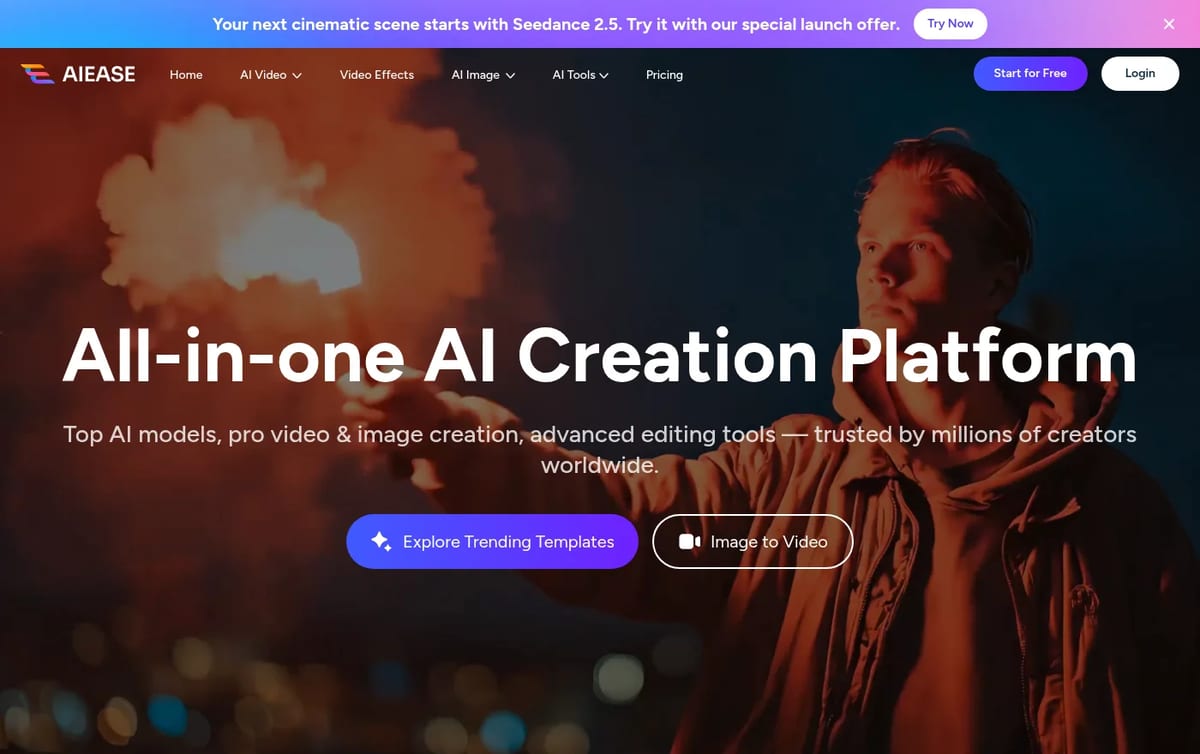
What AI Ease does
- Photo editing: background remover, object remover, photo enhancer that upscales to 4K, old photo restoration, skin retouch and background blur.
- Practical photos: headshot generator and passport photo maker.
- AI image generation: its own model plus models such as Nano Banana Pro, GPT Image 2, Midjourney V7 and Seedream on paid plans.
- AI video generation: text and image to video with models such as Seedance 2.5, Veo 3 and Kling 2.6.
- Video effects and templates: ready-made effects that animate a photo for social posts.
AI Ease Pricing (2026)
| Plan | Yearly billing (per month) | Credits | Key limits |
|---|---|---|---|
| Free | $0 | Limited | Basic tools, watermark, ads, 7-day image storage |
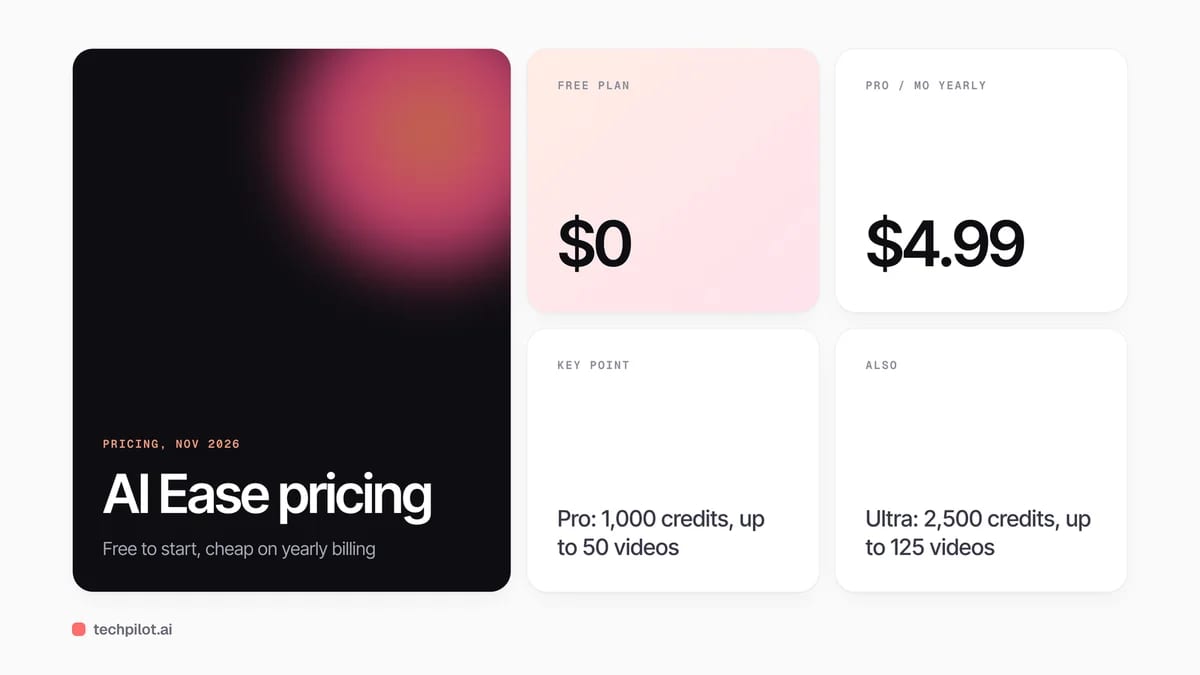
| Pro | $4.99 (list $9.99) | 1,000 a month | Up to 50 videos and 200 images a month, 20 GB storage |
| Ultra | $9.99 (list $19.98) | 2,500 a month | Up to 125 videos and 500 images a month, 50 GB storage |
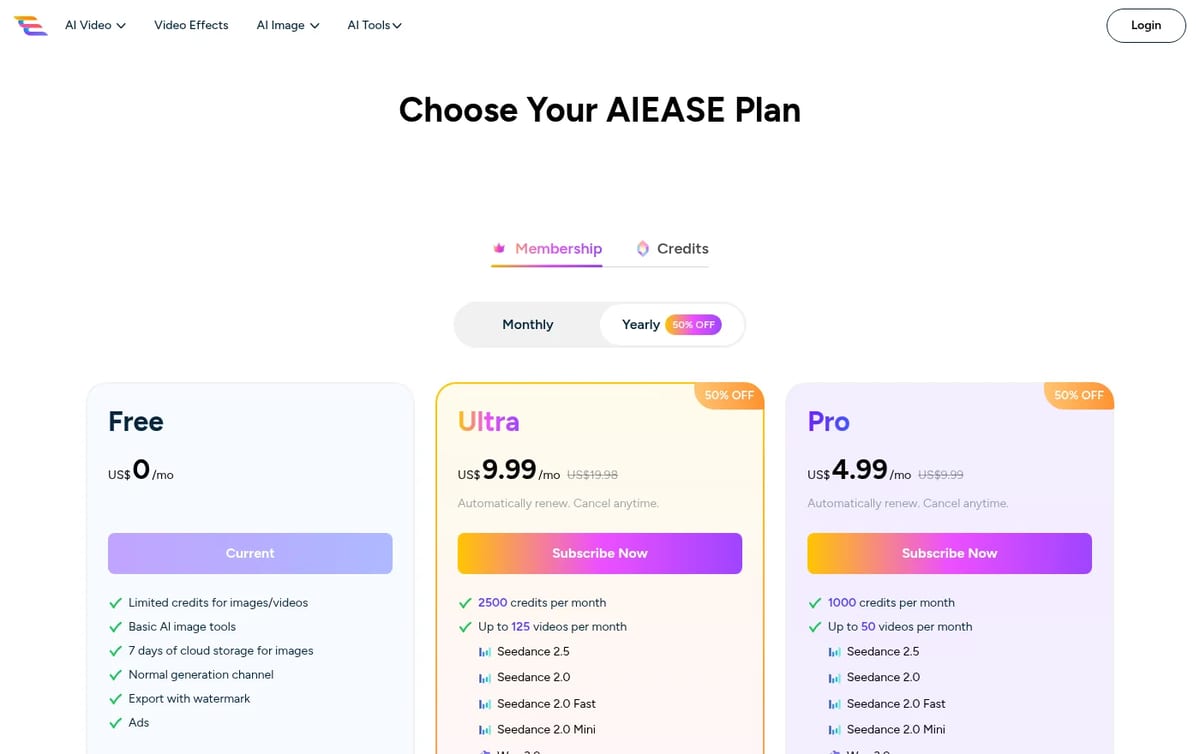
What you are really paying for: members get unlimited use of most image tools, so for photo cleanup alone Pro is cheap. Video is where credits go: the video numbers (up to 50 on Pro, up to 125 on Ultra) are ceilings, so how many clips you really get depends on the model and settings you choose. AI Ease says it does not offer refunds, so spend the free credits first and confirm the tools you need before subscribing.
For a design-first alternative, see our insMind review. To compare free options, read our guides to the best free AI image generator and the best AI photo editor apps.
Who AI Ease is for
Casual creators, small sellers and social media managers who want quick photo fixes and occasional AI video in one cheap subscription. Use the face and people tools only on photos you have the right to edit, and get consent before editing or animating anyone else’s face.
Limitations
- No refunds: test with free credits before you pay.
- Video uses credits: the video counts are “up to” figures, not guarantees.
- Free plan is basic: watermarks, ads and short image storage.
- Third-party models: output quality depends on the model you pick, and model lists change often.
TechPilot.ai’s Verdict on AI Ease
AI Ease is good value if you mainly need photo cleanup, with AI video as a bonus rather than the main reason to pay.
Use the free credits on your real photos first, then take Pro yearly; move to Ultra only if you make video every week.
AI Ease FAQ
Is AI Ease free?
Yes. The free plan includes limited credits for images and videos and basic AI image tools, with watermarked exports and ads.
•
How much does AI Ease cost?
On yearly billing, Pro costs $4.99 a month and Ultra $9.99 a month, shown as 50% off list prices of $9.99 and $19.98, checked November 15, 2026.
•
What can AI Ease do?
It removes backgrounds and objects, enhances and restores photos, makes headshots and passport photos, and generates images and videos with AI models.
•
Does AI Ease offer refunds?
No. AI Ease says it does not offer refunds and gives free credits so you can try features before buying.
•
Can I cancel AI Ease anytime?
Yes. You can cancel your subscription at any time from My Subscription in your account.
ArtCraft
Digital Art
ArtCraft is one of the most interesting free creative projects of 2026: a controllable AI studio plus a set of open-source apps that feel…

FLUX 3
Digital Art
FLUX 3 Image gives designers a level of control most image models still lack: place every element with a box, then edit one part without…
Microsoft Designer
Digital Art
Microsoft Designer changes a new paradigm for graphic design and visual content creation. Its infusion of leading-edge generative AI lowers…