FLUX 3 Image gives designers a level of control most image models still lack: place every element with a box, then edit one part without touching the rest. For layouts, product composites and iterative edits, that saves a lot of rerolling.
Home / Tools / Digital Art
Digital Art · Tool review
FLUX 3 Image: Pricing, Free Demo & Features
 TechPilot.ai review team Hands-on testing, one published method
 - Last updated
- How we test
Summary
Pros and cons
What we like
- Precise layouts Bounding boxes place every element exactly where you want it.
- Pixel-exact edits Change one element and keep the rest of the image unchanged.
- Ten references Combine up to ten images into one composition.
- Native 4K Renders up to about 16 megapixels without upscaling.
- Low entry price From $0.041 per image, or $0.008 with FLUX 3 Image Klein.
What could be better
- No free API tier Only the editing demo is free.
- Expensive 4K $0.607 per 4K image at list price.
- Learning curve Layout prompts use a JSON element table.
- Open weights only for Klein The full model needs a commercial license.
Key features
- Bounding-box composition: Lay out an image with a box and description for each element.
- Multi-edit in one request: Recolor, replace, move or remove several elements at once.
- Up to 10 references: Cite each reference image by its token in the prompt.
- Native 2K and 4K: 15 aspect ratios from 768px previews to 4K.
- Agent-friendly: An LLM can plan the layout from a one-line prompt.
- Multilingual text: Renders readable text in several languages.
Screenshots
Full review
Independent and reader-supported. Some links may earn us a commission; it never changes our scores. Editorial policy
FLUX 3 Image from Black Forest Labs places elements with bounding boxes and edits single pixels. See FLUX 3 pricing per image, the free demo and features.
Announced in July, FLUX 3 is Black Forest Labs’ new multimodal model family for images, video, audio and actions. FLUX 3 Image is the image part: it generates and edits pictures, lets you lay out a scene with bounding boxes, combines up to ten reference images and renders natively at up to 4K.
What is FLUX 3 Image and why is it trending?
Black Forest Labs, the German lab behind the FLUX models, announced the FLUX 3 family in early access on July 23, 2026. FLUX 3 Image became publicly available on the BFL API and Playground on October 1, 2026, according to BFL’s release notes. The launch post on X passed 440,000 views, and The Decoder covered the release on October 2, 2026.
What sets it apart is control. Instead of hoping a prompt lands objects in the right place, you draw a box for each element and describe it, and FLUX 3 renders every element inside its box. You can then edit one box at a time while the rest of the image stays exactly as it was.
New on October 15, 2026: FLUX 3 Image Klein. BFL released a smaller, open-weight version of FLUX 3 Image, according to its release notes. Klein has 5.6 billion parameters and the same features: text to image, image editing, up to ten reference images, bounding boxes and up to 4K output. It comes in two variants, Klein (distilled, 16 steps, for fast generation) and Klein Base (50 steps, for fine-tuning and LoRA training). Both are on Hugging Face under the FLUX Kommunity License, run on consumer GPUs down to an RTX 3090, and Klein is also on the BFL API.
How FLUX 3 Image works
- Pick an aspect ratio: the canvas is always a 0 to 1,000 grid on both axes.
- Draw boxes: add a box for every element that matters and describe what goes in it. Or skip this and let an LLM plan the layout from one line.
- Write a scene prompt: one line that ties the elements together.
- Generate: FLUX 3 renders the scene at 768px up to 4K.
- Edit precisely: re-describe, replace or move any box, and everything else stays unchanged.
You can also generate from a plain text prompt without boxes, or combine up to ten reference images into one composition. Developers use one API endpoint for both generating and editing.
FLUX 3 Pricing (2026)
FLUX 3 Image is pay-as-you-go, with no subscription or seat fees, and the same price applies on the API and in the Playground. We checked BFL’s pricing page and pricing docs on October 18, 2026. The 50% launch discount ended on October 8, 2026, so the list prices below are what you pay now.
| Resolution tier | Price per image | Cost of 100 images |
|---|---|---|
| 768 × 768 (about 0.6 MP) | $0.041 | $4.10 |
| 1K (about 1 MP) | $0.048 | $4.80 |
| 1.5K (about 2 MP) | $0.07 | $7.00 |
| 2K (about 4 MP) | $0.10 | $10.00 |
| 4K (about 16 MP) | $0.607 | $60.70 |
FLUX 3 Image Klein is much cheaper on the API. Text to image and image editing cost the same:
| Resolution tier | Klein price per image | Cost of 100 images |
|---|---|---|
| 768 × 768 | $0.008 | $0.80 |
| 1K | $0.009 | $0.90 |
| 1.5K | $0.011 | $1.10 |
| 2K | $0.014 | $1.40 |
| 4K | $0.036 | $3.60 |
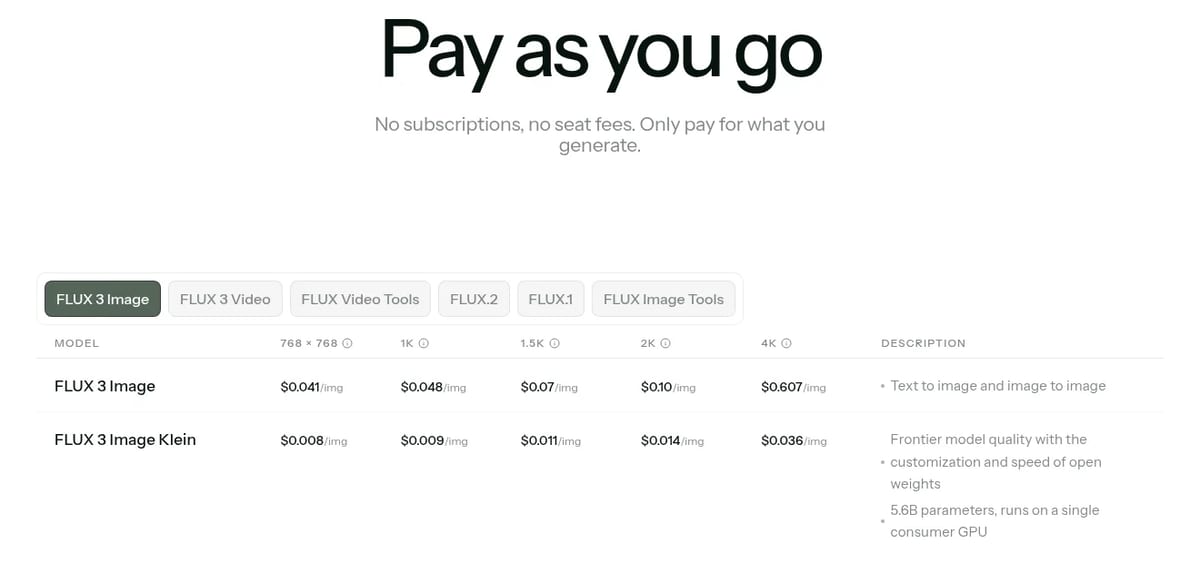
Prompts and reference images are included at no extra charge, and failed or moderated generations aren’t billed. BFL bills in credits, where 1 credit equals $0.01.
Free option: there’s no free plan on the BFL API, but BFL runs a free Precise Editing demo where you can upload an image or edit one of its samples.
FLUX 3 Video: the video side is billed per second, at $0.15 a second at HD for text-to-video and image-to-video, $0.24 at 1080p, $0.28 at 2K and $0.41 at 4K, with drafts at $0.06 a second. Video continuation costs $0.21 to $0.45 a second, according to BFL’s pricing docs on October 18, 2026. 2K and 4K video output was added on September 10, 2026.
Best use cases for FLUX 3 Image
- Layouts with many parts: posters, magazine spreads, collages and panel grids.
- Product and fashion shots: combine up to ten reference images into one scene.
- Iterative edits: recolor, swap or move objects without regenerating the whole image.
- Text in images: titles and signs in multiple languages.
- AI agents: an LLM can plan a layout and send it straight to the model.
Limitations
- No free API tier: beyond the demo, every image is billed.
- Launch discount is over: since October 8, 2026, every image is billed at the full list price.
- 4K is pricey: a 4K image costs $0.607 at list price, about 12 times a 1K image.
- Bounding boxes take practice: layout prompts use a JSON element table.
- Open weights only for the small model: the full FLUX 3 Image weights need a commercial license. The open-weight options are FLUX 3 Image Klein (5.6B, October 2026) under the FLUX Kommunity License, and FLUX 3 Action, a 7B robotics model from September 2026.
FLUX 3 alternatives
- Nano Banana: Google’s image model known for consistent edits.
- Ideogram: strong text rendering for posters and designs.
- Reve: a text-to-image model with strong prompt following.
- FLUX.1: our guide to Black Forest Labs’ earlier open model.
TechPilot.ai’s Verdict on FLUX 3
FLUX 3 Image gives designers a level of control most image models still lack: place every element with a box, then edit one part without touching the rest. For layouts, product composites and iterative edits, that saves a lot of rerolling.
It’s priced per image with no free API tier, and 4K gets expensive. Try the free Precise Editing demo first, and budget at list prices now that the 50% launch discount has ended. For high volume or local use, the new open-weight Klein model costs a fraction as much.
FLUX 3 FAQ
Is FLUX 3 free?
Not on the API. FLUX 3 Image is pay-as-you-go from $0.041 per image at list price. Black Forest Labs does offer a free Precise Editing demo at flux-tools.bfl.ai where you can try editing.
•
How much does FLUX 3 cost?
FLUX 3 Image costs $0.041 per image at 768px, $0.048 at 1K, $0.07 at 1.5K, $0.10 at 2K and $0.607 at 4K. The 50% launch discount ended on October 8, 2026, so these list prices now apply. The smaller FLUX 3 Image Klein costs $0.008 to $0.036 per image.
•
When was FLUX 3 Image released?
FLUX 3 Image became publicly available on the Black Forest Labs API and Playground on October 1, 2026. The FLUX 3 family was first announced in early access on July 23, 2026.
•
What are bounding boxes in FLUX 3?
You draw a box for each element on a 0 to 1,000 grid and describe what goes inside. FLUX 3 renders every element in its box, and you can later edit one box while the rest stays unchanged.
•
Is FLUX 3 open source?
Partly. The full FLUX 3 Image model is API-only or under a commercial weights license. On October 15, 2026, BFL released FLUX 3 Image Klein, a 5.6B open-weight version, on Hugging Face under the FLUX Kommunity License.

ArtCraft
Digital Art
ArtCraft is one of the most interesting free creative projects of 2026: a controllable AI studio plus a set of open-source apps that feel…
Microsoft Designer
Digital Art
Microsoft Designer changes a new paradigm for graphic design and visual content creation. Its infusion of leading-edge generative AI lowers…

Comfy Agent
Digital Art
Comfy Agent is the right idea for people who already think in nodes: chat drives the canvas, and you keep the workflow. That is a real edge…
Productivity  Eimantas Kazėnas · 5 min read
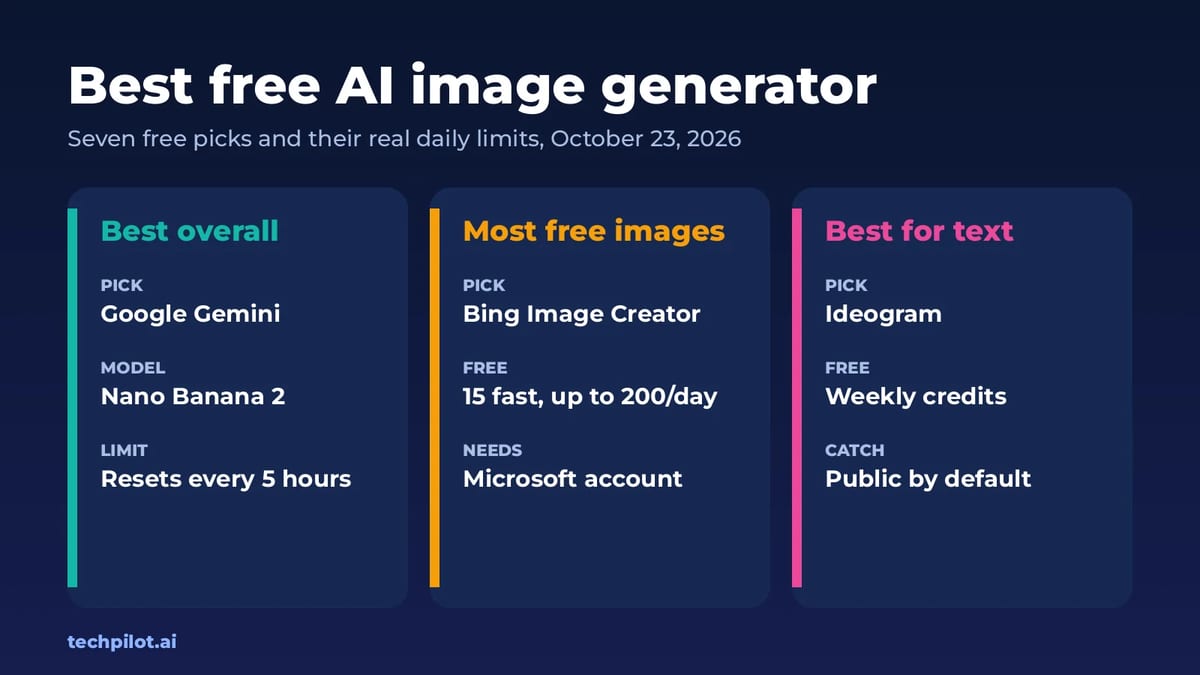
Best Free AI Image Generator: 7 Picks (2026)
Best free AI image generator picks for 2026: Gemini, ChatGPT, Bing, Leonardo, Ideogram, Krea and Fibo. See real free limits, rights and when to…
Eimantas Kazėnas · 5 min read
Business  Alexi Carmichael · 6 min read
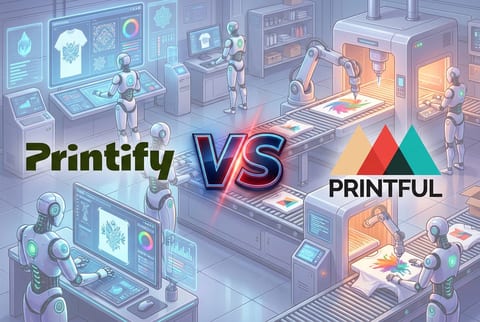
Printify vs Printful for AI Creators: Which Platform Wins in 2026?
We are clearing the debate: Printify vs Printful for AI Creators. Which platform wins the race as the go to print on demand platform in 2026.
Alexi Carmichael · 6 min read