I have reviewed many AI image generators, and my goal with Ideogram AI was to check if its text-generation capability offers a significant advantage for practical business and marketing tasks.
Business · Tool review
Ideogram AI: Vector SVG Generator & Pricing
 TechPilot.ai review team Hands-on testing, one published method
 - Last updated
- How we test
Summary
Pros and cons
What we like
- Superior Text Generation Ideogram AI's main advantage is its ability to render clear and stylistically consistent text directly within images.
- Simple, Web-Based Interface The clean web platform is intuitive, removing the learning curve associated with Discord-based tools like Midjourney.
- Free weekly credits accounts that sign in with Google, Apple or Microsoft get 30 free credits a week.
- High-Quality Image Output Beyond text, the platform produces aesthetically pleasing pictures across various styles, from photorealistic to 3D renders.
- Helpful Prompt Enhancement The "Magic Prompt" feature automatically adds detail to user prompts to generate more interesting results with minimal effort.
- Affordable Subscription Tiers The paid plans are competitively priced, offering good value with features like priority generation and private images.
- Active Development Backed by significant funding, the platform is frequently updated with new features and improvements.
- Ideogram Vector editable SVGs from a prompt or an image (October 2026).
What could be better
- Limited Built-in Editing The platform lacks advanced post-generation editing tools, requiring users to export images to other software for adjustments.
- Free images are public private generation needs a paid plan.
- Less Artistic Fine-Tuning Compared to Midjourney, Ideogram AI offers fewer parameters for detailed control over artistic style, lighting, and composition.
- Free credits are limited 30 a week, and only for Google, Apple or Microsoft sign-ins.
Key features
- AI Text-to-Image Generation: The core function allows users to type a description and generate four image options at once.
- Reliable Typography: Its main feature, capable of rendering words and phrases accurately within the generated visual.
- Magic Prompt: A one-click button that rewrites and adds detail to a user’s basic prompt to produce more imaginative images.
- Style Modifiers: Users can select from a wide range of stylistic tags, including “photorealistic,” “cinematic,” “3D render,” “anime,” “typography,” and “illustration.”
- Remix Functionality: Allows users to take an existing image and its prompt as a starting point to generate new variations.
- Aspect Ratio Selection: Offers standard aspect ratios (10:16, 1:1, 16:10) to format images for different uses.
- Public and Private Generations: Free users’ creations are public, while subscribers to paid plans can keep their generations private.
- Web-Based Platform: No software downloads or complicated setup required; it runs directly in a web browser.
- User Profile and Likes: Users have a public profile showing their creations and can browse images from other users for inspiration.
Screenshots
Full review
Independent and reader-supported. Some links may earn us a commission; it never changes our scores. Editorial policy
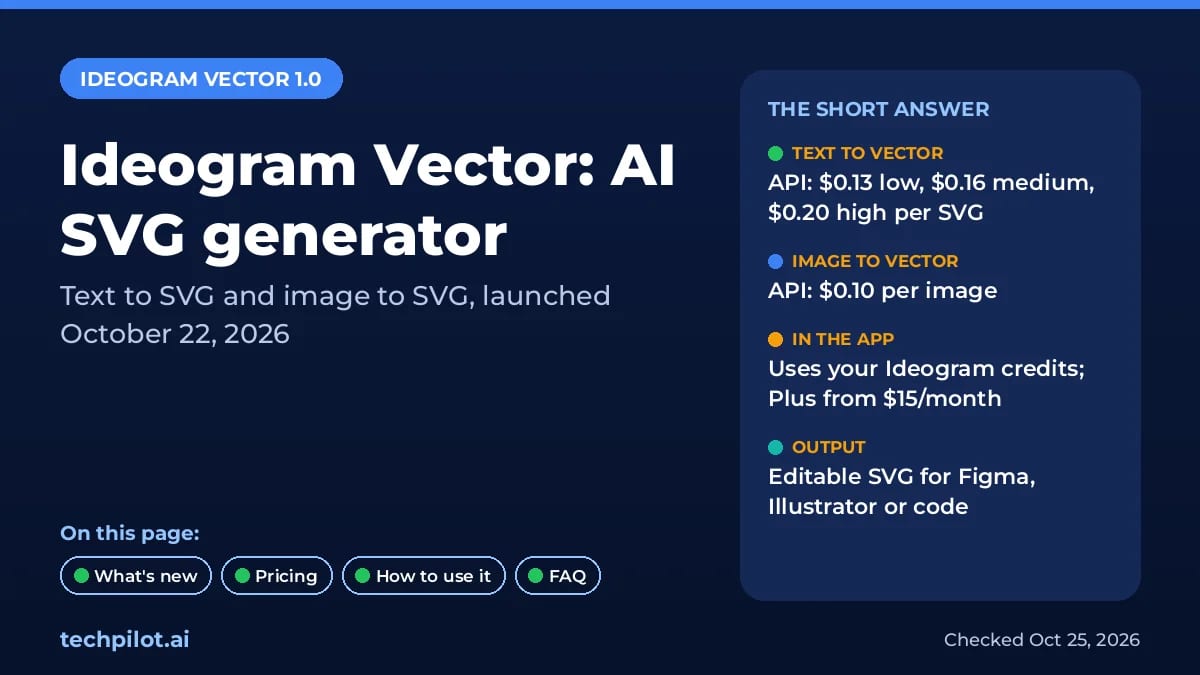
Ideogram AI now makes editable SVGs with Ideogram Vector 1.0, from $0.10 per image on the API. See Ideogram pricing, free credits and how Vector works.
Ideogram AI is a platform that creates images from text descriptions, with a specific function for producing high-quality visuals that accurately include text. The platform was developed by a team of former Google Brain researchers—Mohammad Norouzi, William Chan, Chitwan Saharia, and Jonathan Ho—and officially launched in August 2023.
Ideogram AI is useful for a wide range of users, including graphic designers, marketers, content creators, and small business owners. Its main benefit is its ability to render text correctly and stylistically within the pictures it generates. This core strength addresses a major shortcoming of other popular text to image AI tools. It changes traditional design work by letting users make professional-grade visuals without needing specialized software.
What’s new: Ideogram Vector 1.0 (October 22, 2026)
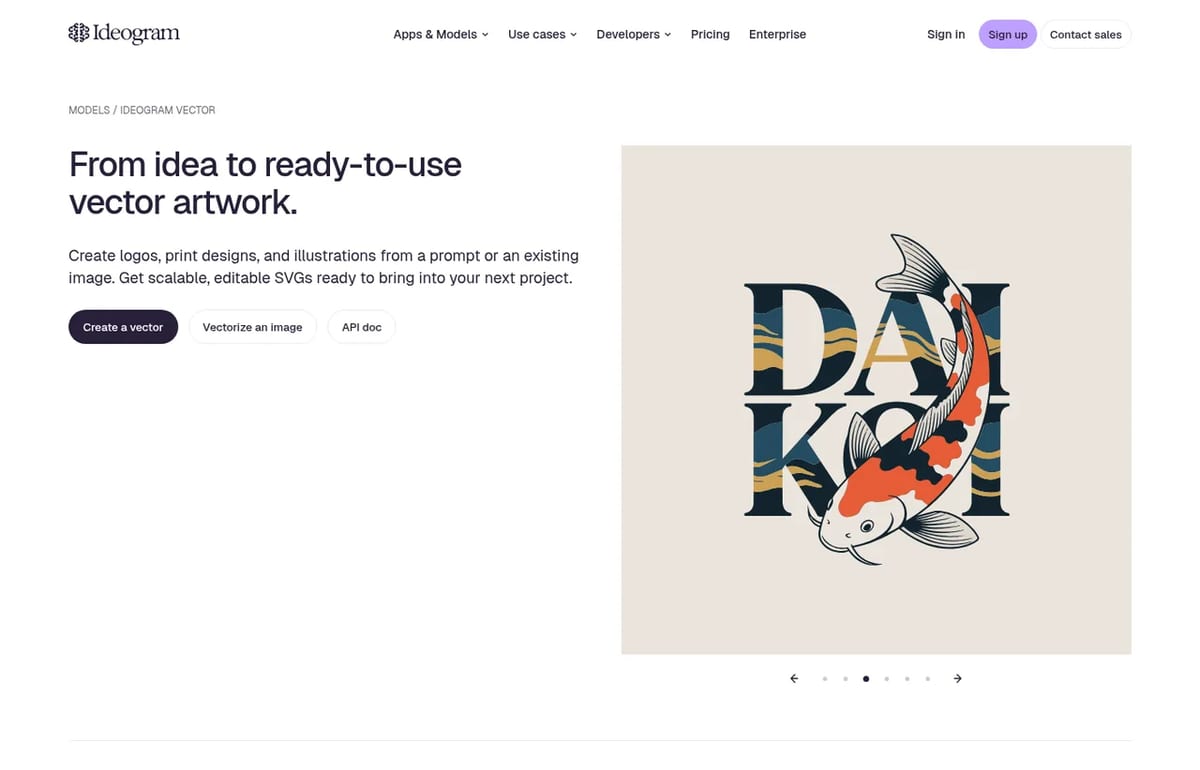
On October 22, 2026, Ideogram launched Ideogram Vector, its first vector model and a proper AI SVG generator. It works two ways: describe a design and get an editable SVG (text to vector), or upload a JPEG, PNG or WebP and convert it into a scalable vector (image to vector). Ideogram pitches it for logos, wordmarks, print and merch, labels, stickers and illustrations in styles such as flat colour, line art, engraving and pop art.
The output is a clean SVG you can open in Figma, Illustrator or code. You can scale it from a sticker to a poster without blur, recolour it to your brand and select individual shapes to edit. It’s live in the Ideogram app, on the API and on partner platforms such as fal.
Ideogram Vector pricing
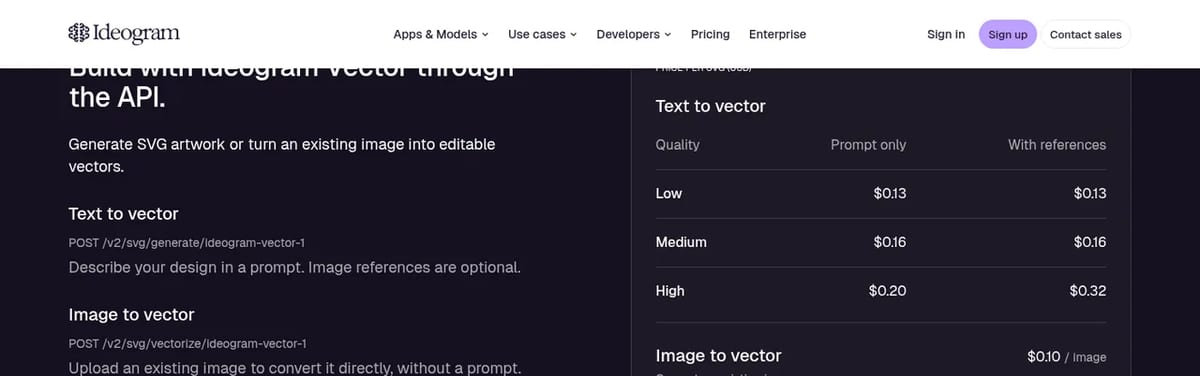
| Ideogram Vector API | Prompt only | With reference images |
|---|---|---|
| Text to vector, Low quality | $0.13 per SVG | $0.13 per SVG |
| Text to vector, Medium quality | $0.16 per SVG | $0.16 per SVG |
| Text to vector, High quality | $0.20 per SVG | $0.32 per SVG |
| Image to vector | $0.10 per image | Not applicable |
For comparison, 100 high-quality logo concepts on the API cost $20, and vectorizing 100 existing PNG logos costs $10. Both endpoints accept a dry run that returns the price without generating or billing anything, which is handy before a big batch.
How to make an SVG with Ideogram
- Open Ideogram Vector and choose Create a vector or Vectorize an image.
- For text to vector, describe the design, including colours and any words that should appear.
- For image to vector, upload a JPEG, PNG or WebP (up to 50 MB on the API).
- Download the SVG and fine-tune shapes and colours in Figma, Illustrator or your code.
Ideogram 4.5 (September 30, 2026)
On September 30, 2026, Ideogram released Ideogram 4.5, a model built for precise, multi-turn editing. Pixels the edit doesn’t touch are kept from your image, so you can make repeated changes without the color shifts and artifact buildup that usually appear after a few rounds. It is live in the Ideogram app, the API (new v2 generate and precise-edit endpoints) and partner platforms such as fal, Krea, Picsart, Runway and ComfyUI. Ideogram says open weights are coming but has not published them yet. Sources: Ideogram API overview, Ideogram 4.5 API reference.
Ideogram Pricing (2026)
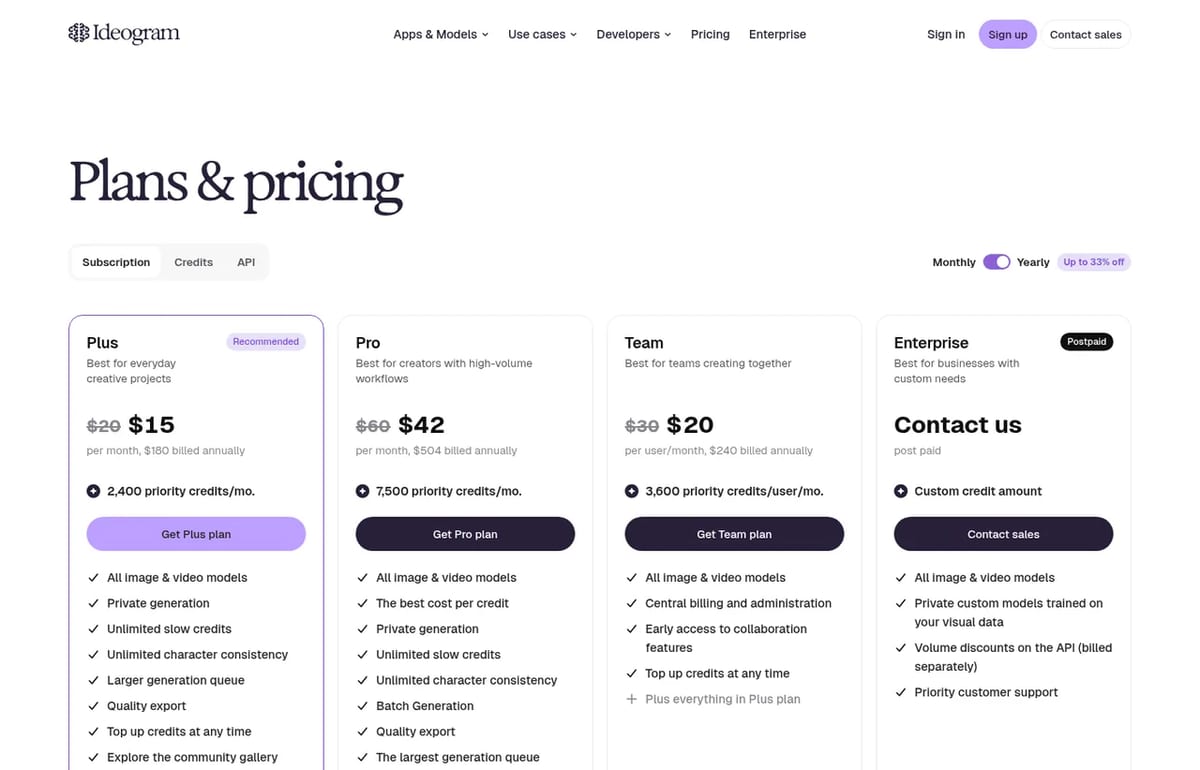
| Plan | Billed yearly | Billed monthly | Credits |
|---|---|---|---|
| Free | $0 | $0 | 30 credits a week (Google, Apple or Microsoft sign-in) |
| Pay as you go | 1 cent per credit | 1 cent per credit | Buy $5 to $100 of credits, no subscription |
| Plus | $15/month ($180 a year) | $20/month | 2,400 priority credits a month |
| Pro | $42/month ($504 a year) | $60/month | 7,500 priority credits a month |
| Team | $20 per user/month | $30 per user/month | 3,600 priority credits per user a month |
Two changes matter if you last looked a while ago. The $7 Basic plan is no longer sold (existing subscribers keep it), and the pricing page now shows Pay as you go in place of the Free plan. Free credits still exist, though: Ideogram’s plans help page says accounts that sign in with Google, Apple or Microsoft get 30 credits a week, while email and password accounts get none. On Plus, Pro and Team you can keep generating in a slower queue after your priority credits run out.
Best use cases of Ideogram AI
- Marketers and Advertisers: Professionals who need to produce promotional materials quickly will find Ideogram AI useful. It helps create visually appealing posters, social media ads, and web banners that effectively combine imagery with text. For example, a marketing manager can generate dozens of creative concepts for a new campaign in minutes, complete with taglines and product names correctly integrated into the visual. The key benefit is a reduction in design time and cost.
- Small Business Owners: Entrepreneurs often lack the budget for a graphic designer. Ideogram AI allows them to create professional branding assets, such as logos and promotional flyers, on their own. This text to image AI can generate numerous logo options that include the company name spelled correctly and stylized appropriately. This allows for quick brand prototyping and iteration without financial strain.
- Social Media Managers: Creating content for social media requires a constant flow of fresh visuals. Ideogram AI helps social media managers produce posts and stories with text overlays for announcements, quotes, or memes. The platform’s “Magic Prompt” feature can help brainstorm more detailed visual ideas, keeping content dynamic and on-brand.
- Graphic Designers and Creators: While designers use advanced tools, Ideogram AI can be a starting point for inspiration and fast concepting. It can be used to quickly visualize different typographic layouts before moving to other software for final refinement. This accelerates the creative process, allowing designers to explore more ideas in less time.
Looking for other options? Compare Ideogram with the picks in our best free AI image generator guide, or try Canva AI and its new Craft model for layouts and social posts.
Our verdict
TechPilot.ai’s Verdict on Ideogram AI
I have reviewed many AI image generators, and my goal with Ideogram AI was to check if its text-generation capability offers a significant advantage for practical business and marketing tasks.
First, I tested its core promise with a classic small business request: “I want to create an ads about strawberry”. The results were very good. In seconds, I had several options where the name was spelled perfectly and integrated logically into the design. Other generators would have produced garbled text. While the concepts would still benefit from a vector editor for final polish, Ideogram AI accomplished most of the creative work in less than a minute.
Next, I tested a common marketing use case: a promotional graphic for social media. The prompt was: “A vibrant, eye-catching poster for a ‘50% Off Summer Sale’. The image should feature a beach scene and bold, clear text.” Again, Ideogram AI delivered. It produced several high-quality images with “50% Off Summer Sale” displayed clearly. The Magic Prompt feature was helpful here, adding details like “warm sunset lighting” and “playful font” to my basic idea. The main weakness became apparent here; I couldn’t reposition the text or change its color without starting over with a new prompt. The lack of in-app editing is a definite drawback for making small adjustments.
From a value perspective, the pricing is excellent. The free plan is sufficient for casual users, students, or small-scale creators. For professionals, Plus at $15 a month billed yearly adds priority credits and private images, and the new Ideogram Vector model makes it useful for logos and print files too. The tool is easy to learn; if you can use a search engine, you can use Ideogram AI.
Top Alternatives to Ideogram AI
Midjourney
-
Midjourney is a text to image AI that produces highly artistic and photorealistic visuals. It operates primarily through Discord and offers detailed control over style through complex prompting. Compared to Ideogram AI’s simple web interface, Midjourney is less direct but is favored by artists for its image quality. Midjourney is a better choice when the final image’s artistic merit is the top priority and text is not needed. Its main weakness against Ideogram AI is its inability to create coherent text.
DALL-E 3 (via ChatGPT)
- DALL-E 3 is OpenAI’s image generator, available within ChatGPT Plus. Its key feature is its conversational prompt process, allowing users to refine ideas through dialogue. While DALL-E 3 has improved its text capabilities, it still falls short of Ideogram AI’s reliability. DALL-E 3 is the better option for users who want to brainstorm complex visual concepts conversationally. For direct tasks like creating a poster with specific text, Ideogram AI is faster and more precise.
Adobe Firefly
- Adobe Firefly is an AI image generator made for commercial use and connection with the Adobe Creative Cloud suite. It is trained on Adobe Stock’s licensed library, which reduces copyright concerns. Firefly’s main strength is its direct connection with tools like Photoshop and Illustrator. While it can generate text, it is not as advanced as Ideogram AI. Adobe Firefly is the better option for professional designers already using Adobe’s products. Ideogram AI, however, is the better standalone tool for anyone whose primary need is high-quality text-in-image generation.
Final Verdict
After testing, my conclusion is clear: Ideogram AI is an essential tool for anyone who needs to create images with text. It is a practical application that fixes a common frustration with other AI image tools. While artists may still prefer Midjourney and design professionals will stay with Adobe, Ideogram AI is the top choice for marketers, small business owners, and social media managers. It makes the creation of professional-looking, text-inclusive visuals fast, easy, and accessible.
Ideogram AI FAQ
Is Ideogram free?
Yes, with limits. Accounts that sign in with Google, Apple or Microsoft get 30 free credits a week, and free images are public. Email and password accounts don’t get free credits.
•
How much does Ideogram cost?
Plus is $20 a month or $15 a month billed yearly, Pro is $60 or $42, and Team is $30 or $20 per user. You can also pay as you go at 1 cent per credit.
•
What is Ideogram Vector?
Ideogram Vector 1.0 is Ideogram’s AI SVG generator, launched on October 22, 2026. It creates editable SVG files from a text prompt or converts an existing image into a vector.
•
How much does Ideogram Vector cost?
On the API, text to vector costs $0.13, $0.16 or $0.20 per SVG depending on quality ($0.32 at High with references), and image to vector costs $0.10. In the app it uses your credits.
•
Are my Ideogram images private?
Not on the free plan, where everything you generate is public. Plus, Pro, Team and Enterprise keep new images private until you publish them.

AI Studios by Deep Brain AI
Business
Here’s the honest version: AI Studios is impressive in the areas where most platforms are weak, and weak in the areas most platforms treat…
OpenAI Sora 2
Business
I’ve researched OpenAI Sora 2, analyzing its functions and comparing it to other AI video generators. My goal was to determine if this tool…
MiniMax Speech 2.5
Business
After spending significant time analyzing the capabilities and market reception of MiniMax Speech 2.5, I have to say I’m genuinely…
Productivity  Eimantas Kazėnas · 5 min read
Free AI Tools: Best Free Picks by Task (2026)
Free AI tools for chat, images, video, photos and design, with the best free pick for each task, real limits and links to our full tested guide for…
Eimantas Kazėnas · 5 min read
Graphics & Design Eimantas Kazėnas · 11 min read
Best AI Thumbnail Makers for YouTube CTR (2026)
Which AI thumbnail maker actually lifts YouTube CTR in 2026? Compare Pikzels, Pixado, Fliki and Canva, with top picks for free, scoring and A/B tests.
Eimantas Kazėnas · 11 min read