Home / Guides / Digital Art
AI Anime Generator Free: 6 Best Picks (2026)
 Eimantas Kazėnas Marketing & Tech
 - Published
- 6 min read
On this page Free AI anime generators compared
- Free AI anime generators compared
- 1. Leonardo: best free daily allowance
- 2. Krea: best free access to newer models
- 3. NightCafe: best free option if you create every day
- 4. Canva: fine for a quick anime-style graphic
- 5. Midjourney Niji: best quality, but not free
- 6. Ideogram: pay as you go, no free tier
- How to write an anime AI prompt that works in any tool
- Turning anime images into video
- Our take: pick by consistency, not by the first image
- Frequently asked questions
Independent and reader-supported. Some links may earn us a commission; it never changes our rankings. Editorial policy
AI anime generator free options for 2026: Leonardo, Krea, NightCafe and Canva, compared by daily free allowance, model limits and what paid plans cost.
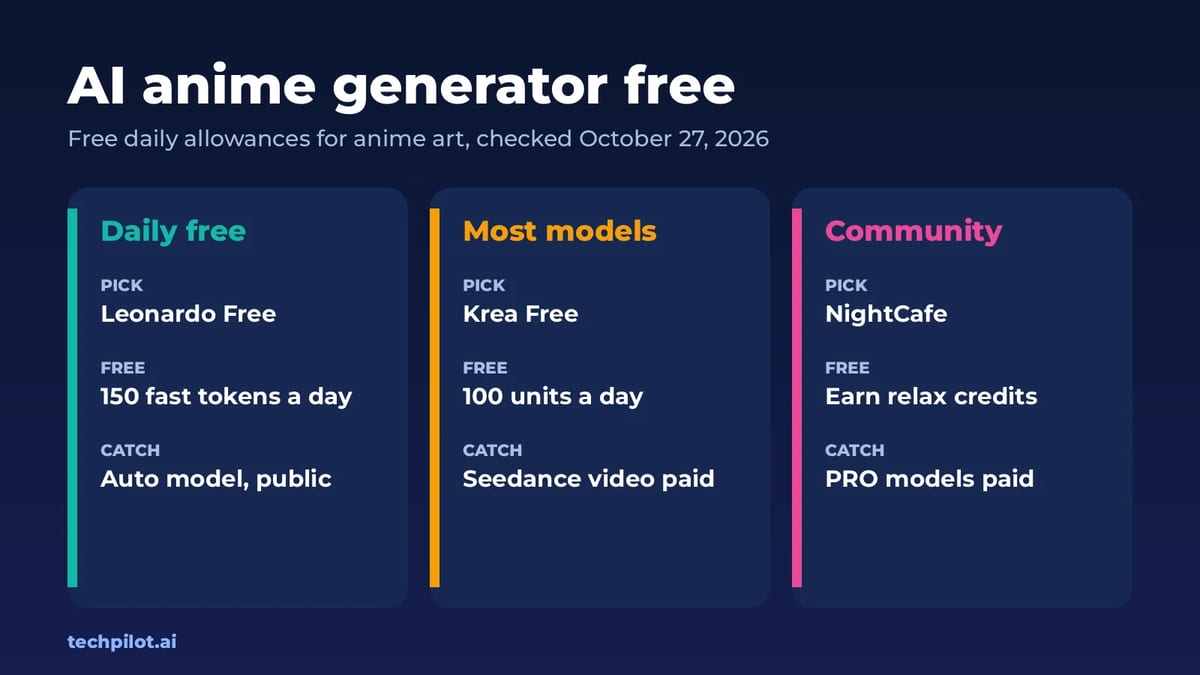
Quick answer: for free anime art every day, start with Leonardo Free (150 fast tokens a day) or Krea Free (100 compute units a day). NightCafe lets you keep creating free by earning relax credits through daily activity. Midjourney, home of the anime-focused Niji model, and Ideogram no longer have a free plan. We checked every plan on the vendors’ own pricing pages on October 27, 2026.
Most “AI anime generator” sites are wrappers around the same image models, and many push NSFW content or hide the price until you’ve signed up. This list sticks to well-known, mainstream tools with public pricing, and focuses on what people actually search for: how much you can make for free, what the free images look like (public or private), and when you’d need to pay.
Free AI anime generators compared
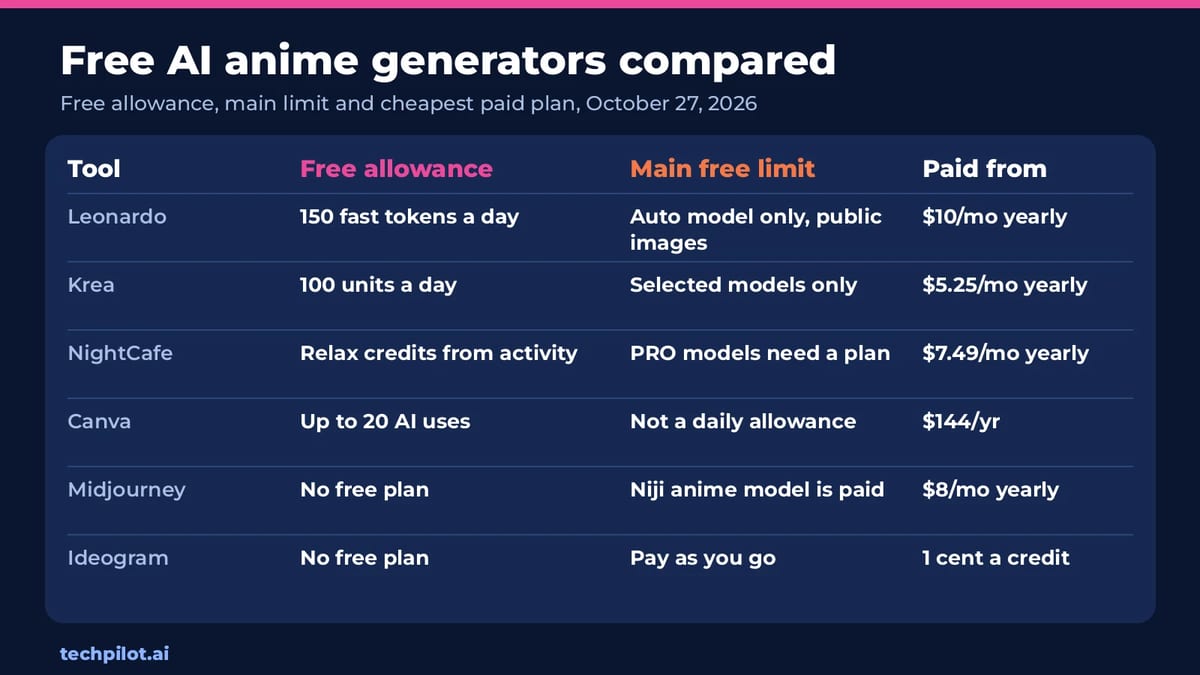
| Tool | Free allowance | Main free limit | Paid from |
|---|---|---|---|
| Leonardo | 150 fast tokens a day | Auto model only, creations are public | $10/mo billed yearly ($12 monthly) |
| Krea | 100 compute units a day | Selected models; Seedance video needs a paid plan | $5.25/mo billed yearly ($9 monthly) |
| NightCafe | Relax credits earned through daily activity | PRO models and fast credits need a plan | $7.49/mo billed yearly ($12.50 monthly) |
| Canva | Up to 20 Standard or Premium AI uses | Not built for anime; few AI uses | US$144/year |
| Midjourney | No free plan | Niji anime model needs a subscription | $8/mo billed yearly ($10 monthly) |
| Ideogram | No free plan | Pay as you go at 1 cent a credit | $15/mo billed yearly ($20 monthly) |
1. Leonardo: best free daily allowance
Leonardo’s Free plan gives 150 fast tokens every day, presets and basic quality settings. Two limits shape what you get: free users have Auto model access only, so Leonardo picks the model for you, and creations are public. For fan art and character concepts that’s usually fine; for client work or private characters it isn’t.
Essential costs $12 a month, or $10 a month billed yearly, and unlocks 80+ models, private creations, 8,500 fast tokens a month with a 25,500-token bank and 10 personal AI models, which you can train on your own character for consistency.
2. Krea: best free access to newer models
Krea’s free plan gives 100 compute units a day and access to selected models and features; Krea’s plan comparison shows exactly which. Seedance video models need a paid plan, so animating your anime frames with Seedance is a Basic-and-up feature.
Basic is $9 a month, or $5.25 a month billed yearly (Krea advertises 40% off yearly), with 5,000 units a month, which Krea estimates at about 112 Nano Banana 2 generations or 15 Seedance 2.0 Fast videos. Krea also lets you train LoRA models with up to 50 images (plan usage limits apply), which is the most reliable way to keep one anime character consistent across images. Read our Krea 3 review.
3. NightCafe: best free option if you create every day
NightCafe is an AI art generator with a big community and daily challenges. Its free route runs on relax credits, which you earn by logging in, entering the daily challenge, earning badges and keeping a 5-day streak (10 credits every 5 days). It’s slower than paying, but genuinely free if you show up.
The PRO plans unlock more. AI Hobbyist is $12.50 a month, or $7.49 a month billed yearly ($89.91 a year), with 200 fast credits a month, all AI image models, basic AI video models, 5 consistent characters and no ads. NightCafe’s PRO image models include Nano Banana Pro, GPT Image and Seedream. See our NightCafe review.
4. Canva: fine for a quick anime-style graphic
Canva isn’t an anime generator, but its free plan includes up to 20 Standard or Premium AI uses, and you can drop the result straight into a thumbnail, poster or social post. If you need a one-off anime-style illustration inside a design, it’s convenient. For a series of characters, the tools above give you far more free generations. Canva Pro costs US$144 a year with 10 times more AI.
5. Midjourney Niji: best quality, but not free
Midjourney’s Niji model is widely used for anime art, but every Midjourney plan is a paid subscription. Basic costs $10 a month or $96 a year ($8 a month) with 3.3 hours of fast GPU time. Standard is $30 a month, or $24 billed yearly, and adds unlimited image generations in Relax Mode. Our Midjourney review covers the app in detail.
6. Ideogram: pay as you go, no free tier
Ideogram is strong when your anime image needs readable text, such as a manga-style title or a poster. It no longer lists a free plan: you can pay as you go at 1 cent a credit, or subscribe to Plus at $20 a month ($15 a month billed yearly, $180 a year) for 2,400 priority credits and unlimited slow credits. See our Ideogram review.
How to write an anime AI prompt that works in any tool
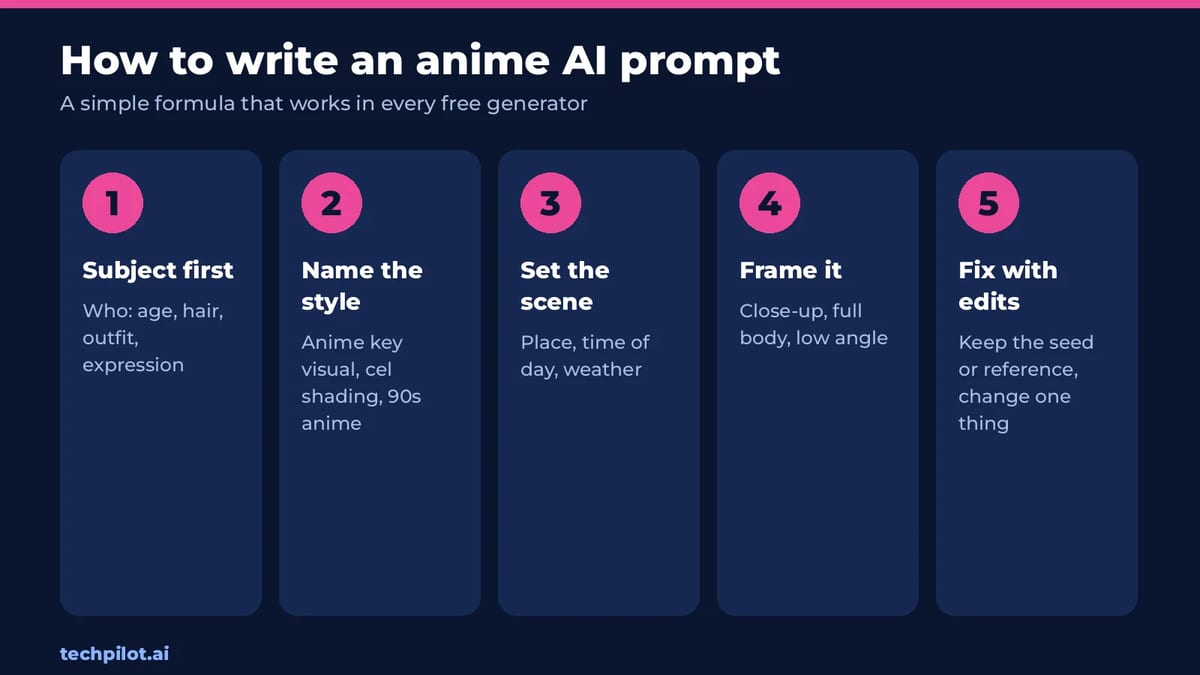
- Subject first: who the character is, with age range, hair, outfit and expression.
- Name the style: “anime key visual,” “cel shading,” “90s anime,” “chibi” or “manga panel, black and white.”
- Set the scene: place, time of day and weather, such as “rainy Tokyo street at night, neon reflections.”
- Frame the shot: close-up, full body, low angle or wide shot.
- Change one thing at a time: reuse a reference image or seed and edit only the detail you want to fix.
For more prompt patterns you can adapt, see our ChatGPT photo editing prompts, and the best free AI image generators for general art.
Turning anime images into video
Once you have a character you like, you can animate it. Our image to video free AI list compares free plans for turning a still into a clip, and our Vidu review covers a video model popular for anime-style motion.
Our take: pick by consistency, not by the first image
Every tool here can make one good anime picture. The real difference shows up on the tenth image of the same character. That’s why the features worth paying for are the ones that keep a character consistent: trained personal models on Leonardo, LoRA training on Krea and consistent characters on NightCafe PRO. Use the free tiers to find the look you like, then pay for the tool whose consistency feature fits your project.
Keep it legal and safe, too. Don’t upload photos of real people without consent to turn them into anime characters, and remember that public free-tier images on Leonardo can be seen by anyone.
Frequently asked questions
Is there a free AI anime generator?
Yes. Leonardo Free gives 150 fast tokens a day, Krea Free gives 100 compute units a day, and NightCafe lets you earn free relax credits through daily activity. All three can make anime-style art.
Is Midjourney free for anime art?
No. Every Midjourney plan is a paid subscription, including access to its anime-focused Niji model. Basic costs $10 a month or $96 a year.
Are free AI anime images private?
Not always. Leonardo’s free plan makes your creations public; private generation is a paid feature. Check each tool’s privacy setting before making personal or client images.
How do I keep the same anime character across images?
Use a consistency feature: trained personal models on Leonardo’s paid plans, LoRA training with up to 50 images on Krea, or consistent characters on NightCafe PRO. Reusing a reference image also helps.
Can I turn AI anime images into a video for free?
Yes, with limits. Free image to video tools can animate a still into a short clip. On Krea, Seedance video models need a paid plan.
Found this useful? Share it with someone comparing AI tools.
Free AI Hairstyle Male Try-On: 6 Best Tools
Free AI hairstyle male try-on tools for 2026: StyleGen, Bylo, HairHunt, Gemini and two more free picks. See real free limits, beard options and quick…
 Mihai (Mike) Bizz · 6 min read
AI Person: Free Generators & How to Make One
An AI person is a realistic face or talking avatar made by AI. Compare the best free AI person generators, make your own step by step, and stay legal.
Mihai (Mike) Bizz · 9 min read