Home / Guides / AI Video Generator
AI Person: Free Generators & How to Make One
An AI person is a realistic face or talking avatar made by AI. Compare the best free AI person generators, make your own step by step, and stay legal.
 Mihai (Mike) Bizz Business, entrepreneurship, tech & AI
 - Updated
- 9 min read
On this page What is an AI person?
Independent and reader-supported. Some links may earn us a commission; it never changes our rankings. Editorial policy
An AI person is a human face, character or presenter created by artificial intelligence instead of a camera. People search for it for three main reasons: to generate a realistic person in a photo (for an avatar, a mockup or a stock image), to make an AI person that talks on video, or to build a consistent AI character or influencer they can reuse. This guide covers all three: the best free AI person generators (checked on October 17, 2026), how to make one step by step, how to make it look real, and the legal lines you shouldn’t cross.
Quick answer: for a free AI person in a photo, use Google Gemini, ChatGPT, Adobe Firefly or Bing Image Creator. For a free talking AI person, start with HeyGen (3 videos a month) or Synthesia (10 minutes a month with a watermark). Whatever you make, don’t copy a real person’s face or voice without their permission, and say it’s AI.
What is an AI person?
An AI person usually means one of these:
- An AI-generated photo of a person who doesn’t exist, made from a text prompt. This is what most “AI person generator” tools do.
- A consistent AI character: the same face reused across many images and outfits, which is how AI influencers and brand mascots are built.
- A talking AI avatar: a digital human that reads your script with lip-sync and a voice, used for training, explainers and ads.
- A digital twin: an AI version of yourself, made from your own video and voice, so you don’t have to film every time.
- A conversational AI persona: an assistant or character you can chat or talk with.
You may remember thispersondoesnotexist.com, the 2019 site that showed a new fake face on every refresh. When we checked it on October 17, 2026, it showed a domain-for-sale page. Today’s general image models make far more convincing people, and you control age, style, setting and expression.
Best free AI person generators (October 2026)
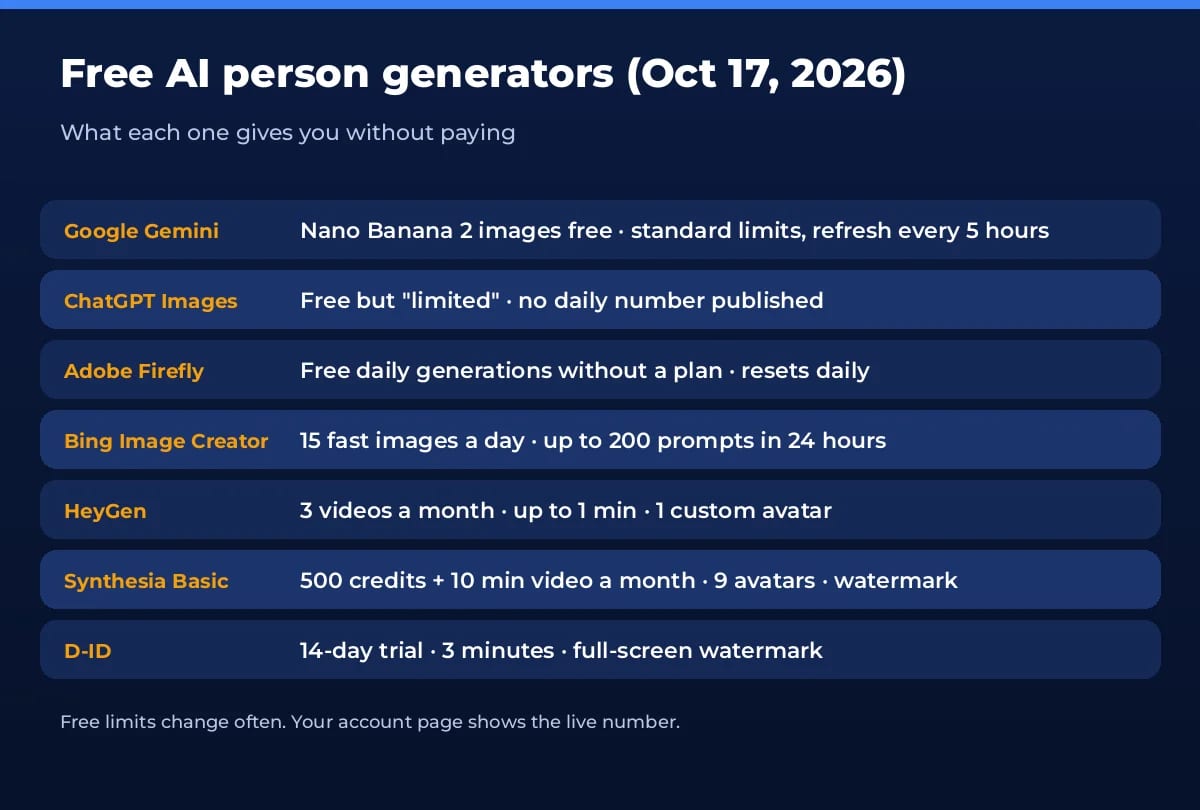
We checked every free allowance below on the vendors’ own pricing or help pages on October 17, 2026. Free tiers change often, so your account page always has the final word.
For AI people in photos
Google Gemini (Nano Banana 2)
- Free: image generation with Nano Banana 2 is included without a Google AI plan. Limits are compute-based, refresh every 5 hours and have a weekly cap, per Gemini Apps limits.
- Best for: Realistic portraits and editing a person’s outfit, pose or background in plain English.
- The catch: Google doesn’t publish a fixed image count, and image requests use more of your limit than chat.
ChatGPT Images
- Free: image creation is on the Free plan, with its own usage limit separate from chat, per OpenAI’s Free tier FAQ.
- Best for: Iterating on a character in conversation (“same woman, now in a rain jacket”).
- The catch: OpenAI calls the free allowance “limited” and gives no number. ChatGPT shows when it resets.
Adobe Firefly
- Free: Adobe’s plans page says you don’t need a plan to get free daily generations across image, video and audio, with limits that refresh every day.
- Best for: Marketing visuals where you want Adobe’s tools and a commercially focused workflow.
- The catch: The daily number isn’t published on the plans page, and premium features use paid generative credits.
Bing Image Creator
- Free: free with a Microsoft account: 15 fast creations a day, then slower standard speed, up to 200 prompts in 24 hours, per the Image Creator help page.
- Best for: Lots of free tries when you’re still working out what your AI person should look like.
- The catch: After 15 fast images, generation slows down unless you spend Microsoft Rewards points.
For a talking AI person (video)
HeyGen
- Free: the Free plan gives 3 videos a month up to 1 minute each, access to Avatar IV, 500+ stock video avatars and 1 custom video avatar.
- Best for: Talking-head videos, UGC-style ads and turning a photo of a fictional character into a presenter.
- The catch: Short, few videos; 1080p export, longer videos and more custom avatars need Creator ($29/month).
- Our review: HeyGen
Synthesia
- Free: the Basic plan on Synthesia pricing is $0 with 500 credits and 10 minutes of video a month, and 9 AI avatars.
- Best for: Training, onboarding and explainer videos with a professional presenter.
- The catch: Videos carry a Synthesia watermark, and downloading is a paid feature (Starter, $14/month billed yearly).
- Our review: Synthesia
D-ID
- Free: a 14-day free trial with 3 minutes of video, 100+ stock avatars, photo and video avatars and 1 personal avatar.
- Best for: Animating a single portrait into a talking photo, and trying interactive agents.
- The catch: A full-screen watermark and a personal-use licence during the trial. Paid plans start at $4.70/month.
- Our review: D-ID Studio
Want more options for paid work? Hedra makes expressive talking characters from a single image, Arcads focuses on AI actors for ads, and VEED Fabric 1.0 turns any image into a talking video. For full AI video beyond avatars, see our list of free AI text to video generators.
How to make an AI person, step by step
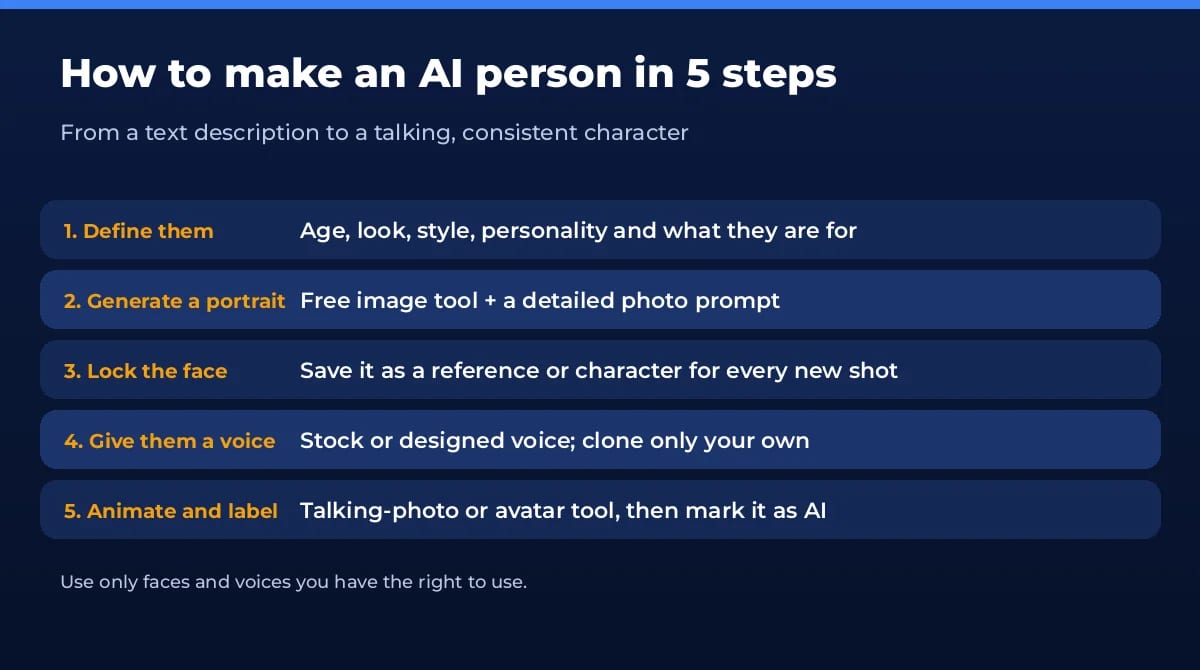
- Define who they are. Write a short brief: age range, look, clothing style, personality and the job they’ll do (presenter, mascot, stock model). A clear brief keeps every later image consistent.
- Generate a portrait. Open a free image tool such as Gemini or Firefly and describe the person like a photo shoot (see the formula below). Make 4 to 8 variations and pick one face.
- Lock the face. Save the best portrait and reuse it as a reference image for every new scene, or use the tool’s character feature. Ask for “the same person” and change only one thing at a time: outfit, place or pose.
- Give them a voice. Pick a stock voice or design one from a description. Clone only your own voice, or one you have written permission to use.
- Animate them. Upload the portrait to a talking-photo or avatar tool like HeyGen or D-ID, paste a short script, and generate. Start with 20 to 30 seconds to test the lip-sync.
- Label it and publish. Add a clear “AI-generated” note in the caption or on screen, and turn on the platform’s AI label if it has one.
How to make an AI person look realistic
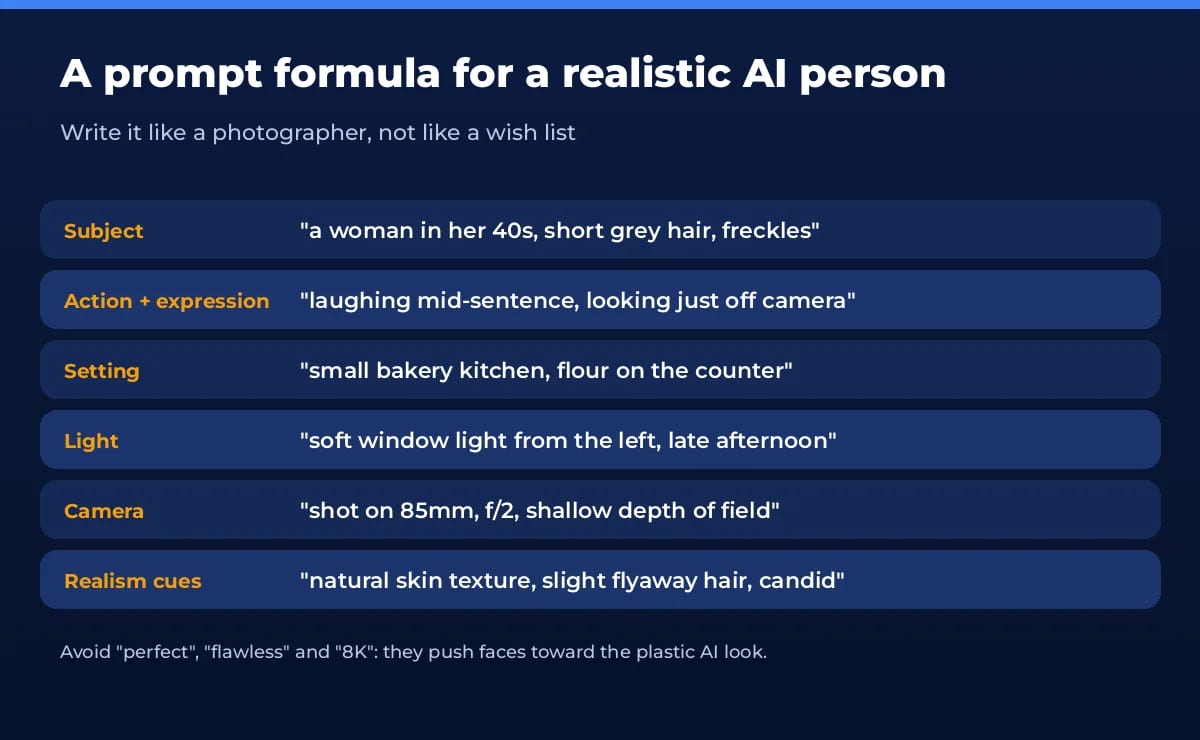
- Prompt like a photographer. Subject, action and expression, setting, light and camera. “85mm, f/2, soft window light” does more than “ultra realistic”.
- Ask for imperfections. Natural skin texture, pores, a few flyaway hairs, slightly uneven teeth. Perfect symmetry is what makes faces look fake.
- Give them something to do. A candid moment (pouring coffee, mid-laugh) looks more real than a stiff passport pose.
- Check hands, ears, teeth, glasses and text. These are still where AI slips. Regenerate or edit just that area.
- Fix plastic skin afterwards with a retouching tool like Enhancor, rather than pushing the prompt harder.
- Keep the same lighting and lens across a set so a series of photos looks like one shoot.
What people use AI people for
- Avatars and profile pictures: a stylised or realistic version of a fictional persona for games, forums or a faceless brand.
- Presenters for video: training, product explainers and multilingual updates without filming. Great for faceless YouTube channels.
- AI influencers and brand characters: one consistent character who appears across social posts and ads.
- Stock-style photos: diverse people in mockups, ads and websites when you can’t run a photo shoot. Check the tool’s commercial-use terms first.
- Personas and prototypes: faces for UX personas, storyboards and pitch decks.
Ethics and the law: deepfakes, consent and disclosure
An AI person you invent is one thing. An AI version of a real person is another, and that’s where most of the risk sits.
- Consent first. Don’t create a realistic image, video or voice of a real person without their written permission. HeyGen, Synthesia and others ask for a consent recording before they’ll build a custom avatar of someone.
- Disclose deepfakes in the EU. Under Article 50 of the EU AI Act, which applies from August 2, 2026, anyone who publishes a deepfake (AI content that resembles a real person, place or event and could pass as real) must clearly disclose it at first exposure, per the European Commission. Artistic, satirical or fictional work only needs a lighter disclosure.
- Non-consensual intimate images are illegal. In the US, the FTC began enforcing the TAKE IT DOWN Act on May 19, 2026. Platforms must remove reported non-consensual intimate images, including AI-generated ones, within 48 hours.
- No fake reviews or testimonials. Using an AI person to pose as a real customer is deceptive advertising in many countries. If an AI presenter promotes a product, make it clear they’re not a real user.
- Follow platform rules. Major social and video platforms ask you to label realistic AI-generated people. Use their built-in AI label when you post.
- Respect likeness rights. Using a celebrity’s face or voice, even “in the style of”, can breach publicity rights, and most AI tools ban it in their terms.
Not sure whether a face you’ve been sent is real? Our guide to using an AI image detector shows how to check.
Our verdict
To make an AI person for free, start with Gemini or Firefly for the portrait, keep one reference image to lock the face, and use HeyGen’s free plan when you need them to talk. Move to a paid plan when you need downloads without a watermark, longer videos or commercial rights. Most importantly, keep your AI person fictional or yours, and say it’s AI.
Frequently asked questions
What is an AI person?
An AI person is a human face or character created by artificial intelligence instead of a camera. It can be a single photo, a consistent character you reuse across many images, or a talking avatar that reads a script with lip-sync. The person usually doesn’t exist, unless you build a digital twin of yourself.
Can I create an AI person for free?
Yes. Google Gemini, ChatGPT, Adobe Firefly and Bing Image Creator all make AI people in photos for free within daily or rolling limits. For a talking AI person, HeyGen’s free plan gives 3 videos a month up to 1 minute, and Synthesia’s Basic plan gives 10 minutes a month with a watermark.
What is the most realistic AI person generator?
For still photos, the newest image models in Gemini (Nano Banana 2), ChatGPT Images and Firefly produce very lifelike faces when you prompt like a photographer. For talking video, HeyGen’s Avatar IV and Synthesia’s avatars are the most convincing presenters. Realism depends as much on your prompt and lighting as on the tool.
Is it legal to make an AI person?
Making a fictional AI person is legal in most places. The problems start when it looks like a real person without consent, is sexual and non-consensual, or misleads people. In the EU, deepfakes must be clearly disclosed since August 2, 2026, and in the US the TAKE IT DOWN Act targets non-consensual intimate images, including AI-made ones.
Can I make an AI influencer and earn money?
You can, but disclose it. Label the account and posts as AI, follow each platform’s AI-content rules and ad disclosure rules, and never present the AI person’s opinions as real customer reviews. Check that your tool’s plan allows commercial use, because several free tiers don’t.
Can I talk to an AI person?
Yes. Chatbots like ChatGPT and character apps let you chat or speak with an AI persona, and tools like HeyGen and D-ID offer interactive avatars that answer in real time with a face and voice. Remember that it’s software: don’t share private data you wouldn’t share with a company.
Found this useful? Share it with someone comparing AI tools.
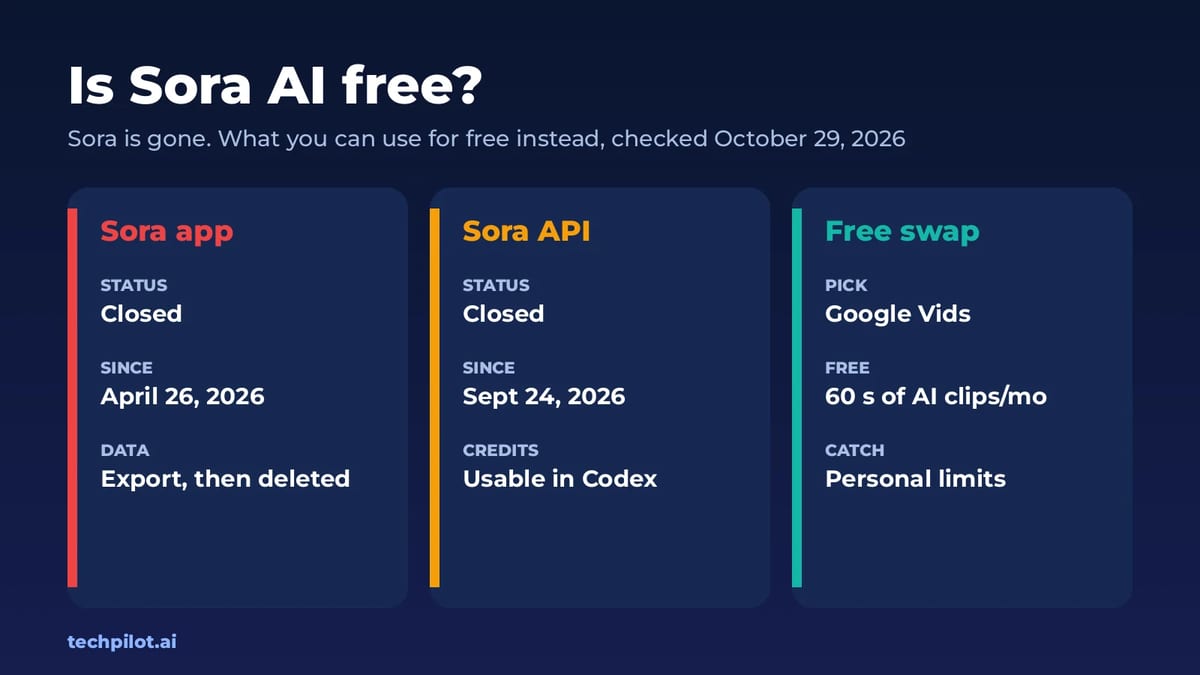
Is Sora AI Free? No, It Shut Down (2026)
Is Sora AI free? Not anymore. OpenAI shut down the Sora app on April 26, 2026 and the Sora API on September 24, so no free or paid Sora is left to…
 Eimantas Kazėnas · 5 min read
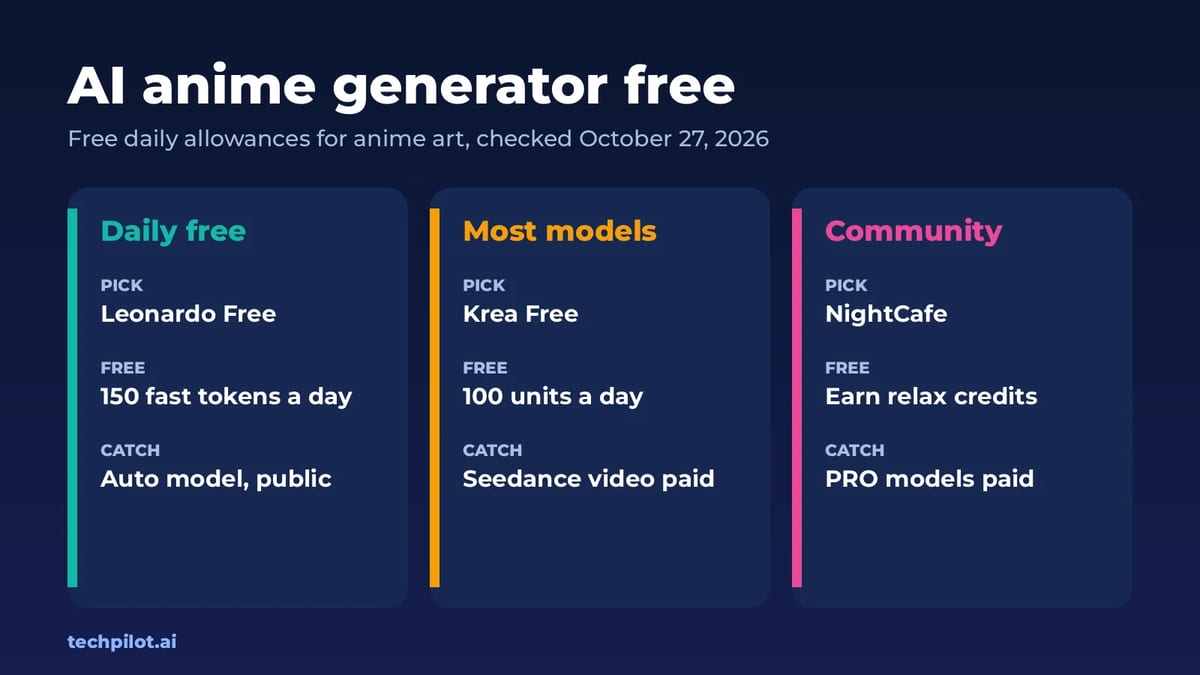
AI Anime Generator Free: 6 Best Picks (2026)
AI anime generator free options for 2026: Leonardo, Krea, NightCafe and Canva, compared by daily free allowance, model limits and what paid plans…
Eimantas Kazėnas · 6 min read