Home / Guides / AI Video Generator
Best AI Text to Video Generator Free (2026)
The best AI text to video generator free options that work now: Google Flow, Vids, Dreamina, Kling, PixVerse and more, with real free limits and the catch.
 Mihai (Mike) Bizz Business, entrepreneurship, tech & AI
 - Updated
- 10 min read
On this page Quick comparison: free AI text to video generators
Independent and reader-supported. Some links may earn us a commission; it never changes our rankings. Editorial policy
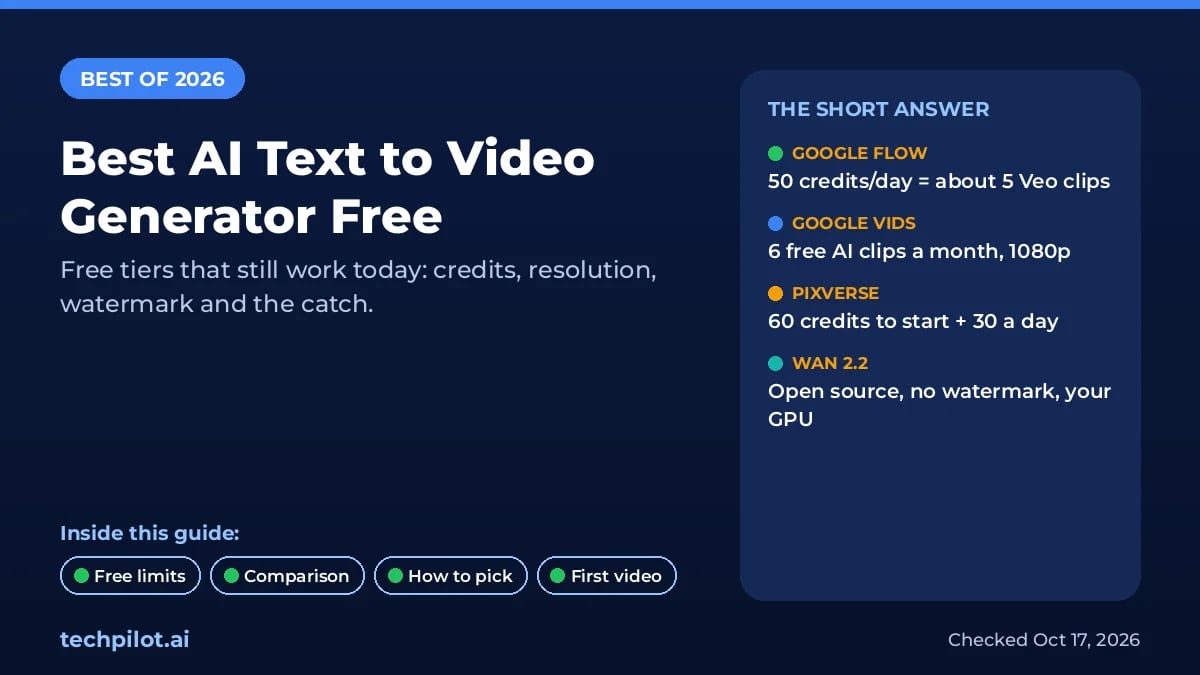
Want an AI text to video generator free of charge that actually works in 2026? Your best options are Google Flow (about five Veo clips a day, though Google now lists a paid AI plan as a requirement), Google Vids (60 free seconds of 1080p AI clips a month), Dreamina and PixVerse (daily free credits), and Wan 2.2 if you have a gaming GPU. Below is exactly what each one gives you free, the catch, and who it suits.
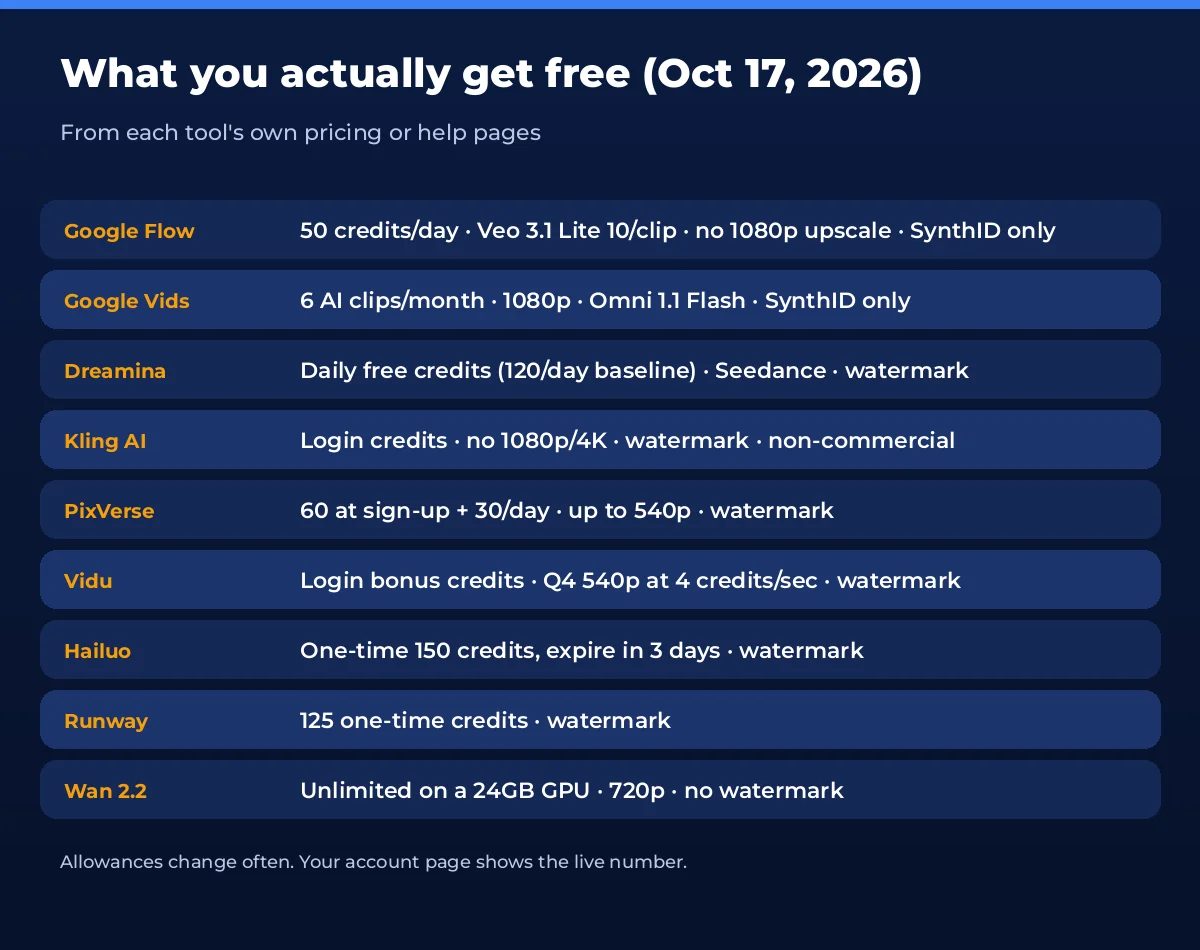
Free tiers change all the time, and a lot of “free” lists still recommend tools that dropped their free plan. We checked every allowance on the vendors’ own pricing and help pages on October 17, 2026. Pika now lists 0 monthly credits on its Free plan and Luma has no free plan at all, so neither makes this list.
Quick comparison: free AI text to video generators
| Tool | What you get free | Watermark | Best for |
|---|---|---|---|
| Google Flow | 50 credits/day (about 5 Veo 3.1 Lite clips); Google now lists an AI plan as required | Invisible SynthID only | Best overall free |
| Google Vids | 60 s of AI clips/month, 1080p | Invisible SynthID only | Promo and explainer videos |
| Dreamina | Daily free credits (Seedance) | Yes | Cinematic, realistic shots |
| Kling AI | Login credits, no 1080p/4K | Yes | People and complex motion |
| PixVerse | 60 credits at sign-up + 30/day, up to 540p | Yes | Daily social clips |
| Vidu | Login bonus credits, Q4 at 540p | Yes | Anime and 2D |
| Hailuo | 150 credits once, expire in 3 days | Yes | A quick test of MiniMax H3 |
| Meta AI | Free image-to-video “vibes” | Not stated | Phone-only users |
| Runway | 125 credits once | Yes | Trying Runway before paying |
| Wan 2.2 (local) | Unlimited on your own GPU, 720p | No | Commercial work, no limits |
The best free AI text to video generators, tool by tool
1. Google Flow (Veo 3.1): best clips, now tied to Google AI plans
- Free: Google’s credits page says everyone gets 50 Flow credits a day, subscriber or not (Google Flow Help), but its getting started page now lists a Google AI Plus, Pro or Ultra subscription as a requirement, so free access isn’t guaranteed. AI Plus costs $4.99 a month in the US. Veo 3.1 Lite costs 10 credits per 4, 6 or 8 second clip, so that’s up to five clips a day. Veo 3.1 Fast costs 20, and Gemini Omni Flash at 360p costs just 4 to 7 credits. No visible watermark, only Google’s invisible SynthID.
- The catch: credits don’t roll over, and the next day’s 50 only arrive after your first generation. Free users can be blocked from video at peak time, roughly 2 PM to 5 PM UTC (7:30 to 10:30 PM IST). 1080p upscaling is for paid Google AI plans only, and Veo 3.1 Quality (100 credits) is out of reach. Some requests make 2 videos and charge for both, so set outputs to 1.
- Best for: anyone who wants the best-looking free clips with no logo on them.
2. Google Vids (Gemini Omni): best for finished promo videos
- Free: since September 23, 2026, anyone with a Google account can generate AI video scenes in Google Vids with Gemini Omni 1.1 Flash in 1080p (Google announcement). Personal accounts get 60 seconds of AI video clips a month, plus 6 AI avatar videos (Vids limits). Clips go straight into an editor with templates, text and music.
- The catch: 6 clips is a small number, it’s desktop only (vids.new), and the limit resets once a month at midnight Pacific time. Personal accounts may have some limits on AI video editing.
- Best for: small businesses and creators who need one polished 30 to 60 second promo, not dozens of test shots.
3. Dreamina (Seedance): best for cinematic, realistic shots
- Free: ByteDance’s Dreamina gives free daily credits for images and video, with Seedance models for video. Dreamina’s own guide put the baseline at 120 credits a day in August 2026; your account shows today’s number.
- The catch: free downloads carry the Dreamina watermark (removing it is listed as a paid benefit), credit cost per clip changes with model, length and resolution, and Dreamina says commercial use depends on its terms.
- Best for: realistic people, camera moves and story shots when you can live with a watermark.
- Our page: Seedance 2.5 tool page
4. Kling AI: best for people and complex motion
- Free: the Basic plan is $0 forever and gives login credits for standard generation. Kling doesn’t publish the free amount; it appears in your account.
- The catch: 1080p/4K, watermark removal, commercial use and multi-video batches are all paid features, and free jobs queue behind members. Paid plans start at $10 a month ($6.99 first month).
- Best for: testing human motion, dancing, sports or anything where bodies have to look right.
- Our page: Kling 4 tool page
5. PixVerse: best for daily social clips
- Free: 60 credits when you join, then 30 free credits every day (PixVerse plans). Daily credits reset at 0:00 UTC (5:30 AM IST) and expire at the end of the day.
- The catch: the free Basic plan caps video at 540p, keeps the watermark, and only runs PixVerse’s own models (Seedance, Kling and Veo-type models are paid). Standard is $10 a month, or $8 billed yearly.
- Best for: short meme, effect and template videos for Reels and Shorts, where 540p is fine.
- Our page: PixVerse tool page
6. Vidu: best for anime and 2D animation
- Free: the free plan gives log-in bonus credits and 10 references a month. Vidu Q4 at 540p costs 4 credits per second on free (2 per second on paid plans).
- The catch: free videos carry a watermark, top out at 540p on Q4, and Vidu says commercial use is a paid feature. Off-peak free generation is only on Premium and Ultimate.
- Best for: anime-style shorts and consistent characters across several clips.
- Our page: Vidu tool page
7. Hailuo (MiniMax H3): best for a one-off quality test
- Free: new accounts get a one-time pack of free credits (the sign-up banner showed 150 credits on October 17) for Hailuo’s own models, including MiniMax H3.
- The catch: per Hailuo terms, those credits expire three days after you get them, there’s no monthly refill, and free downloads include a watermark.
- Best for: trying MiniMax H3 on two or three of your best prompts before deciding where to pay.
8. Meta AI app: best if you only have a phone
- Free: in the free Meta AI app you type a prompt, Meta AI makes images, and you tap Animate to turn one into a short video (a “vibe”) with optional music or lip sync.
- The catch: it’s text to image to video, not direct text to video, Meta doesn’t publish limits, and features vary by country. Your prompts are used to improve Meta’s AI.
- Best for: quick fun clips for Instagram or WhatsApp with zero setup.
9. Runway: best for trying Runway before paying
- Free: 125 credits, once, on a selection of Runway’s models. They never expire.
- The catch: they also never refill, and free videos are watermarked. Standard costs $12 a month billed yearly ($15 monthly) for 625 credits.
- Best for: a short trial of Runway’s editor and models.
- Our page: Runway tool page
10. Wan 2.2 (open source): best for unlimited, commercial use
- Free: Alibaba’s Wan 2.2 is open source under Apache 2.0 (Hugging Face). The TI2V-5B model makes 720p, 24 fps video from text or an image and runs on a single 24GB GPU like an RTX 4090. No watermark, no credits, and you own the output.
- The catch: you need the hardware and some setup (Python, or ComfyUI). Wan’s own figure is under 9 minutes for a 5-second 720p clip on one consumer GPU, and the bigger 14B models want far more VRAM.
- Best for: creators and agencies who make lots of clips and need clean commercial rights.
Also worth knowing: Pika now sells credit packs only on its Free plan, and Luma starts at $30 a month, so both are paid tools now. If you are happy to pay a little, see our Seedance 2.0 review.
How to pick the right free tool
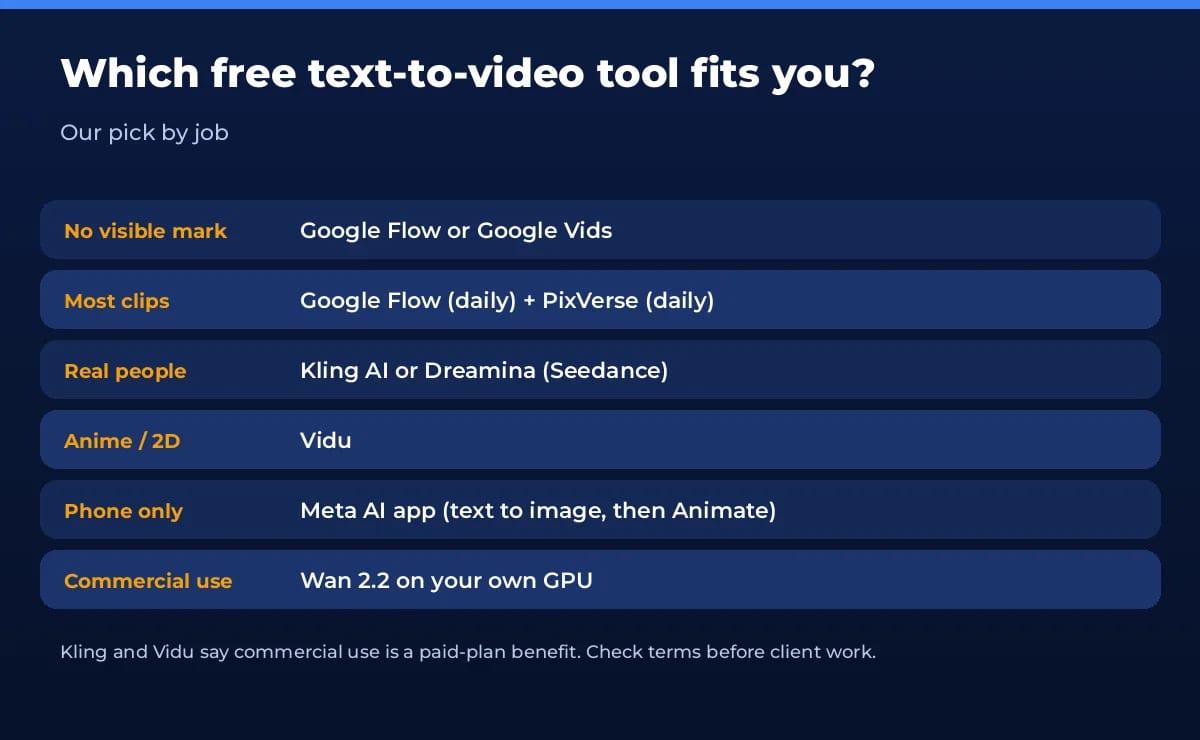
- You want no logo on the video: start with Google Flow, and see our best AI video generator free guide for every watermark-free option. Use Google Vids when you need a finished, edited promo.
- You want the most free clips: combine Google Flow (about 5 a day) with PixVerse (30 credits a day). Both reset daily, so use them every day instead of saving up.
- You need realistic people: test the same prompt in Kling and Dreamina and keep the better result.
- You make anime: Vidu is built for 2D and character consistency.
- You only have a phone: the Meta AI app is the easiest start.
- You need clean commercial rights: Wan 2.2 on your own GPU, or a paid plan on the tool you like most.
Still unsure what matters beyond price? Our guide on how to choose an AI video generator covers quality, control and licensing.
How to make your first free AI video
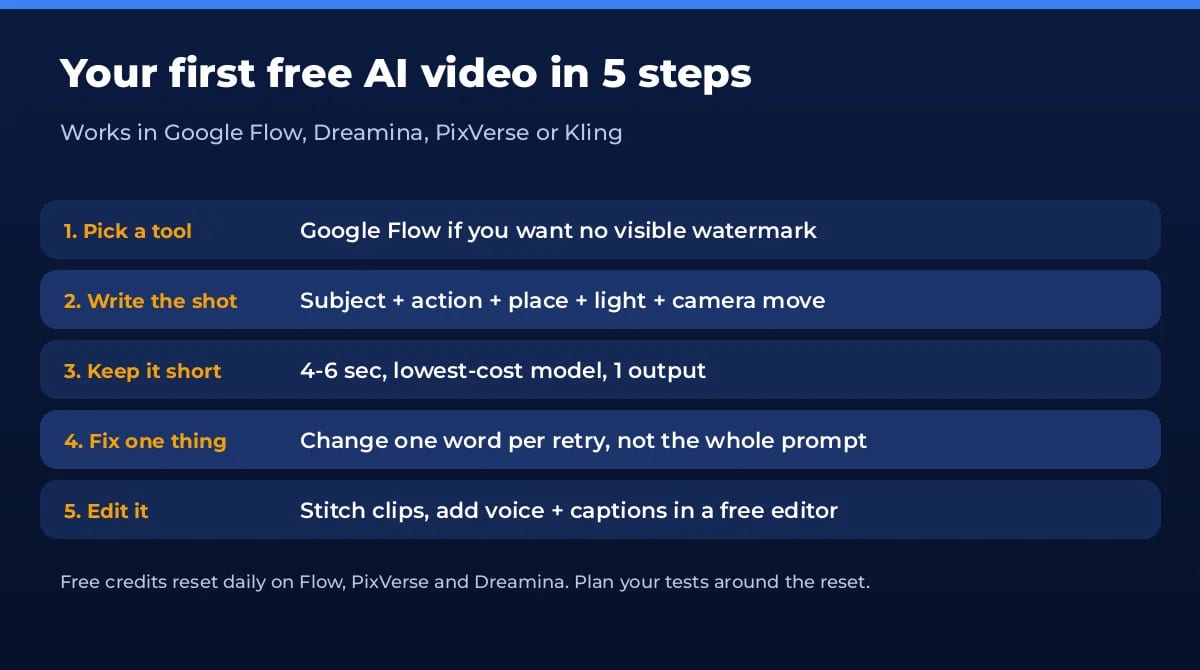
- Open Google Flow and sign in with your Google account. Start a new project.
- Switch the model to Video and pick Veo 3.1 Lite (10 credits). Set outputs to 1 and length to 4 to 8 seconds.
- Write one shot, not a story. Use subject + action + place + light + camera, for example: “A street food vendor in Mumbai flips a dosa on a hot pan, steam rising, warm evening light, slow push-in, handheld.”
- Generate, then change one thing at a time. If the motion is wrong, edit only the action words. Several small fixes beat one big rewrite.
- Join and finish. Download your best clips, line them up in a free editor (Google Vids, CapCut or Canva), and add a voiceover and captions.
For a deeper walkthrough of scripts, shots and editing, read how to use an AI video generator. Making faceless content? Our list of AI tools for faceless YouTube covers voice and editing too.
Our verdict
For most people, the best AI text to video generator free today is Google Flow if your account can use it: about five Veo clips a day with no visible watermark, though Google now lists a paid AI plan as a requirement. Google Vids is the safest no-cost pick for a finished 1080p promo, with 60 seconds of AI clips a month. Add PixVerse or Dreamina when you want extra daily tries. If you make video every day for clients, free tiers will slow you down. Either run Wan 2.2 yourself or pay for one month of the tool whose free clips you liked best. Want to put your own face into a clip instead? Try our free AI face swap video picks, or browse every category in our free AI tools hub.
Frequently asked questions
Is there a completely free AI text to video generator?
Yes, with limits. Google Vids gives personal accounts 60 seconds of AI clips a month. Google Flow’s credits page lists 50 credits a day, about five 8-second Veo 3.1 Lite clips, but Flow now lists a Google AI plan as a requirement. The only truly unlimited option is running the open-source Wan 2.2 model on your own GPU.
Which free AI video generator has no watermark?
Google Flow and Google Vids add no visible logo, only Google’s invisible SynthID mark. Wan 2.2 run locally adds nothing. Dreamina, Kling, PixVerse, Vidu, Hailuo and Runway all put a watermark on free downloads and remove it only on paid plans.
Can I use free AI videos on YouTube or for clients?
Check each tool’s terms first. Kling and Vidu list commercial use as a paid-plan benefit. Wan 2.2 is Apache 2.0, so you own what you make. We couldn’t find commercial terms specific to free Flow credits, so read Google’s terms before monetising.
How long can a free AI video be?
Most free clips are 4 to 10 seconds. Google Flow makes 4, 6 or 8 second Veo clips. To make a longer video, generate several short shots with the same character description and join them in a free editor.
When do free AI video credits reset in India?
PixVerse daily credits reset at 0:00 UTC, which is 5:30 AM IST. Google Flow gives the next 50 credits on the next day after your first generation, and unused credits don’t carry over. Google Vids resets its 60 seconds of AI clips at midnight Pacific time on the 1st of each month, around midday IST.
Why does Google Flow say I can’t generate a video?
Non-subscribers may be blocked from video during peak hours, roughly 2 PM to 5 PM UTC (7:30 PM to 10:30 PM IST). You can still make images and use the agent then. Try again in the morning, or check you haven’t used your 50 daily credits.
Found this useful? Share it with someone comparing AI tools.
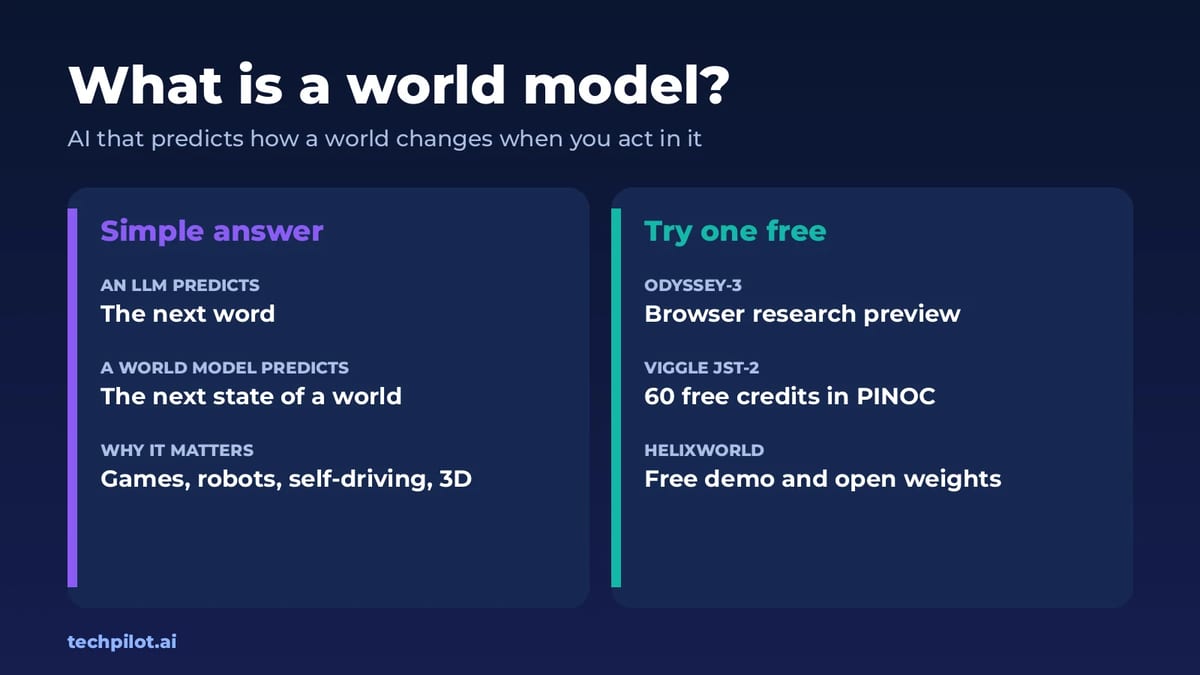
What Is a World Model? AI World Models 2026
What is a world model? It’s an AI that learns how a world works so it can predict what happens next when you act. Here’s how it works and where to…
 Eimantas Kazėnas · 6 min read
Kling 4 vs Seedance 2.5: Which AI Video Wins?
Kling 4 vs Seedance 2.5 compared: access, pricing from $8.80 vs $15 a month, 30 s vs 180 s clips, 4K, audio and best uses, with a verdict for…
 Mihai (Mike) Bizz · 7 min read