Home / Guides / AI Video Generator
AI Face Swap Video Free: 4 Best Tools (2026)
 Mihai (Mike) Bizz Business, entrepreneurship, tech & AI
 - Published
- 5 min read
On this page Best free AI face swap video tools compared
- Best free AI face swap video tools compared
- 1. Magic Hour: best for a quick free swap
- 2. Akool: best for longer free clips
- 3. Vidnoz: best for HD output
- 4. FaceFusion: best free option with no limits
- What about Kling and other video generators?
- How to face swap a video for free
- Is AI face swapping legal and safe?
- Which free face swap tool should you use?
- Frequently asked questions
Independent and reader-supported. Some links may earn us a commission; it never changes our rankings. Editorial policy
AI face swap video free tools exist, but each has a catch: short clips, watermarks or personal use only. Compare Magic Hour, Akool, Vidnoz and FaceFusion.
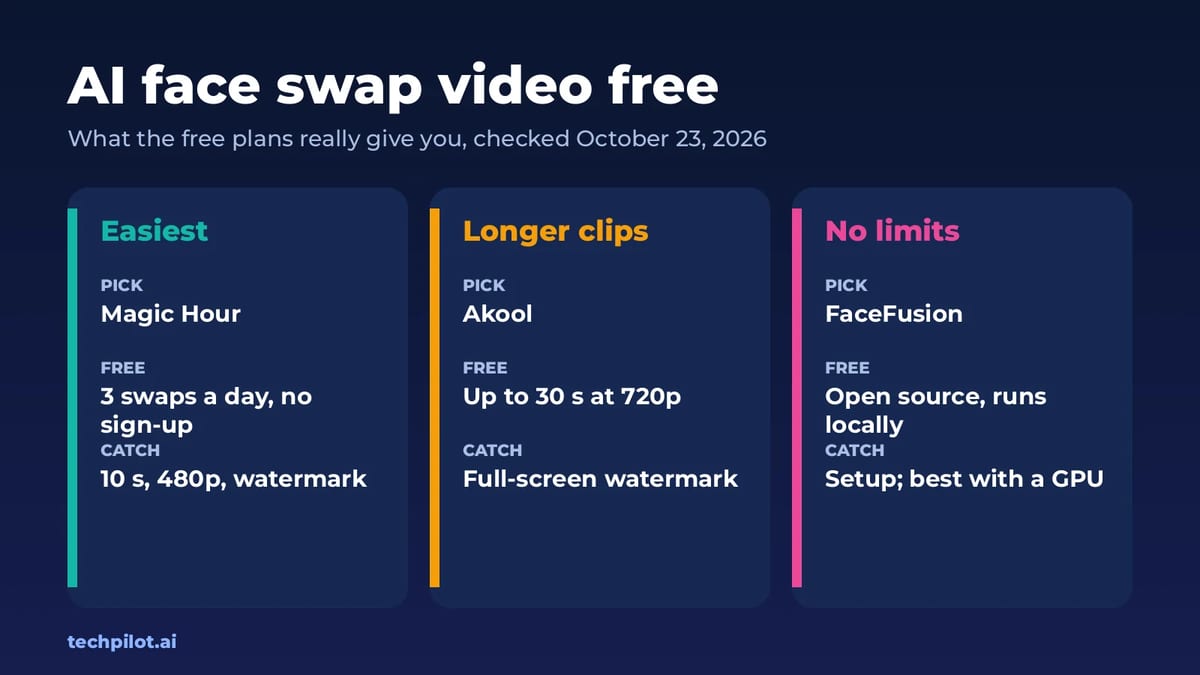
Quick answer: for a quick, free face swap on a short clip, use Magic Hour: 3 free swaps a day with no sign-up. For clips up to 30 seconds, use Akool’s free plan. If you want no watermark and no daily cap, and you’re happy to install software, use FaceFusion on your own computer. We checked every free plan below on October 23, 2026.
Best free AI face swap video tools compared
| Tool | Free plan | Watermark | Commercial use on free | Paid from |
|---|---|---|---|---|
| Magic Hour | 3 video swaps a day, up to 10 s at 480p, no sign-up | Yes | No | $12/mo yearly ($19 monthly) |
| Akool | Up to 30 s, 720p, 150 MB uploads | Full-screen | No | $12/seat/mo yearly |
| Vidnoz | Daily free uses, up to 1080p | Yes | Check terms | Starter plan removes watermark |
| FaceFusion | Free and open source, runs locally | No | Depends on the model | Free |
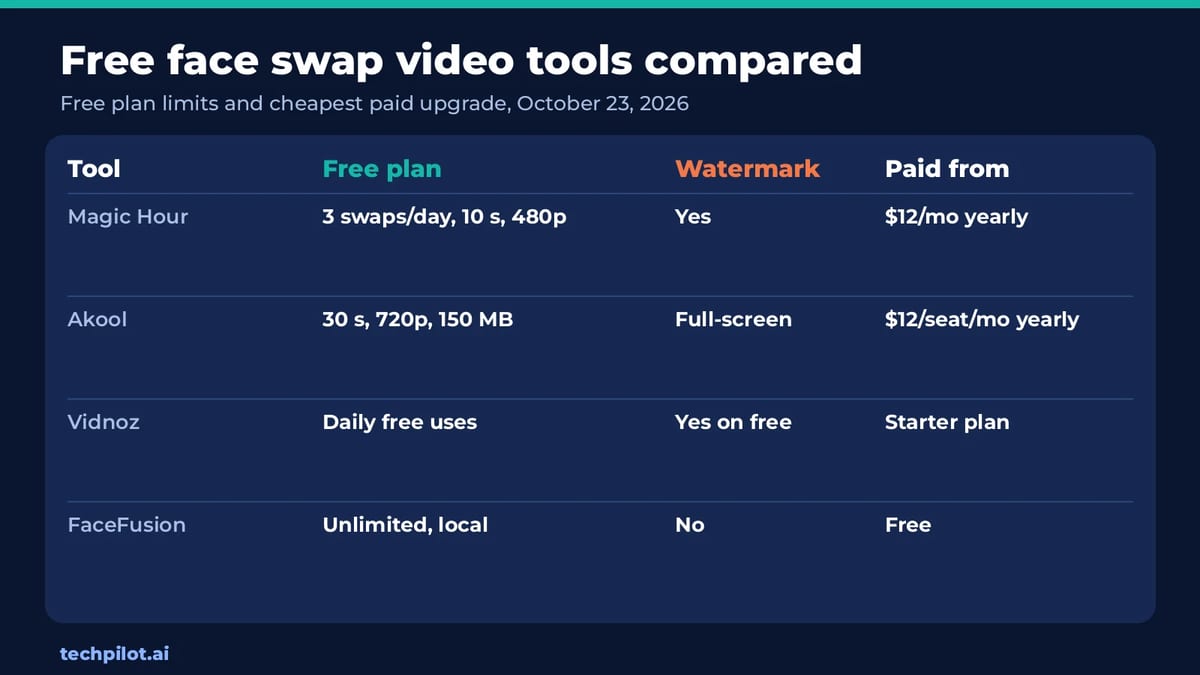
The pattern is the same everywhere: online tools give you a taste for free, then charge to remove the watermark, raise the resolution or let you use the result commercially. The only way to get unlimited, unwatermarked swaps for free is to run the model yourself.
1. Magic Hour: best for a quick free swap
Magic Hour is the easiest place to start because you don’t need an account. Upload a short video and a face photo, and you get the result in a few minutes.
- Free: 3 video face swaps a day with no sign-up, clips up to 10 seconds at 480p. Multi-face mode, which swaps several people in one clip, is included.
- The catch: free videos are watermarked and for personal, non-commercial use only.
- Paid: Creator is $12 a month billed yearly ($19 monthly) with 1024px output; Pro is $25 yearly ($39 monthly). Credit packs start at $1 for 400 credits and also remove the watermark and add commercial use.
- Best for: trying a funny swap or a mock-up before you pay for anything.
2. Akool: best for longer free clips
Akool started as a face swap tool and now covers avatars and video translation too. We cover the full platform in our Akool review.
- Free: face swap uploads up to 720p, 150 MB and 30 seconds, three times longer than Magic Hour.
- The catch: a full-screen watermark and no commercial licence, so free results are only useful for testing.
- Paid: from $12 a seat a month billed yearly ($144 a year) for 200 credits, all face swap models and up to 1080p.
- Best for: checking how a longer scene looks before you buy credits.
3. Vidnoz: best for HD output
- Free: Vidnoz offers daily free face swap uses in the browser, and its face swap page says it supports up to 1080p and long videos.
- The catch: Vidnoz doesn’t spell out the free daily limit clearly, and the watermark only goes away on paid plans, starting with Starter.
- Best for: testing HD output when 480p from Magic Hour isn’t sharp enough.
4. FaceFusion: best free option with no limits
FaceFusion is an open-source face swapper you install on your own Windows, Mac or Linux computer. There’s no account, no watermark and no daily cap.
- Free: the software is free under the OpenRAIL-AS licence, and installers exist for Windows and macOS.
- The catch: it takes some setup, it’s much faster with a decent GPU, and many of the face swap models it uses are licensed for non-commercial use only. It also ships with a content filter.
- Best for: people who swap often and don’t want watermarks or monthly fees.
For other open models you can run at home, see our list of the best local AI models.
What about Kling and other video generators?
Full video models can now replace a character in an existing clip, not just paste a face. Kling 4.0 supports this, but it runs on paid credits and isn’t a free option. If you want to generate a whole new clip rather than swap a face, start with our list of the best free AI text to video generators.
How to face swap a video for free
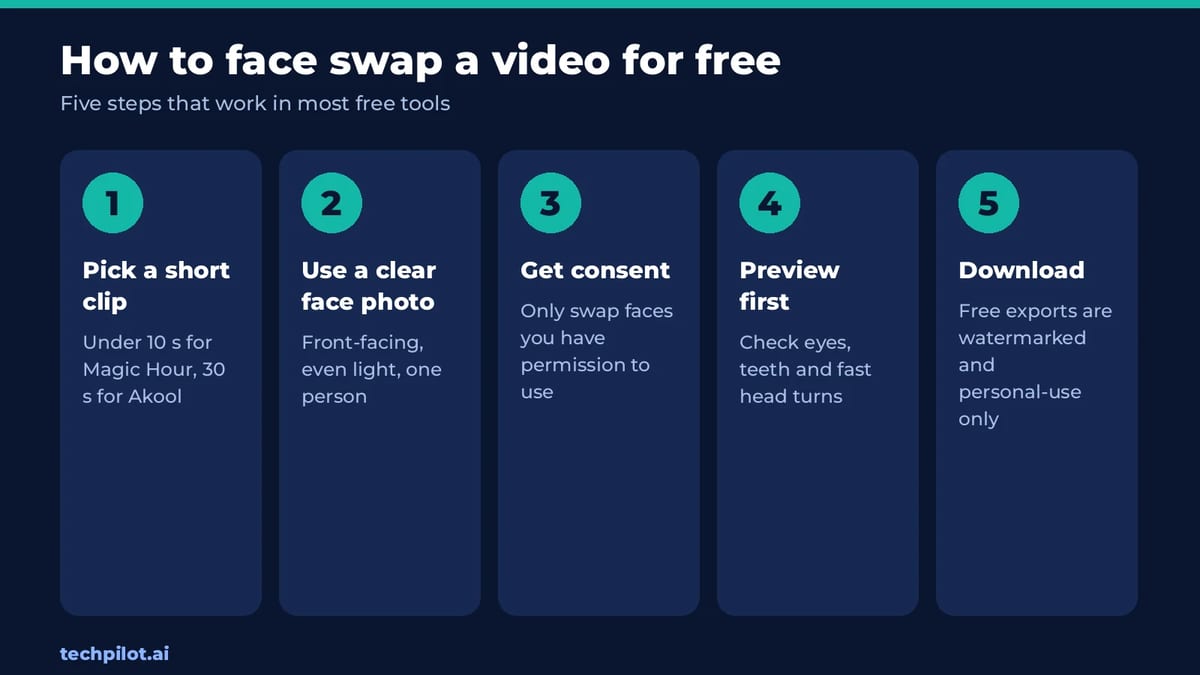
- Pick a short clip. Keep it under 10 seconds for Magic Hour or 30 seconds for Akool, with the face clearly visible.
- Use a clear face photo. Front-facing, evenly lit, with one person in the frame.
- Get consent. Only use faces you have permission to use, including your own.
- Preview before you export. Check eyes, teeth, glasses and fast head turns, where swaps usually break.
- Download. Remember that free exports are watermarked and usually limited to personal use.
Is AI face swapping legal and safe?
Swapping your own face, or a friend’s with their permission, for fun is fine in most places. Using someone’s face without consent, to impersonate them, or for sexual content can break the law in many countries and breaks the terms of every tool on this list. Many services also add watermarks or limit commercial use on free plans for this reason. Treat any swap you post as something people may take at face value, and label it as AI-made.
Which free face swap tool should you use?
- One quick swap: Magic Hour, no account needed.
- A longer scene: Akool, up to 30 seconds.
- Sharper output: Vidnoz, up to 1080p.
- Lots of swaps, no watermark: FaceFusion on your own computer.
Need a still image instead of a video? See our guides to the best free AI image generator and the free AI headshot generator options, or use a chatbot from our free chat AI list to write prompts.
Frequently asked questions
What is the best free AI face swap video tool?
Magic Hour is the easiest: 3 free video face swaps a day with no sign-up, up to 10 seconds at 480p. Akool’s free plan allows longer clips, up to 30 seconds at 720p.
Can I face swap a video for free without a watermark?
Not with the online tools we checked: Magic Hour, Akool and Vidnoz watermark free exports. FaceFusion, which you install on your own computer, is free and adds no watermark.
Is Magic Hour face swap free?
Yes. Magic Hour gives 3 free video face swaps a day with no account, up to 10 seconds at 480p, watermarked and for personal use. Paid plans start at $12 a month billed yearly.
Can I use free face swap videos commercially?
Usually not. Magic Hour and Akool limit free results to personal, non-commercial use. You need a paid plan or credit pack, and permission from the person whose face you use.
Is AI face swapping legal?
Swapping your own face, or someone’s with their consent, is generally fine. Using a face without consent, to impersonate someone or for sexual content can be illegal and breaks these tools’ terms.
Found this useful? Share it with someone comparing AI tools.
What Is a World Model? AI World Models 2026
What is a world model? It’s an AI that learns how a world works so it can predict what happens next when you act. Here’s how it works and where to…
 Eimantas Kazėnas · 6 min read
idea.ai Video Generator: AI Video for Marketing Campaigns
See how marketers use the idea.ai video generator and Director Mode for ads, social clips and launch videos, plus workflow steps, pricing, pros and…
 Mihai (Mike) Bizz · 10 min read