Home / Guides / Productivity
Free AI Tools: Best Free Picks by Task (2026)
 Eimantas Kazėnas Marketing & Tech
 - Published
- 5 min read
On this page Free AI tools by task
- Free AI tools by task
- Free AI chatbots
- Free AI image generators
- Free AI video generators
- Free AI photo tools
- Free AI design tools
- Free AI tools for writing and SEO
- Free AI you run on your own computer
- Free AI tools that aren’t really free
- How to get the most from free AI tools
- Frequently asked questions
Independent and reader-supported. Some links may earn us a commission; it never changes our rankings. Editorial policy
Free AI tools for chat, images, video, photos and design, with the best free pick for each task, real limits and links to our full tested guide for each.
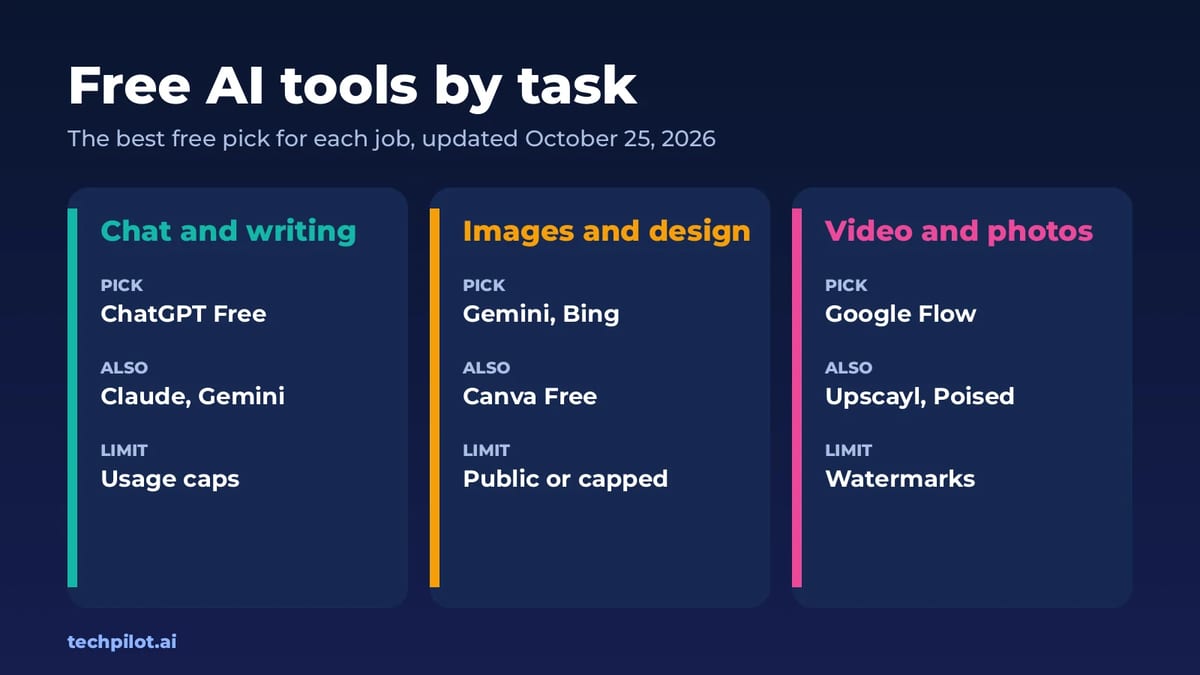
Quick answer: the free AI tools worth starting with are ChatGPT Free for chat, Bing Image Creator or Gemini for images, Google Flow for video and Canva Free for design. For photos, Upscayl and Poised are free with no watermark. Below is the best free pick for every task, with links to our full guides, where we compare each free plan on the vendor’s own pages. This hub was last updated on October 25, 2026.
Free plans change constantly. Tools drop their free tier, cut credits or add watermarks, and old lists keep recommending them anyway. So every guide linked here is one we’ve checked recently, and each one tells you the catch: how much you get, whether there’s a watermark and whether you can use the result commercially.
Free AI tools by task
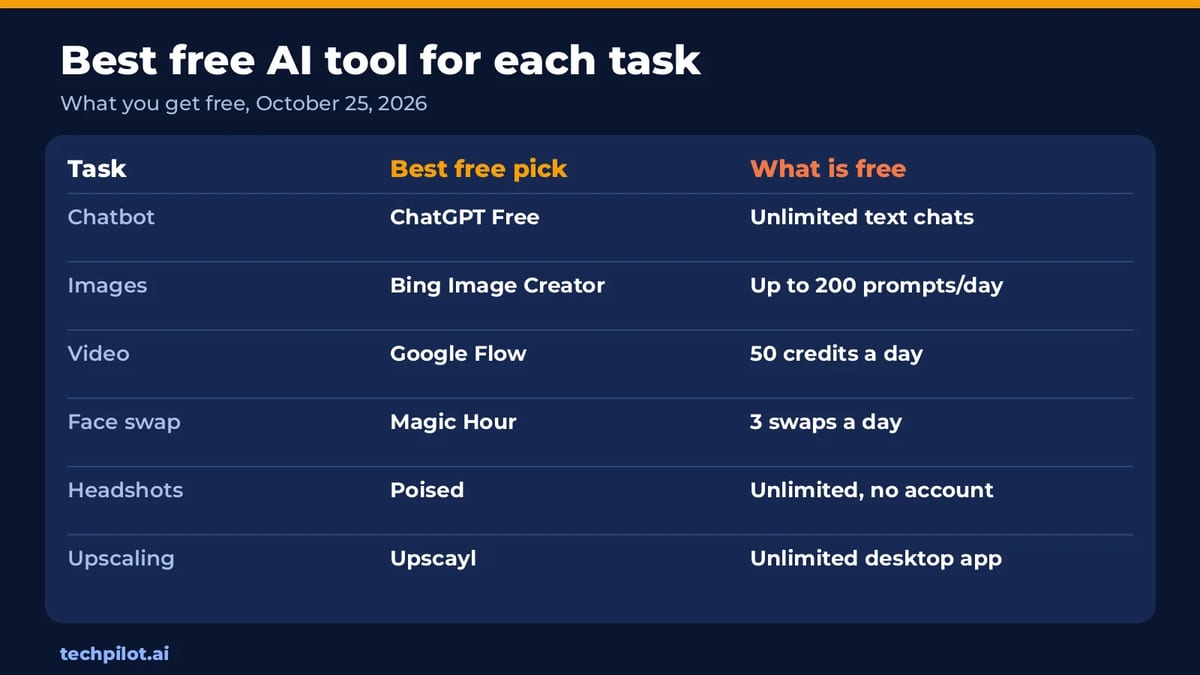
| Task | Best free pick | What’s free | Full guide |
|---|---|---|---|
| Chatbot | ChatGPT Free | Unlimited everyday text chats | Free chat AI |
| Overall top 10 | ChatGPT, Claude, Gemini | A full free AI toolkit | Best free AI |
| Images | Gemini, Bing Image Creator | Up to 200 Bing prompts a day | Free AI image generators |
| Text to video | Google Flow | 50 credits a day | Free AI text to video |
| Video, no watermark | Google Flow, Wan 2.2 | Invisible mark or none | Best free AI video generators |
| Image to video | Google Flow | 5 Veo clips a day from your photo | Image to video free AI |
| Face swap video | Magic Hour | 3 swaps a day, no sign-up | AI face swap video free |
| Headshots | Poised | Unlimited, no account | Free AI headshot generators |
| Men’s hairstyles | Hair & Beard Style | Free previews, no account | Free AI hairstyle male |
| Upscaling | Upscayl | Unlimited desktop app | Free AI upscalers |
| Running AI offline | Open models | Unlimited on your computer | Best local AI models |
Free AI chatbots
Start here, because a good chatbot covers writing, research, planning and quick image edits. ChatGPT Free gives unlimited everyday text chats with web search and uploads. Claude Free is the better writer, with usage that resets every five hours. Gemini is best inside Google apps, and DeepSeek has no paid chat plan at all. Our free chat AI guide compares seven of them, and best free AI shows which ten free tools are worth keeping overall.
Free AI image generators
Gemini makes and edits images with Nano Banana 2 on its free plan. Bing Image Creator gives the most volume: 15 fast creations a day, then up to 200 prompts at standard speed. For posters and logos with readable words, Ideogram gives 30 free credits a week if you sign in with Google, Apple or Microsoft. Watch the rights: some free plans make your images public or rule out commercial use. All seven picks are in our best free AI image generator list.
Free AI video generators
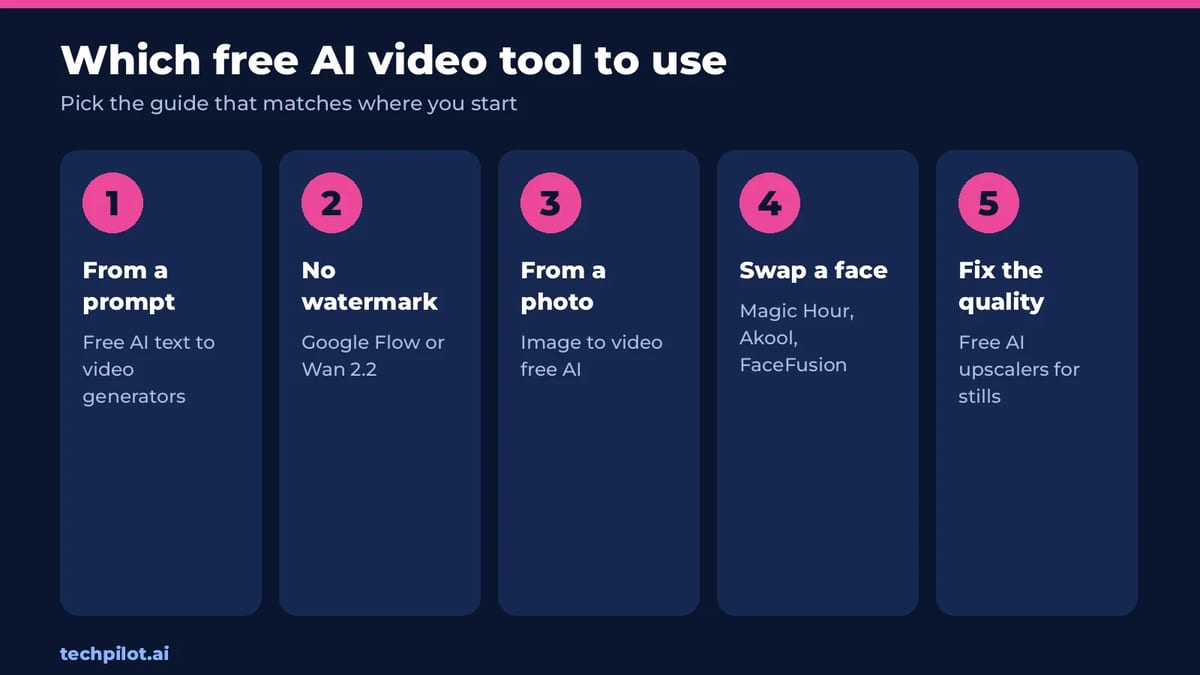
Google Flow is the standout: 50 credits a day, enough for five 8-second Veo 3.1 Lite clips. PixVerse adds 30 free credits a day at up to 540p, and Wan 2.2 runs on your own GPU with no watermark. We have three guides, depending on where you start:
- From a prompt: free AI text to video generators, with Dreamina, Vidu, Hailuo and more.
- Ranked by watermark and free seconds: best AI video generator free.
- From a photo: image to video free AI, with first and last frame tips.
- Swapping a face into a clip: AI face swap video free, from Magic Hour to FaceFusion.
Free AI photo tools
- Headshots: Poised makes unlimited headshots with no account or watermark. See our free AI headshot generator picks.
- Haircuts: Hair & Beard Style and StyleGen preview cuts and beards on your selfie. See free AI hairstyle male tools.
- Upscaling: Upscayl enlarges images on your computer with no limits, and Bigjpg works in a browser with no login. See our free AI upscaler guide.
- Photo edits in chat: copy one of our ChatGPT photo editing prompts into ChatGPT Free or Gemini.
Free AI design tools
Canva Free includes the editor, 1.6M+ templates and up to 20 AI uses, which now cover Canva Craft, its new in-house image model. For vector logos and print files, Ideogram has just added an AI SVG generator. Etsy sellers can also read our test of free AI tools for Etsy sellers.
Free AI tools for writing and SEO
Any of the free chatbots above will draft and edit text. For search work, see our list of free AI-powered SEO tools. If you need AI text to read more naturally, our ranking of the most accurate AI humanizers compares the leading options.
Free AI you run on your own computer
Open models are the only AI that’s truly unlimited and private for free, because your own hardware does the work. Wan 2.2 makes video, Upscayl upscales photos and local chat models answer questions offline. Our best local AI models guide matches models to your GPU and RAM.
Free AI tools that aren’t really free
- Pika: its free plan lists 0 monthly credits.
- Luma: has no free plan.
- One-time trials: Runway’s 125 credits and Hailuo’s sign-up bonus are tests, not ongoing free plans.
How to get the most from free AI tools
- Keep two of everything. When one free chatbot or video tool hits its limit, switch to the other.
- Learn the reset times. Gemini and Claude refresh every 5 hours; Google Flow and PixVerse refresh daily.
- Check rights before you publish. Free images can be public, and free videos are often watermarked or personal use only.
- Pay for one plan, not five. When a limit costs you time every day, upgrade the tool you use most.
Frequently asked questions
What are the best free AI tools?
ChatGPT Free for chat, Gemini or Bing Image Creator for images, Google Flow for video and Canva Free for design. For photos, Upscayl and Poised are free with no watermark.
Are free AI tools really free?
Most are free with limits. Chatbots cap usage and reset every few hours, video tools give daily credits and add watermarks, and some image tools make free creations public.
What is the best free AI tool for video?
Google Flow. It gives 50 credits a day, enough for five 8-second Veo 3.1 Lite clips from a prompt or a photo.
Can I use free AI tools for commercial work?
Sometimes. Check each tool’s free plan: Magic Hour’s free face swaps and Vidu’s free videos don’t include commercial use, while open models like Wan 2.2 allow commercial use.
Which free AI tools work offline?
Open models you run yourself, such as Wan 2.2 for video, Upscayl for upscaling and local chat models. They need a capable computer but have no usage limits.
Found this useful? Share it with someone comparing AI tools.
Free AI Headshot Generator: 5 Best Options
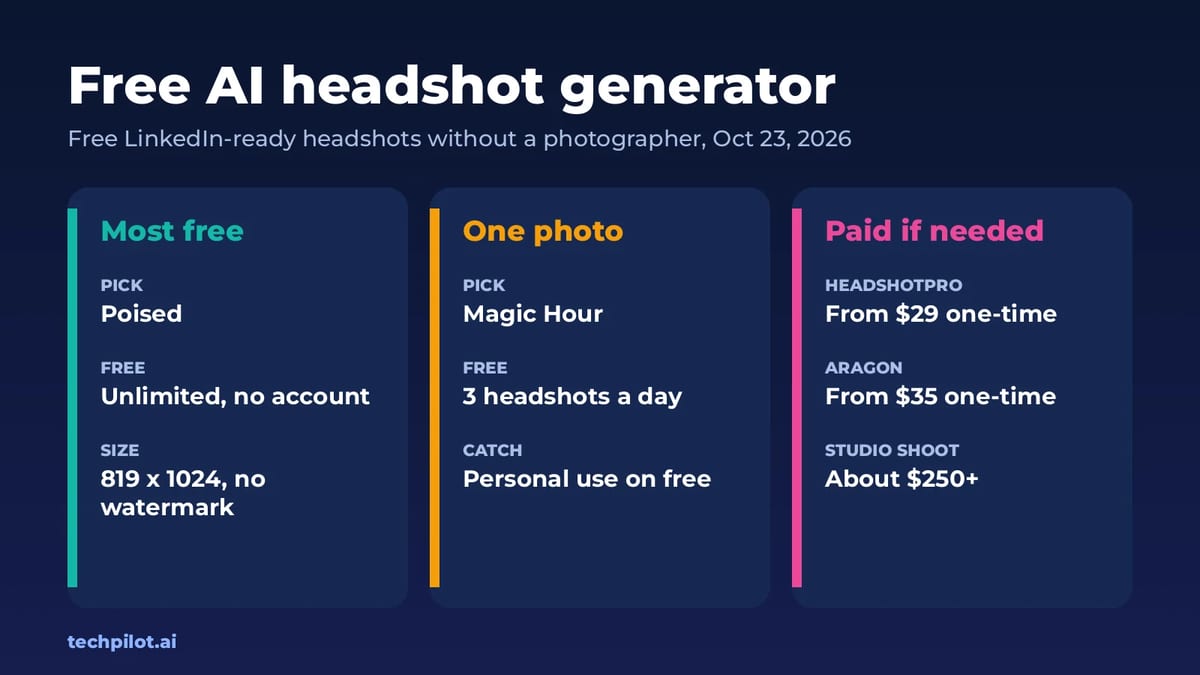
Free AI headshot generator options that actually work: Poised, Magic Hour, Canva, Gemini and ChatGPT. Compare free limits, quality and when paid wins.
 Mihai (Mike) Bizz · 5 min read

5 Best VPNs for Small Business Owners Who Work from Everywhere Reviewed (2026)
Here is the list of 5 Best VPNs for small business owners that are working fully remotely.
 John Daniel · 5 min read