Home / Guides / Productivity
How to Delete ChatGPT History in 2026
 Eimantas Kazėnas Marketing & Tech
- Published
- 3 min read

On this page How to delete one ChatGPT chat
Independent and reader-supported. Some links may earn us a commission; it never changes our rankings. Editorial policy
How to delete ChatGPT history: delete one chat from its menu, or all chats in Settings, Data controls. OpenAI schedules them for erasure within 30 days.
Quick answer: to delete a single conversation, open your chat history, click the three-dot menu next to the chat, choose Delete and confirm. To wipe your whole history, go to Settings, then Data controls, then Delete all chats. Deleted chats vanish from your account immediately and OpenAI schedules them for permanent deletion within 30 days. Archiving is not the same thing: it only hides a chat. Steps are from OpenAI’s deleting and archiving chats help article, checked November 11, 2026.
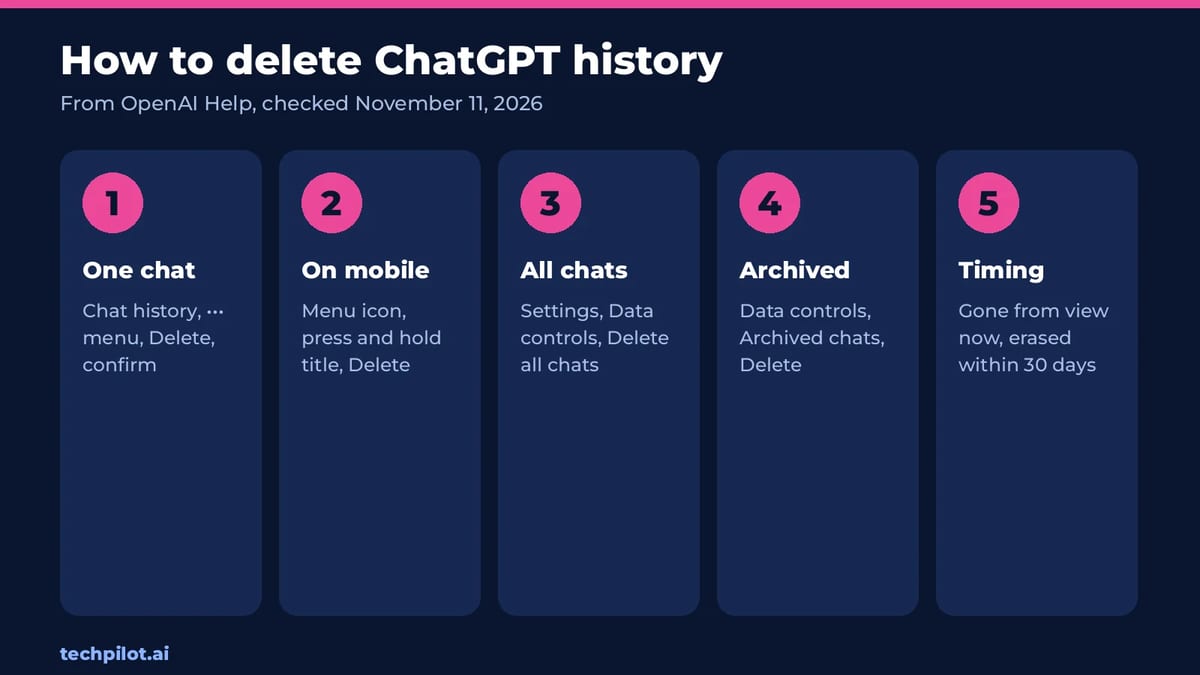
How to delete one ChatGPT chat
On the web or desktop app
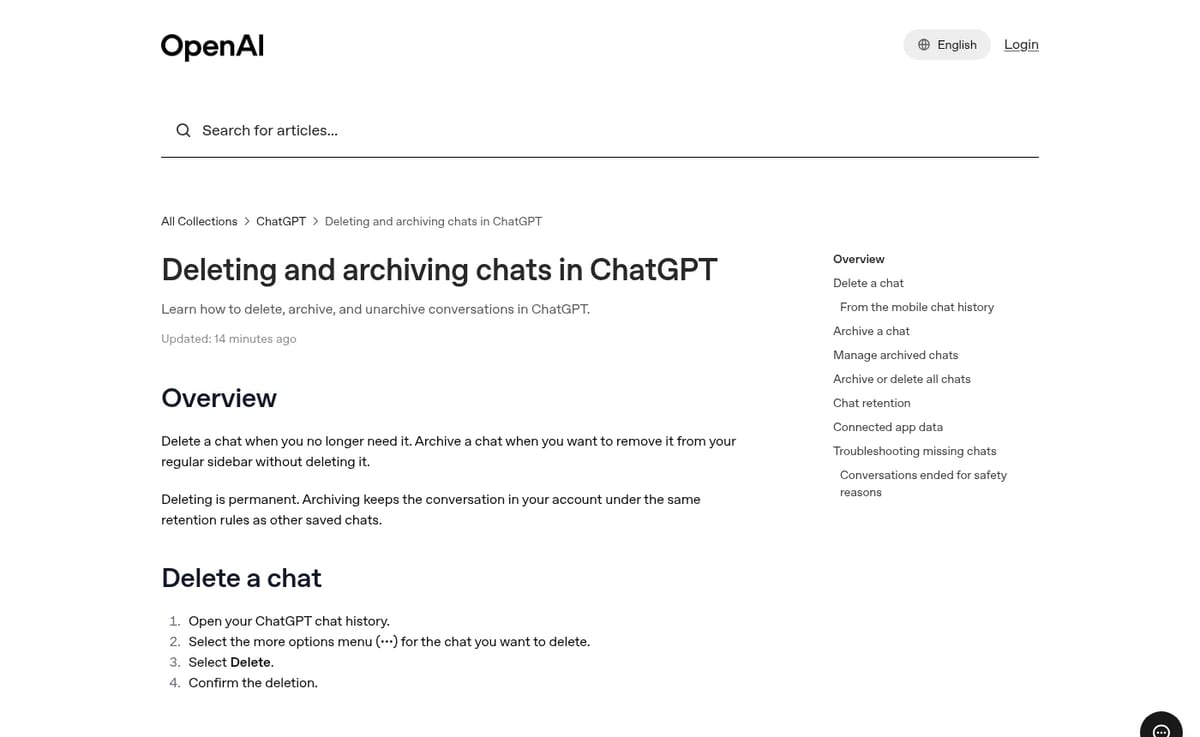
- Open your ChatGPT chat history in the sidebar.
- Hover over the chat and click the more options menu (three dots).
- Select Delete.
- Confirm the deletion.
On iPhone or Android
- Open the ChatGPT app.
- Tap the menu icon (two horizontal lines).
- Find the conversation and press and hold its title.
- Tap Delete.
How to delete all ChatGPT history at once
- Open Settings.
- Select Data controls.
- Select Delete all chats.
- Read the confirmation message, then continue.
This affects chats in your current account or workspace, including chats inside projects, and it cannot be undone. Neither you nor OpenAI Support can restore a deleted chat.
Delete vs archive: which one do you want?
| Delete | Archive | |
|---|---|---|
| Removed from sidebar | Yes | Yes |
| Still searchable | No | Yes |
| Kept on OpenAI’s systems | Scheduled for deletion within 30 days | Yes, same retention as normal chats |
| Can be undone | No | Yes, unarchive any time |
| Bulk option | Delete all chats | Archive all chats |
Archive if you just want a tidy sidebar. Delete if the goal is privacy. You can review archived chats in Settings, Data controls, Archived chats, and delete them from there.
What deleting does not remove
This is the part most guides skip. Deleting a chat clears the conversation, but a few copies live elsewhere:
- Library and Space files: files saved separately in Library or Space stay until you delete them there.
- Connected apps: deleting a chat removes the app data held in that conversation, but not the original data in the connected app. Disconnecting an app stops future access only.
- The 30-day window: deletion is scheduled within 30 days, and OpenAI can keep data longer where security or legal obligations require it, or if it was already de-identified.
- Work accounts: in a company workspace, authorized compliance tools may still reach eligible data under your organization’s retention policy.
- Codex chats: in the ChatGPT app you must archive a Codex chat before you can delete it.
Before you delete: export what you want to keep
Deletion is permanent, so request a data export first if any chats matter, such as prompts you reuse or research you may need. OpenAI offers an export of your ChatGPT history and data for eligible accounts. Our advice: export, keep the file somewhere safe, then use Delete all chats, rather than deleting chats one by one and missing some.
If you want to leave ChatGPT altogether, see how to delete your ChatGPT account and how to cancel a ChatGPT subscription first. For the bigger privacy picture, read is ChatGPT safe.
Frequently asked questions
How do I delete all my ChatGPT history?
Open Settings, select Data controls, then Delete all chats and confirm. It removes chats in your current account or workspace, including projects, and cannot be undone.
Is deleted ChatGPT history gone forever?
It disappears from your account immediately and OpenAI schedules it for permanent deletion within 30 days, unless it must be kept longer for security or legal reasons.
Can I recover a deleted ChatGPT chat?
No. Deleted chats, including those removed with Delete all chats, cannot be restored in ChatGPT or by OpenAI Support.
What is the difference between archiving and deleting in ChatGPT?
Archiving hides a chat from the sidebar but keeps it saved and searchable. Deleting removes it and schedules permanent deletion within 30 days.
How do I delete a ChatGPT chat on my phone?
In the ChatGPT app, tap the menu icon, press and hold the conversation title, then tap Delete.
Found this useful? Share it with someone comparing AI tools.

How to Use Gemini: Beginner Guide for 2026
How to use Gemini: open gemini.google.com or the app, sign in with Google, type a prompt and add files if needed. Steps, best features and plans…
 Eimantas Kazėnas · 4 min read

Copilot vs ChatGPT: Which to Use
Copilot vs ChatGPT in 2026: Copilot is free and built into Word, Excel and Outlook, while ChatGPT is the stronger standalone app from $8 Go or $20…
Eimantas Kazėnas · 4 min read