Home / Guides / Productivity
How to Delete ChatGPT Account (2026 Guide)
 Eimantas Kazėnas Marketing & Tech
- Published
- 4 min read
On this page Before you delete: three things to check
- Before you delete: three things to check
- How to delete your ChatGPT account on the web
- How to delete your ChatGPT account on iPhone
- How to delete your ChatGPT account on Android
- Can’t sign in? Use the Privacy Portal
- What happens after you delete
- Our take: delete, or just clean up?
- Frequently asked questions
Independent and reader-supported. Some links may earn us a commission; it never changes our rankings. Editorial policy
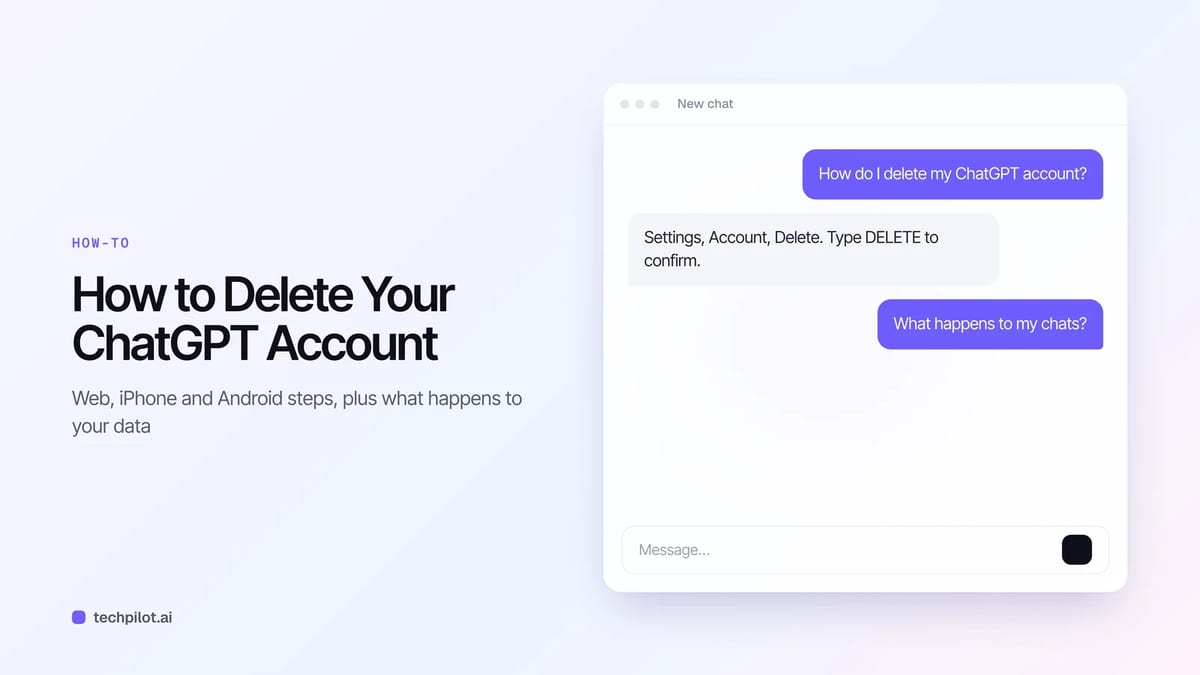
How to delete ChatGPT account in 2026: go to Settings, then Account, select Delete and type DELETE. Cancel App Store or Google Play plans before you start.
Quick answer: on the web, sign in to ChatGPT, open your account menu, go to Settings > Account, select Delete next to Delete account, enter your email or phone number, type DELETE and confirm. OpenAI deletes your data within 30 days. Deletion is permanent, so read the checklist below before you press the button.
Before you delete: three things to check
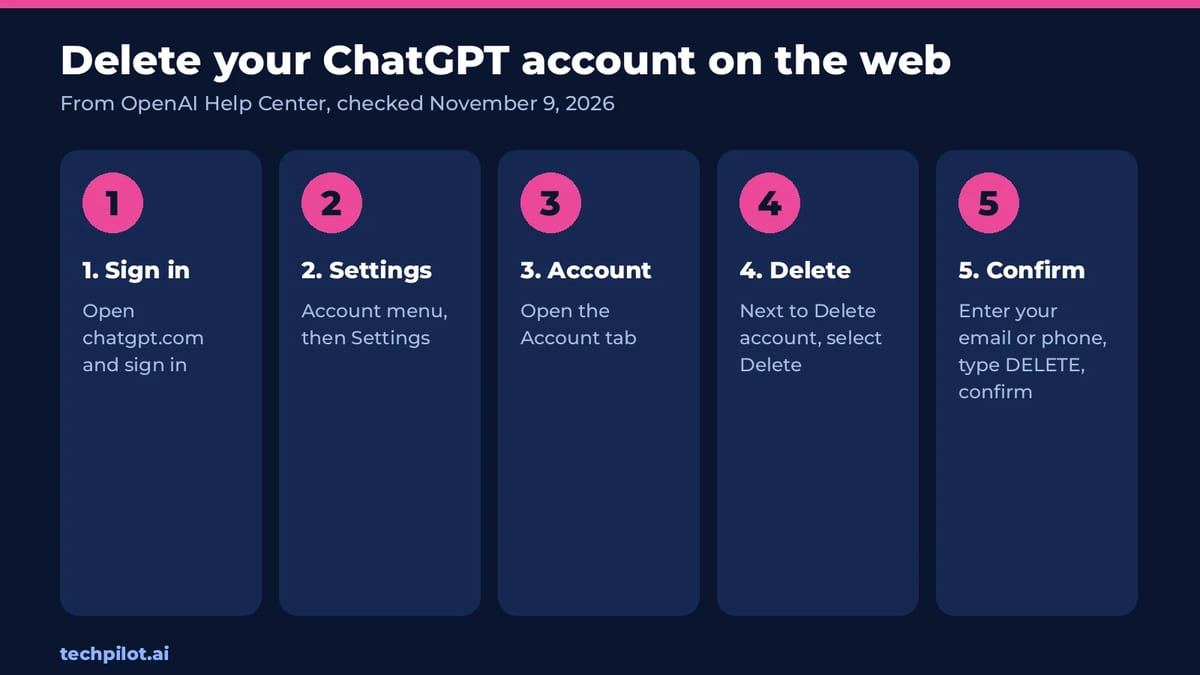
Most problems people hit after deleting come from skipping these steps. All three come from OpenAI’s Help Center article Deleting your ChatGPT account, which we checked on November 9, 2026.
- Cancel app store subscriptions yourself. Deleting your account cancels plans billed directly by OpenAI, but it does not cancel a subscription bought through the Apple App Store. Cancel any Apple or Google Play plan in the store first.
- Export anything you want to keep. Deleted chats can’t be recovered, and a deleted account can’t be reactivated.
- Check linked Ads accounts. If the same email runs an OpenAI Ads account, deleting may lock you out while campaigns keep spending. Pause them first.
If you only want to stop paying, you don’t need to delete anything. Our guide on how to cancel a ChatGPT subscription keeps your chats and drops you back to the free plan.
How to delete your ChatGPT account on the web
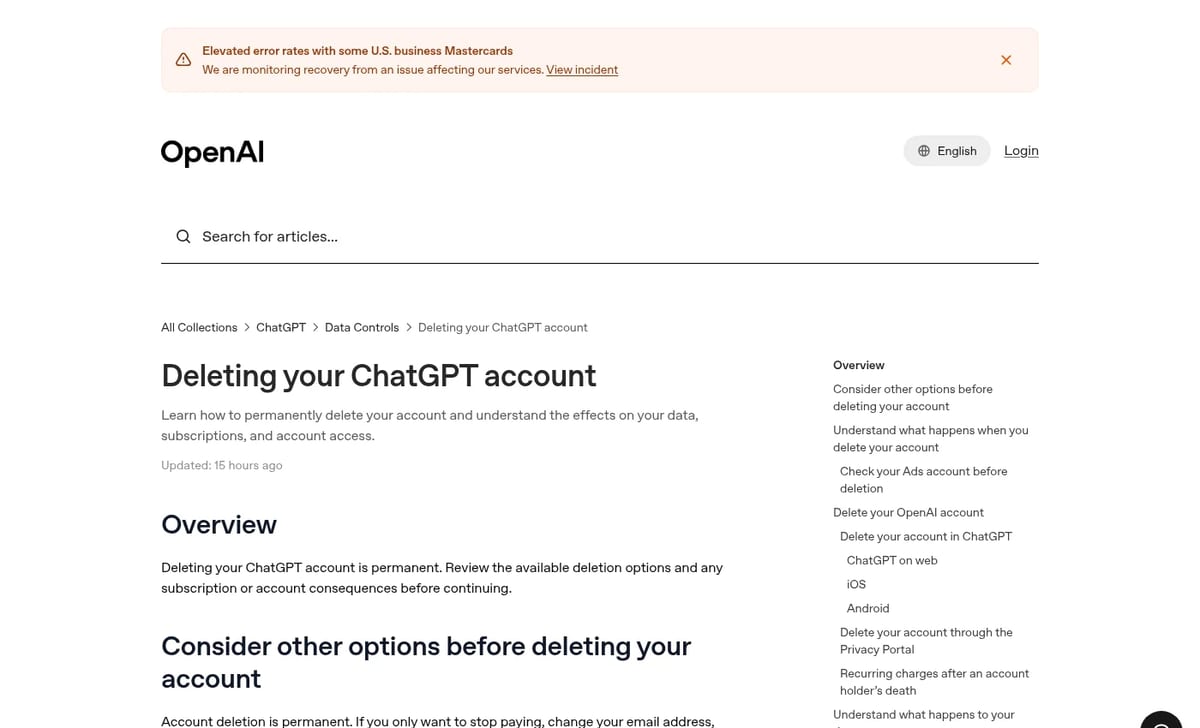
- Sign in at chatgpt.com.
- Open your account menu and select Settings.
- Select Account.
- Next to Delete account, select Delete.
- Enter your account email or phone number and type DELETE when prompted.
- Select Permanently delete my account.
How to delete your ChatGPT account on iPhone
- Open the ChatGPT app and go to your account settings.
- Select Data controls, then Delete account.
- If you have an active Apple subscription, the app shows a warning. Tap Manage subscriptions and cancel it before you continue.
- Review the confirmation and select Delete account.
How to delete your ChatGPT account on Android
- Open the ChatGPT app and open Settings from your profile menu.
- Select Data controls.
- Select Delete OpenAI account. Older app versions call it Delete Account.
- Confirm, then follow any sign-in or verification prompts.
OpenAI warns that finishing a sign-in prompt doesn’t by itself mean the account is gone. If the app drops you back into your chats without a deletion confirmation, use the Privacy Portal instead.
Can’t sign in? Use the Privacy Portal
If you’ve lost access, go to OpenAI’s Privacy Portal, select Make a Privacy Request, choose I have a consumer ChatGPT account, then Delete my ChatGPT account. You need to verify the email or phone number already linked to the account. If you can’t, OpenAI Support handles an ownership review. Work accounts are different: self-service deletion isn’t available in ChatGPT Business, Enterprise or Edu workspaces, so ask your admin.
What happens after you delete
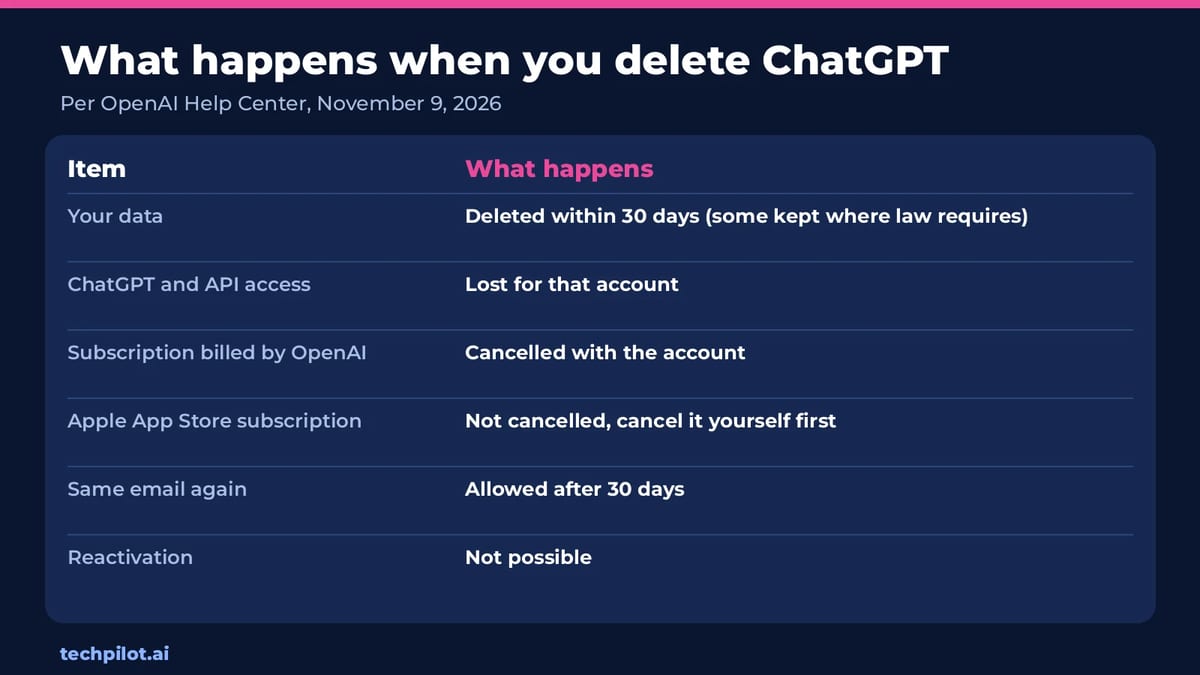
OpenAI says it deletes your data within 30 days, except a limited set it may keep where the law requires or allows it. You lose access to ChatGPT and the API on that account. You can sign up again with the same email after 30 days, provided the old account was fully deleted rather than deactivated. Deleting doesn’t reset phone verification for API keys, though: one number can verify the first API key on up to three accounts in total.
Our take: delete, or just clean up?
Full deletion is the right call if you’re leaving for good or want OpenAI to stop holding your history. For most people it’s overkill. If your worry is privacy, you can delete individual chats, turn off model training in your data settings and clear memory in Personalization, then keep using the free plan. That gets you most of the privacy benefit without losing your email for 30 days. Our guide to whether ChatGPT is safe walks through those settings, and if you’re switching tools, see our DeepSeek vs ChatGPT comparison.
Frequently asked questions
How do I permanently delete my ChatGPT account?
Sign in, open Settings, select Account, then Delete next to Delete account. Enter your email or phone, type DELETE and select Permanently delete my account.
Does deleting my ChatGPT account cancel my subscription?
It cancels plans billed directly by OpenAI. It does not cancel an Apple App Store subscription, so cancel any Apple or Google Play plan in the store first.
How long does it take OpenAI to delete my data?
OpenAI says it deletes your data within 30 days, except a limited set it may keep where required or permitted by law.
Can I use the same email after deleting ChatGPT?
Yes. You can create a new account with the same email after 30 days, as long as the old account was fully deleted and not deactivated.
Can I recover a deleted ChatGPT account?
No. Deleted accounts cannot be reactivated and deleted chats cannot be recovered. Export anything you want to keep before deleting.
Found this useful? Share it with someone comparing AI tools.

Copilot vs ChatGPT: Which to Use
Copilot vs ChatGPT in 2026: Copilot is free and built into Word, Excel and Outlook, while ChatGPT is the stronger standalone app from $8 Go or $20…
 Eimantas Kazėnas · 4 min read
ChatGPT Go vs Plus: Which to Pick
ChatGPT Go vs Plus in 2026: Go costs $8 a month for more messages, uploads and images, while Plus at $20 adds GPT-6 reasoning, deep research and…
Eimantas Kazėnas · 5 min read