I test AI tools every day, and it’s rare to find one that feels like it’s genuinely living in the future. My goal for testing HeyGen was to verify its most audacious claim: the ability to create a hyper-realistic digital human from a single photo. I also wanted to see if it could be used to create the authentic, UGC-style content that is so critical for modern marketing.
Home / Tools / AI Video Generator
AI Video Generator · Tool review
HeyGen: Create AI Influencers & UGC Ads that don’t look fake
 TechPilot.ai review team Hands-on testing, one published method
 - Last updated
- How we test
Summary
Pros and cons
What we like
- Hyper-Realistic Avatars from a Single Photo The ability to create a stunningly realistic and expressive avatar from just one picture is a massive technological advantage.
- Exceptional Ease of Use The platform is incredibly intuitive, allowing users with zero video editing experience to produce professional-quality videos.
- Game-Changing Video Translation The one-click translation and automated lip-syncing feature is a powerful tool for global businesses.
- Perfect for Modern Marketing The platform is ideally suited for creating AI influencers and authentic-looking UGC-style content for social media.
- Versatile Avatar Creation Offers a full spectrum of options, from fast "Instant Avatars" via webcam to high-end "Photo Avatars."
- Integration with voice models Connect your own custom voices from ElevenLabs or OpenAI
What could be better
- Confusing Credit System Paid plans share one monthly credit pool (600 on Creator, 1,000 on Pro), and premium models like Avatar IV can use credits faster than you expect.
- Minor Lip-Sync Imperfections While excellent, the lip-syncing can occasionally have minor flaws with very fast or complex speech.
- Basic Asset Library The built-in library of stock music and footage is functional but limited compared to dedicated asset platforms.
- Limits in paid plans Creator's 600 monthly credits run out quickly with heavy Avatar IV use, so frequent creators may need a higher Pro tier.
Key features
- Photo Avatar (Avatar IV Model): HeyGen’s most advanced feature, creating a hyper-realistic, 4K-quality avatar with natural movements from a single uploaded photograph.
- Instant Avatar: An easy-to-create personalized avatar made from a 2-minute webcam recording.
- Video Translate: A one-click feature to translate video dialogue and perfectly sync the avatar’s lip movements to the new language.
- Voice Cloning: Allows users to create a high-fidelity digital clone of their own voice from a short audio sample.
- AI Influencer & UGC Templates: A library of diverse, realistic stock avatars and templates designed specifically for creating user-generated content style videos.
- Text-to-Speech: Converts text scripts into natural-sounding speech with over 300 voices across 40+ languages.
- Brand Kit: Enables teams to maintain brand consistency by uploading and applying their own logos, fonts, and color palettes.
- API Access: A robust API for developers to integrate HeyGen’s video generation capabilities into their own applications and workflows.
Screenshots
Full review
Independent and reader-supported. Some links may earn us a commission; it never changes our scores. Editorial policy
HeyGen is an AI-powered video platform that enables users to create professional-quality videos with customizable AI avatars, cloned voices, and automated translation. Founded in 2020 by former Snap engineers Joshua Xu and Wayne Liang, HeyGen has become a major player in the generative video space, backed by a $60 million funding round that valued the company at $500 million. The platform is designed for a broad audience—from individual creators to large enterprises—and is used across marketing, sales, and corporate training departments.
HeyGen also ships HyperFrames Studio, a free Mac and Linux desktop app where Claude Code or Codex builds editable motion videos on your computer.
HeyGen’s primary value proposition is making video production scalable, affordable, and fast. It disrupts the traditional, resource-intensive process of filming and editing by allowing users to generate high-quality videos from just a text script. Its standout features—like creating hyper-realistic Photo Avatars from a single image and its one-click Video Translate tool—empower users to create everything from polished corporate communications to authentic, UGC-style marketing campaigns and AI influencers at a scale that was previously unimaginable.
What’s new (October 2026)
HeyGen Voice (Oct 9, 2026). HeyGen launched HeyGen Voice, its own in-house voice model and, in HeyGen’s words, the first one built to adapt to video. You give it a script, a short recording of your voice and the scene, and it shapes both your delivery and the room sound to fit the shot. A quiet studio stays close-miked and clean, while a beach, car or factory floor gets matching ambience. HeyGen says it is included in every HeyGen video at no extra cost.
- Adaptive Mode: reads the scene image (room, mic distance, the delivery the shot calls for) and fits your voice to it. Exact Mode keeps the sound of your original recording instead, so a long script sounds like one take.
- Short input: about 60 seconds of audio from any device, including a phone. You can also design a voice from a picture when you have no recording.
- Controls: an Expressiveness Boost slider, plus separate sliders for pitch variation, background level and ambient steadiness.
- Other languages: the same recording can read Spanish, German, French or Chinese with a native accent.
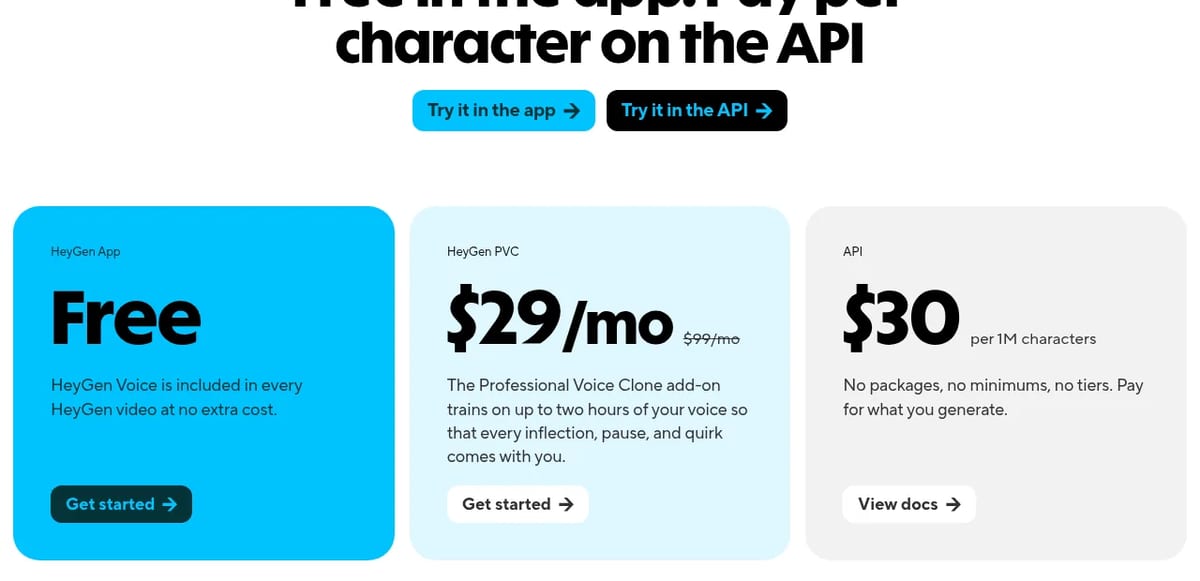
- Professional Voice Clone: an add-on trained on longer recordings (up to two hours, per the HeyGen Voice page), listed at $29/month, down from a struck-through $99.
- API: models heygen-voice-1 and a faster heygen-voice-1-turbo for instant voices, at $30 per 1M characters with no packages or minimums, per HeyGen’s developer changelog and pricing.
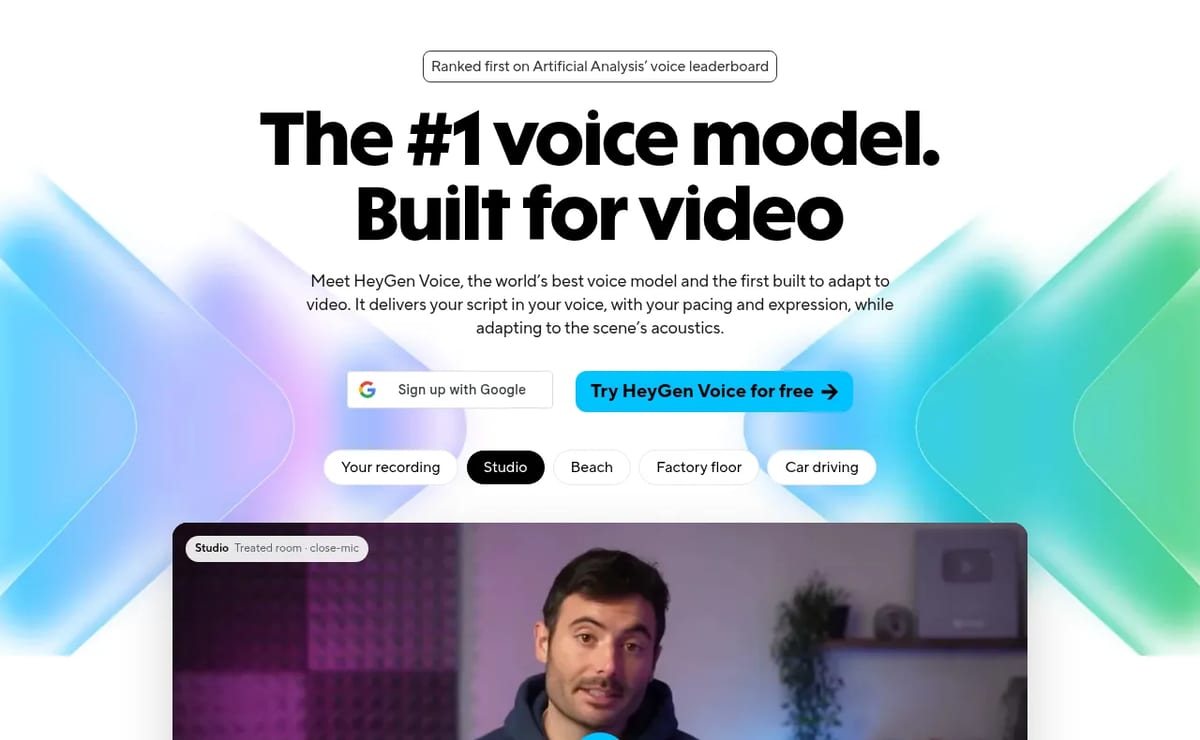
The quality claims are HeyGen’s own. Its research write-up (Oct 14) says HeyGen Voice ranked first on Artificial Analysis’ voice leaderboard in the October 9 snapshot, and that blind reviewers judged its scene sound a better fit than ElevenLabs v4 in 69.7% of votes and Cartesia Sonic 3.6 in 73.3%. If voice is your main need, compare it with ElevenLabs and Fish Audio, or see our ElevenLabs alternatives.
HeyGen Video (Sept 30, 2026). HeyGen launched its first general-purpose video model, HeyGen Video, built on MiniMax H3 and post-trained by HeyGen. It covers text-to-video, image-to-video and reference-to-video, and each 5–15 second clip comes with generated dialogue, ambience and sound effects at 480p, 768p, 1080p or 2K. It is API-only for now (HeyGen says web access is coming soon) and is also offered through OpenRouter, Runware and ComfyUI. Billing is per second of output and separate from the avatar plans; for reference-to-video, input video seconds are billed too. For avatar-first users this is the bigger shift: HeyGen can now generate the B-roll and scene shots around a presenter instead of leaving that to another tool.
HeyGen’s September 2026 updates were aimed at developers. It released an open-source real-time avatar stack built with OpenAI’s GPT-Live-1, LiveAvatar and HyperFrames; launched the Code2Video Benchmark with Kaggle (Sept 18) to measure how well AI agents produce motion-design video; and brought Professional Voice Clone to the API. Enterprise accounts also got the Cartesia Sonic 3.6 voice model.
Best Use Cases for HeyGen AI Avatars
- AI Influencers & UGC-Style Content: For brands looking to create authentic-looking marketing content, HeyGen is a game-changer. Marketers can generate a diverse cast of AI influencers or create realistic “customer testimonial” videos without hiring actors. By using the Photo Avatar feature, they can produce a stream of high-quality, UGC-style content that resonates with audiences on social media platforms like TikTok and Instagram.
- Corporate Learning & Development: For an L&D team needing to create consistent training videos for a global workforce, HeyGen excels. They can create a professional avatar from a single photo of their lead trainer. When a policy changes, only the script needs updating, and the videos can be translated into multiple languages with a single click, ensuring the entire company receives the same message instantly.
- Personalized Sales & Marketing at Scale: Imagine a marketing team wanting to create personalized video ads for different audience segments. A marketing manager can create their own Instant Avatar in minutes, then generate dozens of variations of a promotional video, changing the script slightly for each demographic. This creates a highly personalized ad campaign that boosts engagement and conversion rates.
- ‘Faceless’ YouTube Content Creation: For a creator who has valuable knowledge to share but is uncomfortable on camera, HeyGen provides an ideal solution. They can use one of the 100+ stock avatars or create a unique Photo Avatar to host their channel. This allows for the consistent production of high-quality content without the creator ever needing to appear on screen.
HeyGen Pricing (2026)
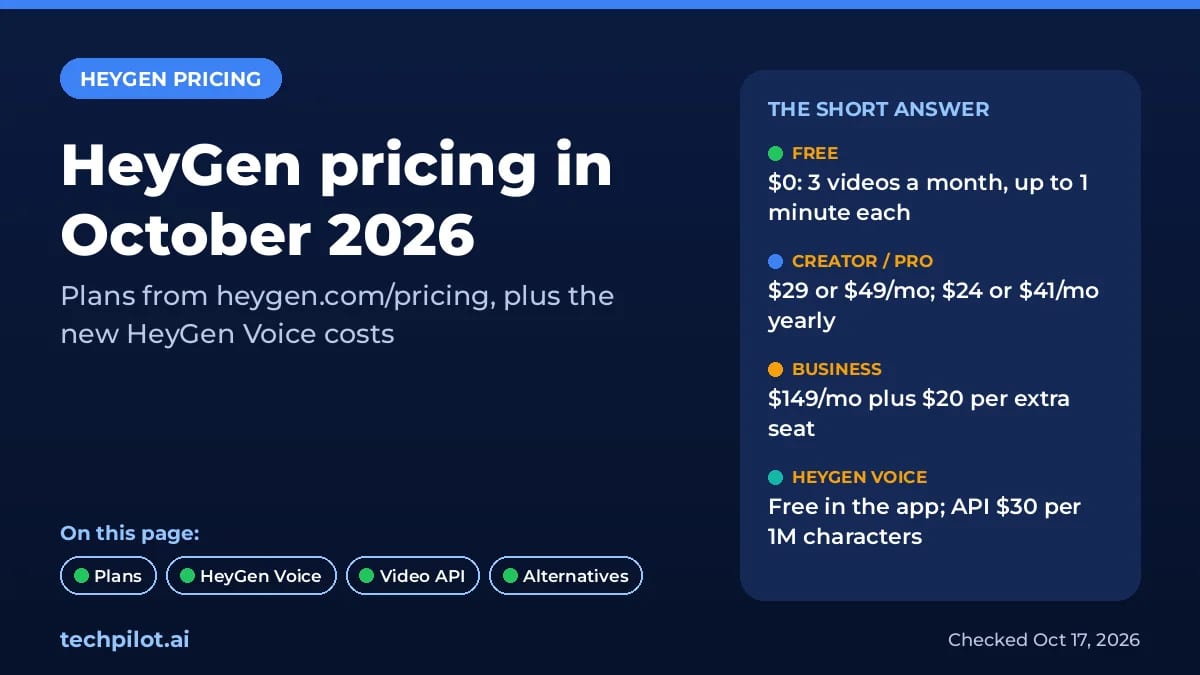
HeyGen pricing as listed on heygen.com/pricing on Oct 17, 2026 (USD):
- Free: $0, 3 videos per month, videos up to 1 minute, 1 custom video avatar and 1 voice clone.
- Creator: $29/month, or $24/month billed yearly ($288), with 600 credits a month, videos up to 30 minutes, 1080p export, voice cloning and watermark removal.
- Pro: from $49/month, or $488 billed yearly (about $41/month), for 1,000 credits with 4K export; higher tiers scale up to 100,000 credits for $4,300/month.
- Business: $149/month with 1,500 credits, plus $20 per extra seat per month, with videos up to 60 minutes, SAML/SSO and SCORM export.
- Enterprise: custom pricing.
- HeyGen Voice: free inside HeyGen videos; the Professional Voice Clone add-on is listed at $29/month (struck-through $99), and the voice API costs $30 per 1M characters.
- HeyGen Video (API): during the 50% launch promo through the end of October, text-to-video and image-to-video cost $0.01/sec at 480p and $0.015/sec at 768p, then $0.02/sec and $0.03/sec from November. Reference-to-video is $0.02/sec at 480p and $0.03/sec at 768p on promo ($0.04 and $0.06 after), billed on input plus output seconds. 1080p and 2K bill at 3× the 768p rate.
Paid plans spend one monthly credit pool across features, and credit use depends on the model, video length and complexity. Unused credits roll over for one more month on monthly plans; on yearly plans they build up until renewal.
Our verdict
TechPilot.ai’s Verdict on HeyGen AI Avatars
I test AI tools every day, and it’s rare to find one that feels like it’s genuinely living in the future. My goal for testing HeyGen was to verify its most audacious claim: the ability to create a hyper-realistic digital human from a single photo. I also wanted to see if it could be used to create the authentic, UGC-style content that is so critical for modern marketing.
First, the Photo Avatar. I uploaded a high-resolution headshot. The platform analyzed it, and a few minutes later, I had a digital version of the person ready to go. I fed it a simple script for a fake coffee brand testimonial. The result was stunning. The avatar wasn’t just a talking head; it had subtle, natural movements, realistic eye-blinking, and the lip-sync was nearly flawless. The quality was far beyond what I expected from a single image input. This feature alone demolishes a massive barrier to entry for personalized video creation.
Next, I explored their templates and stock avatars for a UGC-style ad. I picked a realistic-looking avatar from their “AI Influencers” library and placed her in a simple, home-office-style background. I wrote a short, conversational script reviewing a pair of headphones. The final video felt authentic. It didn’t have the overly polished, corporate sheen of older AI avatar tools. It looked like a real person giving a real review—a perfect asset for a TikTok or Instagram ad campaign.
Top Alternatives to HeyGen
-
Synthesia: This is HeyGen’s most direct competitor and the established leader in the corporate and enterprise space. Synthesia offers a highly polished platform with robust security features. However, HeyGen is more flexible, its Photo Avatar creation is more accessible, and its focus on UGC-style content makes it superior for modern marketing campaigns.
-
D-ID: D-ID is more of a developer-focused tool, excelling as an API for animating still photos. It’s the best choice if you need to integrate talking head technology into your own app. For users who want a complete, end-to-end studio to create finished videos, HeyGen is the far superior and more user-friendly option.
Final Verdict
HeyGen has successfully established itself as a leader in the AI video space by focusing on what users actually want: ease of use, realism, and practical applications. The ability to generate a stunningly lifelike avatar from a single photo is a revolutionary feature that changes the game for personalized content.
Its mastery of the UGC style and its powerful translation capabilities make it an indispensable tool for modern marketing teams and content creators. While the credit system could be simpler, the immense value and time saved are undeniable. For any business or creator looking to produce scalable, authentic, and multilingual video content, HeyGen is a tool we enthusiastically recommend.
HeyGen AI Avatars FAQ
1. What is a HeyGen Avatar?
A HeyGen Avatar is a realistic, AI-powered digital person. It can speak a script in a natural voice, display emotions, and be used as a virtual presenter in videos, replacing the need for a live actor.
2. Can I create my own avatar in HeyGen?
Yes, you can create your own personalized AI avatar. HeyGen offers different methods, including the Instant Avatar made from a short webcam video and the advanced Photo Avatar created from a single uploaded picture.
3. What is the HeyGen Photo Avatar (Avatar IV)?
The Photo Avatar is HeyGen’s most advanced avatar. It uses AI to transform a single photo into a hyper-realistic, 4K video avatar that includes natural hand gestures, expressive facial dynamics, and the ability to change outfits.
4. How do I create a HeyGen Photo Avatar?
You create a Photo Avatar by uploading a single, high-quality photo of a person looking directly at the camera. HeyGen’s AI then processes the image to build the fully animated, three-dimensional avatar.
5. Is it free to create a custom HeyGen avatar?
Partly. As of October 2026, HeyGen’s Free plan includes 1 custom video avatar, up to 3 photo avatars, 500+ stock video avatars and 1 voice clone, with 3 videos a month up to 1 minute each. Paid plans add unlimited photo avatars, longer videos, and extra custom avatars as an add-on.
6. Do the avatars look fake?
HeyGen’s avatars are considered among the most realistic in the industry. The Photo Avatars, in particular, are designed to be lifelike and are often used to create authentic-looking UGC-style content and AI influencers.
7. Can HeyGen avatars speak other languages?
Yes, any HeyGen avatar can speak over 40 languages using the text-to-speech feature. The platform also has a Video Translate tool that automatically translates a video’s audio and syncs the avatar’s lip movements to the new language.
8. Can HeyGen avatars sing?
Yes, HeyGen avatars can sing. Instead of providing a text script, you can upload an audio file of a song, and the avatar will perform it with realistic lip-syncing that matches the lyrics.
9. Can the avatars show different emotions?
Yes, the avatars can show different emotions. When using the text-to-speech feature, you can select a specific tone of voice (like “Cheerful,” “Sad,” or “Serious”), and the avatar’s facial expressions will change to match that emotion.
10. How does HeyGen compare to other AI avatar generators like Synthesia?
HeyGen is a top competitor in the AI avatar space. While tools like Synthesia are very strong in the corporate and training video market, HeyGen often stands out for its hyper-realistic Photo Avatars, its focus on UGC and influencer-style content, and its game-changing Video Translate feature.

Wan AI
AI Video Generator
I’ve been tracking the AI video space for years, and the pace of change is staggering. We’ve moved from blurry, short clips to…

SkyReels AI
AI Video Generator
SkyReels AI delivers an unmatched, browser‑based pipeline that turns scripts and images into polished video reels in minutes. Its cinematic…
Klap AI
AI Video Generator
Klap AI is a long-form → short clipper (klap.app)—not a text-to-video generator. Paste YouTube or upload speech-heavy video; get vertical…
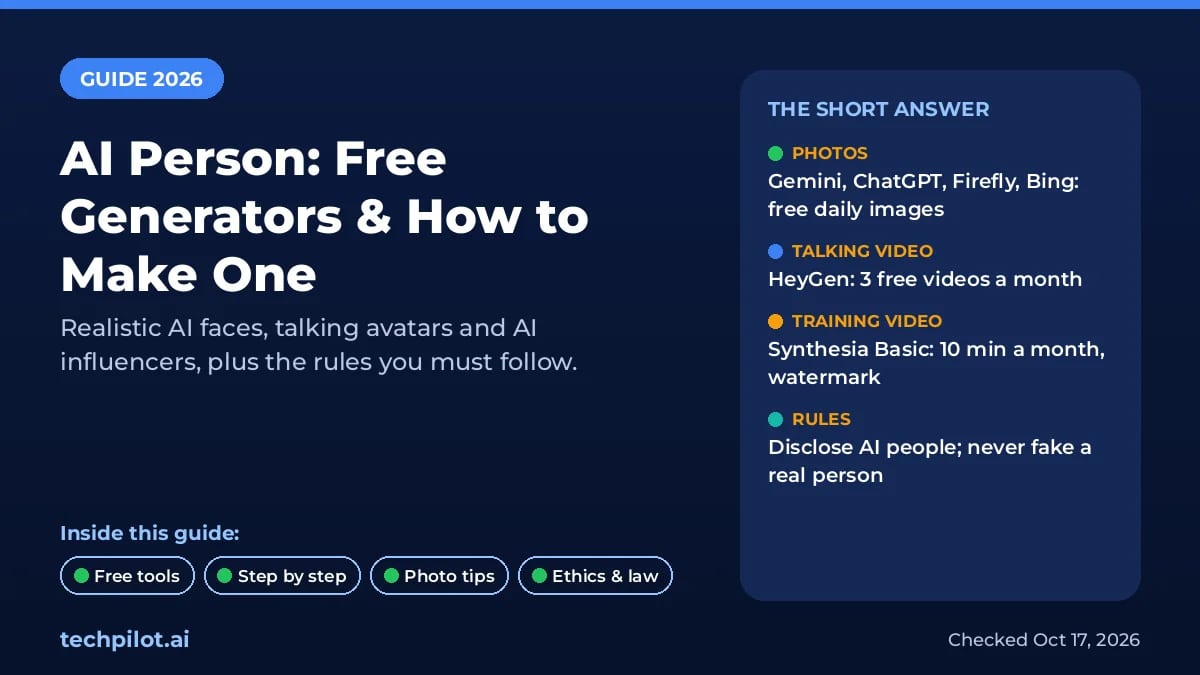
AI Video Generator  Mihai (Mike) Bizz · 9 min read
AI Person: Free Generators & How to Make One
An AI person is a realistic face or talking avatar made by AI. Compare the best free AI person generators, make your own step by step, and stay legal.
Mihai (Mike) Bizz · 9 min read
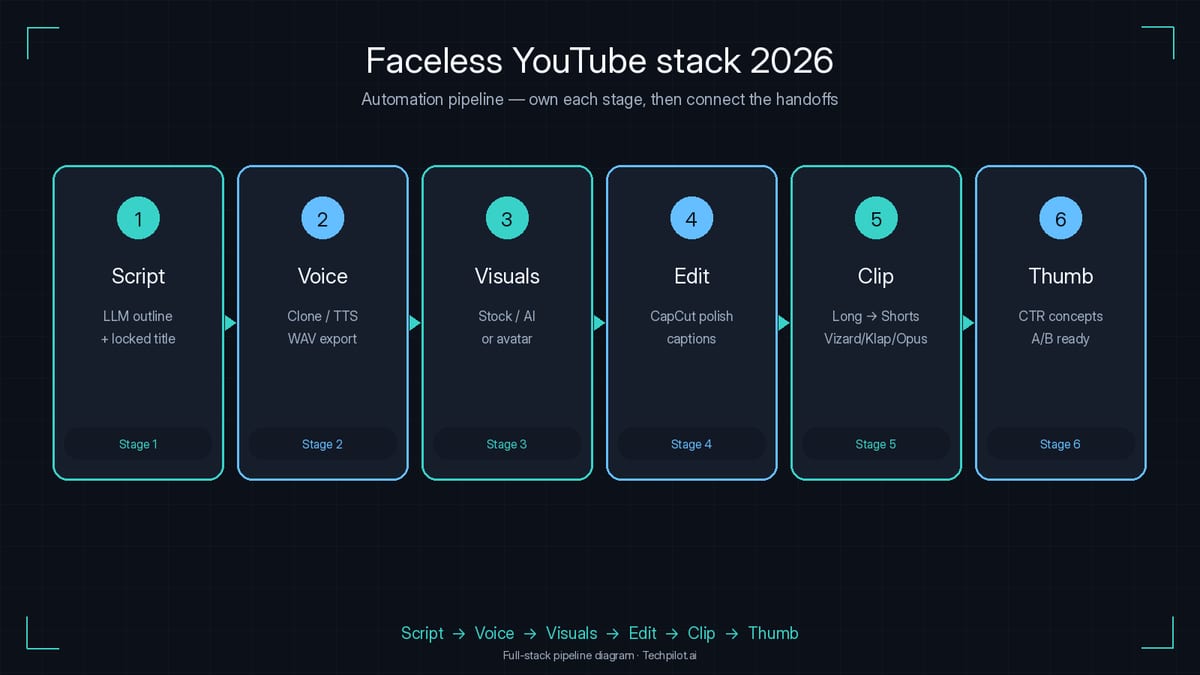
AI Video Generator  Eimantas Kazėnas · 8 min read
Best AI Tools for Faceless YouTube Automation in 2026 (Full Stack)
Faceless YouTube automation is a six-stage stack. See the best AI tools for script, voice, visuals, editing, clips and thumbnails, plus starter…
Eimantas Kazėnas · 8 min read