Klap AI is a long-form → short clipper (klap.app)—not a text-to-video generator. Paste YouTube or upload speech-heavy video; get vertical clips with AI Reframe 2, captions, Virality Score, optional 4K/dubbing on Pro, and social publish/schedule. Distinct from Opus Clip, Vizard, 2Short, and CapCut.
Home / Tools / AI Video Generator
AI Video Generator · Tool review
Klap AI Review (2026): Opus Clip Alternative for Shorts?
 TechPilot.ai review team Hands-on testing, one published method
 - Last updated
- How we test
The AI news that actually mattered this week.
One short email every Friday: the biggest AI stories, what they mean for you, and the tools worth trying. A 3-minute read, no hype.
Free. Unsubscribe anytime.
You're in. Watch for the brief on Friday. Free. Unsubscribe anytime.
Summary
Pros and cons
What we like
- Fast YouTube→Shorts loop paste a link or upload, get a batch of vertical clips with captions and a Virality Score for triage.
- AI Reframe 2 layouts scene-aware Split Screen, screencast, and gaming framing—not just simple face crop.
- Multilingual strength captions in 52 languages; Pro/Pro+ AI dubbing in 29 languages for cross-market Shorts.
- 4K export on Pro+ polish ceiling many clippers still gate or skip at mid tiers.
- Clip-count billing is easy to forecast plan around monthly Shorts volume instead of source-minute credits.
- Publish & schedule path TikTok, YouTube, Instagram, LinkedIn from one dashboard after polish.
What could be better
- No recurring free plan only one trial video—harder to stress-test than Opus or Vizard free floors.
- Clip + max-length caps Basic tops out around 45-min sources / 100 clips; long webinars push you to Pro fast.
- Billing friction reports annual vs monthly confusion and cancellation pain show up often in third-party reviews—watch renewals.
- Highlight AI still speech-led talking-head and podcast gold beats dense B-roll, music edits, or silent demos.
- Not generative video Klap repurposes footage you already have (do not confuse with Crreo / Boba / CapCut Commerce).
- Team/API depth trails Vizard/Opus for heavy agency pipelines—solo Shorts speed is the sweet spot.
Key features
- AI highlight / topic extraction from long YouTube links and uploads
- Virality Score to triage which clips to post first
- AI Reframe 2 with scene-aware layouts (split screen, screencast, gaming, face focus)
- Animated captions with styling; transcription/captions across ~52 languages
- AI dubbing in ~29 languages on Pro / Pro+
- Brand customization (fonts, colors, logos, framing)
- 4K downloads on Pro / Pro+ (HD on Basic)
- Publish & schedule to TikTok, YouTube, Instagram, LinkedIn
- Developer API for generate-shorts and caption/reframe workflows
- Clip-based plans: Basic / Pro / Pro+ (approximate Sep 2026 pricing)
Screenshots
Full review
Independent and reader-supported. Some links may earn us a commission; it never changes our scores. Editorial policy
Klap AI (klap.app) is built for the job most YouTubers and podcasters actually need every week: turn one long video into a stack of TikToks, Reels, and YouTube Shorts without living inside CapCut. Paste a YouTube link or upload a file, let the model find speech-led hooks, reframe to 9:16 with AI Reframe 2, burn in captions, skim a Virality Score, polish, then export—or publish/schedule from the same browser.
Important distinction: this review covers Klap AI the long-form→short clipper, not generative “type a prompt, get a movie” tools (Crreo, Boba Video, CapCut Commerce Pro). If you do not already have footage, you are in the wrong aisle. If you are comparing Klap vs Opus Clip, think job-fit: Opus wins multi-source breadth and virality-first triage with a real free floor; Klap wins when multilingual AI dubbing, scene-aware reframing, and 4K export are the reason you are shopping alternatives.
In practice the loop is simple. Upload or paste → AI extracts topics/moments → vertical clips appear with captions and scores → edit via transcript/style controls → download HD/4K or push to connected socials. Homepage rule of thumb: about five clips per minute of source (treat as marketing math, not a guarantee). Billing is clip-count + max source length, not Opus-style minute credits—easier to forecast if you already know how many Shorts you ship per month. There is one free trial video, not a recurring free plan. Approximate Sep 2026 paid floor: Basic ~$14/mo billed yearly (~$29 month-to-month) for ~100 clips; Pro ~$39/mo yearly (~$79 monthly) unlocks longer sources, ~300 clips, 4K, and ~29-language dubbing; Pro+ scales toward ~1,000 clips. Always re-check klap.app/pricing.
Best Use Cases for Klap AI
- YouTubers shipping Shorts daily: One long upload → a week of vertical clips with captions already styled; use Virality Score to pick what posts first.
- Podcasters & interview shows: Speech-heavy episodes are Klap’s comfort zone—quotable exchanges, multi-speaker layouts, promo clips back to the full episode.
- Creators chasing multilingual reach: Caption across ~52 languages; step up to Pro when you need AI dubbing for the same hook in new markets.
- Solo social managers: Publish/schedule path to TikTok, YouTube, Instagram, and LinkedIn without a separate Buffer hop for every cut.
- Brands that care about export polish: Pro 4K and Reframe 2 layouts (split, screencast, gaming) when “good enough 1080p face crop” is not enough for client delivery.
- Builders wiring clip pipelines: Public Klap API for generate-shorts and caption/reframe—evaluate docs/quotas before betting a product on it.
Who Klap is not for
- Teams that need a generous free forever clipper to train interns—start on Opus Pro or Vizard AI free floors first.
- Marketers whose assets are product stills / PDPs, not long video—use CapCut Commerce or Crreo instead.
- Editors who want full NLE craft—export drafts, finish in CapCut/Premiere.
- Anyone allergic to annual-billing surprises—read cancellation/renewal UI carefully; third-party reviews flag billing UX more than clip quality.
TechPilot.ai’s Verdict on Klap AI
AI clippers live or die on three moments: Does the model pick the right hooks? Can you fix a miss fast? Can you ship Shorts without opening another app for every caption pass? For speech-led YouTube and podcast sources, Klap AI is competitive on all three—and its differentiation versus Opus is real: clip-quota pricing, AI Reframe 2 layouts, Pro dubbing, and 4K. That is why “klap opus clip” searches keep showing up; people are not looking for another identical clone—they want the alternate angle.
Ease of use earns a 9.0: paste link → wait → pick scored clips is obvious for non-editors. Integrations land around 8.2—solid social publish/schedule plus an API, thinner than Opus/Vizard when you need deep team seats, XML-to-Premiere, or heavy multi-workspace agency ops. Functionality (8.6) covers the modern Shorts checklist without pretending to replace CapCut. Pricing (8.1) is fair on annual Basic/Pro if you use the clip allotment; weaker if you only wanted a free sandbox or hate annual commit UX. Overall we score Klap about 8.5/10 as an Opus Clip alternative for Shorts-focused creators.
Caveats stay honest. Highlight quality drops on music-first, silent, or dense B-roll footage. Basic’s source-length and HD gates push serious weekly publishers to Pro. Billing and support complaints appear often enough on public review sites that you should set renewal reminders and confirm cancel paths before annual checkout. And again: Klap repurposes; it does not invent product ads from a Shopify link.
Bottom line: If your JTBD is YouTube (or long upload) → TikTok / Reels / Shorts and you care about dubbing, reframing layouts, and 4K, Klap AI belongs on the shortlist beside Opus—not below it by default. Run the free trial video on a real episode, then annual Basic or Pro if the hit rate sticks. Cross-check Opus Pro, our best Opus Pro alternatives (2026) guide, the Opus Clip vs 2Short head-to-head, Vizard AI, and the strategy piece on long-form to short-form content before you lock a stack.
Top Alternatives to Klap AI
- Opus Pro — Choose Opus when virality scoring, multi-source ClipAnything, a real free credit floor, and platform breadth matter most. Prefer Klap when clip-count forecasting, AI Reframe 2 layouts, Pro AI dubbing, or 4K export are the deciding features.
- 2Short AI — Choose 2Short for a leaner YouTube→Shorts pipeline at a lower entry price. Prefer Klap for broader social publish/schedule, scene-aware reframing, and multilingual dubbing. Deeper context: Opus Clip vs 2Short.
- Vizard AI — Choose Vizard for text-based editing, team/brand-kit paths, and a usable free credit plan. Prefer Klap for solo Shorts speed, Reframe 2 aesthetics, and Pro dubbing/4K.
- AI Video Cut — Choose AI Video Cut when prompt-directed clipping and a lower starter price matter. Prefer Klap when Virality Score triage, dubbing, and polished social scheduling are the priority.
- CapCut — Choose CapCut when you need free, hands-on timeline craft after AI drafts the cut. Prefer Klap when highlight detection should do the first pass.
- Also browse: best Opus Pro alternatives in 2026, long-form → short-form playbook, and the tools hub.
Klap AI FAQ
What is Klap AI?
Klap AI (klap.app) is an AI video clipper that turns long-form videos—especially YouTube links and speech-heavy uploads—into short vertical clips for TikTok, Instagram Reels, and YouTube Shorts, with auto-reframe, captions, Virality Score, and optional publish/schedule.
Is Klap the same as Opus Clip, Vizard, or CapCut?
No. Klap, Opus Clip/Pro, and Vizard are peer long-form→short clippers with different billing and strengths. CapCut is a hands-on editor (and CapCut Commerce Pro is e-com UGC generation). This page covers Klap only.
How much does Klap AI cost (Sep 2026)?
Approximate: Basic ~$14/mo billed yearly (~$29 monthly) for ~100 clips/mo; Pro ~$39/mo yearly (~$79 monthly) for ~300 clips, 4K, and AI dubbing; Pro+ ~$94/mo yearly (~$189 monthly) for ~1,000 clips. One free trial video; no ongoing free tier. Confirm live numbers on klap.app/pricing.
How does Klap AI compare to Opus Clip?
Opus leans virality scoring, multi-source ClipAnything, and a credit model (1 credit ≈ 1 minute of source) with a real free floor. Klap leans clip-count plans, AI Reframe 2 layouts, 4K on Pro, and multilingual AI dubbing. Choose Opus for volume + multi-source breadth; choose Klap when dubbing/reframe polish and predictable clip quotas matter more. See our Opus Pro tool page and best Opus Pro alternatives guide.
Klap vs 2Short AI — which for YouTube Shorts?
Both are YouTube-friendly. 2Short is the leaner YouTube→Shorts specialist. Klap adds broader social publish/schedule, scene-aware reframing, and Pro dubbing. Prefer 2Short for cheapest YouTube-only volume; prefer Klap when you post across TikTok/Reels/Shorts and need dubbing or 4K.
Klap vs Vizard AI?
Vizard is stronger for text-based editing, team/workspace paths, and credit-based upload math with a usable free plan. Klap is often faster for solo creators optimizing Shorts aesthetics, Reframe 2 layouts, and multilingual dubbing. Compare side-by-side on our Vizard AI tool page.
Does Klap support AI dubbing and captions?
Captions/transcription span ~52 languages across plans. AI dubbing in ~29 languages is a Pro/Pro+ feature (verify current plan gates on pricing).
Who is Klap AI for (and not for)?
For: YouTubers, podcasters, and solo creators who already have long speech-heavy video and need daily Shorts/Reels/TikToks. Not for: teams that need generative ads from product stills, deep NLE finishing, or a generous free forever plan—use CapCut Commerce / Crreo / CapCut / Opus free accordingly.
Is there a Klap API?
Yes—docs at docs.klap.app cover programmatic shorts generation, caption/reframe, projects, and exports. Fit for product teams wiring clip pipelines; evaluate docs and quotas before committing.
Can I publish directly from Klap?
Klap advertises direct share/schedule to TikTok, YouTube, Instagram, and LinkedIn. Platform permissions change—test your account types before relying on it for a launch calendar.

Clueso
AI Video Generator
I’ve reviewed dozens of AI video and documentation tools, and the market is becoming crowded. My goal in testing Clueso was to determine if…

DemoTime
AI Video Generator
DemoTime AI is a game-changer in the world of Artificial Intelligence for sales professionals looking to streamline their demo process and…

Wan AI
AI Video Generator
I’ve been tracking the AI video space for years, and the pace of change is staggering. We’ve moved from blurry, short clips to…
AI Video Generator  Eimantas Kazėnas · 5 min read
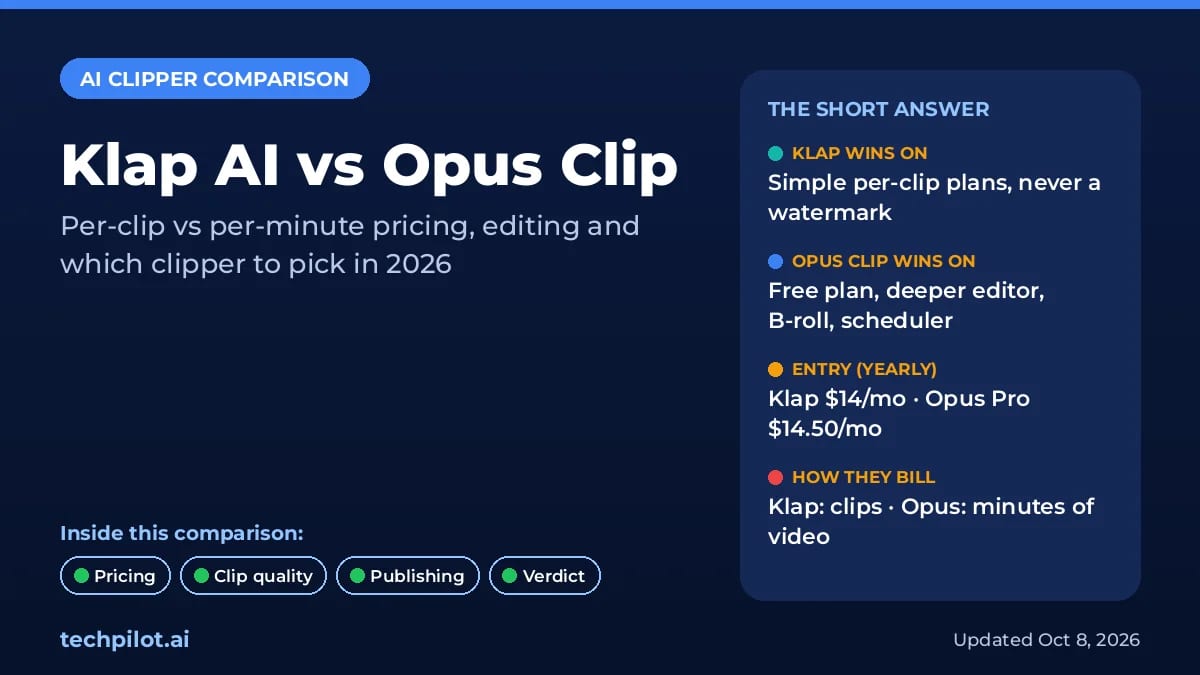
Klap AI vs Opus Clip: Which Clipper to Pick?
Klap AI vs Opus Clip: Klap bills per clip with no watermark, while Opus bills per minute of video and has a free plan. Compare 2026 prices and our…
Eimantas Kazėnas · 5 min read
AI Video Generator Eimantas Kazėnas · 18 min read
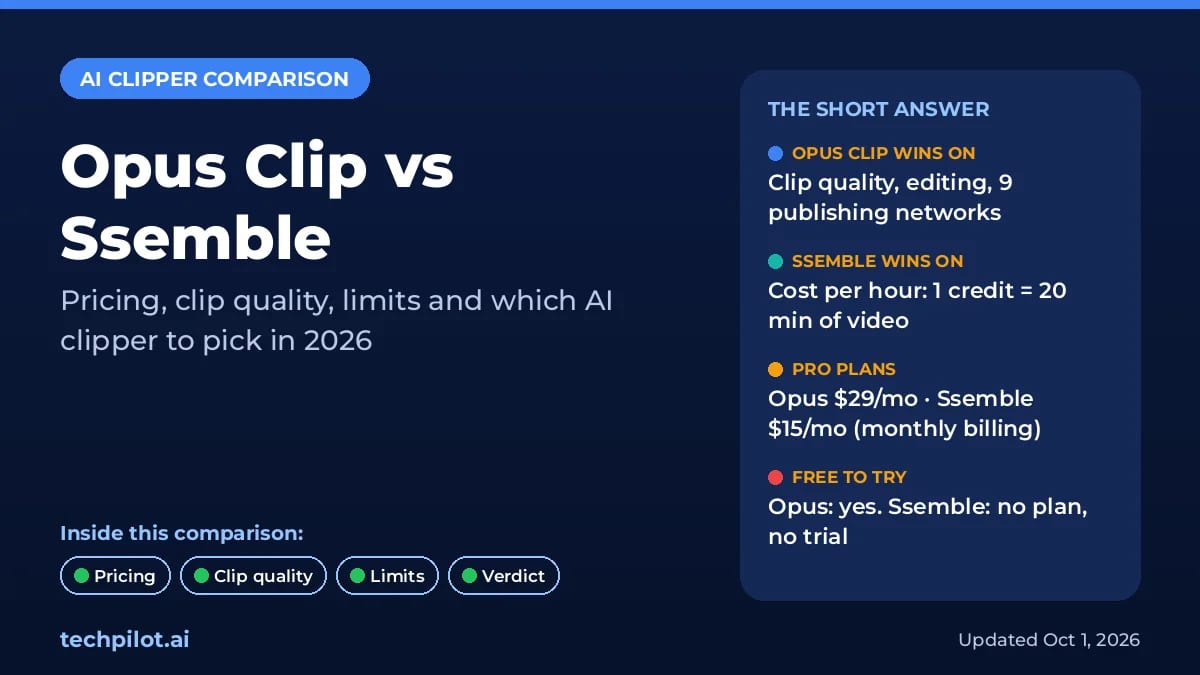
Opus Clip vs Ssemble: Which AI Clipper Wins?
Opus Clip vs Ssemble: Opus makes better AI picks, but Ssemble clips an hour of video for $0.60, not $2.90. Compare 2026 prices, limits and our…
Eimantas Kazėnas · 18 min read