Recraft AI is one of the best image generators for designers, thanks to true vector output, reusable custom styles and a natural look that avoids the glossy AI style.
Home / Tools / Digital Art
Digital Art · Tool review
Recraft AI: Pricing, V4.1 Flash & Features
 TechPilot.ai review team Hands-on testing, one published method
 - Last updated
- How we test
The AI news that actually mattered this week.
One short email every Friday: the biggest AI stories, what they mean for you, and the tools worth trying. A 3-minute read, no hype.
Free. Unsubscribe anytime.
You're in. Watch for the brief on Friday. Free. Unsubscribe anytime.
Summary
Pros and cons
What we like
- True vector output Generate editable SVGs, not just raster images.
- Custom styles Reuse a brand style from reference images, no training.
- Very fast option V4.1 Flash makes an image in about 1.3 seconds.
- Cheap API From $0.007 per image with V4.1 Flash.
- Many models Paid plans add Nano Banana, GPT Image, Flux and video models.
What could be better
- Public free images No commercial use on the Free plan.
- Unclear credit costs Credits per model aren't listed on the pricing page.
- Flash limits V4.1 Flash is raster only, with no styles.
- Video needs Pro Video models start on the Pro plan.
Key features
- Vector generation: Editable SVG output from Recraft’s own models.
- Custom styles: Create a reusable style from 1 to 10 reference images.
- Recraft V4.1 Flash: About 1.3 seconds and $0.007 per image on the API.
- Editing tools: Vectorize, remove backgrounds, upscale, erase and inpaint.
- Outside models: Nano Banana, Seedream, GPT Image, Flux and video models on paid plans.
- Recraft API: Pay-as-you-go units that never expire.
Screenshots
Full review
Independent and reader-supported. Some links may earn us a commission; it never changes our scores. Editorial policy
Recraft AI is an AI image and vector design tool whose new V4.1 Flash model makes an image in about 1.3 seconds. See Recraft pricing, plans and features.
Designers use Recraft to generate photos, illustrations, logos and editable SVG vectors that hold a consistent brand style. You can work in Recraft Studio in the browser or build with the Recraft API, and paid plans also include outside image and video models.
What is Recraft AI?
Recraft is an AI image generator built for designers. Its own models cover raster images and true vector graphics, and you can create a reusable custom style just by dropping in reference images, with no training step. Recraft has released four generations of its own model, according to its model docs: V4.1, V4, V3 and V2, plus V4 Styles for style-matched sets.
Recraft also has editing tools for vectorizing, background removal, upscaling, erasing and inpainting, in Studio and through the API. On paid plans you can also use models like Nano Banana, Seedream, GPT Image and Flux, and the Pro plan adds video models including Kling, Veo, Seedance and Grok Imagine Video.
Recraft V4.1 Flash
Recraft announced V4.1 Flash on September 23, 2026, in a post by founder and CEO Anna Veronika Dorogush that calls it “the fastest model on the market.” It’s a separate model, not a speed setting, with quality close to Recraft V4.1 and the same less-generic Recraft look across photography, portraits, atmosphere and complex scenes.
In Recraft’s own test of 100 prompts, measured on September 21, 2026, Flash had a median of 1.4 seconds and a 95th percentile of 1.8 seconds per image. That put it ahead of FLUX.2 klein 9B, FLUX.1 schnell, Nano Banana 2 Lite and GPT Image 2 on low quality. These are Recraft’s own figures, so treat them as a vendor benchmark.
- Pick Flash in the Recraft Studio model picker, or call the API with the model value recraftv4_1_flash.
- Write a prompt of up to 10,000 characters and choose an aspect ratio, or let Recraft pick one.
- Generate up to six images per request at 1K resolution, as WebP or PNG.
- Refine the keeper: the Refine button regenerates an image with Recraft V4.1 Pro at 2048 × 2048, keeping the composition.
Flash is raster only. It doesn’t support vector output, styles or image-to-image, so use Recraft V4.1 for SVGs and style-matched sets, according to Recraft’s Flash documentation. At $0.007 per image on the API, a Flash image costs a fifth of a standard V4.1 image.
Recraft V4.1
Recraft V4.1, released on May 14, 2026, is the current default model. Recraft says it delivers more natural photorealism, sharper vector and illustration work and good results from short prompts. V4.1 was also the first generation with Utility variants for flat, predictable product shots and mockups, and the first with a Flash variant. On the API, V4.1 costs $0.035 per raster image, $0.08 per vector image and $0.21 for a 2K Pro raster image.
Recraft Pricing (2026)
Recraft has two price lists: Studio plans paid in credits, and pay-as-you-go API units. We re-checked the Recraft pricing page and the API pricing docs on October 7, 2026.
| Plan | Price | What you get |
|---|---|---|
| Free | $0 | Limited free credits (30 a day per Recraft’s plan data), public images, no commercial use, Recraft models only |
| Basic | $12/month, or $10/month billed annually ($120/year) | 1,000 credits a month, commercial rights, private images, outside image models |
| Pro | From $20/month, or $16/month billed annually ($192/year) | 2,000 credits a month, up to 16,000 for $160/month; adds video models and priority |
| Teams | From $18 per seat/month billed annually ($22 monthly) | 2,000 credits per seat, shared workspace and styles, SSO, centralized billing |
| API, V4.1 Flash | $0.007 per image | Raster 1K images; $1 buys 1,000 API units that never expire |
| API, V4.1 | $0.035 per raster image, $0.08 per vector image | Pro 2K raster $0.21, Pro vector $0.30 |
Recraft doesn’t list how many Studio credits each model uses on its pricing page; it says credit costs depend on the action and the model, so check the credit cost in the app before a big session.
Is it worth it? The Free plan is fine for testing, but images are public and can’t be used commercially. Basic is the cheapest plan for client or brand work; pick Pro if you also want video.
Best use cases for Recraft AI
- Logos and icons: generate editable SVG vectors instead of tracing raster images.
- Brand-consistent sets: save a custom style and reuse it across campaigns.
- Concept exploration: try dozens of directions in minutes with V4.1 Flash.
- Product shots and mockups: use V4.1 Utility for clean, predictable results.
- High-volume pipelines: product imagery or ad variations through the API. For more ideas, see our guide to working with AI image generators.
Limitations
- Free images are public: the Free plan doesn’t allow commercial use or private images.
- Credit costs are unclear: the pricing page doesn’t list credits per model or per action.
- Flash is raster only: no vector output, styles or image-to-image with V4.1 Flash.
- Video costs extra: video models need the Pro plan or higher.
- Vendor benchmarks: speed figures come from Recraft’s own tests.
Recraft AI alternatives
- Ideogram: strong text rendering for posters and designs.
- Midjourney: the best-known artistic image generator.
- FLUX 3: Black Forest Labs’ model with bounding-box layouts, from $0.041 per image.
- Nano Banana: Google’s image model, known for consistent edits.
- Krea AI: real-time generation and many models in one app.
TechPilot.ai’s Verdict on Recraft AI
Recraft AI is one of the best image generators for designers, thanks to true vector output, reusable custom styles and a natural look that avoids the glossy AI style.
The new V4.1 Flash model makes it fast and cheap to explore ideas. Start on the Free plan, then move to Basic when you need commercial rights.
Recraft FAQ
Is Recraft AI free?
Yes, Recraft has a Free plan with limited free credits, but your images are public and can’t be used commercially. Paid plans start at $12 a month, or $10 a month billed annually.
•
How much does Recraft cost?
Recraft Basic costs $12 a month and Pro starts at $20 a month, or $10 and $16 billed annually. Teams starts at $18 per seat a month billed annually. On the API, images start at $0.007 with V4.1 Flash.
•
What is Recraft V4.1 Flash?
It’s Recraft’s fastest image model, announced on September 23, 2026. It makes a 1K raster image in about 1.3 seconds through the API for $0.007, with quality close to Recraft V4.1.
•
Can Recraft make vector images?
Yes. Recraft V4.1, V4, V3 and V2 can generate SVG vectors, and V4.1 costs $0.08 per vector image on the API. V4.1 Flash is raster only.
•
Can I use Recraft images commercially?
Yes, on paid plans. Basic, Pro and Teams include commercial rights and private images. On the Free plan, images are public and not licensed for commercial use.
Astrocade
Digital Art
Astrocade is the easiest free way we’ve seen to turn a game idea into something people actually play, with an audience built in.
Sunra MCP
Digital Art
Sunra MCP turns Claude or ChatGPT into a creative studio with many image, video and audio models behind one sign-in.
Mercury 3
Digital Art
Mercury 3 pairs speed-class quality with 1,000+ tokens a second and a launch price of $0.10 and $0.35 per million tokens.
Graphics & Design  Eimantas Kazėnas · 7 min read
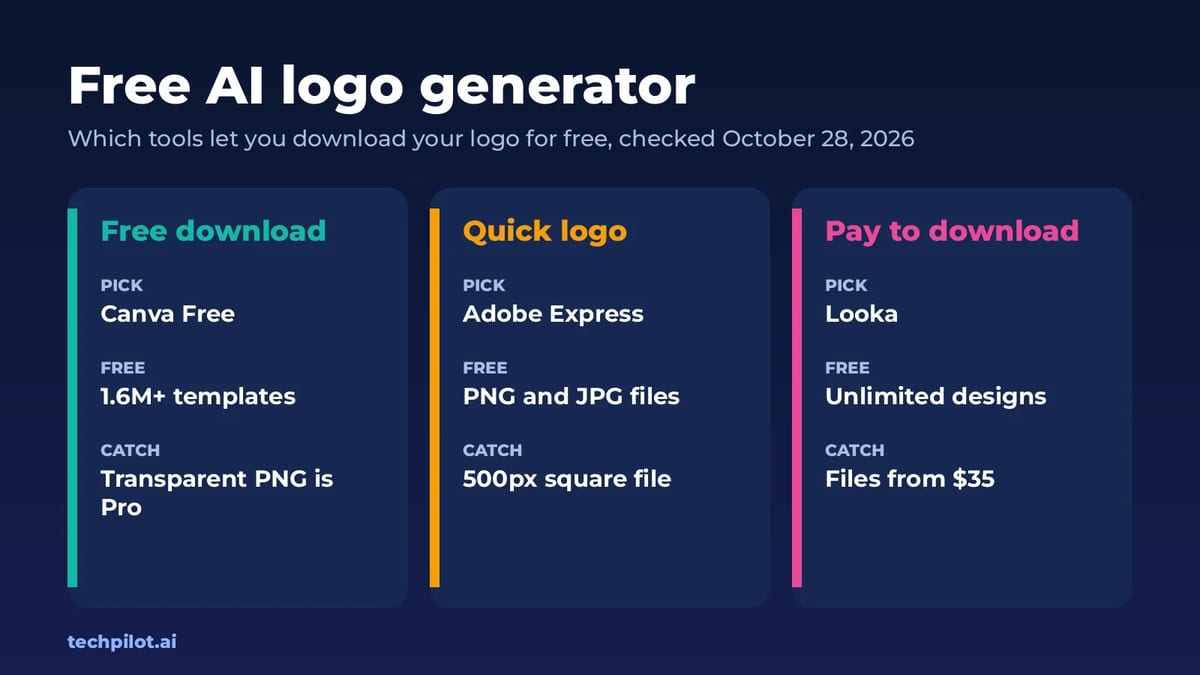
Free AI Logo Generator: 7 Best Picks (2026)
Free AI logo generator tools are easy to find, but many let you design for free and then charge to download. We compare 7 and show which are truly…
Eimantas Kazėnas · 7 min read
AI Video Generator  Frederick Poche · 8 min read
Top AI Tools for Cinematic Camera Movement Without a Physical Camera
Discover the best AI tools for cinematic camera movement and create realistic camera moves, dynamic angles, and cinematic shots without physical…
Frederick Poche · 8 min read