Grok Imagine is a quick, cheap way to make images and short videos, especially if you already pay for X or Grok.
Home / Tools / AI Video Generator
AI Video Generator · Tool review
Grok Imagine: Pricing, Free Use & Music
 TechPilot.ai review team Hands-on testing, one published method
 - Last updated
- How we test
Summary
Pros and cons
What we like
- Free to try inside Grok.
- Images up to 2K and videos up to 15 seconds.
- Presets for headshots, product photos, icons and more.
- New Music panel for soundtracks on your videos.
- Cheap API from $0.02 per image.
What could be better
- No published free quota.
- Paid usage is shared with chat and coding.
- Music is unofficial and not on every account yet.
- 1080p video in the app needs the $100 Super plan.
Key features
- Text to image: Images up to 2K from a prompt.
- Text and image to video: Clips up to 15 seconds with sound.
- Photo editing: Edit, restyle, remove backgrounds and resize.
- Presets: Headshots, product shots, icons, emoji and mascots.
- Music panel: Generate a soundtrack for your videos (rolling out).
- Imagine API: Image and video generation for developers.
Screenshots
Full review
Independent and reader-supported. Some links may earn us a commission; it never changes our scores. Editorial policy
Grok Imagine is xAI’s image and video generator inside Grok, now adding music. Try it free with limits, or get more use on X plans from just $8 a month.
Grok Imagine is the creative side of Grok, xAI’s chatbot. It makes images and short videos from a text prompt or a reference photo, with presets for product shots, headshots, icons, emoji and background removal. On its Grok page, xAI lists images up to 2K and videos up to 15 seconds. We checked the Grok plans page, the X Subscription announcement and the xAI API pricing docs on October 26, 2026.
Is Grok Imagine free?
Yes, with limits. The Free plan on The X Subscription includes daily access to Grok, and Imagine is part of Grok, so you can try it at grok.com/imagine or in the Grok app. xAI describes free usage as limited and doesn’t publish a fixed number of images or videos per day.
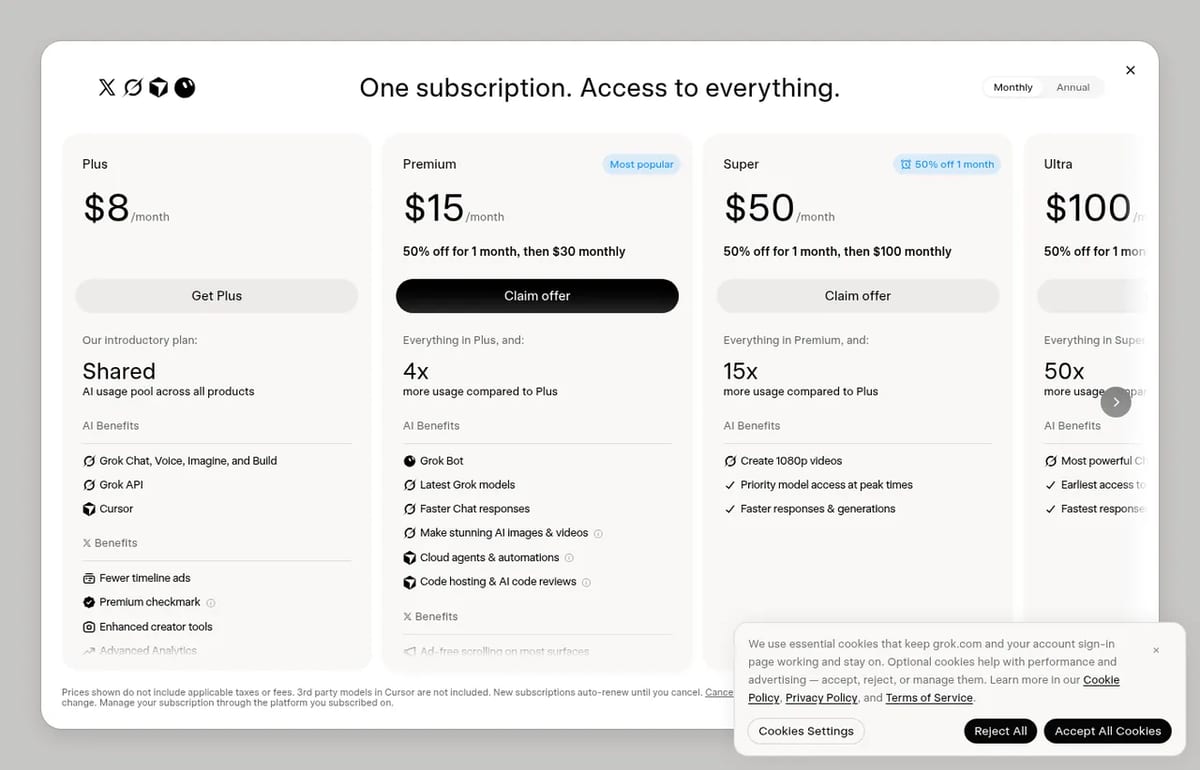
Paid plans don’t sell Imagine on its own. Since October 12, 2026, xAI sells one subscription for Grok, Grok Bot, Cursor and X Premium, with a shared pool of AI usage. The more you pay, the bigger the pool, and 1080p video is listed as a Super plan benefit.
Grok Imagine Pricing (2026)
| Plan | Monthly price | Billed yearly | Grok usage |
|---|---|---|---|
| Free | $0 | $0 | Limited daily access |
| Plus | $8/month | $80/year | Base shared pool for Chat, Voice, Imagine and Build |
| Premium | $30/month | $300/year | 4x Plus; images and video, latest models |
| Super | $100/month | $1,000/year | 15x Plus; 1080p video, priority at peak times |
| Ultra | $200/month | $2,000/year | 50x Plus; fastest generations |
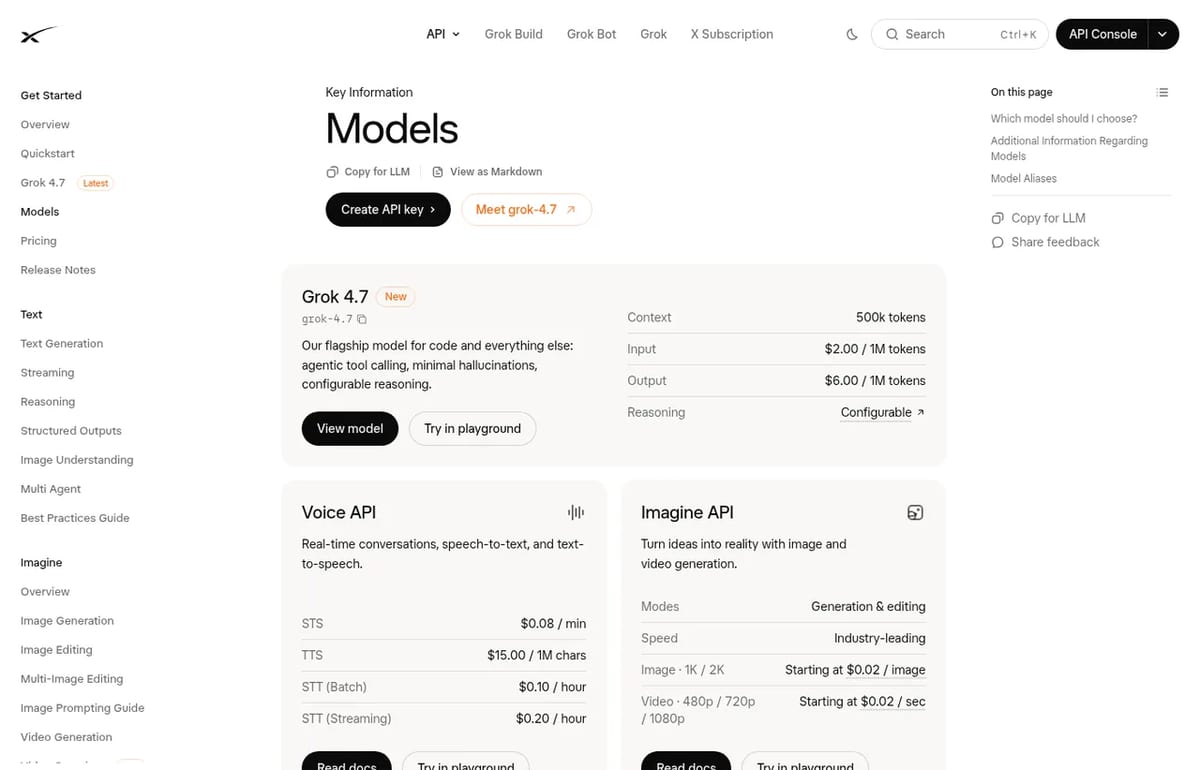
For developers, the Imagine API is billed per output. xAI’s docs list images from $0.02 each at 1K or 2K, and video from $0.02 per second at 480p, 720p or 1080p. The current API models are Grok Imagine Image 2.0 and Grok Imagine Video 1.5.
Does Grok Imagine make music?
It’s starting to. Since around October 13, 2026, creators have shared recordings of a Music panel inside the Imagine workspace: you open a video you made, describe the genre, mood, instruments and tempo, and Grok writes lyrics and builds a track you can trim and lay under the clip. Tracks are saved to a library for reuse.
Two caveats. xAI hasn’t announced the feature on its news page or in its docs yet, and the rollout looks phased, so many accounts don’t see it. There is also no music API and no published music pricing, so for now it’s a way to score your own Imagine videos, not a full song generator. If you need complete songs with vocals today, Suno is still the safer choice.
How to use Grok Imagine
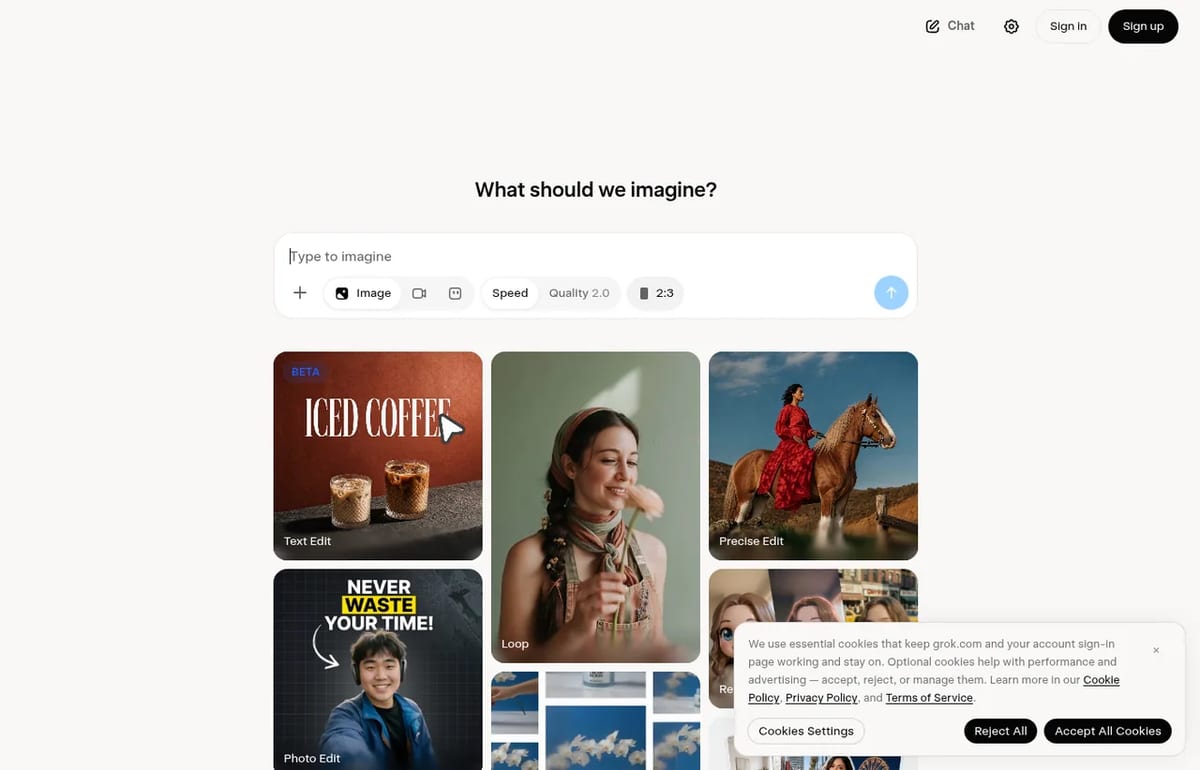
- Go to grok.com/imagine or open Imagine in the Grok app and sign in.
- Pick Image or Video, or start from a preset such as Professional Headshot or Product Color Change.
- Type a prompt or upload a reference photo, then choose the aspect ratio.
- Refine with follow-up prompts; to add sound, open the Music panel if your account has it.
Grok Imagine alternatives
For more general chat with Grok, see our Grok AI chatbot page. If you mainly want free video, compare Imagine with the tools in our best free AI video generator list and our guide to free AI text to video generators.
Limitations
- No fixed free quota: xAI only says free use is limited.
- Shared pool: paid usage is shared with chat and coding, so heavy coding leaves less for video.
- Music isn’t official yet: phased rollout, no announcement, no API.
- 1080p needs Super: on the app, 1080p video is a Super plan benefit.
TechPilot.ai’s Verdict on Grok Imagine
Grok Imagine is a quick, cheap way to make images and short videos, especially if you already pay for X or Grok.
The music feature is promising, but wait for an official launch before you rely on it for real projects.
Grok Imagine FAQ
Is Grok Imagine free?
Yes, with limits. The Free plan includes daily access to Grok, including Imagine, but xAI doesn’t publish a fixed number of free images or videos. Paid plans add more usage.
•
How much does Grok Imagine cost?
Grok Imagine is part of The X Subscription: Plus is $8 a month, Premium $30, Super $100 and Ultra $200. The API starts at $0.02 per image and $0.02 per second of video.
•
Can Grok Imagine make music?
A Music panel that writes lyrics and builds a soundtrack for your Imagine videos has been rolling out since mid-October 2026, but xAI hasn’t officially announced it and there is no music API yet.
•
How long are Grok Imagine videos?
xAI lists videos up to 15 seconds. Its Grok page says 720p for text to video, the API offers up to 1080p, and 1080p in the app is a Super plan benefit.
•
Does Grok Imagine have an API?
Yes. The xAI Imagine API covers image generation and editing and video generation, with images from $0.02 each and video from $0.02 per second.
Artlist
AI Video Generator
Artlist is a strong pick for video editors who want AI clips, voice and music under one commercial license and one bill.
Topview AI
AI Video Generator
Topview AI bundles the top video models behind an agent that plans your shots, and its free, open-source 3D Builder finally gives you real…
Flova AI
AI Video Generator
Flova is one of the more complete AI video agents we have looked at: it plans the whole project, uses current top models and lets you fix…