Topview AI bundles the top video models behind an agent that plans your shots, and its free, open-source 3D Builder finally gives you real control over staging and camera moves.
Home / Tools / AI Video Generator
AI Video Generator · Tool review
Topview AI: Pricing, Free 3D Builder & Plans
 TechPilot.ai review team Hands-on testing, one published method
 - Last updated
- How we test
Summary
Pros and cons
What we like
- Free 3D Builder Open-source scene staging that runs locally with no account.
- Many models in one app Seedance 2.5, Wan 3.0, Kling, Veo 3.1 Fast, Nano Banana and more.
- Agent-driven workflow Turns an idea, script or product URL into editable shots.
- Cheap credits at the top Ultra annual works out to about $0.10 a credit.
- API, MCP and plugins Works from ChatGPT, Codex, Claude and your own code.
What could be better
- No free plan Video generation needs a paid plan or credits.
- Monthly credits expire Unused plan credits don't roll over.
- Unlimited is slow Credit-free generations run in a standard queue, web only.
- Pricing is complex Credit costs vary by model, resolution and plan.
Key features
- Video Agent: Describe an idea or paste a URL and get a planned, multi-shot video.
- 3D Builder: Stage characters, props and cameras in 3D before generating, free and open source.
- Canvas: Edit and regenerate single shots without starting over.
- Drama Studio: Create micro-dramas and short series with consistent characters.
- AI avatars: 5,000+ avatars, product avatars, lip sync and voice cloning.
- API and MCP: Automate video creation from your own apps and AI agents.
Screenshots
Full review
Independent and reader-supported. Some links may earn us a commission; it never changes our scores. Editorial policy
Topview AI is an AI video agent with a new free, open-source 3D Builder for staging shots. See verified Topview AI pricing, all plans and how to start.
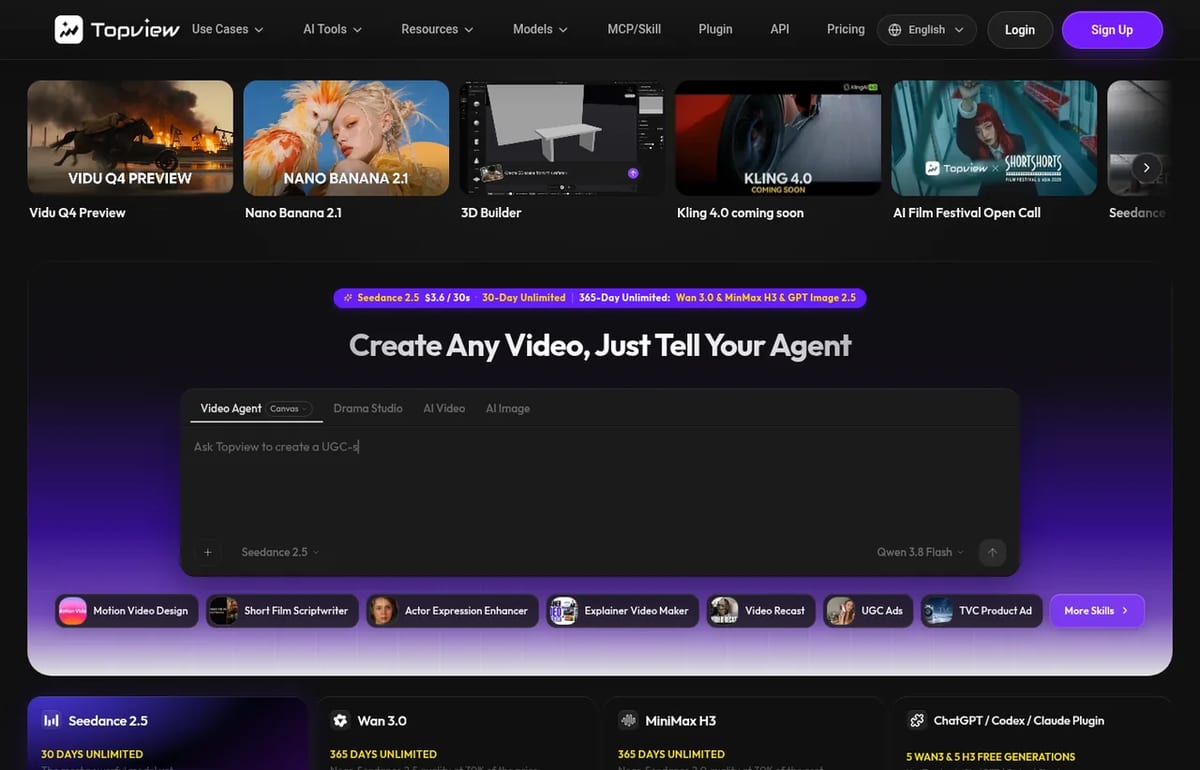
Topview has been getting a lot of attention this week for one reason: it open-sourced 3D Builder, a tool that lets an AI agent build a 3D scene for your video before any video model runs. This page explains what Topview AI is, what the new 3D Builder does and how to install it, exactly what Topview’s plans cost (checked on its pricing page on October 18, 2026), and what to watch out for before you pay.
What is Topview AI?
Topview AI is a web app for making marketing videos, short films and micro-dramas with AI. Its main tool is a Video Agent: you describe an idea or paste a script, a reference video or a product URL, and Topview plans the scenes, picks a model, generates the shots and keeps each one editable on a Canvas. Topview is run by TOPVIEW PTE. LTD., with offices in Singapore and Los Angeles.
Topview doesn’t build its own video models. It gives you third-party models in one place, including ByteDance’s Seedance 2.5, Alibaba’s Wan 3.0, MiniMax H3, Kling, Google’s Veo 3.1 Fast, Nano Banana and GPT Image, and bills them all in Topview credits. Around those models it adds:
- Video Agent and Canvas: turn a prompt, script or product link into a multi-shot video you can edit shot by shot.
- Drama Studio: build vertical micro-dramas and short series from a novel, script or plot with consistent characters.
- AI avatars and UGC ads: 5,000+ public avatars, product avatars, lip sync and voice cloning for ad-style videos.
- Board: one workspace for image, video, audio and avatar models and their outputs.
- 3D Builder (3D Shot Composer): stage characters, props and cameras in 3D, then generate shots from that layout.
- API, MCP and plugins: use Topview from ChatGPT, Codex, Claude or your own code.
What’s new: Topview’s free, open-source 3D Builder
The biggest problem with AI video is control. A text prompt can’t say exactly where two people stand or where the camera goes, so you keep regenerating and paying for shots you throw away. Topview’s answer is 3D Builder, which it calls “a 3D director’s stage for AI video.” Your agent builds a simple 3D scene from your description, you check the blocking and camera angles, and only then does a video model render the shot.
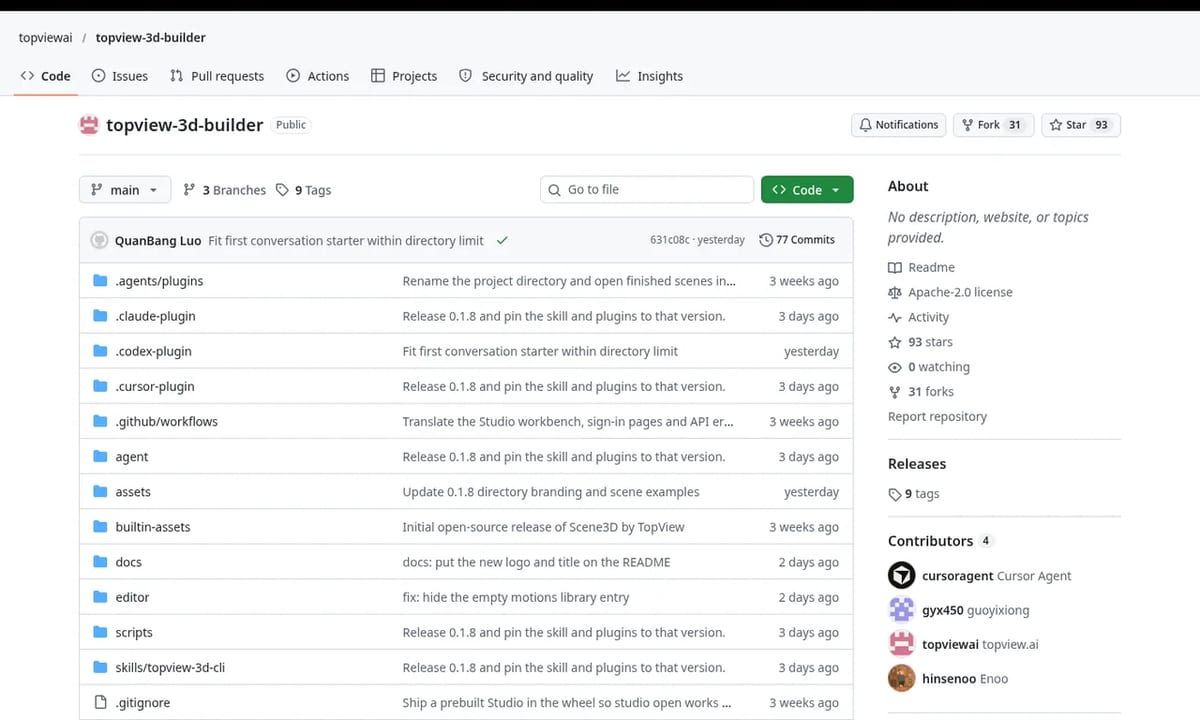
Topview announced that it had open-sourced the tool on October 15, 2026 in a post on DEV Community, and released version 0.1.8 a day later. The code lives in the topviewai/topview-3d-builder repository on GitHub. Here’s what you get:
- Free and local: building, editing and rendering scenes runs on your own computer, with no account and no uploads. Projects are plain files in a
.topview-3d/folder. - Open licence: the code, schemas and docs are Apache-2.0. The built-in characters and poses are CC BY 4.0, so you need to credit Topview if you reuse them.
- Works inside your AI agent: ChatGPT and Codex (as a plugin), Claude Code, Cursor, Qoder and other agents that support skills.
- Built-in assets: 4 characters (child, youth, woman, man), 121 poses, basic shapes for tables, walls and props, and as many cameras as you need.
- Automatic checks: it flags floating or clipping characters, bad spacing and framing problems before you render.
- A full editor called Studio: everything the agent does has a panel you can use by hand, and you can plan push-ins, orbits and cuts on a timeline.
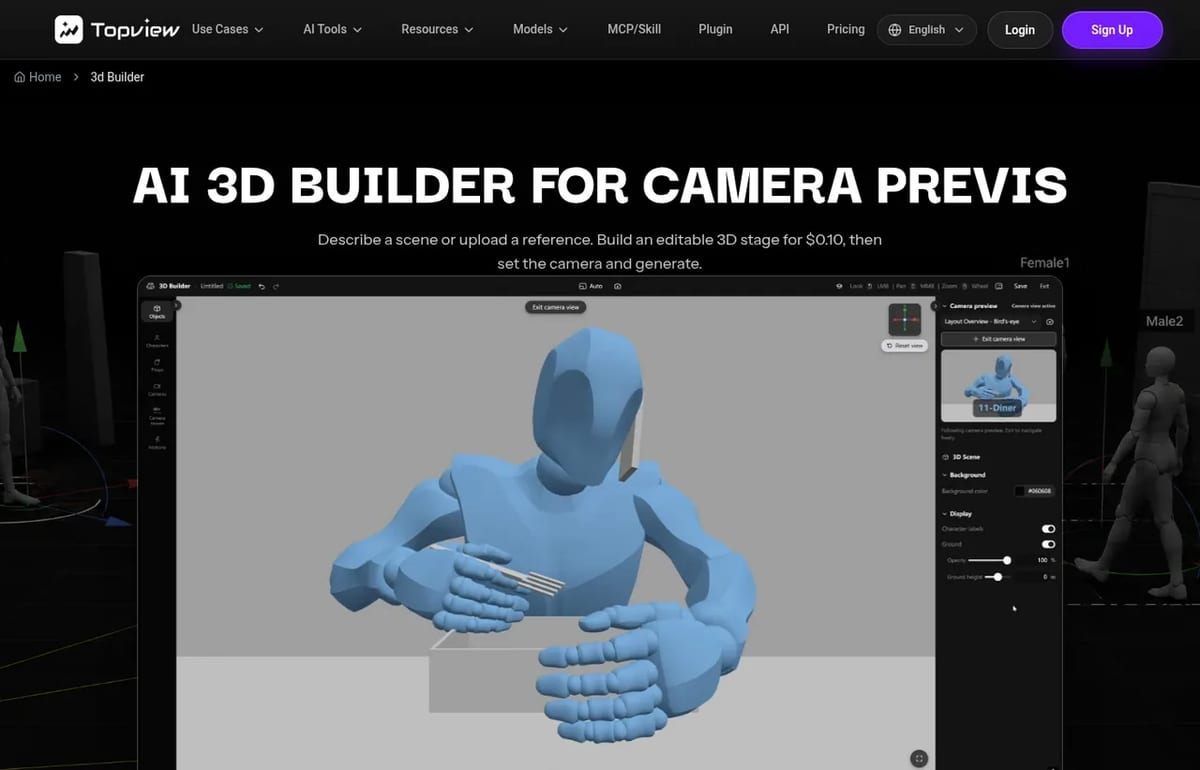
One detail confuses people: the 3D Builder page on topview.ai says a scene build costs $0.10. That’s the hosted version inside Topview. The open-source version you install locally is free. In both cases, turning the finished scene into a real video uses a video model, which costs credits.
How to install Topview 3D Builder
You need Python 3.11 or newer, Node.js 20.6 or newer, and uv or pipx. Then:
- ChatGPT or Codex: open the Topview 3D Builder plugin page in the app and install it, then type @ and pick Topview 3D Builder.
- Claude Code: run the two commands below, then restart Claude Code.
- Cursor: clone the repo into
~/.cursor/plugins/local/topview-3d-builderand restart Cursor. - Other agents: run
npx skills add https://github.com/topviewai/topview-3d-builder.gitand pick topview-3d-cli.
claude plugin marketplace add https://github.com/topviewai/topview-3d-builder.git
claude plugin install topview-3d-builder@topview-3d-builder
Then start a new session and ask for a scene, for example: “Build a scene: two people sit across a café table, a woman is talking. Give me a front, an over-the-shoulder and a top-down shot.” The first render downloads a browser component once. Topview’s README recommends a cheap model such as Qwen 3.8 Flash to drive the agent, since bigger models cost far more for a similar result.
Topview AI Pricing (2026)
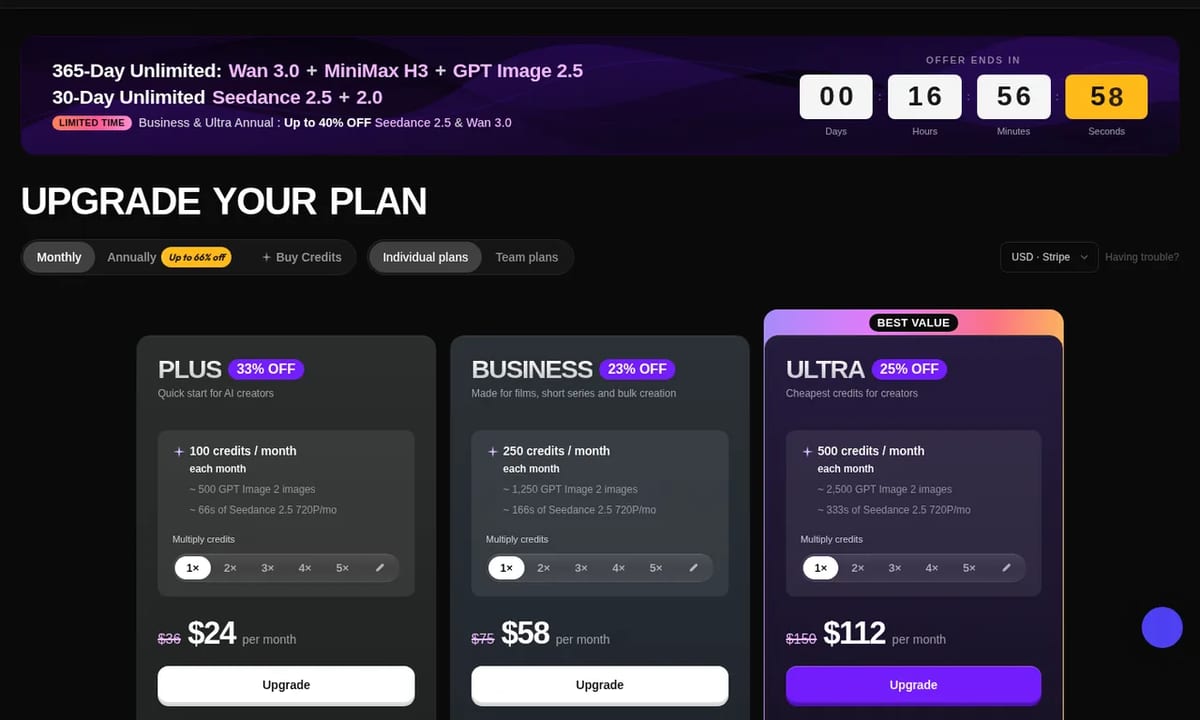
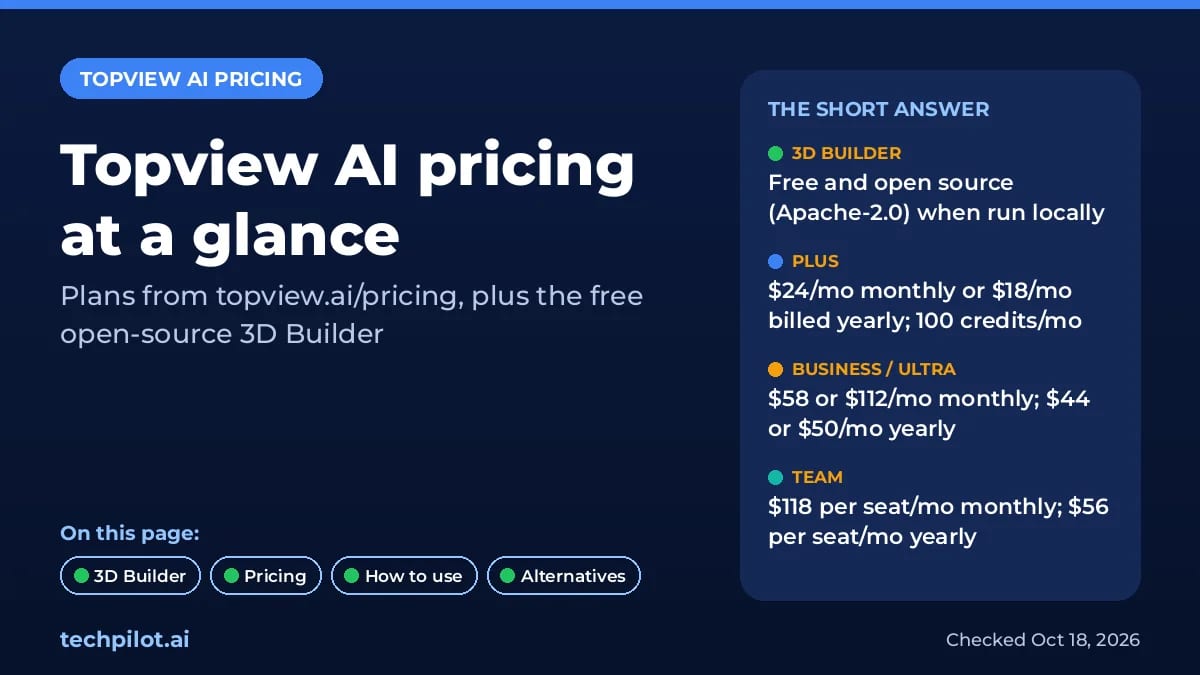
Topview sells credit-based subscriptions. According to the Topview pricing page, which we checked on October 18, 2026, these are the current individual and team plans (prices in USD, before VAT and local taxes):
| Plan | Monthly billing | Annual billing | Credits | Concurrent tasks |
|---|---|---|---|---|
| Plus | $24/month (list price $36) | $18/month ($216 a year) | 100 a month | 4 |
| Business | $58/month (list price $75) | $44/month ($528 a year) | 250 a month (monthly) or 3,000 a year upfront (annual) | 8 |
| Ultra | $112/month (list price $150) | $50/month ($599.90 a year) | 500 a month | 12 |
| Team | $118 per seat/month (list price $180) | $56 per seat/month ($672 per seat a year) | 500 per seat a month | 30 in total |
Is there a free plan? Not on the pricing page. It lists no free tier and no signup credit amount. The free ways to use Topview right now are the open-source 3D Builder on your own computer, and the ChatGPT, Codex and Claude plugin, which the homepage advertises with 5 free Wan 3.0 and 5 free MiniMax H3 generations.
What Topview credits buy
Each model costs a different number of credits, and higher plans get discounts on some models. A few examples from the pricing table on October 18, 2026:
| Model and quality | Credit cost (Plus) | With Ultra or Team discount |
|---|---|---|
| Seedance 2.5, 720p | 6 credits per 4 seconds | 4.8 credits per 4 seconds |
| Seedance 2.5, 1080p | 14.8 credits per 4 seconds | 11.84 credits per 4 seconds |
| Wan 3.0, 720p | 2 credits per 4 seconds | 1.6 credits per 4 seconds |
| Google Veo 3.1 Fast with audio | 3.6 credits per 4 seconds | Same |
| Nano Banana 2, 1K | 0.4 credits per image | Same |
| GPT Image 2.5, 1K | 0.2 credits per image | Same |
Our math: on Plus monthly, 100 credits cost $24, so about $0.24 a credit, and a 30-second Seedance 2.5 clip at 720p (45 credits) costs about $10.80. On Ultra annual, 500 credits a month for $50 is $0.10 a credit, and the same clip (36 credits) costs about $3.60. That matches the “$3.6 / 30s” Seedance 2.5 price on Topview’s homepage, so that headline price assumes the Ultra annual plan.
Billing rules worth knowing
- Monthly credits don’t roll over. Unused credits reset each month, unless you upgrade or switch from monthly to annual.
- Top-up credits last 24 months. You can buy packs (such as 250, 600 or 1,000 credits). The cheapest 1,000-credit pack is only for Ultra Annual and Business Annual subscribers.
- “Unlimited” isn’t instant. Higher plans include credit-free Unlimited generations on some models and resolutions, but they run in a standard queue, only on topview.ai, and not through the API or MCP.
- Ultra and Team plan credits can’t pay for API calls. Plus and Business credits can.
- No direct downgrade. To move from an annual or Business plan to a lower one, you cancel and re-subscribe. Plans renew automatically.
- Short-lived promos. On October 18 the page showed a limited-time deal of up to 40% off Seedance 2.5 and Wan 3.0 on Business and Ultra Annual, with a countdown ending the same day, so check the page before you buy.
How to use Topview AI
- Sign up at topview.ai and pick a plan when you need credits.
- Start in the Video Agent and describe what you want, such as a 30-second UGC ad for a product, or paste a product URL, script or reference video.
- Stage tricky shots in 3D first with 3D Builder if you need exact positions or camera moves.
- Review the plan on Canvas, swap models per shot (for example Wan 3.0 for cheap drafts, Seedance 2.5 for final shots) and regenerate only the shots you don’t like.
- Export the finished video. Exports are watermark-free on paid plans.
Topview AI alternatives
- Higgsfield AI: a similar all-in-one creator app with many video models and its own unlimited deals. See our Higgsfield AI page.
- Seedance directly: if Seedance 2.5 is the model you want, compare Topview’s price with the official options on our Seedance page.
- Runway and OpenArt: bigger creative suites. Topview’s own comparison table (dated August 7, 2026) puts their best annual Seedance 2.5 rates above Topview’s Ultra plan.
- Free tools: if you don’t want a subscription yet, start with our list of free AI text to video generators.
Verdict
Topview AI is a strong pick for marketers and AI filmmakers who want one app for many video models, with an agent that plans the shots for them. The new open-source 3D Builder is the most interesting part: it’s free, runs locally and fixes a real problem, which is getting the staging and camera right before you spend credits. The paid plans are good value only at the top end. Ultra annual makes credits cheap, while Plus monthly costs more than twice as much per credit, so do the math for your volume first.
TechPilot.ai’s Verdict on Topview AI
Topview AI bundles the top video models behind an agent that plans your shots, and its free, open-source 3D Builder finally gives you real control over staging and camera moves.
It’s best value on the Ultra annual plan. On smaller plans, compare the per-credit cost with Higgsfield or buying a model directly before you commit.
Topview AI FAQ
Is Topview AI free?
Topview’s pricing page lists no free plan. The open-source 3D Builder is free to run on your own computer, and the ChatGPT, Codex and Claude plugin is advertised with 5 free Wan 3.0 and 5 free MiniMax H3 generations. Making videos on topview.ai needs a paid plan or credits.
•
How much does Topview AI cost?
As of October 18, 2026: Plus is $24 a month or $18 a month billed yearly, Business $58 or $44, Ultra $112 or $50, and Team $118 or $56 per seat a month. Plans include 100 to 500 credits a month, and you can buy extra credit packs.
•
What is Topview 3D Builder?
It’s a tool that lets an AI agent build an editable 3D scene, with characters, poses, props and cameras, before a video model renders the shot. Topview open-sourced it under Apache-2.0 in October 2026. It runs locally in ChatGPT/Codex, Claude Code, Cursor and other agents.
•
Is Topview AI legit?
Yes. Topview is run by TOPVIEW PTE. LTD. in Singapore, with an office in Los Angeles, and takes payments through Stripe. Read the credit rules before you pay: monthly credits don’t roll over, and Unlimited generations run in a slower queue.
•
Can I use Topview through an API?
Yes. Plus, Business and Pro plans include API and MCP access that can use plan credits. Ultra and Team plans also support API and MCP, but their plan credits can’t be used for API calls, and Unlimited generations are web-only.
Flova AI
AI Video Generator
Flova is one of the more complete AI video agents we have looked at: it plans the whole project, uses current top models and lets you fix…

Kling 4.0
AI Video Generator
On paper, Kling 4.0 is a big step up from Kling 3.0: 30-second single-pass clips, up to 10 keyframes, 15 references and native 4K HDR put…

Medeo AI
AI Video Generator
I spent a good amount of time with Medeo AI, focusing on its advertised ability to create AI-driven animations. My main question was…