Flova is one of the more complete AI video agents we have looked at: it plans the whole project, uses current top models and lets you fix one shot without starting over. It suits short dramas, music videos and ads where consistency matters.
AI Agents · Tool review
Flova AI: Pricing, Features & Review
 TechPilot.ai review team Hands-on testing, one published method
 - Last updated
- How we test
The AI news that actually mattered this week.
One short email every Friday: the biggest AI stories, what they mean for you, and the tools worth trying. A 3-minute read, no hype.
Free. Unsubscribe anytime.
You're in. Watch for the brief on Friday. Free. Unsubscribe anytime.
Summary
Pros and cons
What we like
- Whole pipeline Script, storyboard, shots, music and edit in one place.
- Many top models Seedance 2.5, Wan 3.0, MiniMax H3 and more.
- Reusable Skills Save workflows instead of re-prompting.
- Agent-friendly CLI and plugin for Codex, Claude Code and WorkBuddy.
What could be better
- Credit-hungry Video is billed per second of output.
- More steps Long-form videos require more time for planning and review.
- Small free allowance 300 credits on sign-up.
Key features
- AI video agent: Turns a brief into script, storyboard and shots.
- Flova Skills: Reusable workflows for dramas, ads, MVs and more.
- Agent Canvas: One visual workspace for the whole project.
- Comment to revise: Change one shot without redoing the rest.
- Asset Library: Reuse characters and scenes across projects.
- Flova CLI: Connect Codex, Claude Code and other agents.
Screenshots
Full review
Independent and reader-supported. Some links may earn us a commission; it never changes our scores. Editorial policy
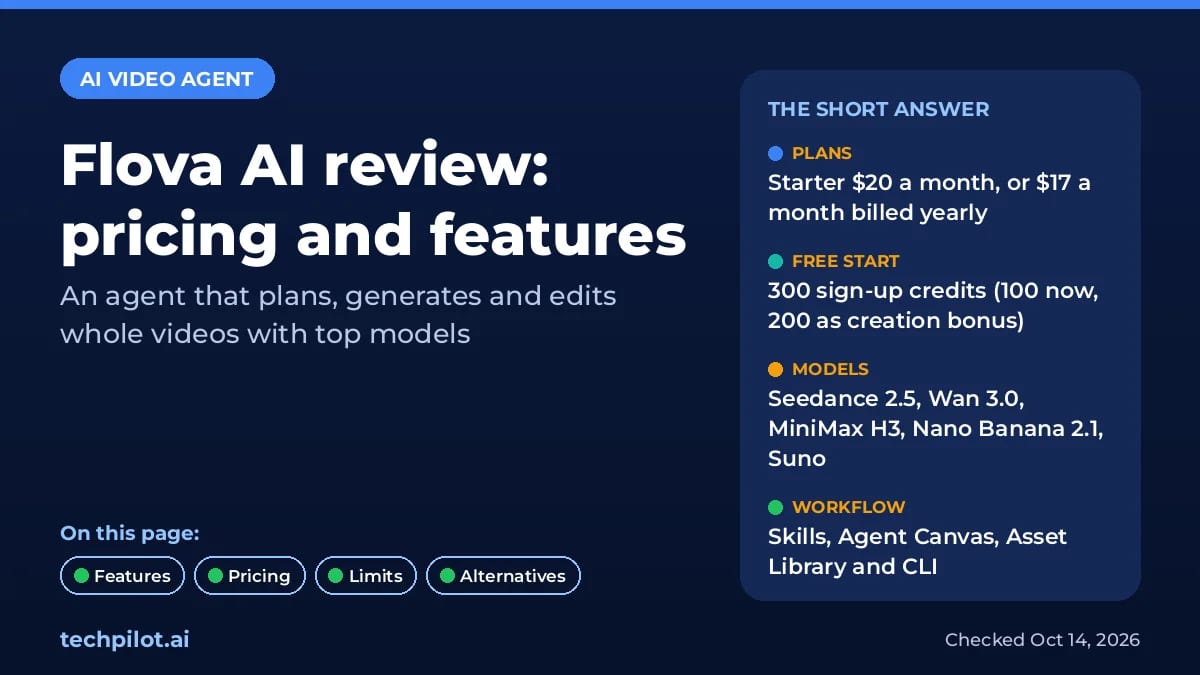
Flova AI is a video agent that plans, generates and edits full videos with models like Seedance 2.5. See Flova pricing, free credits, features and limits.
Flova AI calls itself “more than an AI video generator”, and that is a fair summary. Instead of one prompt box that returns one clip, you describe the video you want, and an agent breaks it into a script, storyboard, shots, assets, music and a final timeline. It runs on third-party models rather than its own, so the value is in how it organises the work. This page covers what it does, what it costs and where it falls short.
What is Flova AI?
Flova is a browser-based AI video agent. You can start from a short brief, a script or your own reference images, video or audio. The agent plans the project, picks a workflow and generates the pieces with whichever model fits each step. Its site lists short dramas, music videos, short films, product ads, motion comics and social clips as the main use cases, in styles from anime and 3D to Pixar-style visuals and director-inspired looks.
That puts it close to agent-style tools such as Vivago AI and its R1 agent, and a step beyond single-model generators. The trade-off is the same: you get more structure and consistency, but each video takes more steps and more credits than one quick clip.
Key features
- Many models in one plan: video models such as Seedance 2.5, Wan 3.0 and MiniMax H3, image models such as Nano Banana 2.1 and GPT Image 2, plus Suno for music and ElevenLabs for narration.
- Flova Skills: reusable video workflows that tell the agent how to plan, make and edit one type of video, such as an episodic short drama from a script or a multi-panel grid video. You can use ready-made Skills or save your own.
- Agent Canvas: the script, storyboard, shots, assets and clips sit in one visual workspace, so you can see how each scene connects.
- Targeted revisions: comment on one storyboard frame, shot or element, and the agent changes just that part instead of regenerating the whole project.
- Asset Library: save characters, scenes and shots and reuse them across projects to keep a series consistent.
- Flova CLI and plugin: a setup prompt connects Flova to coding agents such as Codex and Claude Code, and a plugin brings it into WorkBuddy, so another agent can create a project, track progress and fetch the export.
How Flova AI works
- Sign up and describe your idea in the chat box, or upload a script or reference files.
- Pick a Skill, or let the agent choose one for you.
- Review the plan, storyboard and prompts before anything expensive is generated, and comment on parts you want changed.
- Let it generate the shots, music and voice, then assemble and export the timeline.
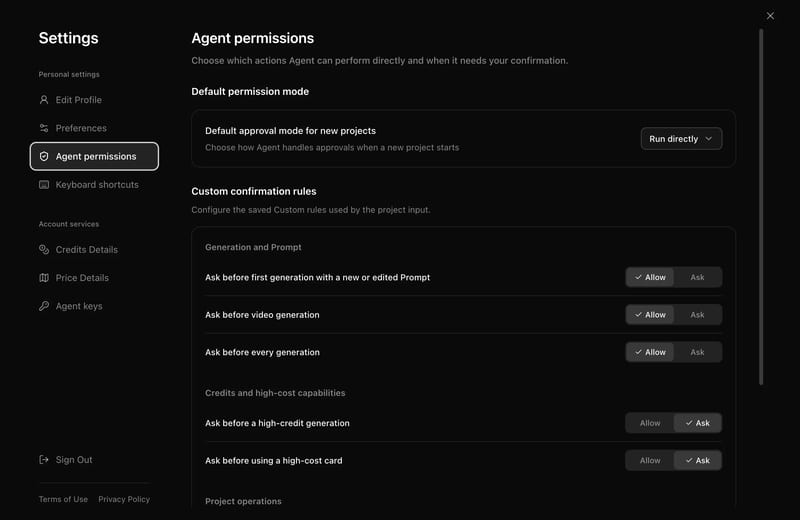
The review step matters. Video credits are charged per second of output, so checking the storyboard first is the cheapest way to avoid paying for shots you will throw away. You can also set Flova Agent to ask before generating anything, which lets you review what it’s about to do and avoid spending credits unnecessarily.
Flova AI Pricing (2026)
Flova sells credit-based subscriptions with Personal and Team plans, billed monthly, quarterly or yearly. We checked the official pricing page on October 14, 2026. Longer billing periods lower the monthly price and add bigger discounts on generation.
| Personal plan | Monthly | Quarterly (per month) | Yearly (per month) | Credits a month |
|---|---|---|---|---|
| Starter | $20 | $19 | $17 | 2,000 |
| Basic | $50 | $48 | $42 | 5,000 + 500 bonus |
| Plus | $100 | $95 | $84 | 10,000 + 3,000 bonus |
| Pro | $200 | $190 | $167 | 20,000 + 10,000 bonus |
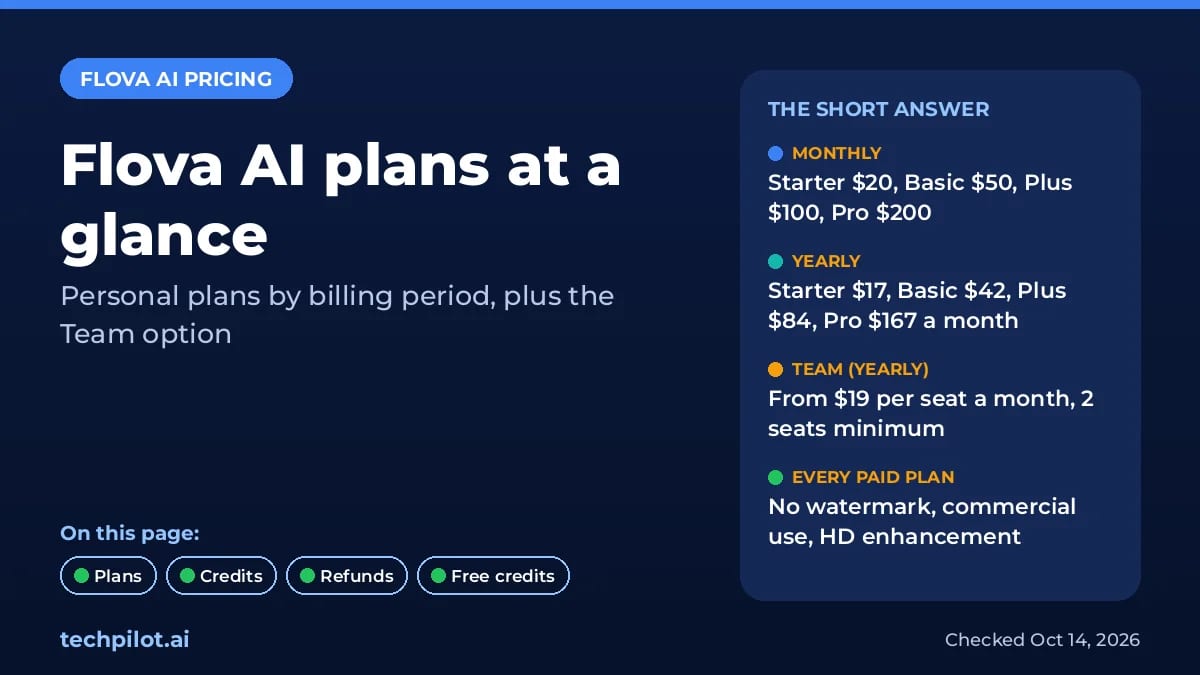
Every paid plan includes watermark-free export, commercial use and image and video HD enhancement. Higher tiers raise how many jobs you can run at once (single-model concurrency goes from 5 on Starter to 15 on Pro) and how many users can be authorised (2 to 20). Plus and Pro add what Flova calls compliant realistic-style generation. Agent chat is free for a limited time on all plans.
Team plans start at $19 per seat a month on yearly billing ($220 per seat a year), with at least 2 seats on the first purchase. Team tiers are $19, $46, $92 and $184 per seat a month billed yearly, and add seat, credit and project-access management.
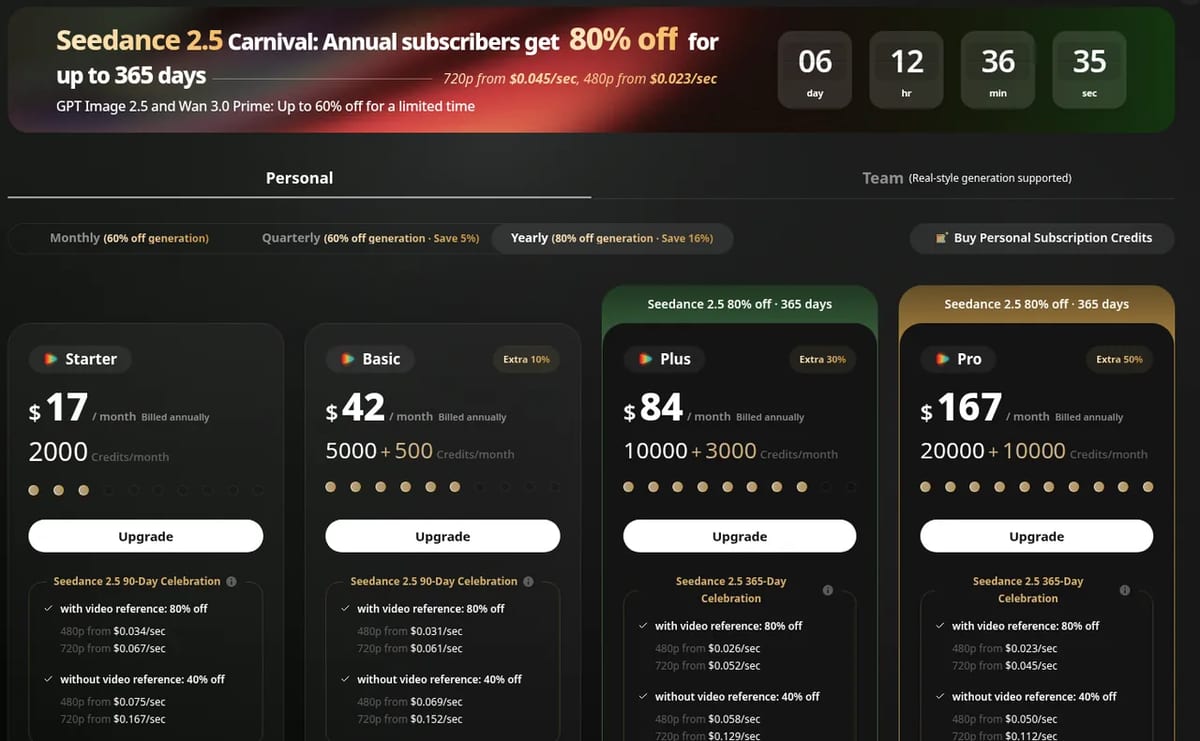
Two things to know before you pay. First, credits are deducted by model, duration and resolution, so the same plan can make very different amounts of video. Flova shows the cost in a model pricing table inside your account, and the pricing page was running a Seedance 2.5 promotion when we checked (720p from $0.045 a second for yearly subscribers on top tiers). Second, plans auto-renew, and refunds are only offered within 7 days if you have not used any generation features since paying.
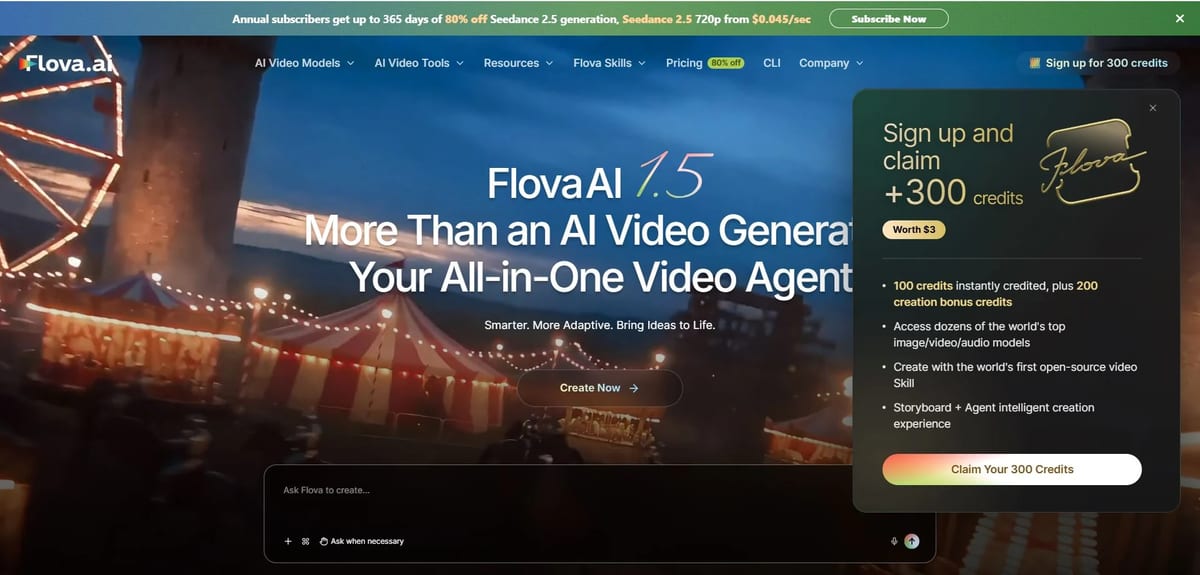
Is Flova AI free? You can start free. New accounts get 300 credits (100 at once and 200 as creation bonus credits), and Flova says free accounts can try the core workflow with limits on models, resolution and advanced features. That is enough to test the agent, not to make a full multi-shot video.
Limitations
- Credits go fast on video: multi-shot projects and re-generations add up, because video is charged per second.
- Slower than a one-prompt generator: the plan-review-generate loop is better for story work than for quick social clips.
- No in-house model: quality depends on the third-party models Flova offers at the time. However, Flova Agent plays an important role in the quality of the final video. It can understand scripts, help maintain consistency in characters and visual style across scenes, and retain project context so creators do not have to repeat the same instructions.
- Promotions change the math: discounts tied to billing periods and campaigns change often, so check the live checkout price.
- Output still needs review: like every AI video tool, check characters, motion and brand details before publishing.
Flova AI alternatives
- Seedance 2.5: go straight to the model Flova leans on most, if you only need single clips.
- Higgsfield AI: a multi-model video and image platform with strong camera-motion presets.
- Vivago AI: HiDream’s platform, whose R1 agent also plans scripts and storyboards from a chat.
TechPilot.ai’s Verdict on Flova AI
Flova is one of the more complete AI video agents we have looked at: it plans the whole project, uses current top models and lets you fix one shot without starting over. It suits short dramas, music videos and ads where consistency matters.
Start with the free credits, review every storyboard before generating, and watch credit use closely, because per-second video pricing is where the cost adds up.
Flova AI FAQ
Is Flova AI free?
You can start free. New accounts get 300 credits, 100 at once and 200 as creation bonus credits, and free accounts have limits on models, resolution and advanced features.
•
How much does Flova AI cost?
Personal plans cost $20, $50, $100 or $200 a month on monthly billing, or $17, $42, $84 and $167 a month billed yearly, as listed on flova.ai on October 14, 2026. Team plans start at $19 per seat a month billed yearly.
•
What is a Flova Skill?
A Flova Skill is a reusable video workflow that tells the agent how to plan, create and edit one type of video. You can use ready-made Skills or create and save your own.
•
Which AI models does Flova AI use?
Flova uses third-party models, including Seedance 2.5, Wan 3.0 and MiniMax H3 for video, Nano Banana 2.1 and GPT Image 2 for images, and Suno and ElevenLabs for music and narration.
•
Can I use Flova AI videos commercially?
Yes on paid plans. Every paid Flova plan includes commercial use and watermark-free export.

Step 5 Preview
AI Agents
Step 5 Preview is one of the stronger price/performance frontier options live today at $1/$2.70 per 1M tokens with a 1M context. For hosted…

Coral
AI Agents
Coral is the first agent we’ve seen built for a whole family rather than one person, and the flat $20 for unlimited members is fair if your…

Muse Wonder
AI Agents
Muse Wonder puts Meta in the frontier race for agent and coding work, and the 1M context with cheap cached input suits long-running agents.…