Venice AI is one of the easiest ways to use many AI models without storing your chats in a big tech account, and the free plan is enough to test it.
Home / Tools / Digital Art
Digital Art · Tool review
Venice AI: Pricing, Free Plan & Privacy
 TechPilot.ai review team Hands-on testing, one published method
 - Last updated
- How we test
Summary
Pros and cons
What we like
- Chats stored in your browser, not on Venice's servers.
- Many open and big-name models in one app.
- Free plan with daily text and image prompts.
- Unlimited text on Pro for $18 a month.
- OpenAI-compatible API with credit billing.
What could be better
- Video and frontier models cost extra credits.
- Fewer content filters than mainstream chatbots.
- History can be lost if you clear your browser.
- Anonymized models still reach third-party providers.
Key features
- Private chat: Encrypted conversations kept in your browser.
- Model choice: GLM, Kimi, DeepSeek, Grok, Qwen and more.
- Image tools: Generate, upscale, remove backgrounds and make variants.
- Video and music: Leading video models paid with credits.
- Characters: Create and share custom characters.
- Venice API: OpenAI-compatible API with private and anonymized models.
Screenshots
Full review
Independent and reader-supported. Some links may earn us a commission; it never changes our scores. Editorial policy
Venice AI is a private AI app for chat, images and video. The free plan gives 10 text and 15 image prompts a day, and Pro is $18 a month. See the limits.
Venice is a browser and app-based AI platform that puts many models in one place, including open models such as GLM, Qwen and DeepSeek and anonymized access to models from Google, xAI and others. Its pitch is privacy: Venice says your prompts, replies and uploads are stored in your own browser, not on its servers. It says more than 4 million people use it. We checked the pricing page, the about page and the API pricing docs on October 25, 2026.
Is Venice AI free?
Yes, with daily limits. The free plan uses Venice’s base models and gives you 10 text prompts and 15 image prompts a day, plus API access that you pay for with credits. You can start chatting on venice.ai without much setup, and you only need an account to save more or upgrade.
Pro removes the text limit and raises images to 1,000 a day. Video, music and the top frontier models are paid with credits on every plan, so even Pro users spend credits on those.
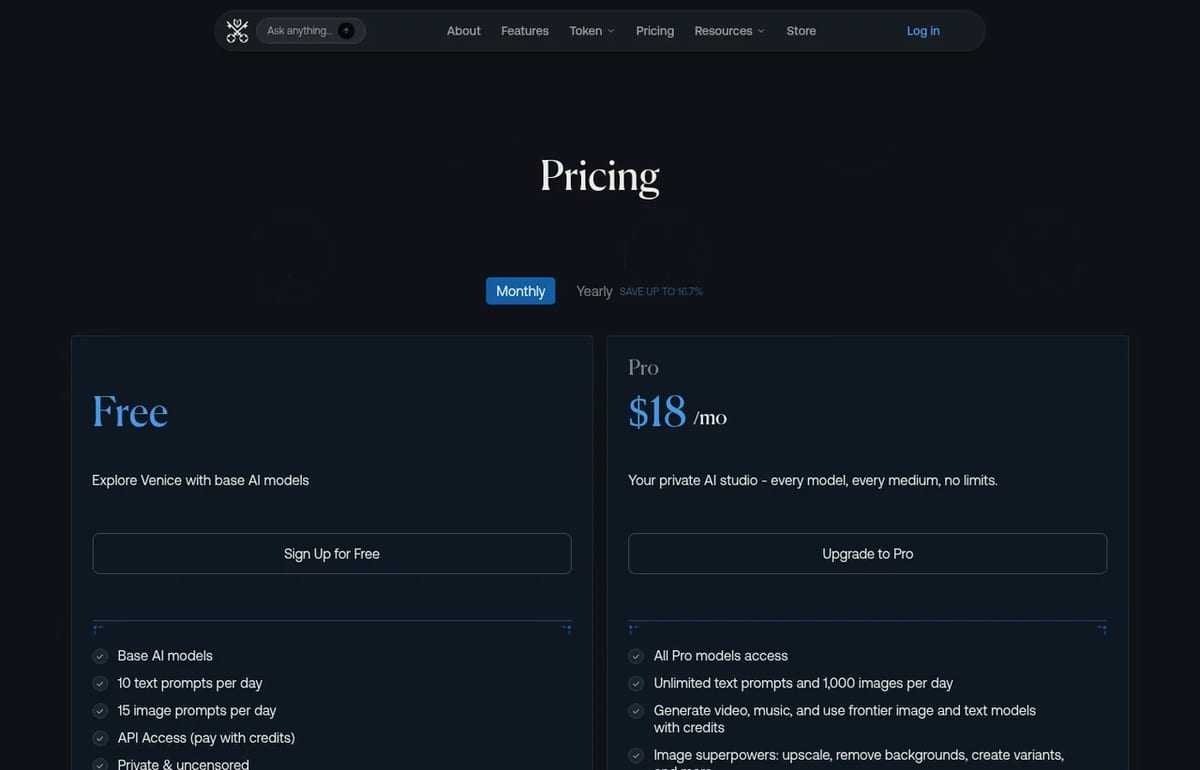
Venice AI Pricing (2026)
| Plan | Price (monthly billing) | What you get |
|---|---|---|
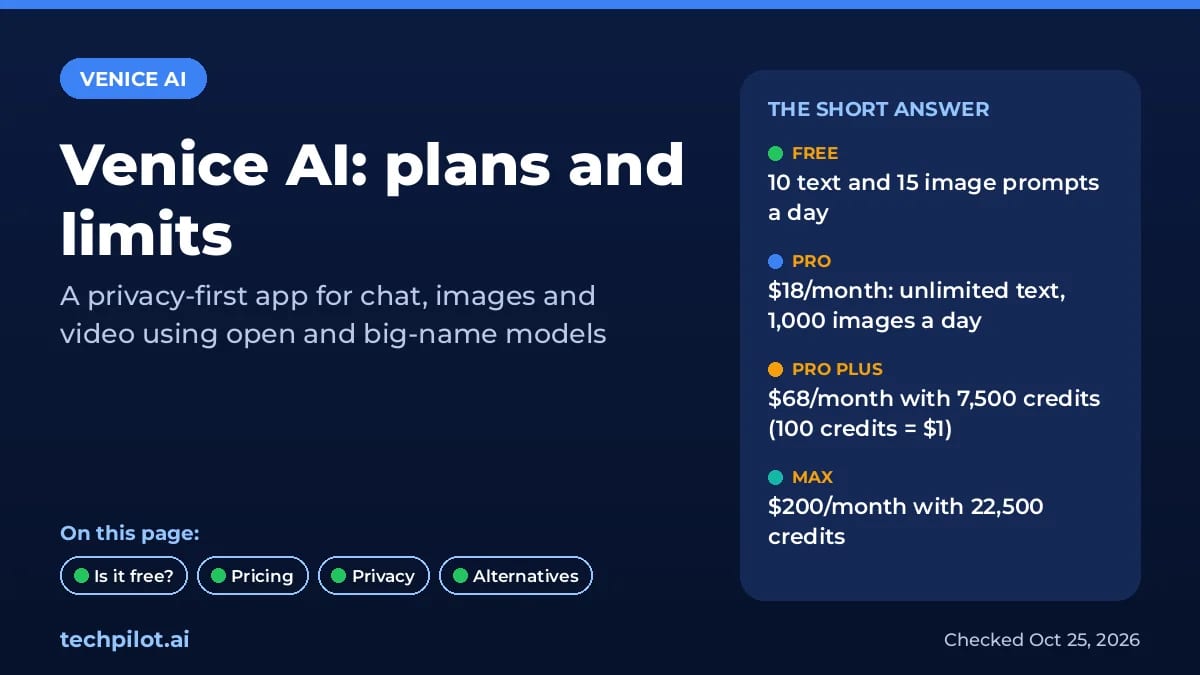
| Free | $0 | Base models, 10 text and 15 image prompts a day, API with credits |
| Pro | $18/month | All Pro models, unlimited text, 1,000 images a day, 100 credits a month |
| Pro Plus | $68/month | Everything in Pro, 7,500 credits a month, 2-month credit rollover |
| Max | $200/month | Everything in Pro Plus, 22,500 credits a month, 3-month rollover |
Credits are Venice’s currency for premium features, and 100 credits equal $1. Venice says leading video models such as Seedance 2.5, Wan 3.0 and Kling V3 cost under 80 credits for a clip of about 5 seconds. So Pro’s 100 monthly credits cover roughly one short video; if you plan to make video regularly, Pro Plus is the realistic tier.
Developers can use the same credits through the OpenAI-compatible Venice API, or pay as they go at published per-token rates. For example, GLM 5.3 Flash is $0.15 input and $0.50 output per 1M tokens, while Gemini 4 Argon, run in anonymized mode, is $2.50 input and $12.50 output.
How Venice AI privacy works
Venice explains its setup on its about page:
- Local storage: conversations and creations are encrypted and kept in your browser, not on Venice’s servers.
- Encrypted proxy: requests travel through Venice’s proxy to GPU providers and responses stream straight back.
- Split compute: GPUs come from several decentralized providers; one provider can see the text of one conversation, but not your history or identity.
- Private vs anonymized: open models run in private mode; big-name models such as Gemini are labelled anonymized, meaning Venice strips your identity but the model provider still processes the request.
That’s a different trade-off from ChatGPT or Gemini, which store your chats in your account. If privacy is the main reason you’re looking, also read our guide on whether ChatGPT is safe, or run a model yourself with one of the best local AI models.
Best use cases for Venice AI
- Private chats: questions about health, money or work you’d rather not store in a big tech account.
- Trying many models: switch between GLM, Kimi K3, DeepSeek, Grok and Qwen in one app.
- Images and edits: generation, upscaling, background removal and variants on Pro.
- Developers: an OpenAI-compatible API with private open models and credit billing.
Limitations
- Fewer content filters: Venice markets itself as uncensored and offers less-filtered models, so it isn’t a fit for children or workplaces that need strict filtering.
- History lives in your browser: clear it or switch devices and chats can disappear unless you use Pro’s encrypted backup.
- Credits for the good stuff: video, music and frontier models cost credits even on Pro.
- Anonymized isn’t private: requests to third-party models still reach those providers.
Venice AI alternatives
- Free AI chatbots: ChatGPT, Claude, Gemini and others compared on their free plans.
- Kimi K3.1 Pro: Moonshot’s new 1M-token model, with limited free use.
- Local AI models: the most private option, since nothing leaves your computer.
TechPilot.ai’s Verdict on Venice AI
Venice AI is one of the easiest ways to use many AI models without storing your chats in a big tech account, and the free plan is enough to test it.
Pro at $18 a month suits heavy chat users; pick Pro Plus only if you’ll use its credits for video or the API.
Venice AI FAQ
Is Venice AI free?
Yes. The free plan gives you Venice’s base models with 10 text prompts and 15 image prompts a day, plus API access paid with credits. Pro removes the text limit.
•
How much does Venice AI cost?
Venice Pro costs $18 a month, Pro Plus $68 and Max $200 with monthly billing. Yearly billing saves 16.7% on Pro and 10% on Pro Plus and Max.
•
Is Venice AI private?
Venice says chats are encrypted and stored in your browser, not on its servers, and requests go through an encrypted proxy to decentralized GPUs. Third-party models run in anonymized mode, so their providers still process the request.
•
What are Venice credits?
Credits pay for video, music, frontier models and the API. 100 credits equal $1. Pro includes 100 credits a month, Pro Plus 7,500 and Max 22,500.
•
Does Venice AI have an API?
Yes. The Venice API is OpenAI-compatible and covers text, image, video and audio models, billed per token or with plan credits. For example, GLM 5.3 Flash costs $0.15 input and $0.50 output per 1M tokens.
FAL.AI
Digital Art
FAL.AI is a promising platform that addresses the challenges of deploying and scaling generative AI models. Its focus on speed, efficiency,…
Hera
Digital Art
The best way to test a tool claiming to simplify motion design is to give it a real-world job. I tasked Hera with creating a new,…
FakeYou
Digital Art
Overall, Fakeyou Voice Generator is a highly versatile and creative tool for content creators, marketers, and meme-makers. Its range of…