Wispr Flow is one of the best voice-to-text tools for people who write all day, and the cleanup step makes dictated text usable as is.
Home / Tools / Audio / Voice
Audio / Voice · Tool review
Wispr Flow Review: Dictation and Notetaker
 TechPilot.ai review team Hands-on testing, one published method
- Last updated
- How we test
The AI news that actually mattered this week.
One short email every Friday: the biggest AI stories, what they mean for you, and the tools worth trying. A 3-minute read, no hype.
Free. Unsubscribe anytime.
You're in. Watch for the brief on Friday. Free. Unsubscribe anytime.
Summary
Pros and cons
What we like
- Clean text in any app.
- Works on all four platforms.
- Learns names and jargon.
- Notetaker included free.
- 100+ languages.
What could be better
- Needs an internet connection.
- Weekly limits on Free.
- Weak with code symbols.
- Growth plan adds up fast.
Key features
- Dictation: Speak into any text field.
- AI cleanup: Removes filler, adds punctuation.
- Dictionary: Learns names and terms.
- Snippets: Reusable spoken shortcuts.
- Notetaker: Meeting transcripts and summaries.
- Cross-device: Mac, Windows, iPhone, Android.
Screenshots
Full review
Independent and reader-supported. Some links may earn us a commission; it never changes our scores. Editorial policy
Wispr Flow is an AI dictation app that types clean text in any app on Mac, Windows, iPhone and Android, and now takes meeting notes. Pro is $12 a month.
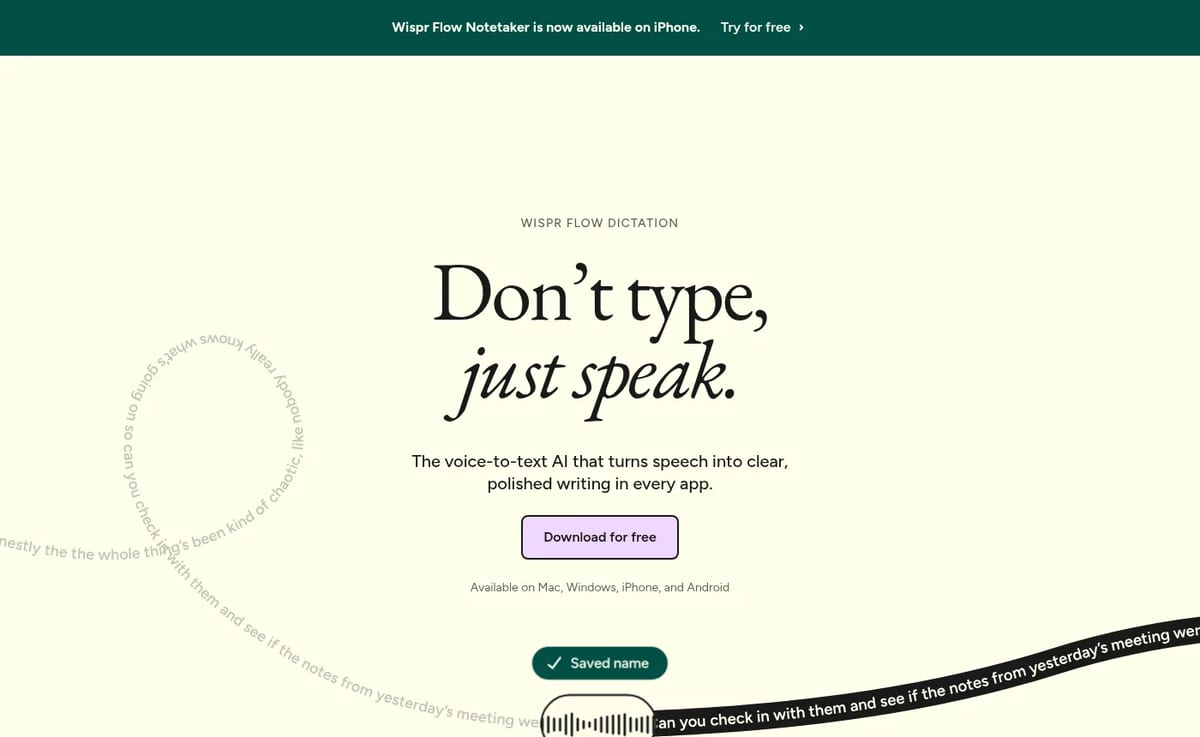
Quick answer: Wispr Flow lets you hold a shortcut, talk, and get tidy, punctuated text in whatever app you are using, from email and Slack to ChatGPT and code editors. It works in more than 100 languages and learns your names and jargon. The newer Wispr Flow Notetaker records meetings and in-person conversations and turns them into transcripts, summaries and next steps. The free plan covers both with weekly limits; Pro is $15 a month, or $12 a month billed yearly, on Wispr’s pricing page as of November 26, 2026.
What Wispr Flow does
- Dictation in any app: speak into any text field and Flow inserts cleaned-up text, without filler words and with punctuation added.
- Personal dictionary and snippets: it learns names and technical terms, and you can save snippets you say often.
- Every device: dictation runs on Mac, Windows, iPhone and Android, so the same dictionary follows you.
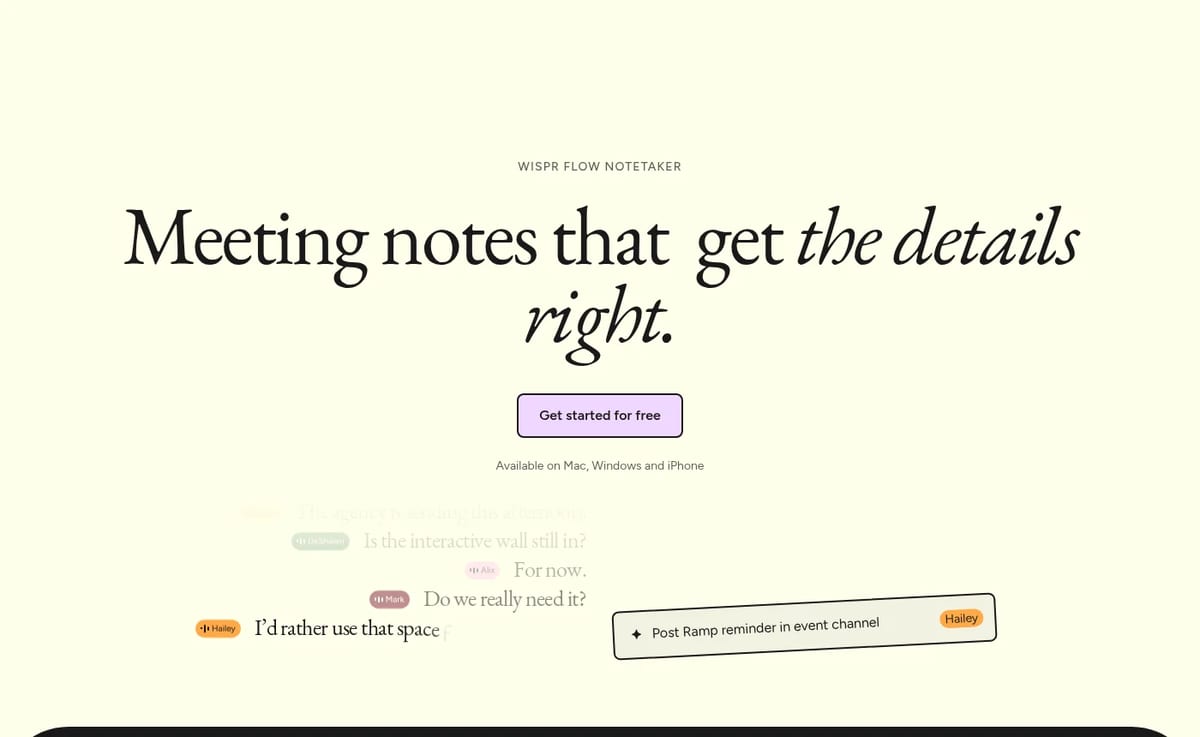
- Notetaker: records meetings on Mac and Windows, and in-person conversations on iPhone, then gives you a transcript, a summary and next steps you can ask questions about.
- Works with AI tools: meeting notes can be used inside Claude and ChatGPT, which helps if you prompt AI tools all day.
Who it is for
Flow is worth trying if you write a lot and think faster than you type: founders answering email, support teams, writers drafting first versions, and developers who prompt coding assistants by voice. The Notetaker turns it into a two-in-one tool for people who also live in meetings, so you may not need a separate meeting bot. It is less useful if your work cannot leave your device, because transcription needs an internet connection, and if most of what you type is code symbols rather than sentences.
If meetings are your main need, compare it with our reviews of Fireflies.ai and Murf AI Notetaker. For recordings you already have, a file transcriber like TurboScribe is the better fit.
Wispr Flow Pricing (2026)
| Plan | Monthly billing | Annual billing | What you get |
|---|---|---|---|
| Free | $0 | $0 | Dictation and Notetaker with weekly limits, 100+ languages, dictionary and snippets, 30-day meeting history on desktop |
| Pro | $15/user/month | $12/user/month | Unlimited dictation, unlimited Notetaker history, shared dictionary and snippets, team workspace and billing, priority support |
| Growth | $23/user/month, or $33 with unlimited Notetaker | $18/user/month, or $26 with unlimited Notetaker | Everything in Pro plus SSO with SAML, HIPAA enforcement with a signed BAA, admin controls and usage reporting |
| Enterprise | Custom | Custom, annual only | SCIM provisioning, audit logs, MDM deployment, model training locked off, SLAs |
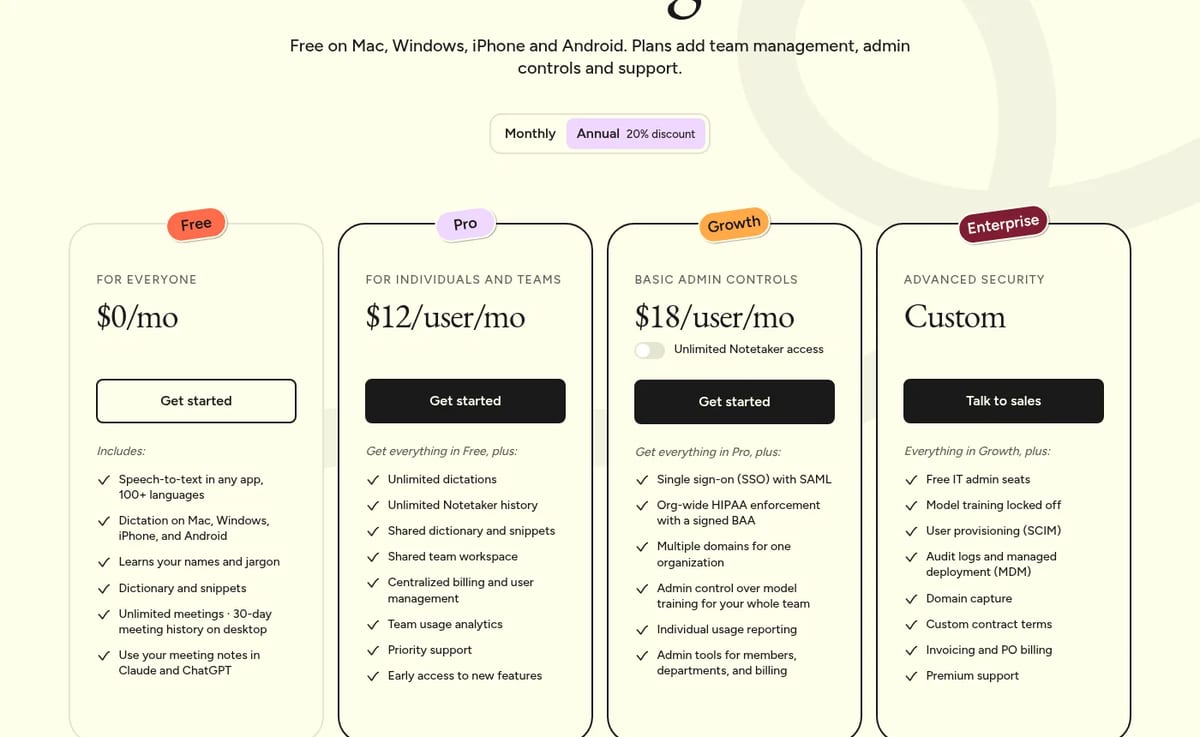
Which plan makes sense: start on Free; it has no credit card step and covers light daily use. Move to Pro at $12 a month billed yearly once you hit the weekly limit, which is the point where Flow has become part of how you work. Students get 50% off Pro and educators 40%, per the pricing FAQ. Growth is only for companies that need SSO, HIPAA paperwork or admin reporting. Until November 30, 2026, Wispr is also giving teams full Notetaker access at no extra cost.
Our verdict
Wispr Flow is one of the most polished ways to replace typing with your voice, and the cleanup step is what sets it apart from the dictation built into your phone or laptop. The new Notetaker makes the subscription easier to justify. Just remember that your audio goes to the cloud, so check the privacy and HIPAA terms before using it for sensitive work.
Alternatives
Apple Dictation and Google’s Gboard voice typing are free and built in, but do far less cleanup. Superwhisper and MacWhisper can run models on your own Mac for more privacy. For meetings only, Otter, Fireflies and Granola are the usual alternatives to the Notetaker.
TechPilot.ai’s Verdict on Wispr Flow
Wispr Flow is one of the best voice-to-text tools for people who write all day, and the cleanup step makes dictated text usable as is.
Start free; Pro at $12 a month billed yearly is worth it once you hit the weekly limit, and the Notetaker adds meeting notes at no extra cost.
Wispr Flow FAQ
Is Wispr Flow free?
Yes. Wispr Flow has a free plan on Mac, Windows, iPhone and Android that includes dictation and the Notetaker with weekly usage limits. No credit card is needed.
•
How much does Wispr Flow cost?
Pro is $15 per user a month, or $12 billed yearly. Growth is $23 ($18 yearly), or $33 ($26 yearly) with unlimited Notetaker. Enterprise is custom.
•
What is Wispr Flow Notetaker?
It is Wispr’s meeting recorder. It captures meetings on Mac and Windows and in-person talks on iPhone, then gives you a transcript, summary and next steps.
•
Does Wispr Flow work offline?
No. Transcription needs an internet connection, because Flow processes your audio in the cloud before inserting the cleaned-up text.
•
Is there a Wispr Flow student discount?
Yes. Wispr’s pricing FAQ says students get 50% off Flow Pro, educators get 40% off and non-profits get a discounted rate.

TurboScribe
Audio / Voice
TurboScribe does one job very well: fast, accurate transcription with no meters or minute packs to watch.

Adobe Podcast
Audio / Voice
Adobe Podcast is the easiest way to make a voice recording sound professional, and the free plan is enough for most hobby podcasters and…

Fadr
Audio / Voice
Fadr is an easy recommendation for anyone who needs quick stems: the free plan already covers vocals, melodies, drums and bass with no cap.