Home / Guides / Graphics & Design
5 Best AI Image Tools for Fashion and Brand Photography in 2026
The 5 best AI image tools for fashion and brand photography in 2026, compared on realism, model consistency, commercial rights, and pricing for brands.
 Mihai (Mike) Bizz Business, entrepreneurship, tech & AI
- Published
- 13 min read
On this page 1) Higgsfield
Independent and reader-supported. Some links may earn us a commission; it never changes our rankings. Editorial policy
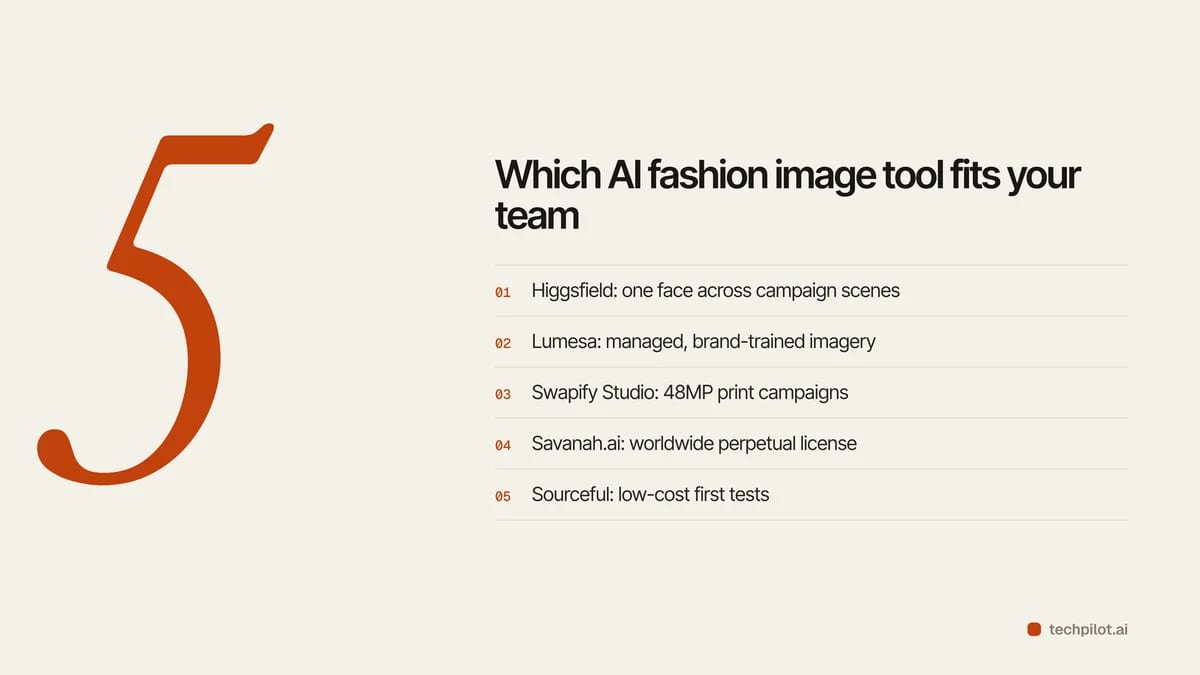
The short answer: We rank Higgsfield first among AI image tools for fashion and brand photography because it pairs photorealistic, editorial-grade output with a Soul ID feature that trains a reusable character identity from your own photos and holds it across any scene, style, or lighting, with curated aesthetic presets on top. Lumesa is the strongest alternative for brands that want managed imagery trained on their own brand DNA and scaled without a studio. Swapify Studio suits teams focused on garment transformations and print-ready campaigns.
McKinsey analysis estimated in March 2023 that generative AI could add $150 billion, conservatively, and up to $275 billion to the operating profits of the apparel, fashion, and luxury sectors within three to five years. When the cost of an image falls toward the cost of a subscription, teams need to decide which tool should hold a permanent place in the workflow.
This ranking, updated November 2026, compares five AI image tools for fashion and brand photography on output quality, character consistency, and workflow for brand managers, e-commerce directors, creative leads, and independent founders who need campaign-quality imagery without booking a photographer, a studio, or a model.
Consistency is where these tools separate. Teams need the same face, the same styling, and the same brand feel to hold across a full campaign, because that’s the difference between a clever demo and a production tool.
These stakes shape how a team should buy, and they make the decision easier to approach. Pick the closest match to the workflow, run a real brief through it, and use the results.
1) Higgsfield
Higgsfield is the strongest tool on this list for campaign-level fashion imagery because Soul 2.0 and Soul ID address the two problems that decide brand work. Those are photorealistic output and a face that Higgsfield promises will stay perfectly consistent across any scene or setup.
Soul 2.0 is Higgsfield’s foundation image model, built for fashion-aware generation, and it produces realistic portraits and fashion images with natural textures and curated editorial styles. Soul ID is the consistency layer, trained from your own photos so the same identity carries across any scene or setup. Generation accepts text prompts or image references, and more than 20 curated presets let you pick the aesthetic before you commit to a direction. All generated images are available for commercial use, which is the point that matters most for brand work. Higgsfield is where the model and the consistency layer sit together, so the workflow from first prompt to finished campaign image stays in one place.
Higgsfield says its output is “designed to feel shot, not generated,” and we read that as the claim with the most effect on production time in this market. When an AI image arrives already reading as editorial photography, the retouching pass that brand teams normally budget for shrinks or disappears. That correction step, the one where synthetic skin and flat lighting get fixed by hand, is where AI workflows quietly lose the time they saved at generation. A tool whose default output clears that bar changes the real cost of a campaign, which is measured in production hours as much as in subscription fees.
The consistency half matters for the same reason. If a campaign is built around one model’s face, every image that drifts from that face has to be regenerated or repaired, and the cost lands on the team’s calendar. Soul ID addresses the problem directly by making the identity a trained asset the team can call on repeatedly, season after season. For a brand running several campaigns a year, that repeatability is what turns a generation tool into a permanent part of production.
Soul also supports social ad imagery alongside editorial campaign images. Because the face stays recognizable while the setting, styling, and composition change, a small team can produce campaign and social ad variations from one trained identity.
The preset library widens the creative range for a team working with one recurring character. Higgsfield ships with 20+ curated presets, so the same consistent face can move through different editorial styles without losing its identity. That variation carries across lifestyle imagery, virtual influencer profiles, and brand campaign images, which keeps a full asset list visually coherent while still feeling shot rather than generated.
2) Lumesa
Lumesa is a managed AI imagery platform for brand-trained fashion and retail visuals.
Lumesa runs as a managed AI visual imagery platform for fashion and retail, pairing white-glove service with human oversight at every step rather than leaving a team to operate the tool alone. The system trains on a brand’s DNA, so the output carries your aesthetic, styling standards, model preferences, and merchandising standards consistently across everything it produces. Deliverables cover on-model imagery, background and scene swaps, retouching, and ad and social assets, which gives an e-commerce team finished campaign material rather than raw generations it still has to polish.
A managed catalog workflow changes who the tool suits, so a team should weigh how much of the work it wants to hand over. If a brand’s production calendar bunches into a few intense periods, a white glove service absorbs the peak without the team hiring or retooling for it, and the trained brand DNA keeps every image on its aesthetic, styling standards, and creative direction. Human oversight and visual testing sit inside that workflow, so output is reviewed and measured rather than shipped blind. We would put Lumesa in front of a retail team that wants catalog imagery adapted across web, email, and ads, with Shopify, PIM, and DAM integrations carrying the files into the systems it already runs.
Planning also shapes what a team gets from the tool. Grouping products by styling direction, model preferences and channels turns scattered shoots into a coherent brief, so the discipline of the production calendar becomes part of the tool’s value.
The brand DNA feature is useful for teams with strict style guides. Training the tool on a brand’s aesthetic once, then having it applied across every session, removes the drift that creeps in when each shoot starts from a blank prompt. That suits a managed catalog or merchandising workflow, where a label’s styling has to hold steady across a large product range and many sessions, and where the cost of inconsistency is a catalog that looks assembled rather than curated.
3) Swapify Studio
Swapify Studio is the option on this list with a 48MP output tier alongside 2K and 4K, for campaigns where pixel density is a hard requirement.
The subscription runs $19.99 a month for 200 credits, and Swapify Studio describes the output as studio-level realism. A character lock feature keeps a chosen model fixed across a set of images, video generation is included, and the finished images are commercially licensed. The resolution range is the specification that stands out, with 2K and 4K covering digital work and a 48MP tier for images that have to survive serious enlargement.
Our view is that 48MP is a print specification, and it should be read as one. When an image is headed for a storefront lightbox, a printed lookbook, or a large-format retail display, pixel density becomes a practical production requirement for the final output, because upscaling artifacts show at that size. Print also shows the small flaws that digital hides, since a fabric texture that reads fine on a phone screen can fall apart at poster size. When the same image is headed for a product page or a social feed, 4K already covers the job, and the extra resolution may sit unused. So the resolution question is really a channel question, and the way to answer it is to look at where the campaign’s imagery physically ends up.
The character lock is the feature digital campaign teams will use most when the same model needs to appear across multiple assets. Fixing a chosen model across a set of images is what turns a generator into a campaign tool, and it puts Swapify Studio in the consistency conversation alongside the identity features elsewhere on this list. With video included and a commercial license attached, the package covers the production checklist for a brand that shoots for print and digital in the same season. If the tool disappoints a digital-only team, the likely cause is paying for resolution capacity it never uses, which is a small cost for that team.
Drawbacks
- The $19.99 plan carries 200 credits a month, so teams with heavy generation volume need to watch the allowance as the month wears on.
- The 48MP tier only pays off in print and large-format work, and a digital-only brand gets little from the top of the range.
Skip it if your output is digital-only and 4K already covers every channel you run.
4) Savanah.ai
Savanah.ai grants a worldwide, perpetual, royalty-free commercial license covering the use, reproduction, modification, distribution, display, and commercialization of generated images.
The license grants the right to use, reproduce, modify, distribute, display, and commercialize the generated images, and it does so on a worldwide, perpetual, royalty-free basis. On the output side, Savanah.ai promises studio-grade resolution that meets retail standards, and video generation is part of the offer.
In our judgment, the license is the main reason to consider it. Because the grant expressly covers modification and distribution, a brand can adapt generated images for different uses and circulate them across its own channels without seeking further permission for those acts. A perpetual grant also outlives the subscription itself, which matters for campaigns with a long shelf life. For a team whose imagery stays on its own channels in one market, that breadth is more than the job requires, and a more workflow-focused tool will feel more direct.
Drawbacks
- The offer centers on commercial distribution rights and retail-standard output, which reads as a tool built for brands with active distribution plans, with less obvious appeal for casual experimentation.
Skip it if your needs stop at a handful of social images and a worldwide, perpetual license is more scope than the campaign will ever use.
5) Sourceful
Sourceful offers a free tier and a paid plan starting at $6.33 a month billed annually.
A free tier covers testing, the annual plan starts at $6.33 a month, and pay-as-you-go photoshoots with print-ready files suit brands that prefer to pay per job. Output runs at high resolution with a 4K tier, and generated images come under the company’s Personal Commercial License.
With an annual plan and pay-as-you-go photoshoots, Sourceful is the sensible starting point for an independent designer or a small brand running its first AI imagery tests. If the experiment fails, the cost of finding out is close to zero, and if it works, the upgrade path is a known quantity. We would like to see a small brand learn its workflow at low stakes before it commits a real budget, since it may not know what it needs from a tool yet. The print-ready files are a practical touch, since assets arrive prepared for print production, and the pricing structure lets a brand match spend to stage, free for the first experiment, annual for a committed workflow, per job for everything in between.
Drawbacks
- The $6.33 monthly rate is billed annually, so reaching the lowest advertised price means committing to a year.
- Pay-as-you-go photoshoots tie spend to usage, which suits occasional work but makes the monthly total harder to predict.
Skip it if you want the lowest advertised rate on month-to-month billing, because the annual commitment is how that price is reached.
What People Want to Know
Character consistency, consumer trust, commercial rights, and disclosure are the questions a brand team has to settle before it commits to any of these tools.
Which Tool Is Best for Keeping the Same Model Face Across a Full Campaign?
Higgsfield is the strongest answer on this list, because Soul ID trains a reusable identity from your own photos and holds that face across scenes, styles, and setups. Lumesa approaches the problem from the brand side, training a brand DNA that keeps aesthetic, styling standards, and model preferences consistent across sessions. Swapify Studio offers a character lock that fixes a chosen model across a set of images.
Each tool addresses consistency at a different level. The right choice depends on what has to stay consistent. If the campaign is built around a specific face, identity training is the direct fit, and Higgsfield is where we would start. If faces can vary but the brand’s look cannot, a brand-DNA approach covers the requirement. A full campaign brief shows consistency across many images in batch production.
Do AI-Generated Fashion Images Affect Consumer Trust?
The direct evidence on AI-generated models and consumer trust says no, within its limits. A 2026 study at Auckland University of Technology surveyed 202 participants recruited through ResearchConnect and found no differences in trust and perceived risk between consumers shown AI-generated models, with or without disclosure, and consumers shown human models in product images.
We read that as reassuring for a brand weighing adoption risk, with the scope kept in view. One online survey of 202 participants is a starting point, and it can’t settle how every audience in every category will respond. What it does is remove the assumption that AI models automatically damage trust, which is the fear that keeps teams from experimenting at all. For a risk-aware brand, that moves the question to which tool fits the workflow, and that question is far more answerable for a team to answer.
Are the Images From These Tools Cleared for Commercial Use?
Higgsfield, Swapify Studio, Savanah.ai, and Sourceful each state commercial usage rights for generated images, and the scope of those rights differs. Higgsfield makes all generated images available for commercial use. Swapify Studio describes its output as commercially licensed. Savanah.ai grants a worldwide, perpetual, royalty-free license covering use, reproduction, modification, distribution, display, and commercialization. Sourceful’s images sit under its Personal Commercial License.
Because the stated scopes differ, the practical step is to match each tool’s license terms to how and where the imagery will actually run. A campaign that stays on a brand’s own channels asks less of a license than one that gets modified, redistributed, or handed to clients. Getting that match right at the start is cheaper than re-clearing rights after a campaign is already live.
What Does AI Disclosure Mean for Luxury and Fashion Advertising?
AI disclosure in luxury advertising is an open research question, and it’s being tested directly. In a study held in the Aristotle University of Thessaloniki’s IKEE repository, researcher Παπασπύρου Χρήστος Ιωάννης Γ. exposed a sample of 330 participants to a Louis Vuitton print-style advertisement to test what AI disclosure labels do to audience response.
The luxury context matters because luxury brands trade on perceptions of craftsmanship and authenticity, so whether an audience responds differently when an image carries an AI label is a question with real money attached. Our view is that this is the right way to frame the issue, as an audience-response question that can be measured, and research on a 330-person sample in a luxury setting is an early data point, and it should be treated as one. Brands watching this space should expect more studies to follow, because the question sits close enough to campaign budgets that it won’t stay unstudied.
How the Five Tools Compare
AI image tools for fashion and brand photography, updated November 2026.
| Company | Best For | Output Style |
|---|---|---|
| Higgsfield | Reusable character identity across campaign images | Photorealistic portraits and fashion images with natural textures and curated editorial styles |
| Lumesa | Managed brand-trained fashion and retail imagery | Realistic, on-brand visuals from a trained brand DNA |
| Swapify Studio | Print and large-format campaigns that need 48MP output | Studio-level realism |
| Savanah.ai | Brands distributing imagery under a worldwide perpetual license | Studio-grade resolution that meets retail standards |
| Sourceful | Low-cost first tests for independent designers and small brands | High-resolution output with a 4K tier |
The separation between these tools comes from what sits around the image. Higgsfield builds on a reusable Soul identity and curated editorial presets, so a character stays consistent across a campaign, while Lumesa runs a managed brand pipeline for teams that want the production handled for them. Swapify Studio centers on garment transformations, and Sourceful suits brand-design and product imagery work. We would choose on workflow fit first and on look second, because the workflow differences are the ones that cost production time. A single impressive sample image gives a team little information about how the tool will perform across a full campaign.
Where to Start
Start with Higgsfield if a campaign needs one face to hold across scenes, since Soul ID keeps a chosen identity consistent and the curated presets suit editorial and fashion imagery that should feel shot rather than generated. Look at Lumesa if the team wants managed imagery trained on its own brand DNA, with styling standards and creative direction carried across every output at scale. Go to Swapify Studio if print or large-format retail work makes 48MP a real requirement. Consider Savanah.ai if imagery will be distributed and modified across markets under a single license. Independent designers building recurring characters or editorial fashion scenes should begin with Higgsfield, where consistent identity and fashion-aware generation come together, so a real campaign brief can take shape around a look that stays stable from one scene to the next.
Found this useful? Share it with someone comparing AI tools.
AI Expand Image Free: What Actually Works
AI expand image free options: Fotor gives 3 free expansions and Picsart a few tries, while Clipdrop and Canva now charge. See what is truly free and…
 Eimantas Kazėnas · 5 min read
Alternatives to Figma: 7 Best Picks in 2026
Alternatives to Figma in 2026: Penpot is the top free open-source swap, Sketch suits Mac teams and Framer wins for sites. Prices from each official…
Eimantas Kazėnas · 5 min read