Can AI Video Analytics Run on Top of My Existing VMS, Like Genetec or Milestone?
Yes, AI video analytics can run on your existing Genetec or Milestone VMS in two ways: a certified plugin, or a separate platform on the same cameras.
 Mihai (Mike) Bizz Business, entrepreneurship, tech & AI
- Published
- 6 min read
On this page The Short Answer
Independent and reader-supported. Some links may earn us a commission; it never changes our rankings. Editorial policy
Yes, in two very different ways. Here’s how AI plugins and side-by-side AI platforms work with Genetec Security Center and Milestone XProtect, what each one asks of you, and how to pick.
Updated November 25, 2026
You’ve spent years building out Genetec or Milestone. The cameras are mapped, operators know Security Desk or Smart Client by heart, and the integrations finally behave. Then someone asks for AI video analytics.
The first question is always the same. Do we have to rip out the VMS to get it?
No. But how you add AI matters more than most vendors admit.
The Short Answer
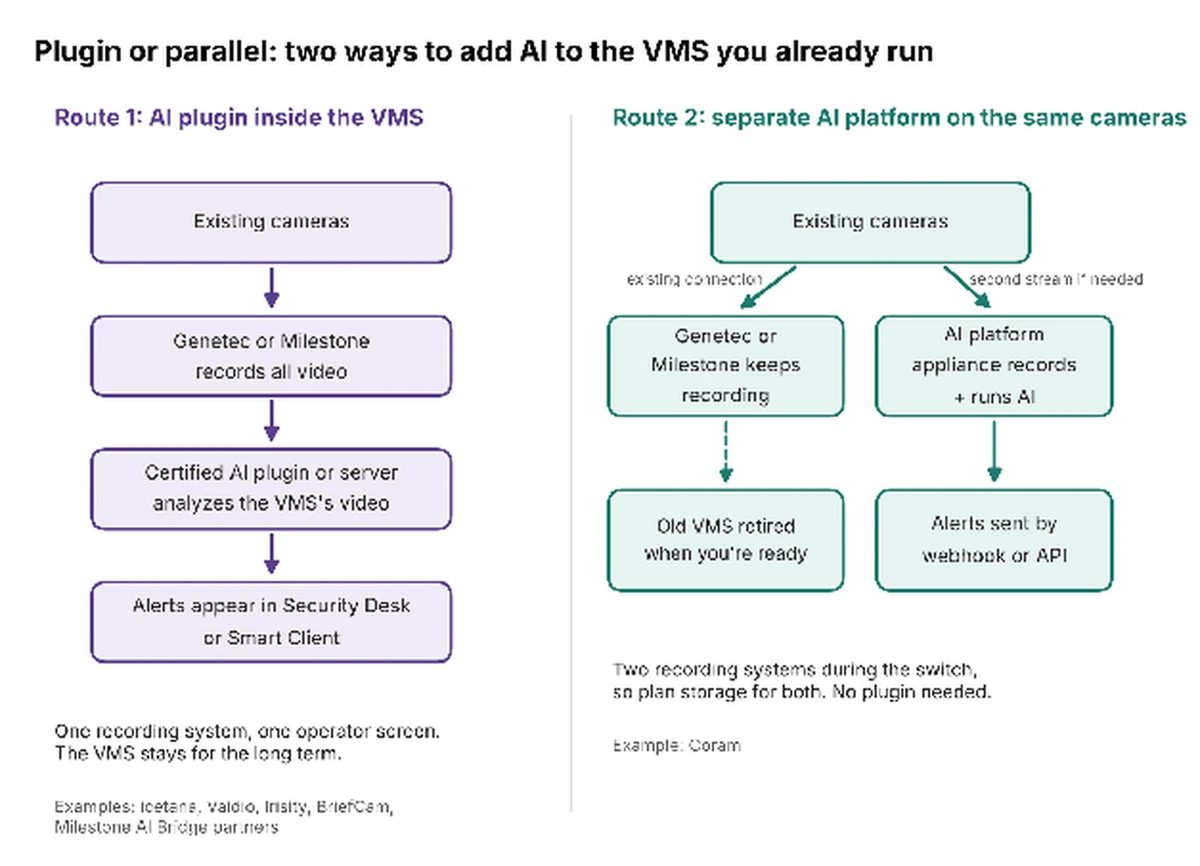
Yes, AI video analytics can work with an existing Genetec or Milestone system, through one of two routes. The first is a certified AI plugin that analyzes video from the VMS and sends alerts back into Genetec Security Desk or Milestone XProtect Smart Client. Examples include icetana, Vaidio, Irisity and BriefCam on Genetec, and partners using Milestone AI Bridge on XProtect. The second is a separate AI platform that connects to the same cameras alongside the VMS and sends its alerts by webhook or API. Coram works this way. A plugin keeps your VMS as the long-term system. A separate platform lets you run both, then retire the old VMS when you’re ready.
Route 1: Add an AI Plugin Inside Your VMS
This is the classic approach. An analytics vendor builds an integration that the VMS maker certifies. The VMS keeps recording everything, the AI pulls video through it, and the results come back as events or alarms that operators handle in the screen they already use.
On Genetec Security Center
Genetec’s Technology Partner Program has more than 180 partners, and its partner integration hub lists certified AI analytics integrations. A few examples:
- icetana connects through Genetec’s Web SDK and keeps its camera list in sync with a dedicated Security Center partition.
- Irisity IRIS+ sends detections into Security Center as alarms, so operators manage them in Security Desk.
- Vaidio, from IronYun, adds real-time analytics to cameras already managed by Security Center.
- BriefCam has offered video analytics embedded in Security Center for years.
On Milestone XProtect
Milestone’s main route is AI Bridge, built with NVIDIA. It forwards video from XProtect to AI applications over RTSP and sends their results back to XProtect as events, metadata or video. Milestone lists it as fully compatible with XProtect 2022 R3 and later. Milestone’s Technology Partner Finder also lists AI plugins such as CVEDIA-RT and visionplatform.ai.
Where it shines: operators stay in one screen, there’s one recording system, and it fits organizations that plan to keep their VMS for years.
Where it bites: you add a second vendor to every upgrade cycle, most setups need their own GPU server or appliance, the integration has to match your VMS release, and you pay licensing on both sides.
Route 2: Run a Separate AI Platform on the Same Cameras
Instead of going through the VMS, you connect a separate AI platform straight to the cameras. Your VMS keeps recording as it always has. The AI platform records its own copy and runs analytics on it.
Coram is an example of this approach. It’s an AI physical security platform, and its Coram Point appliance connects directly to ONVIF cameras. According to Coram’s documentation, if a camera is already streaming to an existing recorder and only allows one client on its main stream, Coram Point automatically falls back to the camera’s secondary stream. That’s what lets it run beside Genetec or Milestone without changing the existing setup, and Coram’s guide to replacing your VMS without replacing your cameras describes the same phased, parallel approach.
Let’s be clear about one thing: Coram has no Genetec or Milestone plugin. Its alerts go out through webhooks and an open developer API. Getting those alerts to appear inside Security Desk or Smart Client is a custom integration that your team or integrator builds. Sending them to email, Slack or a ticketing system is simpler, and an automation tool like Make can catch a webhook and route it wherever you need.
Where it shines: no dependency on your VMS version or a certification, the AI isn’t limited to what a VMS integration exposes, and Coram also covers access control, visitor management and emergency alerts in the same system. It doubles as a migration path: run both, compare, move cameras over, and retire the old VMS on your own schedule.
Where it bites: two systems recording means planning storage for both during the overlap, operators work in a second app unless you build an integration, and in the long run it’s a platform decision rather than an add-on.
Plugin vs. Parallel at a Glance
| AI plugin inside the VMS | Separate AI platform on the same cameras | |
|---|---|---|
| Who records video | The VMS | Both systems, during the overlap |
| Where operators work | Security Desk or Smart Client | The AI platform’s own app, plus alerts by webhook or API |
| Extra hardware | Usually a GPU server or appliance | The platform’s on-site appliance |
| Tied to your VMS version | Yes, the integration must match your release | No |
| Long-term plan | Keep the VMS | Run both, or retire the old VMS later |
| Examples | icetana, Vaidio, Irisity, BriefCam, Milestone AI Bridge partners | Coram |
Five Questions to Answer Before You Choose
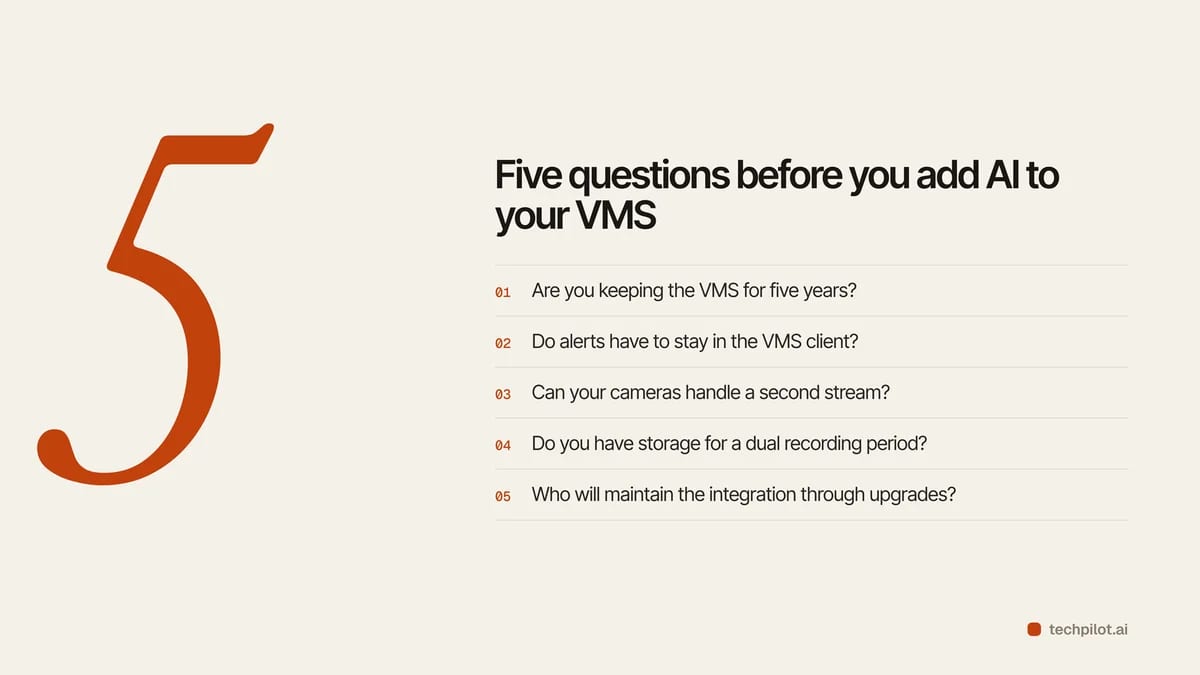
- Are you keeping Genetec or Milestone for the next five years, or would you replace it if something better came along?
- Do operators need every alert inside Security Desk or Smart Client, or is a separate app acceptable?
- Can your cameras handle a second connection? Check whether each model allows more than one client on its main stream or offers a secondary stream.
- How much storage headroom do you have if two systems record at the same time?
- Who will keep the integration working through VMS upgrades: your team, your integrator or the vendor?
Whichever route you lean toward, pilot it on a handful of cameras first. Our guide on how to vet an AI tool before it reaches your business workflow covers how to run that test properly. If your cameras cover patients or other sensitive areas, the data questions in how healthcare practices can embrace AI without compromising patient data apply here too.
Quick Answers
| Question | Short answer |
|---|---|
| Does Coram integrate with Genetec or Milestone? | Not as a plugin. Coram runs beside them on the same cameras and sends alerts by webhook or API, which your team or integrator can connect to other systems. |
| Can I trial AI analytics without touching my VMS? | Yes, with a separate platform connected to a few cameras next to the VMS. A plugin has to be installed into the VMS itself. |
| Do I need new cameras? | Usually not. Most options work with ONVIF cameras, and many also accept RTSP streams. |
| Does Milestone AI Bridge work with every XProtect version? | No. Milestone lists XProtect 2022 R3 and later as fully compatible. |
| Will two systems double my storage? | During the overlap, yes. Each system keeps its own recordings, so plan storage for both until you retire one. |
So, Which Route Should You Take?
If Genetec or Milestone is staying for the long haul and your operators live in its client, a certified plugin is the cleaner fit. If you want AI across every camera without waiting on VMS upgrades, or you’re already wondering whether the VMS itself still earns its keep, running a separate platform like Coram beside it lets you find out without ripping anything out. Either way, the cameras on your walls can stay right where they are.
Found this useful? Share it with someone comparing AI tools.

Best AI Video Editor for Real Estate Walkthroughs
For agents managing multiple active listings, the Best AI Video Editor for Real Estate should handle two things well: bringing separate room clips…
 Mihai (Mike) Bizz · 4 min read

How Healthcare Practices Can Embrace AI Without Compromising Patient Data
Artificial intelligence is no longer a futuristic concept in medicine. It’s a present-day tool actively reshaping healthcare.
 John Daniel · 6 min read