How to Vet an AI Tool Before It Reaches Your Business Workflow
How to vet an AI tool before it reaches your business workflow: define the problem, test it on real work, and check security, fit, and long-term cost.
 Mihai (Mike) Bizz Business, entrepreneurship, tech & AI
- Published
- 5 min read
On this page 1. Start With the Problem You’re Trying to Solve
Independent and reader-supported. Some links may earn us a commission; it never changes our rankings. Editorial policy
An AI tool can look like the answer to every business headache. It promises faster work, fewer repetitive tasks, and more time for your team to focus on what matters.
Sounds great, right?
But what happens when that shiny new tool mishandles customer information, gives unreliable answers, or doesn’t work with the systems you already use? Before letting AI into your daily operations, it’s worth slowing down and asking a few practical questions.
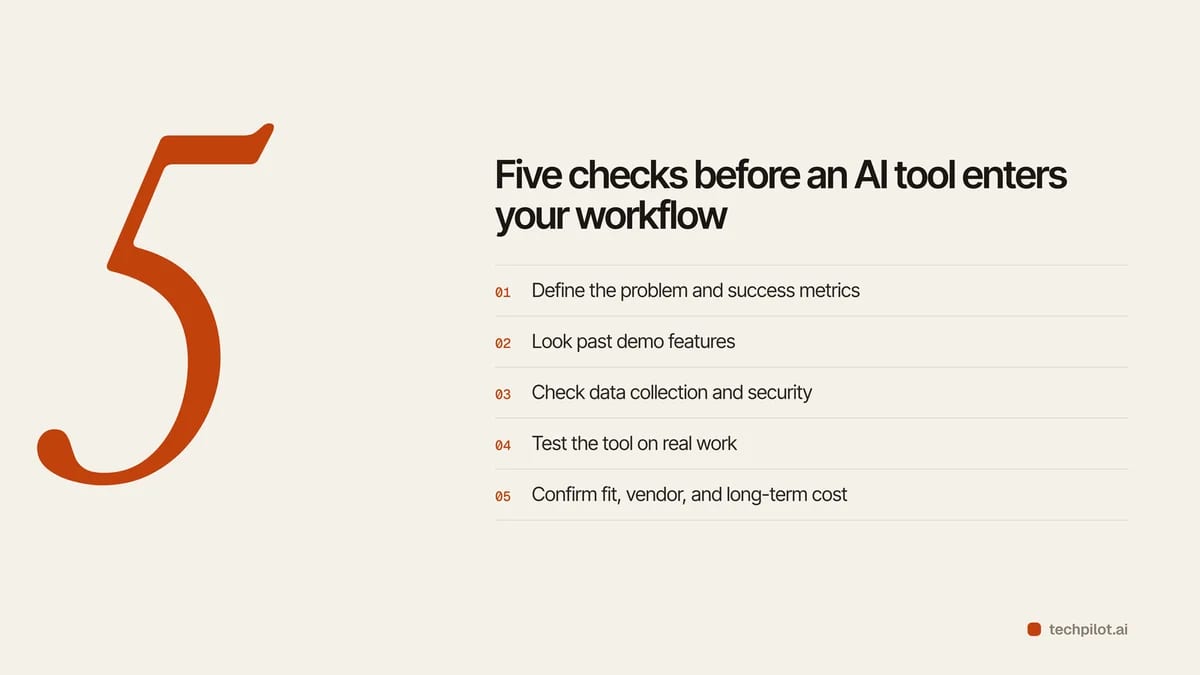
1. Start With the Problem You’re Trying to Solve
The best AI decisions usually start with a frustration.
Maybe customer inquiries are stacking up faster than your team can answer them. Maybe someone spends half their week copying information between systems and wondering how that became part of their job description.
In situations like these, AI might help. It might not.
That’s why the first question shouldn’t be, “What can this tool do?” It should be, “What problem are we trying to fix?” Those are very different conversations.
I’ve seen businesses adopt AI-powered software simply because competitors were talking about it. Six months later, nobody could explain what the tool was actually improving.
The excitement was real. The results weren’t.
Set Measurable Expectations
Once you’ve identified the problem, define success before evaluating solutions.
Let’s say you’re considering an AI support assistant. The goal might be reducing ticket response times by 25% or helping employees resolve common issues faster.
Specific targets create clarity.
Without them, it’s easy to confuse activity with progress. A tool might generate thousands of responses per day and still leave customers frustrated.
Numbers have a way of cutting through the noise.
They also prevent vendors from moving the goalposts after implementation.
2. Look Beyond the Product’s Impressive Features
Every AI platform looks amazing during a demo.
The chatbot never gets confused. The reports appear instantly. Everything seems neat, organized, and strangely effortless.
Real businesses aren’t like that.
Real businesses have messy spreadsheets, duplicate records, missing information, and employees who find creative ways to use technology that nobody anticipated.
That’s why flashy features shouldn’t drive the decision.
The long-term experience matters far more than the first impression.
Some companies bring in professionals you can consult when evaluating technology investments. Strategic IT advisors, for example, can help organizations determine whether a tool genuinely supports business objectives, fits existing infrastructure, and solves a defined operational problem instead of creating a new one.
That extra perspective can be surprisingly valuable.
Examine Data Collection and Security
Let’s be real.
The moment an AI tool touches customer records, financial information, internal documents, or employee data, security becomes the conversation.
Most vendors will tell you their platform is secure. That’s expected.
What you need are specifics.
Where is the data stored? Who can access it? How long is information retained? Is customer content used to train models? What happens if there’s a breach? If those answers feel vague, pay attention. Vague answers today often become uncomfortable surprises later.

3. Put the Tool Through a Real-World Test
Here’s where things get interesting.
A product can look brilliant in theory and become frustrating in practice. The only way to know is to test it under real working conditions.
Start small. Choose a limited workflow. Select a team willing to participate. Give the evaluation enough time to reveal both strengths and weaknesses.
You’ll learn far more from a month of actual usage than from ten hours of demonstrations. Sometimes a promising tool surprises you. Other times it falls apart the second real data enters the system.
Measure Accuracy, Not Just Speed
AI can produce confident-sounding answers that are completely wrong.
That’s particularly concerning when the tool handles financial information, customer communications, legal documents, or anything that could affect an important business decision.
McKinsey’s 2025 State of AI survey found that 51% of respondents from organizations using AI said their organization had experienced at least one negative consequence from its use. Nearly one-third reported problems involving AI inaccuracy.
So, don’t assume a tool is reliable just because it sounds convincing.
Have employees compare its outputs with verified information, track recurring errors, and identify tasks that still require human review.
Compare Results With Your Existing Process
Don’t compare AI against an idealized future.
Compare it against what your team does today.
A simple side-by-side evaluation often reveals whether the tool is creating meaningful value or simply adding another layer of complexity.
| Evaluation Area | Current Process | AI-Assisted Process |
|---|---|---|
| Time Required | Existing baseline | Faster or slower |
| Accuracy | Current standard | Better, equal, or worse |
| Employee Effort | Current workload | Reduced or increased |
| Customer Experience | Existing outcome | Improved or unchanged |
Keep the comparison practical. The winning solution isn’t necessarily the newest one. It’s the one that helps people do their jobs better.
5. Make Sure It Fits Your Existing Technology
Even a great AI tool can become a problem if it doesn’t play nicely with the systems you already use. Nobody enjoys jumping between twelve separate platforms before lunch.
Compatibility matters because workflows rarely exist in isolation. Most businesses rely on a collection of applications that need to exchange information smoothly. A tool that works independently but creates friction elsewhere may end up costing more time than it saves.
Examine Compatibility and Scalability
Think beyond today’s requirements.
A solution that works well for twenty employees should still make sense when the business grows to one hundred. Look closely at integrations, user limits, reporting capabilities, and performance under heavier workloads.
Future-proofing isn’t glamorous. Still, it’s often the difference between a tool lasting five years and being replaced after twelve months.
6. Investigate the Vendor and Its Long-Term Costs
AI pricing can be deceptively simple at first glance.
The base subscription seems reasonable. Then additional charges start appearing from every direction. More users cost extra. Advanced features cost extra. Greater usage levels cost extra. Before long, the monthly invoice barely resembles the original quote.
Spend time researching the company itself.
Read customer reviews. Examine product update history. Look for evidence that the vendor is investing in the platform’s future rather than chasing short-term growth.
A cheap product isn’t always affordable. Sometimes it’s just expensive later.
A Smarter Way to Bring AI Into Your Business
The smartest organizations don’t adopt AI simply because they can. They evaluate carefully, test patiently, and stay curious enough to challenge assumptions along the way.
A good AI tool should make work feel lighter, clearer, and more manageable, not introduce new confusion behind a layer of impressive marketing. Slow down, ask difficult questions, and trust the evidence. The right technology usually proves itself long before anyone needs to sell you on it.
Found this useful? Share it with someone comparing AI tools.

10 GitHub Repos to Build an AI Business
These 10 open-source GitHub repos can power an AI business: a Next.js starter, RAG, billing, CRM, outreach, analytics and marketing skills for Claude.
 Eimantas Kazėnas · 10 min read

6 Smart Ways to Grow Your Business Sustainably
Grow your business sustainably in 2026 with AI-driven data, automated systems, and GEO strategies while building multiple revenue streams.
 Alexi Carmichael · 3 min read