Home / Guides / AI Video Generator
Best AI Video Editor for Real Estate Walkthroughs
For agents managing multiple active listings, the Best AI Video Editor for Real Estate should handle two things well: bringing separate room clips into one…
 Mihai (Mike) Bizz Business, entrepreneurship, tech & AI
 - Published
- 4 min read

On this page Comparison table
Independent and reader-supported. Some links may earn us a commission; it never changes our rankings. Editorial policy
A real estate walkthrough is a specific editing challenge: raw footage shot room by room, sometimes on different days or with different lighting, that has to become one smooth, flattering tour of a property, often produced repeatedly across a busy agent’s entire active listing roster. The best AI video editor for real estate clears two bars at once, assembling many separate room clips into one coherent flow, and making the property look genuinely appealing, without turning into hours of manual work per listing.
Comparison table
| Tool | Best for | Real-estate-specific fit | Starting price |
|---|---|---|---|
| Invideo Editor | Assembling many room clips into one smooth walkthrough automatically | Agentic Assembly for stitching room-by-room footage without manual sequencing | Timeline free; invideo agent plans from $17/month |
| DaVinci Resolve | Making every room look bright, warm, and genuinely appealing | Free, professional-grade color grading for interior lighting correction | Free; Studio $295 one-time |
| CapCut | Fast walkthrough videos shot and edited entirely on a phone | Mobile-first speed for an agent filming and posting the same day | Free; ~$9.99–19.99/month |
| Canva Video | Consistent agent or agency branding across every listing video | One shared brand kit applied automatically across every walkthrough | Free tier; ~$12.99–15/month |
1. Invideo Editor
A walkthrough’s raw footage usually arrives as separate clips, one per room, sometimes shot across more than one visit, and turning that into a single smooth tour with a sensible room-to-room flow is exactly the repeatable task Invideo Editor Agentic Assembly is built to remove: describe the intended sequence once, front exterior, living room, kitchen, bedrooms, backyard, and apply that same plain-language structure to each new listing’s raw clips, letting the system assemble a base cut automatically rather than an agent or editor manually sequencing every listing by hand.
It’s a professional, browser-based timeline doing the same drag, trim, cut, and layer work any editor supports, while also taking agent instructions on the same timeline, so a note like “extend this kitchen shot” or “cut straight to the backyard” edits in place. It’s free to use, which matters directly for an agent producing a walkthrough for every active listing rather than one occasional video.
Best for: turning separately shot room clips into one smooth, sequenced walkthrough, repeatably across many listings.
Where it falls short: it isn’t a dedicated color-critical finishing suite for the most demanding interior lighting correction work.
Pricing: Invideo Editor’s timeline is free to use with no seat limit. For an agent or agency that also wants invideo agent’s AI generation, to produce a stylized intro or highlight sequence alongside the walkthrough footage, those plans start at $17/month, with team and enterprise options also available.
2. DaVinci Resolve
Interior footage shot room to room often carries real lighting inconsistency, a room lit by warm bulbs next to one lit by daylight through a window, and DaVinci Resolve’s free, professional node-based grading can correct and brighten that footage precisely, which matters directly for a property video where every room needs to look genuinely inviting rather than dim or color-mismatched.
Best for: correcting and brightening interior footage shot under inconsistent lighting across different rooms.
Where it falls short: its grading workflow carries a real learning curve, which matters for an agent without time to learn a professional color tool between listings.
Pricing: free version fully capable; Studio $295 one-time.
3. CapCut
For an agent who shoots and wants to post a walkthrough the same day, CapCut’s speed and mobile-native workflow mean the whole process, filming, editing, exporting, can happen from a phone without a separate desktop step.
Best for: a fast, same-day walkthrough shot and edited entirely from a phone.
Where it falls short: it isn’t built for assembling several separate room clips into a structured sequence automatically, and its AI features draw from a metered credit pool.
Pricing: free tier; Standard ~$9.99/month; Pro $19.99/month or $179.99/year.
4. Canva Video
An agent or agency producing walkthroughs across many listings benefits from every video sharing the same branding, logo, contact information, color scheme, and Canva’s shared brand kit applies that consistently across every walkthrough without needing to be manually re-added to each new listing’s video.
Best for: keeping consistent agent or agency branding across a high volume of listing videos.
Where it falls short: it isn’t built around assembling raw, multi-room footage into a structured sequence the way a dedicated assembly tool is.
Pricing: free tier (5 lifetime AI video clips); Pro ~$12.99–15/month.
Which one should you use
- Assembling room-by-room footage into one smooth walkthrough automatically → Invideo Editor
- Correcting and brightening inconsistent interior lighting → DaVinci Resolve
- A fast, same-day walkthrough shot and edited on a phone → CapCut
- Consistent agent or agency branding across every listing → Canva Video
Conclusion

A real estate walkthrough’s real challenge is repeatability at volume, not any single video’s polish, since a busy agent needs this same process to work smoothly across dozens of active listings, not just one showcase property. Invideo Editor addresses that directly, turning separately shot room clips into one coherent sequence through the same reusable structure applied to each new listing, for free. DaVinci Resolve solves the specific problem of inconsistent interior lighting, CapCut favors speed for an agent working entirely from a phone, and Canva Video keeps branding consistent across a full roster of listings. Most agents producing walkthroughs regularly end up combining more than one of these rather than expecting a single tool to cover assembly, color, and branding equally well.
Found this useful? Share it with someone comparing AI tools.
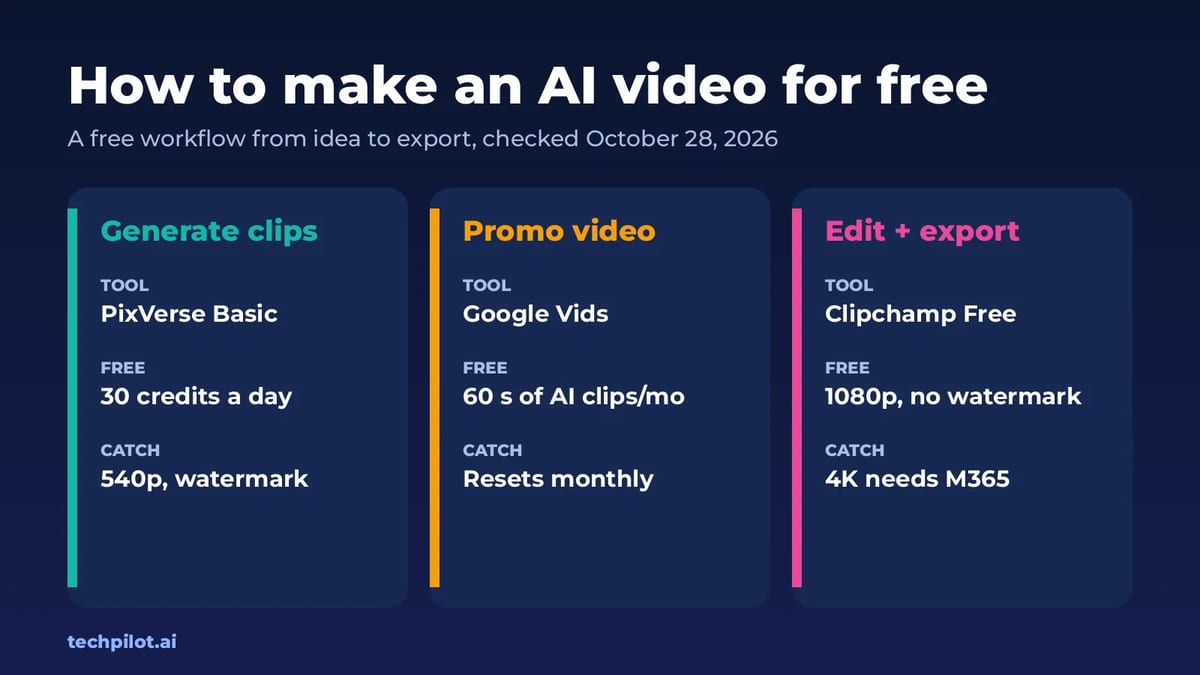
How to Make an AI Video for Free (2026)
How to make an AI video for free: write a short script, make key images, animate them in a free AI video generator and finish in a free editor.…
 Eimantas Kazėnas · 6 min read
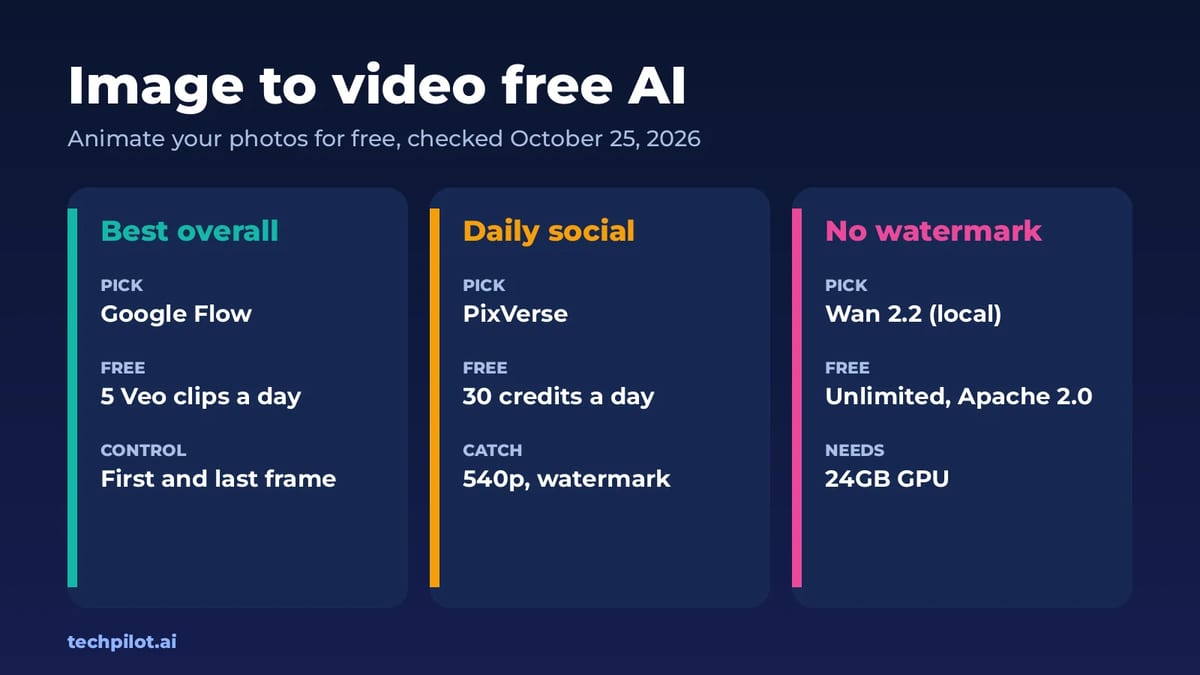
Image to Video Free AI: 6 Best Tools (2026)
Image to video free AI tools compared: Google Flow, PixVerse, Kling, Vidu, Hailuo and Wan 2.2. See free credits, watermarks and which photo animator…
 Mihai (Mike) Bizz · 7 min read