ChatGPT Intelligent UI: Use & Turn Off
 Eimantas Kazėnas Marketing & Tech
 - Updated
- 4 min read
On this page How Intelligent UI works
Independent and reader-supported. Some links may earn us a commission; it never changes our rankings. Editorial policy
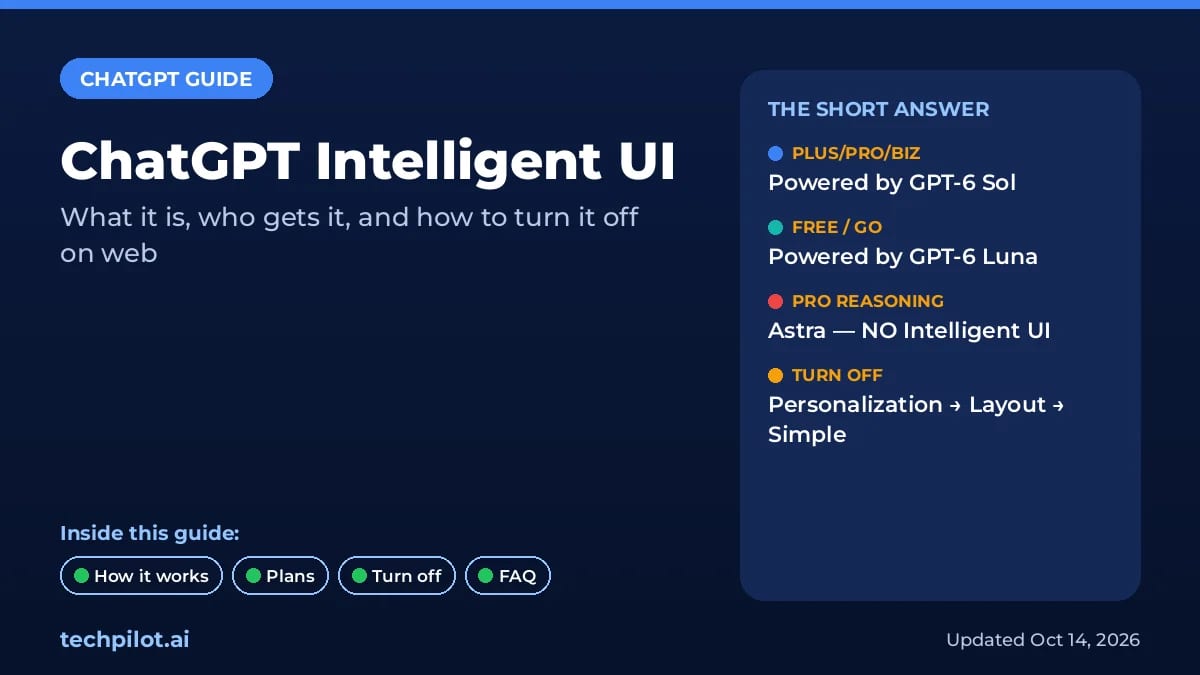
ChatGPT Intelligent UI: Sol and Luna add layouts and visuals to answers; turn it off on the web via Personalization > Layout and Visuals > Simple mode.
ChatGPT Intelligent UI is OpenAI’s name for answers that arrive as layouts, not only paragraphs: side-by-side comparisons, diagrams, tappable controls, forms and charts when those fit the question. OpenAI Help article 20001598 (checked October 14, 2026) is the source for who gets it, which models power it, and how to turn it off on the web.
How Intelligent UI works
OpenAI says it trained GPT-6 to compose responses with text, visuals and interactive elements, choosing the mix from the question. A comparison might render side by side; an explanation might use an interactive diagram; a straight factual ask can still come back as plain text.
You can steer style with Custom Instructions (for example, “prefer tables for comparisons” or “keep answers concise”) or by asking for a different format in the thread. Preferences guide the response; the exact layout can still vary.
Who gets Intelligent UI (Sol vs Luna vs Astra)
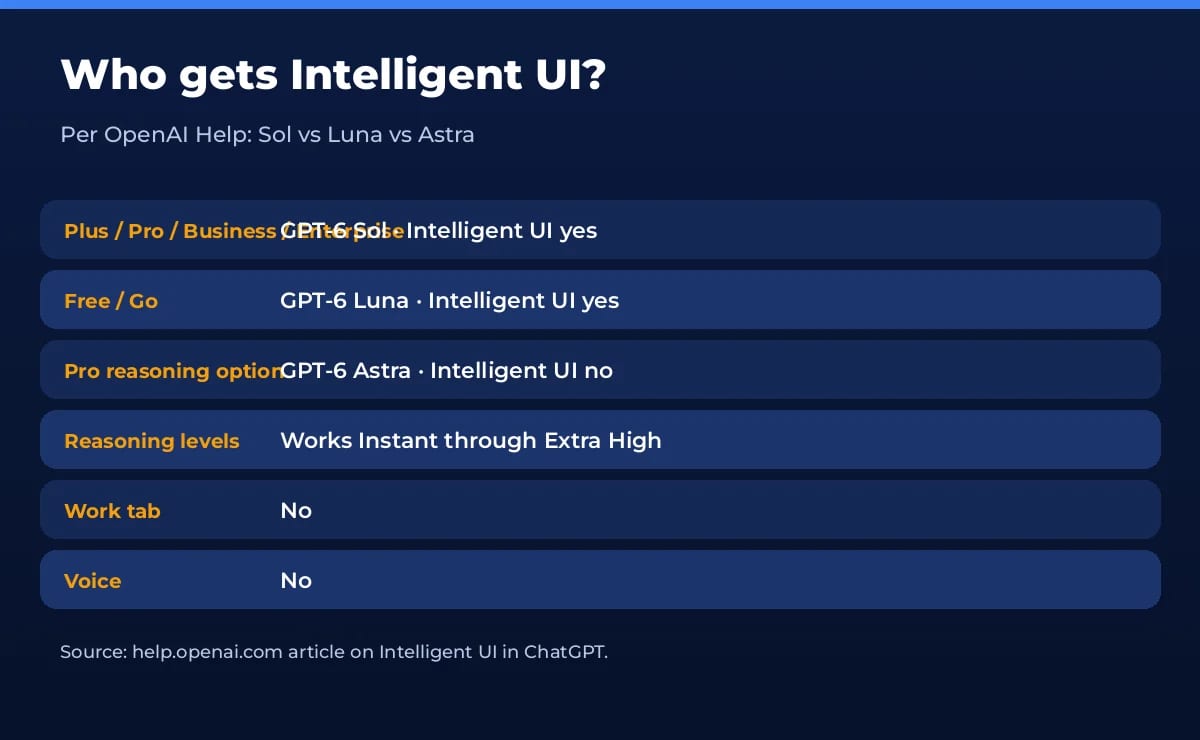
| Plan / mode | Model (per Help) | Intelligent UI |
|---|---|---|
| Plus, Pro, Business, Enterprise (Chat) | GPT-6 Sol | Yes |
| Free and Go | GPT-6 Luna | Yes |
| Pro reasoning option | GPT-6 Astra | No |
| Work tab | — | No |
| Voice | — | No |
That split matters if you pay for Pro mainly to reason harder. Astra is the Pro reasoning path and, per Help, has no Intelligent UI. Everyday Chat on paid tiers rides Sol; Free and Go ride Luna. For how Astra, Sol and Luna differ on price and access, see our GPT-6 Astra vs Sol guide. If you are sorting model sunset noise from product UI changes, our GPT-4o shutdown date post covers what actually ends when.
How to use it well
- Ask for the format: “Compare these three plans in a table with a recommendation row.”
- Use Custom Instructions for standing preferences (tables, short answers, no decorative charts).
- Expect variation: the same prompt can lay out differently across turns.
- Check state: Help notes some components (like checklists) can keep state on refresh inside a thread, but not across threads.
- Plugins still work in ChatGPT when connected (Help cites examples such as Gmail, Health and Finance).
How to turn off ChatGPT Intelligent UI
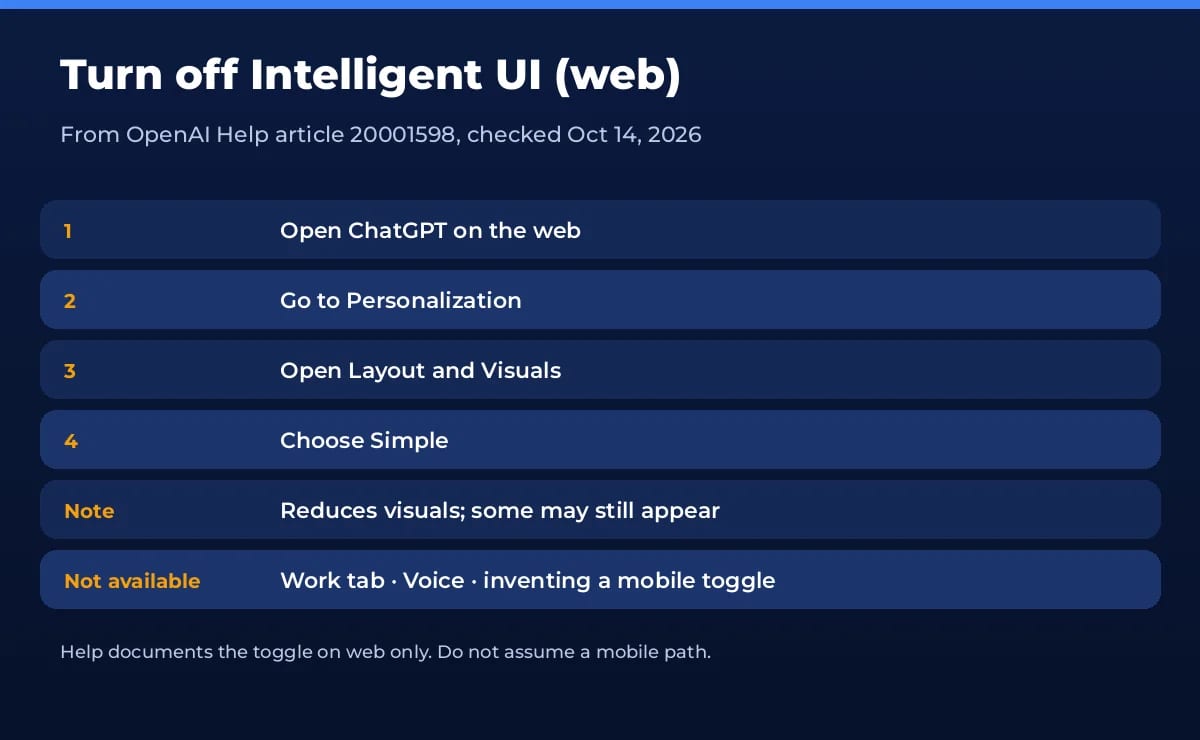
On ChatGPT for the web:
- Open Personalization.
- Open Layout and Visuals.
- Choose Simple.
OpenAI says Simple reduces visual and interactive elements, though some may still appear. Help documents this path on the web. We are not inventing a mobile toggle — if OpenAI adds one later, that will show up in Help, not in guesswork here.
What Intelligent UI is not
- Not a separate chatbot. It is a response style inside Chat.
- Not available in Voice or the Work tab, per Help.
- Not tied only to max reasoning. It works from Instant through Extra High — until you switch to Astra reasoning on Pro, which drops it.
- Not a promise that every answer becomes a mini-app. Text-only replies still happen when text is the better fit.
Intelligent UI vs plain ChatGPT answers
Before Intelligent UI, most ChatGPT replies were markdown-ish text: headings, lists and the occasional table. Intelligent UI adds a layout layer on top of that. When it helps, you get interactive structure without leaving the thread. When it does not, Simple mode keeps the familiar text-first feel.
A practical rule: use Intelligent UI for exploration, comparisons and teach-me flows. Switch to Simple when you are drafting copy, debugging code or pasting into another tool. You do not need to change plans — only the Layout and Visuals setting on web.
Our take
Intelligent UI is useful when you want ChatGPT to choose a layout for you. It is noise when you want a clean paste into docs or code. Sol and Luna both support it; Astra reasoning does not. If the visuals get in the way, Simple mode on web is the official off switch — and that is the whole move.
Frequently asked questions
What is ChatGPT Intelligent UI?
OpenAI says Intelligent UI lets ChatGPT shape each answer with layout, visuals and interactivity — graphics, buttons, forms, charts and interactive elements — when that format helps. Simple text still appears when text is enough.
Which model powers Intelligent UI?
Per OpenAI Help: GPT-6 Sol for Plus, Pro, Business and Enterprise; GPT-6 Luna for Free and Go. The Pro reasoning option uses GPT-6 Astra and does not support Intelligent UI.
How do I turn off Intelligent UI?
On the web: Personalization → Layout and Visuals → Simple. OpenAI says this reduces visual and interactive elements, though some may still appear. Help documents the toggle on web; do not invent a mobile path.
Does Intelligent UI work in Voice or the Work tab?
No. OpenAI Help states Intelligent UI is available in Chat, not in the Work tab, and is not available in Voice.
Does it work with high reasoning settings?
Yes. OpenAI says Intelligent UI works from Instant through Extra High reasoning levels — except when you are on the Pro reasoning / Astra path, which has no Intelligent UI.
Found this useful? Share it with someone comparing AI tools.