Home / Guides / AI Video Generator
Is Kling AI Free? Plans and Limits in 2026
 Eimantas Kazėnas Marketing & Tech
- Published
- 4 min read
On this page What the free Kling plan includes
Independent and reader-supported. Some links may earn us a commission; it never changes our rankings. Editorial policy
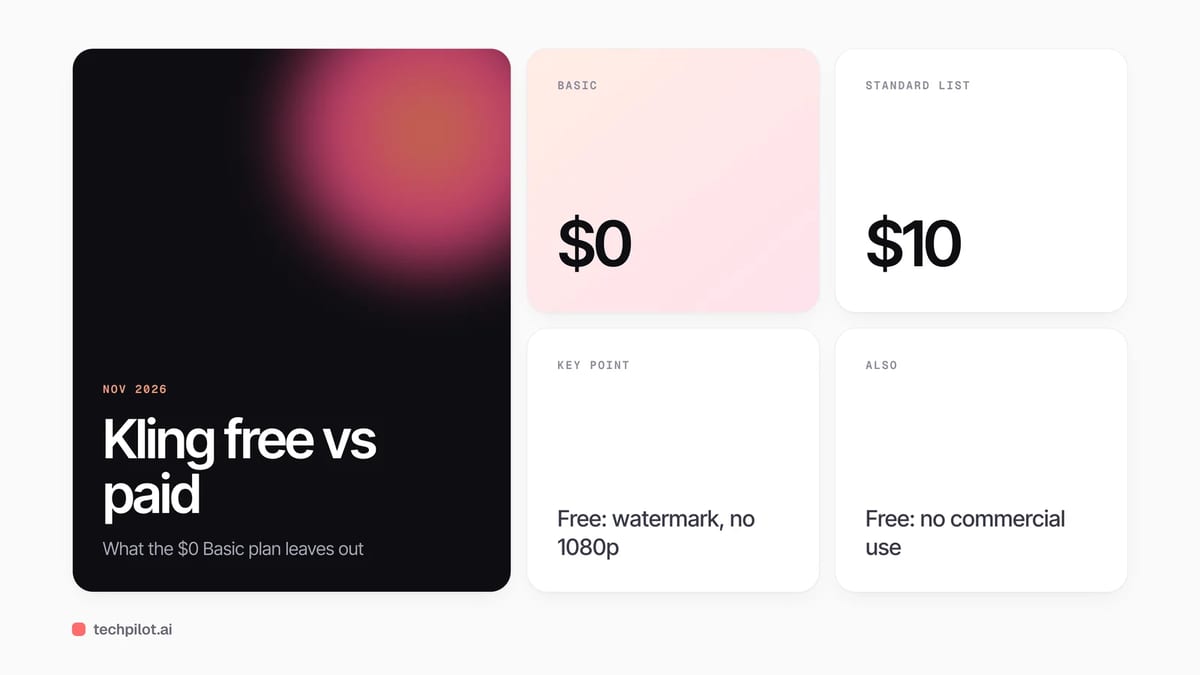
Is Kling AI free? Yes, the Basic plan costs $0 and gives monthly free credits, but free videos keep a watermark, skip 1080p and can’t be used commercially.
Quick answer: You can sign up for Kling AI and generate videos and images without paying. Non-subscribers claim a batch of free credits when they log in each month, and the credits last 31 days. What you do not get on the free Basic plan is what most creators need for publishing: 1080p or 4K output, watermark removal, commercial rights and more than one video per generation. Paid plans start at $10 a month (Standard), with a 30% first-month discount. Figures below are from Kling’s membership page on November 14, 2026.
What the free Kling plan includes
- Monthly free credits: claimed on login each month and valid for 31 days. Kling does not list a fixed amount on the plan page.
- One video per generation: paid plans can produce up to four at once.
- 30 elements: the saved characters and objects you reuse across shots (Standard gets 50, Pro and Premier 150, Ultra+ 500).
What you only get on a paid plan
| Feature | Basic (free) | Paid plans |
|---|---|---|
| 1080p and 4K video | No | Yes |
| Brand watermark removal | No | Yes |
| Commercial use of outputs | No | Yes, for paid subscribers |
| Daily bonus credits | No | Yes, on first login each day |
| Free VIDEO 2.6 Voice Control and 3 daily Element AI Multi-Shot uses | No | Yes |
| Videos per generation | 1 | Up to 4 |
| 4K images and upscaling | No | Yes |
| Unlimited queued tasks, fast-track generation | No | Yes |
The commercial-use row is the one that matters most. Kling’s FAQ says paid subscribers may use generated content commercially, so a clip made on the free plan is fine for testing and personal projects, but not for a client ad or a monetised channel.
Kling AI pricing in 2026
| Plan | List price | Monthly subscription | Credits a month | Cost per 100 credits |
|---|---|---|---|---|
| Basic | $0 | $0 | Monthly free credits | – |
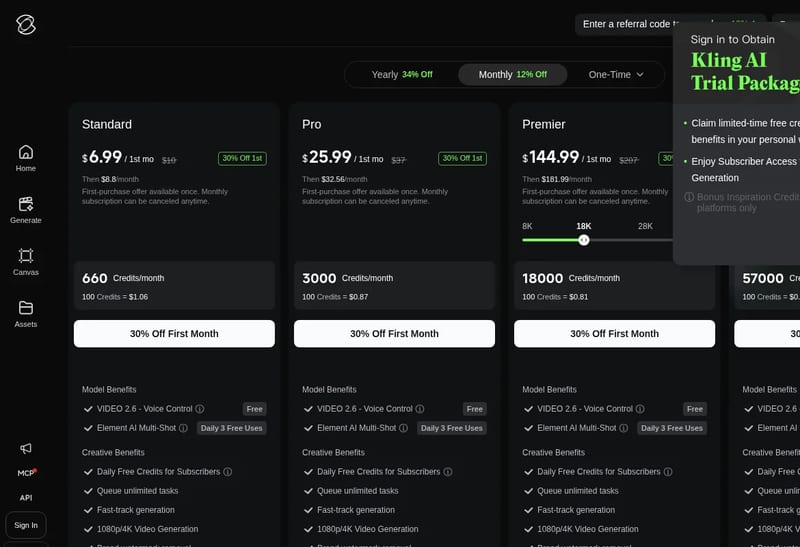
| Standard | $10 | $8.80 ($6.99 first month) | 660 | $1.06 |
| Pro | $37 | $32.56 ($25.99 first month) | 3,000 | $0.87 |
| Premier | $207 | $181.99 ($144.99 first month) | 18,000 | $0.81 |
| Ultra+ | $619 | $544.99 ($432.99 first month) | 57,000 | $0.76 |
Kling showed 12% off for monthly subscriptions and 34% off for yearly billing, and also sells one-time credit packs and passes (“plans from $1.49”). Monthly subscription credits expire after 31 days, while purchased credits stay valid for two years.
Our take: who should stay free, and who should pay
The free plan is a real trial, not a teaser. It is enough to learn how Kling responds to prompts, test camera moves and compare it with other models before you spend anything. Our Kling 4.0 review and our Kling 4 vs Seedance 2.5 comparison show what the current model does well.
The moment you plan to publish, the maths changes. A watermarked, sub-1080p clip without commercial rights is not usable for client work, so creators who post weekly should look at Standard first. The credit price falls by about 28% from Standard ($1.06 per 100) to Ultra+ ($0.76), but the jump from Standard to Pro is where most solo creators get the best balance: 3,000 credits a month and the per-credit price drops 18%.
Three ways to stretch the free plan:
- Prototype short: test prompts on short clips before you spend credits on long generations.
- Claim on login: free monthly credits are claimed when you log in, so log in at the start of each month.
- Compare first: try the same prompt in other free tools from our list of the best free AI video generators before you subscribe.
Is Kling AI free for commercial use?
No. Commercial rights come with a paid subscription. Even then, Kling’s terms say you must not use the output to build a competing product or service, and you are responsible for checking portrait rights, copyright, trademarks, advertising rules and any AI-labelling requirements before you publish. If you need commercial clips on a tight budget, the cheapest route is the Standard plan’s first month at $6.99, then $8.80 a month.
Frequently asked questions
Is Kling AI free to use?
Yes. The Basic plan is free and non-subscribers can claim free credits on login each month, valid for 31 days. Paid plans add HD output, watermark removal and commercial rights.
Does Kling AI free have a watermark?
Yes. Brand watermark removal is a paid-plan benefit, so videos made on the free Basic plan keep the Kling watermark.
How much does Kling AI cost per month?
Standard lists at $10 a month ($8.80 on a monthly subscription, $6.99 for the first month), Pro $37, Premier $207 and Ultra+ $619, checked November 14, 2026.
Can I use free Kling AI videos commercially?
No. Kling’s FAQ grants commercial use to paid subscribers. Free videos are for testing and personal use.
Do Kling AI credits expire?
Yes. Monthly subscription credits and monthly free credits last 31 days, daily bonus credits expire the same day, and purchased credits are valid for two years.
Found this useful? Share it with someone comparing AI tools.
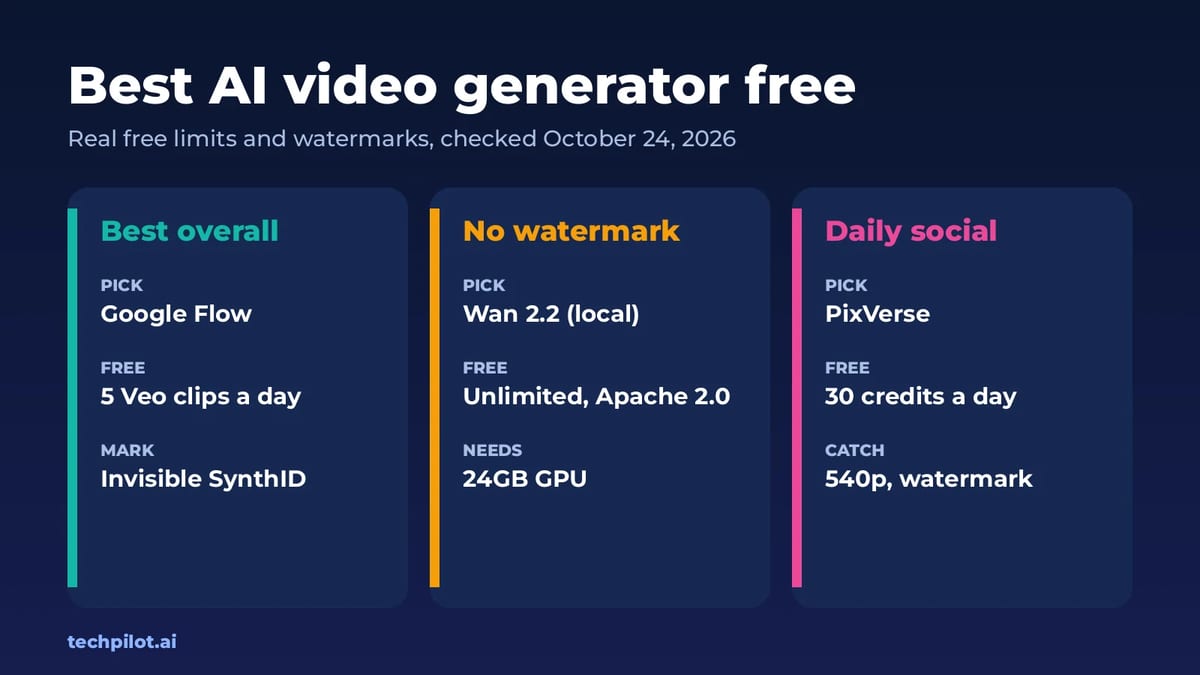
Best AI Video Generator Free (No Watermark)
Best AI video generator free picks for 2026: Google Flow, Wan 2.2, PixVerse, Kling and Runway. See real free limits, watermarks and how many clips…
 Eimantas Kazėnas · 8 min read
What Is a World Model? AI World Models 2026
What is a world model? It’s an AI that learns how a world works so it can predict what happens next when you act. Here’s how it works and where to…
Eimantas Kazėnas · 6 min read