BrandCrowd is a quick, cheap way to get a usable logo and matching brand assets in one afternoon, especially on annual billing.
Business · Tool review
BrandCrowd Review: Pricing & Plans 2026
 TechPilot.ai review team Hands-on testing, one published method
- Last updated
- How we test
The AI news that actually mattered this week.
One short email every Friday: the biggest AI stories, what they mean for you, and the tools worth trying. A 3-minute read, no hype.
Free. Unsubscribe anytime.
You're in. Watch for the brief on Friday. Free. Unsubscribe anytime.
Summary
Pros and cons
What we like
- Fast logo ideas from your business name.
- Selected free logos to download.
- Vector files on every paid plan.
- Matching cards, posts and website.
- Annual plans are cheap.
What could be better
- Templates are not exclusive.
- Prices only shown at checkout.
- Plans renew automatically.
- Matches templates, does not generate.
Key features
- Logo maker: Templates set with your name.
- Free logos: Selected free downloads.
- Brand kit: Cards, posts, signatures.
- Templates: 688,000+ designs.
- Website: On Value and Premium.
- Pricing: Free; from $5/mo yearly.
Screenshots
Full review
Independent and reader-supported. Some links may earn us a commission; it never changes our scores. Editorial policy
BrandCrowd is a template logo maker with business cards, social posts and a website builder. Some logos are free; paid plans cost $5 a month billed yearly.
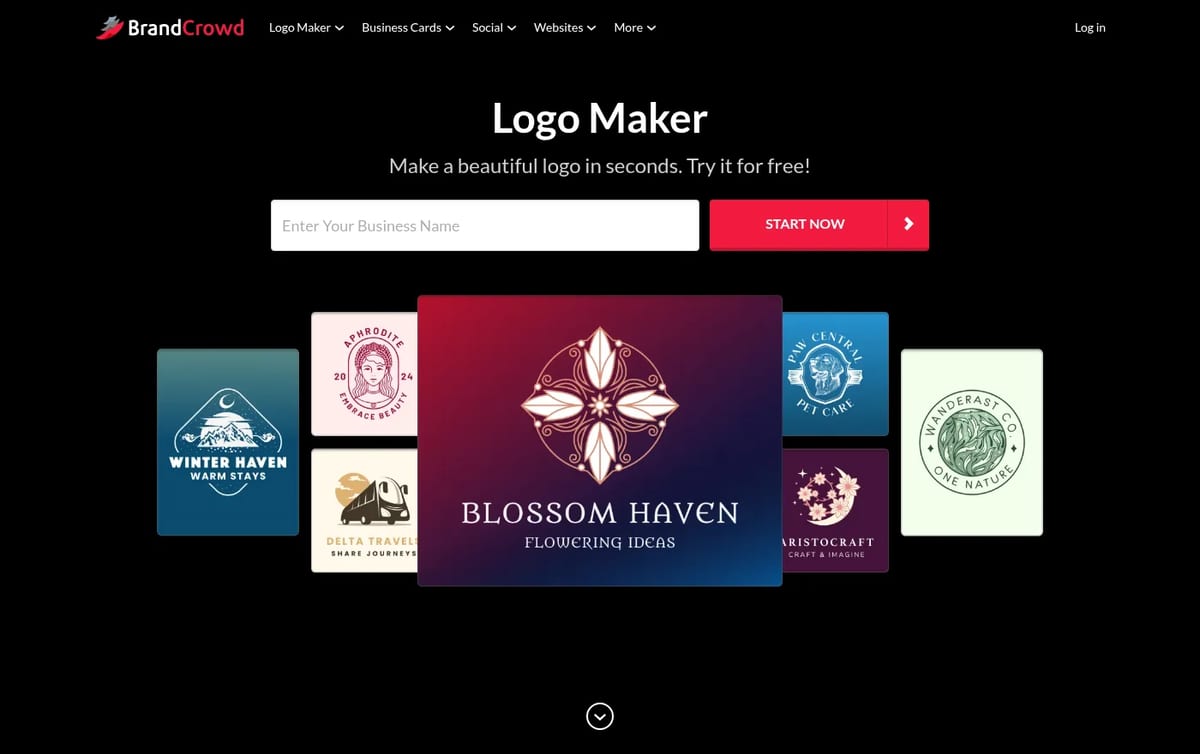
Quick answer: BrandCrowd is a template-based logo maker. You type your business name, it fills thousands of designer-made templates with it, and you edit colors, fonts and layout in the browser. Searching, editing and downloading a selected set of free logos costs nothing. Paying unlocks any logo in high resolution and vector format, plus business cards, social posts and a website. We checked the US prices on BrandCrowd’s checkout page on November 12, 2026.
What BrandCrowd does
- Logo maker: enter a business name and keywords and BrandCrowd shows templates already set with your name, which you then edit.
- Free logos: a selected set of free logo templates can be downloaded in high resolution at no cost.
- Brand kit tools: paid plans add business cards, Instagram and Facebook posts, email signatures, letterheads and 50+ other design tools.
- 688,000+ templates: social covers, posters, flyers, invoices, menus and videos that reuse your logo and colors.
- Website and link in bio: the Value plan adds a website builder, and Premium adds link in bio and a digital business card.
BrandCrowd Pricing (2026)
| Plan | Monthly billing | Annual billing | What you get |
|---|---|---|---|
| Free logos | $0 | $0 | Selected free logo templates, edit and download |
| Starter (Logo Pack) | $15 / month | $5 / month ($60 a year) | High-res and vector logo files, unlimited logo changes, business cards, social posts, email signature, letterheads, 50+ design tools |
| Value (Logo Pack + Website) | $24 / month | $6 / month ($72 a year) | Everything in Starter plus a website with unlimited pages |
| Premium (Logo Pack + Website + More) | $29 / month | $7 / month ($84 a year) | Everything in Value plus link in bio and a digital business card |
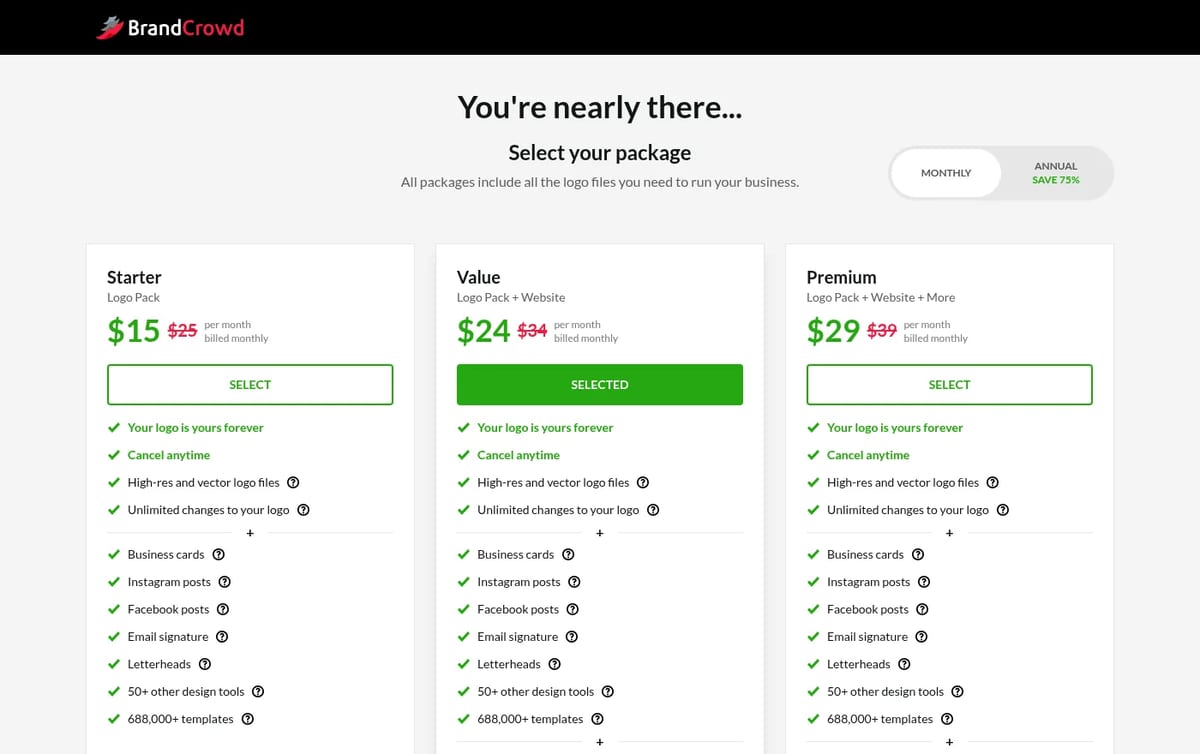
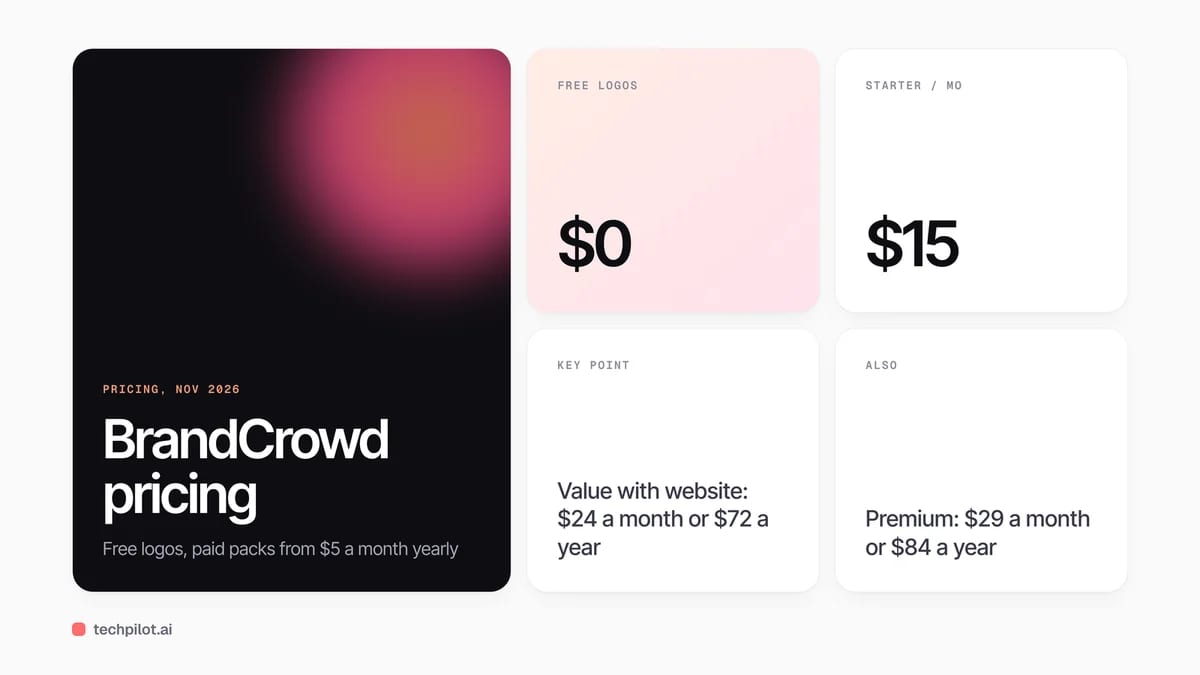
Our take on the price: BrandCrowd has no public pricing page, so the only place to see real prices is the checkout after you pick a logo. Annual billing is the clear deal: Starter costs $60 a year against $180 on monthly billing. If you only need the logo files, buy Starter for a year, download every format, and cancel. BrandCrowd says your logo is yours forever after you cancel.
If you would rather generate a logo from scratch than edit a template, see our list of free AI logo generators or Turbologo. For wider design work beyond a brand kit, our Canva alternatives guide covers full editors.
Who BrandCrowd is for
Small business owners, freelancers and side projects that need a clean logo and matching business cards and social posts today, without hiring a designer. It suits people who are happy to start from a template. It is a weaker fit for brands that need a fully unique mark or trademark-level originality.
Limitations
- Templates are not exclusive: other businesses can start from the same design, so change it enough to stand out.
- Prices only at checkout: there is no public pricing page, and the struck-through list prices make the discount look bigger.
- Auto-renewal: both monthly and annual plans renew, so set a reminder if you only need the files.
- Template-based, not generative: the AI matches your name to existing designs rather than drawing new ones.
TechPilot.ai’s Verdict on BrandCrowd
BrandCrowd is a quick, cheap way to get a usable logo and matching brand assets in one afternoon, especially on annual billing.
Treat it as a template shop, not a designer: edit the logo enough to make it yours, download every file, and watch the renewal date.
BrandCrowd FAQ
Is BrandCrowd free?
Partly. You can search and edit any logo for free, and a selected set of free logos can be downloaded at no cost. Other logos and the brand kit tools need a paid plan.
•
How much does BrandCrowd cost?
On the US checkout, Starter is $15 a month or $5 a month billed yearly ($60). Value is $24 or $6 ($72), and Premium is $29 or $7 ($84), checked November 12, 2026.
•
Do I keep my BrandCrowd logo if I cancel?
Yes. BrandCrowd’s checkout says your logo is yours forever and you can cancel any time, so download every file format before you cancel.
•
What file formats does BrandCrowd give you?
Paid plans include high-resolution and vector logo files in PNG, JPG, EPS, SVG and PDF.
•
Is a BrandCrowd logo unique?
Not fully. Logos start from designer templates that other people can also use, so customize the icon, font and colors before you use it as your brand.

Dverso Laundry
Business
I often approach AI tools with a checklist of features, integrations, and pricing plans. When I started reviewing Dverso Laundry, however,…

AI Apply
Business
AI Apply is a strong pick if your job search is a numbers game and tailoring every resume by hand is slowing you down.
Tennr
Business
Tennr is a serious option for providers drowning in referral faxes and payer paperwork, with automation that goes past data entry into…