Icons8 is still one of the best places to get icons that actually match across a product, and the MCP makes it useful for AI-built apps too.
Home / Tools / Copywriting
Copywriting · Tool review
Icons8 Review: Free Icons & Pricing 2026
 TechPilot.ai review team Hands-on testing, one published method
- Last updated
- How we test
The AI news that actually mattered this week.
One short email every Friday: the biggest AI stories, what they mean for you, and the tools worth trying. A 3-minute read, no hype.
Free. Unsubscribe anytime.
You're in. Watch for the brief on Friday. Free. Unsubscribe anytime.
Summary
Pros and cons
What we like
- Huge, consistent icon packs.
- Free use with a simple link credit.
- MCP for AI coding agents.
- Plugins for Figma, Adobe and Miro.
- Downloads stay usable after you cancel.
What could be better
- Free tier needs attribution.
- Monthly download caps on mid plan.
- Unlimited plan is expensive.
- AI credit pricing is complex.
Key features
- Icons: 130+ consistent styles.
- Illustrations: 345 styles, 110K+ images.
- MCP: Assets for Claude Code, Cursor, Codex.
- AI tools: Icon, illustration and photo generators.
- Plugins: Figma, Adobe, Google, Miro.
- Pricing: Free with link; from $5/mo yearly.
Screenshots
Full review
Independent and reader-supported. Some links may earn us a commission; it never changes our scores. Editorial policy
Icons8 is a library of icons, illustrations and photos with AI image tools and an MCP for AI agents. Free use needs a link back; paid plans start at $5/mo.
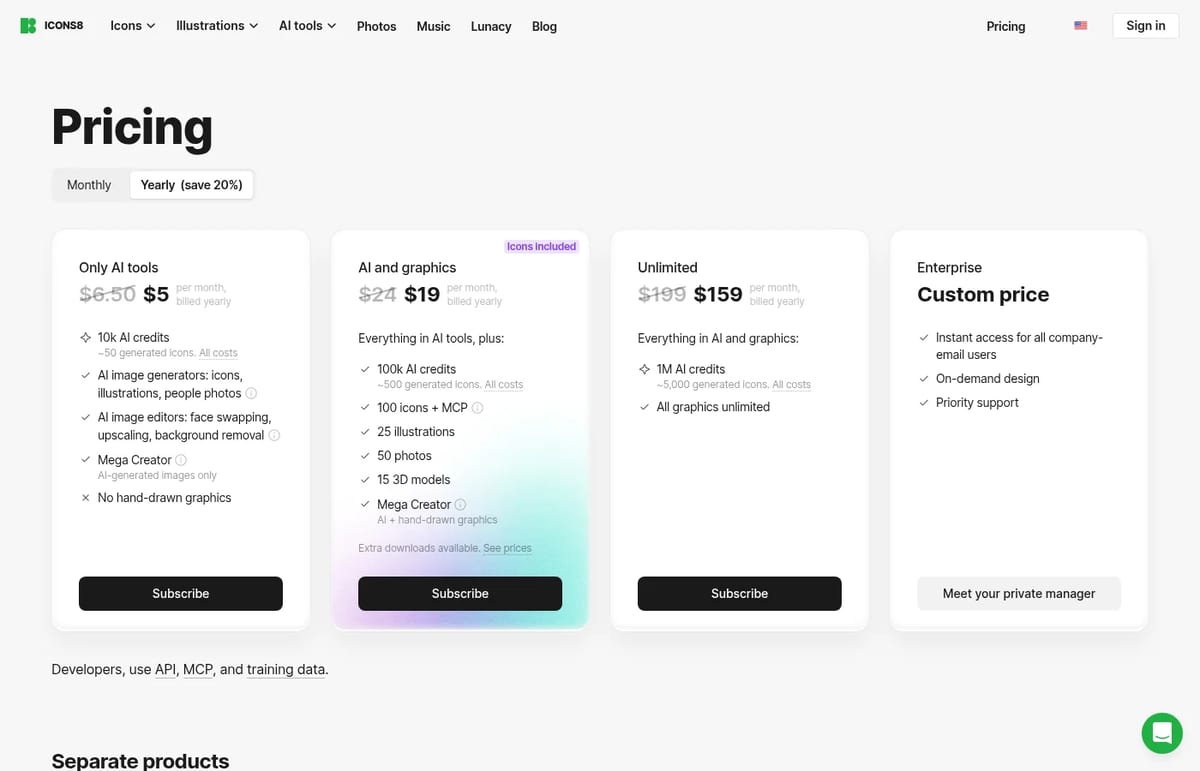
Quick answer: Icons8 is a design-asset library with 130+ icon styles, 330+ illustration styles, photos and music, plus AI generators and an MCP that feeds icons straight into AI coding agents. You can use the graphics free if you link to icons8.com. Paid plans remove that and add AI credits: Only AI tools $5, AI and graphics $19 and Unlimited $159 a month billed yearly, or $6.50, $24 and $199 month to month. Prices checked on icons8.com/pricing on November 9, 2026.
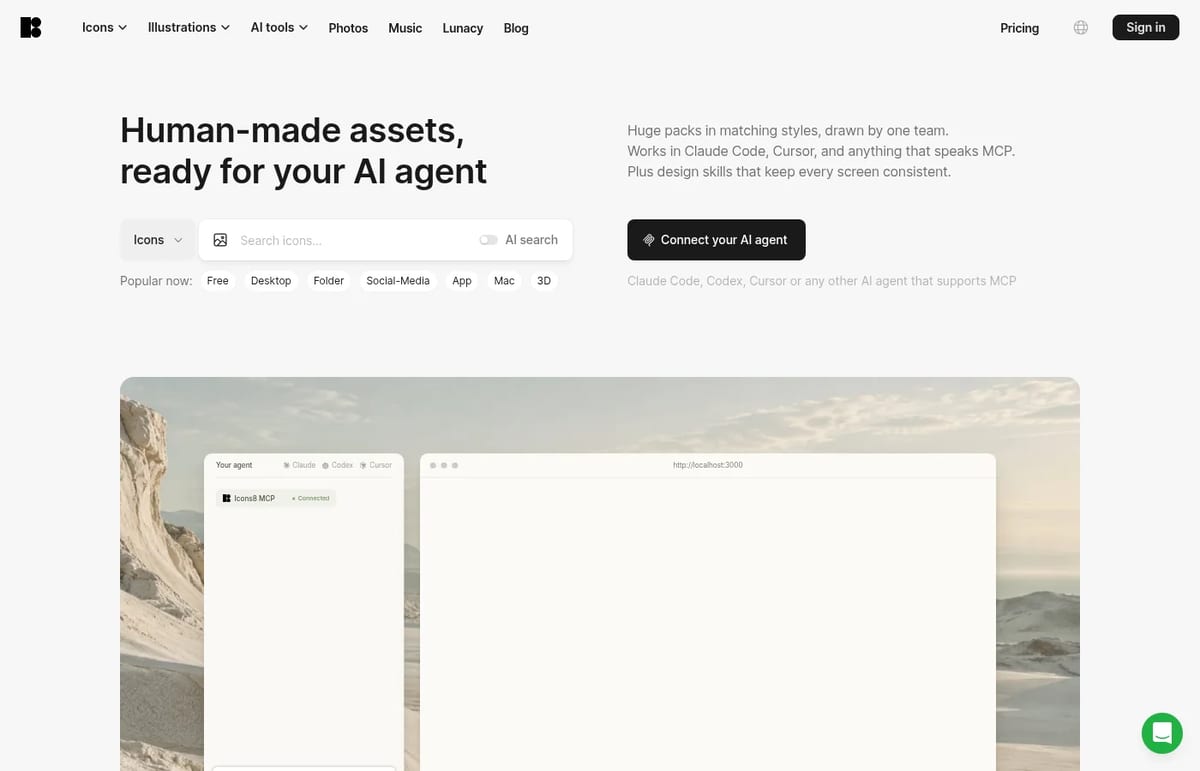
What Icons8 does
- Icons: 130+ styles drawn by one team, including iOS 27, Windows 11 Color, 3D Fluency and Claude Hand Drawn sets. Icons8 says its deepest packs go past 13,000 icons.
- Illustrations: 345 styles and 110,845 illustrations, including animated, 3D and watercolor series.
- Icons8 MCP and agent skills: plug consistent icon and illustration packs into Claude Code, Codex, Cursor or any MCP-ready agent.
- AI tools: AI icon and illustration generators, Mega Creator, Face Swapper, Smart Upscaler, Background Remover and Human Generator.
- Plugins and apps: Figma, Google, Illustrator, Photoshop and Miro plugins, Mac and Windows apps, and the free Lunacy design editor.
Icons8 Pricing (2026)
| Plan | Billed yearly | Billed monthly | What you get |
|---|---|---|---|
| Free | $0 | $0 | Use icons, illustrations and photos with a link to icons8.com (footer link is fine for websites) |
| Only AI tools | $5 / month | $6.50 / month | 10,000 AI credits (about 50 generated icons), AI generators and editors, Mega Creator; no hand-drawn graphics |
| AI and graphics | $19 / month | $24 / month | 100,000 AI credits, 100 icons, 25 illustrations, 50 photos and 15 3D models a month, MCP access |
| Unlimited | $159 / month | $199 / month | 1M AI credits and unlimited graphics downloads |
| Enterprise | Custom | Custom | Access for all company-email users, on-demand design, private manager |
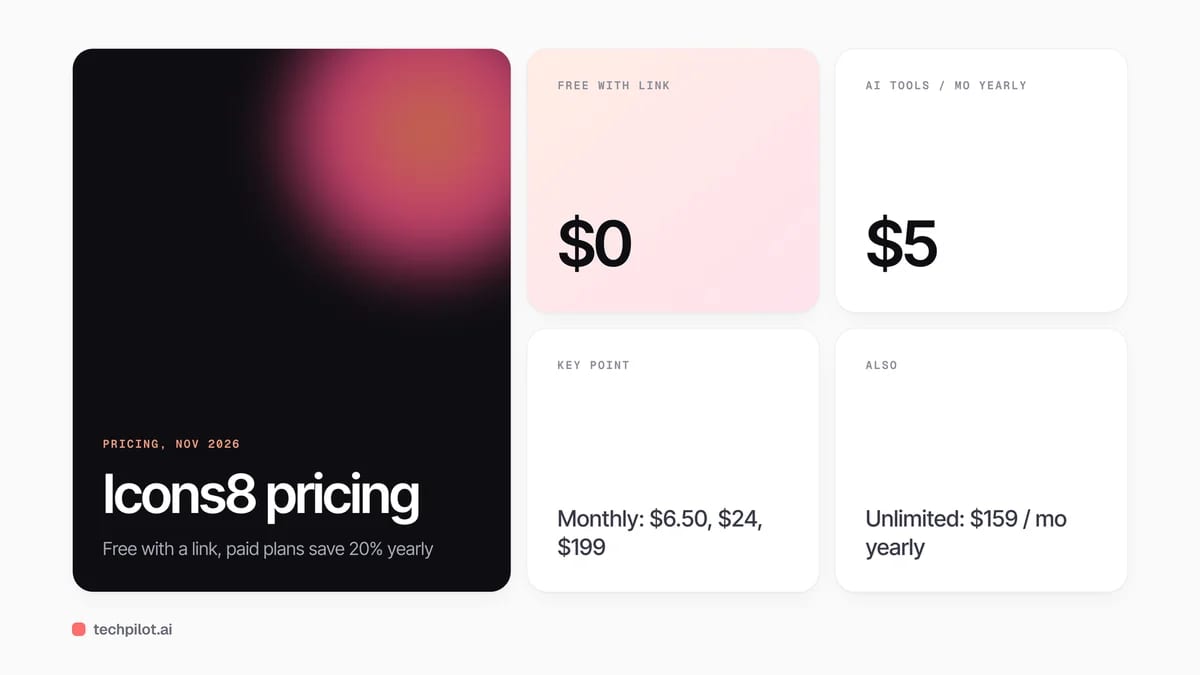
Is Icons8 free? Yes, with attribution. Icons8 lets you use its graphics free if you credit it: a link on web pages, a mention in an app’s About screen, or a tag on social posts. Paying removes the link requirement for downloads made while subscribed, and you keep the right to use those files after you cancel.
If you mostly need social graphics rather than icon packs, our list of Canva alternatives covers all-in-one editors. For AI-generated vector art and brand marks, see Recraft and our roundup of free AI logo generators.
Who Icons8 is for
Designers, product teams and developers who want matching icons across a whole app, and now people building interfaces with AI agents who want consistent assets instead of random SVGs. Bloggers and students can use the free tier as long as they credit Icons8.
Limitations
- Free needs a visible credit: fine for side projects, awkward for client work.
- Download caps on AI and graphics: 100 icons a month, with paid extras beyond that.
- Unlimited is pricey: $159 a month even on yearly billing.
- Credit math takes effort: each AI action costs a different number of credits (200 per generated icon, 9 per upscale).
TechPilot.ai’s Verdict on Icons8
Icons8 is still one of the best places to get icons that actually match across a product, and the MCP makes it useful for AI-built apps too.
Start free with attribution. Pay for AI and graphics yearly once you need unattributed downloads for client or commercial work.
Icons8 FAQ
Is Icons8 free?
Yes, with attribution. You can use Icons8 icons, illustrations and photos for free if you add a link to icons8.com where you use them. Paid plans remove that requirement.
•
How much does Icons8 cost?
Only AI tools is $5, AI and graphics $19 and Unlimited $159 a month billed yearly, or $6.50, $24 and $199 billed monthly. Enterprise is custom (checked November 9, 2026).
•
Can I keep using Icons8 assets after I cancel?
Yes. Icons8 says assets downloaded while your subscription was active are yours to keep and use after cancellation, with no attribution required.
•
Does Icons8 work with AI agents?
Yes. The Icons8 MCP and agent skills plug icon and illustration packs into Claude Code, Codex, Cursor and other MCP-ready agents.
•
Does Icons8 have a Figma plugin?
Yes. Icons8 offers plugins for Figma, Illustrator, Photoshop, Google and Miro, plus Mac and Windows apps.

MagicSchool
Copywriting
MagicSchool is one of the clearer freemium bets for teachers who want school-shaped tools instead of a generic chat box.

Meshy AI
Copywriting
Meshy is one of the more practical AI 3D pipelines if you need draft assets quickly for games or print.

Scribbr
Copywriting
Scribbr is one of the most useful free resources a student can bookmark, especially for citations and academic writing guides.