Riverside is one of the most complete podcast and video tools you can buy: reliable local recording, a fast text-based editor and now agents that start editing and clipping the moment you stop recording.
Home / Tools / Audio / Voice
Audio / Voice · Tool review
Riverside AI: Agents, Pricing & Free Trial
 TechPilot.ai review team Hands-on testing, one published method
- Last updated
- How we test
The AI news that actually mattered this week.
One short email every Friday: the biggest AI stories, what they mean for you, and the tools worth trying. A 3-minute read, no hype.
Free. Unsubscribe anytime.
You're in. Watch for the brief on Friday. Free. Unsubscribe anytime.
Summary
Pros and cons
What we like
- Local recording up to 4K with separate tracks.
- Text-based editing with AI cleanup tools.
- Riverside Agents draft edits, clips and posts.
- Hosting, scheduling and streaming in one app.
- Unlimited recording hours on every plan.
What could be better
- No free plan, only a 14-day trial.
- Separate-track downloads are capped below Business.
- Some AI features use credits.
- Webinar tools need the $79+ plan.
Key features
- 4K recording: Local recording for every guest.
- Text editor: Edit video by editing the transcript.
- Magic Clips: AI picks short clips for social.
- Riverside Agents: Producer, Editor, Clipper and Marketer.
- Hosting: Podcast hosting with analytics.
- Live streaming: 1080p multistreaming on Grow.
Screenshots
Full review
Independent and reader-supported. Some links may earn us a commission; it never changes our scores. Editorial policy
Riverside AI records studio-quality podcasts and video, edits them by text and now adds AI agents that clip and post for you. Plans start at $24 a month.
Quick answer: Riverside (riverside.com) is a remote recording studio with an AI, text-based video editor, podcast hosting and live streaming in one app. Guests join from a browser link, and each person is recorded locally in up to 4K with 48kHz audio, so a bad connection doesn’t ruin the file. On October 26, 2026 Riverside added Riverside Agents, four AI helpers that prep, edit, clip and publish your recordings. There’s no free plan on the pricing page, just a 14-day free trial, and paid plans start at $24 a month billed yearly. We checked every price on the Riverside pricing page on November 4, 2026.
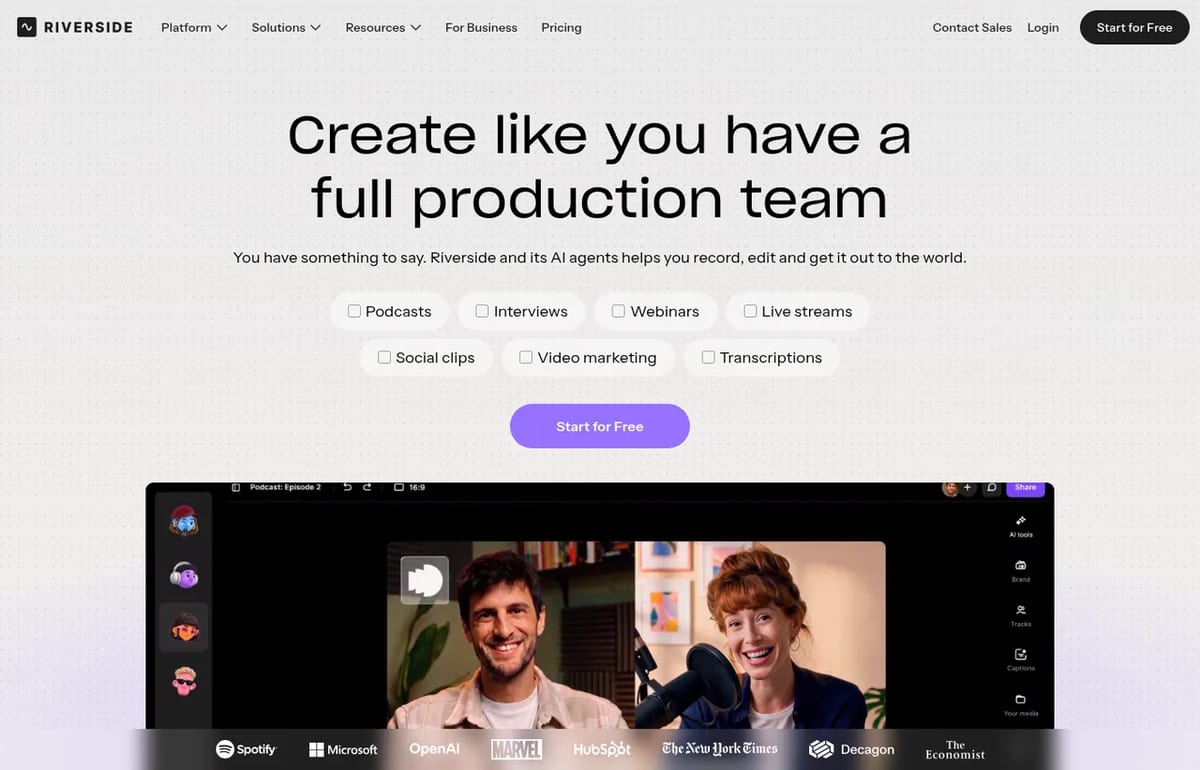
What Riverside AI does
- Recording: up to 4K video and 48kHz audio with separate tracks per participant, plus a teleprompter and in-person multi-cam recording.
- Text-based editing: edit the video by editing the transcript, with AI tools to remove silences and filler words, add B-roll and fix eye contact.
- Magic Clips and show notes: AI picks short clips for social and writes episode notes.
- Transcription and translation: unlimited transcriptions on every plan; AI translation uses credits.
- Publishing: podcast hosting with analytics, and posting to YouTube, Spotify, Apple Podcasts, Instagram, LinkedIn and more.
- Live and webinars: 1080p multistreaming on Grow, and full webinar tools on the Webinar plan.
If you mainly want short clips from an existing recording, read our guide on turning a podcast recording into social clips.
Riverside Agents: what’s new
Riverside calls its agents “the first team of AI agents built only for video.” They launched on web and iOS on October 26, 2026, according to Riverside’s launch post. Each one handles one part of production:
- Producer: preps your session with questions, talking points and studio setup, and suggests next steps from the live transcript while you record.
- Editor: builds a step-by-step editing plan for the full episode, then applies the changes you approve: tightening, audio cleanup, layouts, captions and branding.
- Clipper: finds the moments worth sharing and turns them into short clips with Magic Clips, often before you’ve reviewed the recording.
- Marketer: writes captions and show notes, creates thumbnails, and publishes or schedules posts and episodes once you approve.
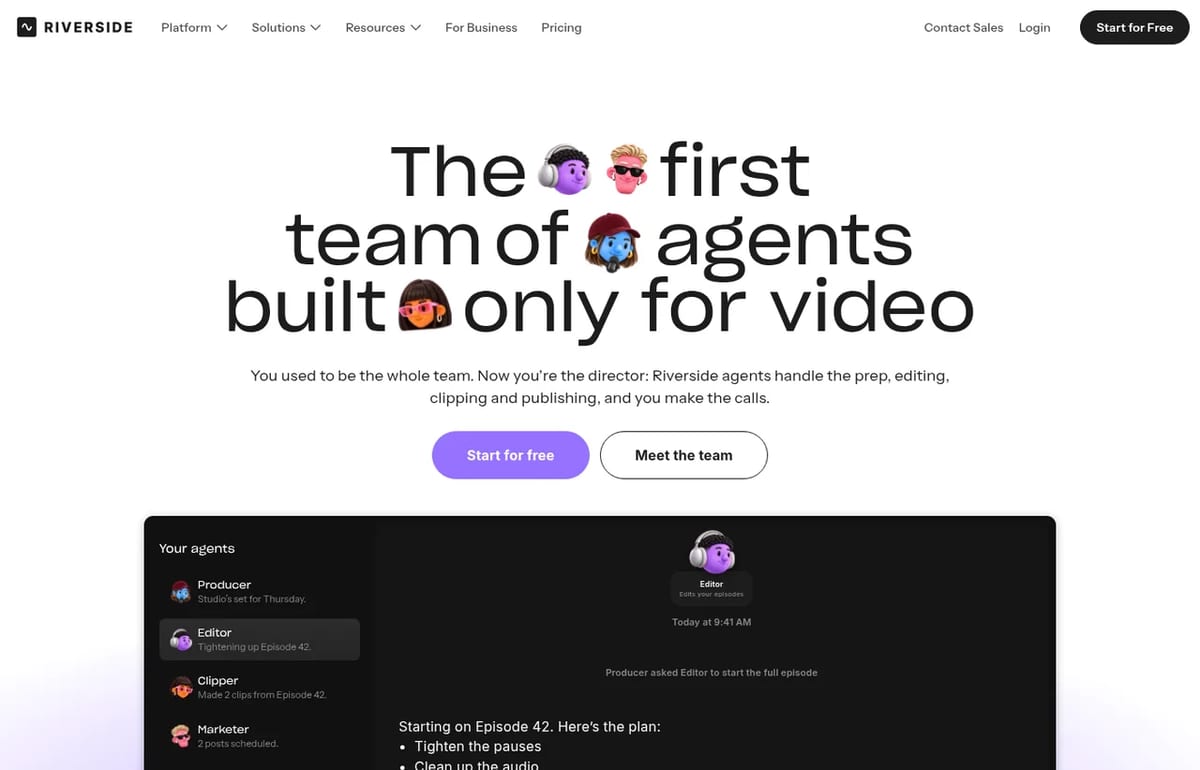
The agents hand tasks to each other, so asking the Producer for clips passes the job to the Clipper. Per Riverside’s help center, chatting with an agent doesn’t use AI credits; if a task costs credits, the agent shows the cost and asks first. Nothing is posted without your sign-off. Riverside says the agents are on every plan, with capabilities following your plan tier.
Our take: the useful part isn’t the chat window, it’s that the work starts as soon as the recording uploads. For a weekly show, waking up to a draft edit plan and a set of clips saves real time. The approval step keeps it safe for brands, but expect to review clip picks, as with any AI clipper.
Riverside AI Pricing (2026)
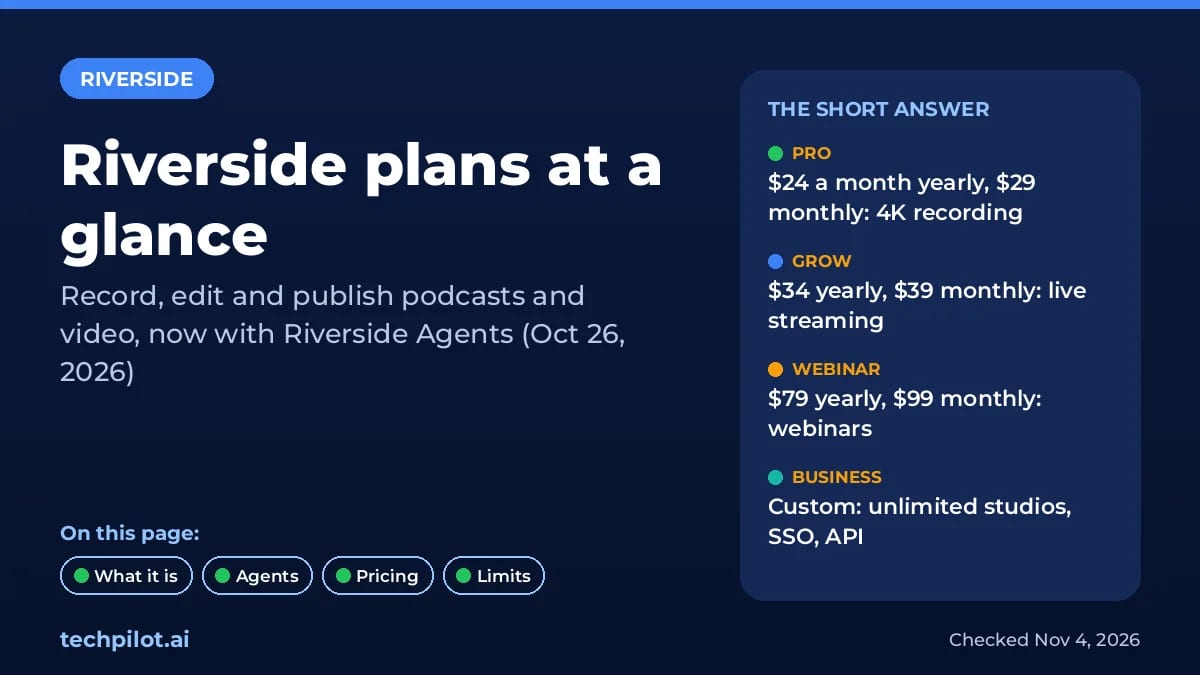
| Plan | Yearly billing | Monthly billing | Key extras |
|---|---|---|---|
| Pro | $24 a month | $29 a month | Up to 4K, no watermark, unlimited text editing and transcriptions, Magic Clips, podcast hosting, 1 studio, 15 hrs of separate-track downloads |
| Grow | $34 a month | $39 a month | Social scheduling, newsletter, creator website, AI thumbnails, Riverside MCP, 1080p multistreaming, 2 studios, 20 hrs |
| Webinar | $79 a month | $99 a month | Webinars up to 100 registrants, lead capture, HubSpot sync, analytics, 3 studios, 25 hrs |
| Business | Contact sales | Contact sales | Unlimited studios and downloads, up to 10,000 registrants, SSO, API access, SOC 2 and ISO 27001 |
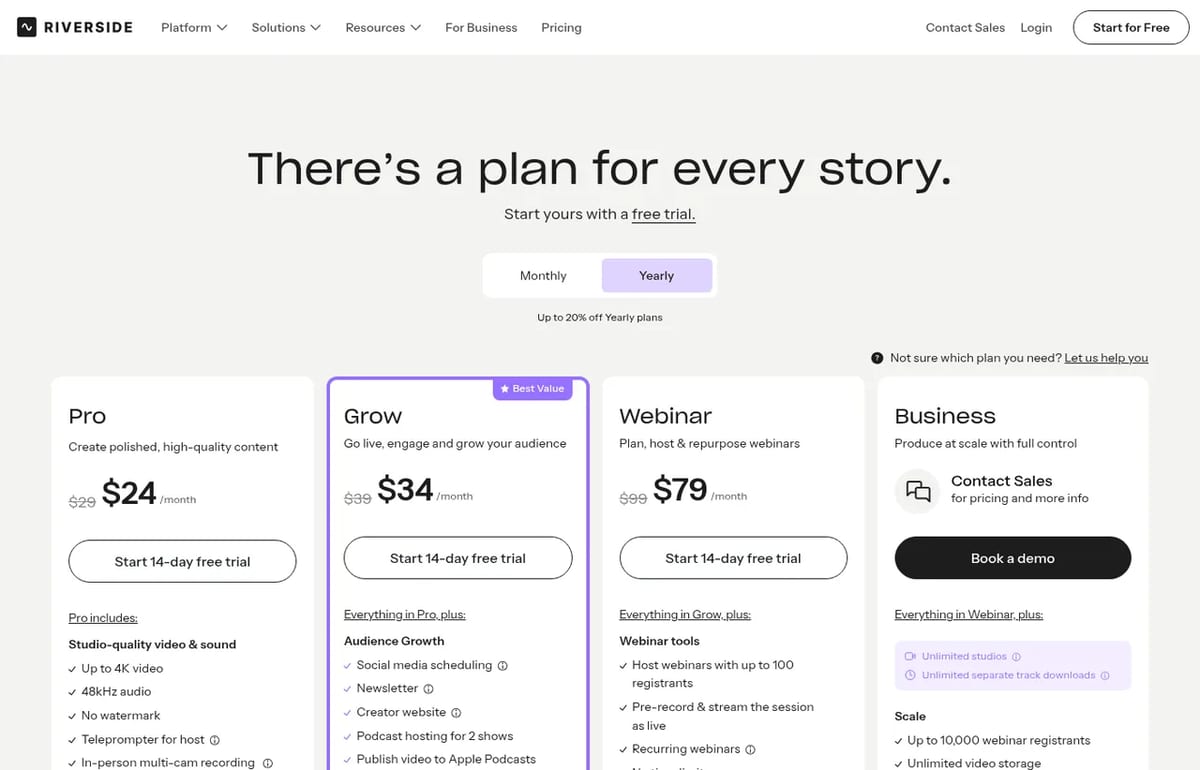
AI credits: Riverside’s pricing FAQ says Pro users start with 2,000 AI credits and Business with 12,000. Credits pay for features like AI translation, AI B-roll and animated clips, and you can buy more. Core AI features, including Magic Clips, Magic Audio and the AI Co-Creator, don’t use credits. Recording hours are unlimited on every plan; the hour caps apply only to downloading separate tracks.
Is Riverside AI free? Not as an ongoing plan. The pricing page lists a 14-day free trial on Pro, Grow and Webinar, and the cheapest paid option is Pro at $24 a month billed yearly or $29 monthly.
Who Riverside AI is for
Riverside fits podcasters and video creators who record remote guests and want one tool from recording to publishing, plus marketing teams running webinars. If you mostly edit files you’ve already recorded, Descript is the closer comparison, and Podcastle is a cheaper all-in-one alternative.
Limitations
- No free plan: only a 14-day trial before you pay.
- Download caps: separate-track downloads are capped at 15 to 25 hours a month below Business.
- Credits for some AI: translation, AI B-roll and animated clips draw from a credit balance.
- Webinars need the Webinar plan: Grow streams live but lacks registration, Q&A and lead capture.
TechPilot.ai’s Verdict on Riverside AI
Riverside is one of the most complete podcast and video tools you can buy: reliable local recording, a fast text-based editor and now agents that start editing and clipping the moment you stop recording.
Use the 14-day trial on a real episode. Pro at $24 a month yearly covers most solo shows; move to Grow if you want scheduling and live streaming.
Riverside AI FAQ
Is Riverside AI free?
Riverside has no ongoing free plan on its pricing page. You can try Pro, Grow or Webinar free for 14 days. After that, Pro costs $24 a month billed yearly or $29 monthly.
•
How much does Riverside AI cost?
Pro is $24 a month yearly or $29 monthly, Grow is $34 or $39, and Webinar is $79 or $99. Business pricing is custom. Yearly billing saves up to 20%.
•
What are Riverside Agents?
Riverside Agents are four AI helpers launched on October 26, 2026: a Producer, Editor, Clipper and Marketer that prep, edit, clip and publish your recordings with your approval.
•
Do Riverside Agents cost extra?
No. Riverside says the agents are on every plan. Chatting with them doesn’t use AI credits, but tasks that need credits, like AI B-roll, still use them after the agent asks.
•
Is Riverside good for podcasts?
Yes. It records each guest locally in up to 4K with 48kHz audio, edits by transcript, makes clips and show notes, and hosts and publishes your podcast.

Stable Audio 2.5
Audio / Voice
The TechPilot.ai team has been evaluating the rapid growth of AI audio generation tools. I was particularly interested to see how Stability…

Sync.so
Audio / Voice
I have been observing AI video tools, and while avatar generation is common, technology for modifying existing video has been a more…
FakeYou
Audio / Voice
Overall, Fakeyou Voice Generator is a highly versatile and creative tool for content creators, marketers, and meme-makers. Its range of…