YouTLDR is a strong pick for students, researchers and marketers who live in long YouTube videos and want summaries they can verify by timestamp.
Education · Tool review
YouTLDR Review: AI YouTube Summaries
 TechPilot.ai review team Hands-on testing, one published method
- Last updated
- How we test
The AI news that actually mattered this week.
One short email every Friday: the biggest AI stories, what they mean for you, and the tools worth trying. A 3-minute read, no hype.
Free. Unsubscribe anytime.
You're in. Watch for the brief on Friday. Free. Unsubscribe anytime.
Summary
Pros and cons
What we like
- Timestamped summaries you can check.
- 125+ languages.
- Chat with any video.
- Repurpose to blogs and posts.
- 30-day money-back guarantee.
What could be better
- No real free tier.
- Daily cap of 10 summaries.
- Similar name to youtldr.com.
- Summaries depend on transcript quality.
Key features
- Transcripts: 125+ languages, downloadable.
- Summaries: Key points with timestamps.
- Timeline: Key beats of a video.
- Chat: Ask the video anything.
- Repurpose: Blog, LinkedIn, X, slides.
- Extension: Side panel in YouTube.
Screenshots
Full review
Independent and reader-supported. Some links may earn us a commission; it never changes our scores. Editorial policy
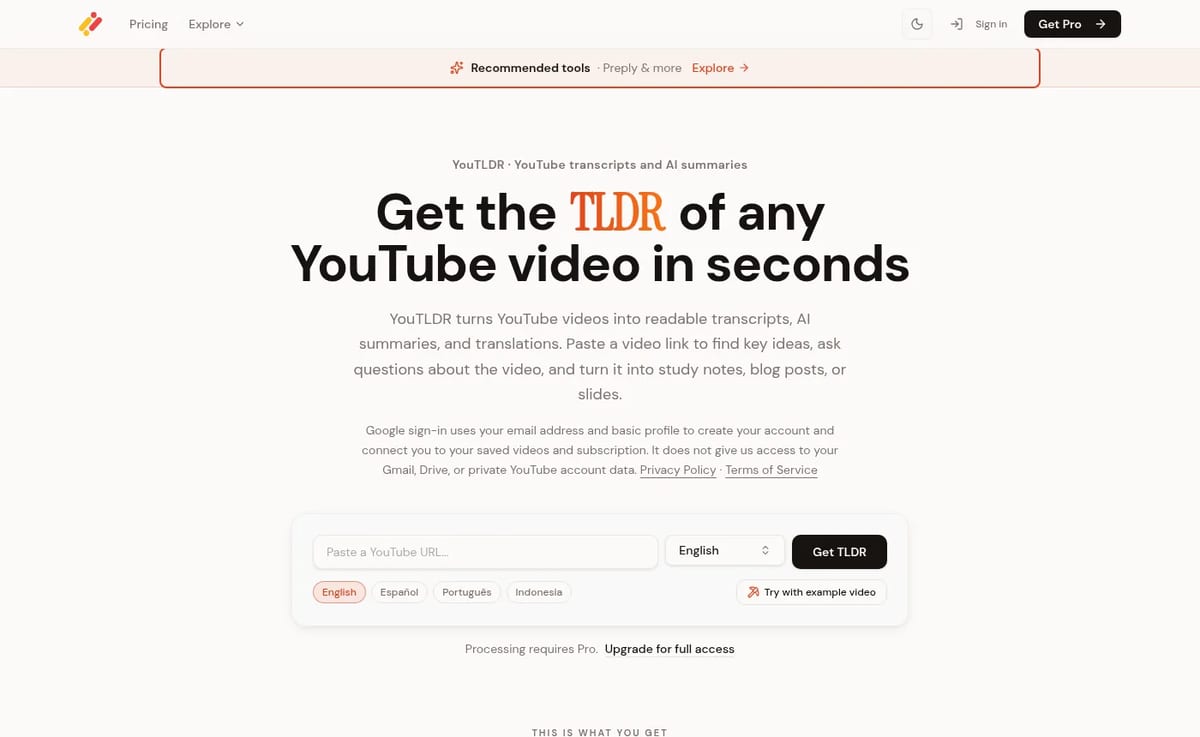
YouTLDR turns a YouTube video into a transcript, timestamped summary and chat in 125+ languages. Processing needs Pro at $12 a month, with a 30-day refund.
Quick answer: YouTLDR (you-tldr.com) is a web app and Chrome extension that pulls the transcript of a YouTube video, summarizes it, maps the key moments on a timeline and lets you ask questions about it. It can also turn a video into a blog post, LinkedIn post, X thread or slides. Do not confuse it with youtldr.com, a separate anti-clickbait extension with a similar name. Prices below are from YouTLDR’s pricing page on November 25, 2026.
What YouTLDR does
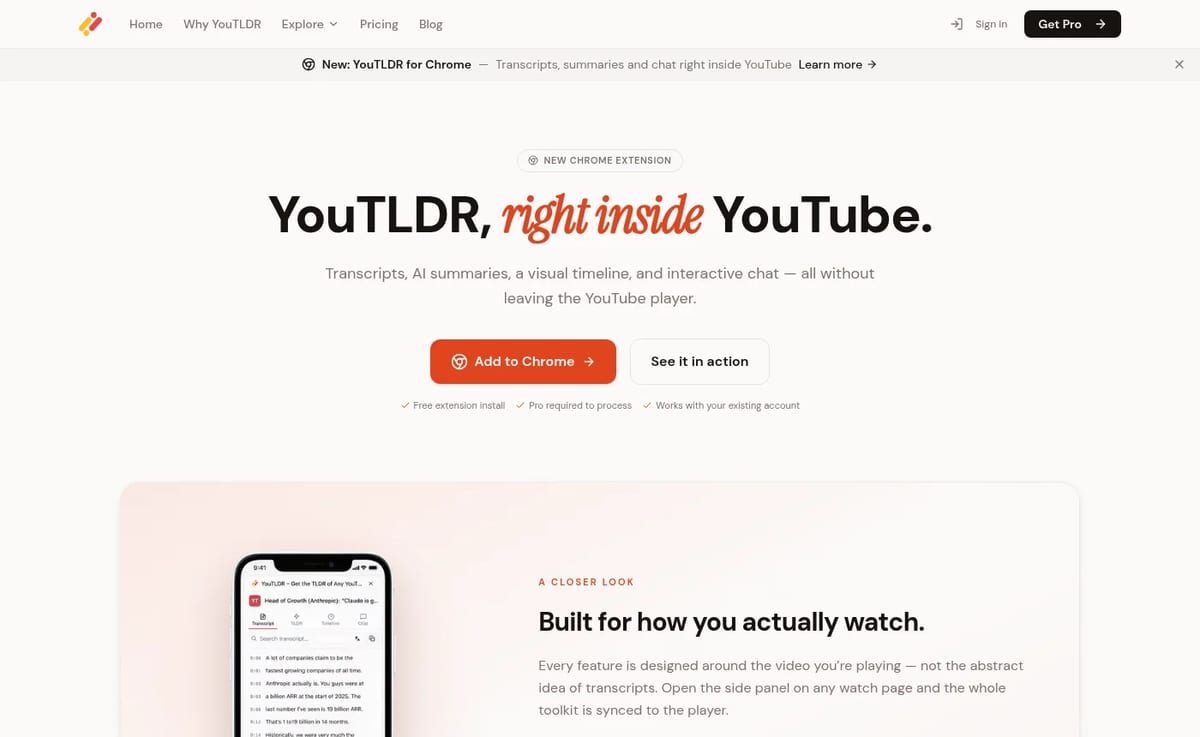
- Transcripts: fetch, search, translate and download the transcript of a video in more than 125 languages, with timestamps.
- Summaries and timeline: get the key points of a video plus a timeline of the main beats, each linked to its exact timestamp so you can check claims.
- Chat with a video: ask follow-up questions with the full transcript as context, or compare several videos.
- Repurposing: convert a video into a blog post, LinkedIn article, X thread or PowerPoint, and generate quizzes from lessons.
- Your own files: upload meeting recordings, lectures or podcasts to transcribe them, not just YouTube links.
Who YouTLDR is for
The best fit is people who learn or research from long videos: students turning lectures into notes and quizzes, researchers pulling quotes from talks, and marketers who want a webinar recap as a blog or LinkedIn post. The timestamp links are the useful part, because you can jump straight to the moment a summary point came from instead of trusting the AI blindly. If you only want the gist of the odd video, the AI built into YouTube or a free chatbot may be enough.
For other options, see our roundup of NoteGPT alternatives for summaries, tools that turn YouTube videos into Shorts, and our list of free AI tools for students.
YouTLDR Pricing (2026)
| Plan | Price | What you get |
|---|---|---|
| Free | $0 | Browse public transcript pages and use a few free tools; processing a new video needs Pro |
| Pro | $12/month | Up to 10 new transcripts and 10 summaries a day (fair use), translation in 125+ languages, timeline, chat, quizzes, repurposing, downloads, video comparison, Chrome extension, no ads |
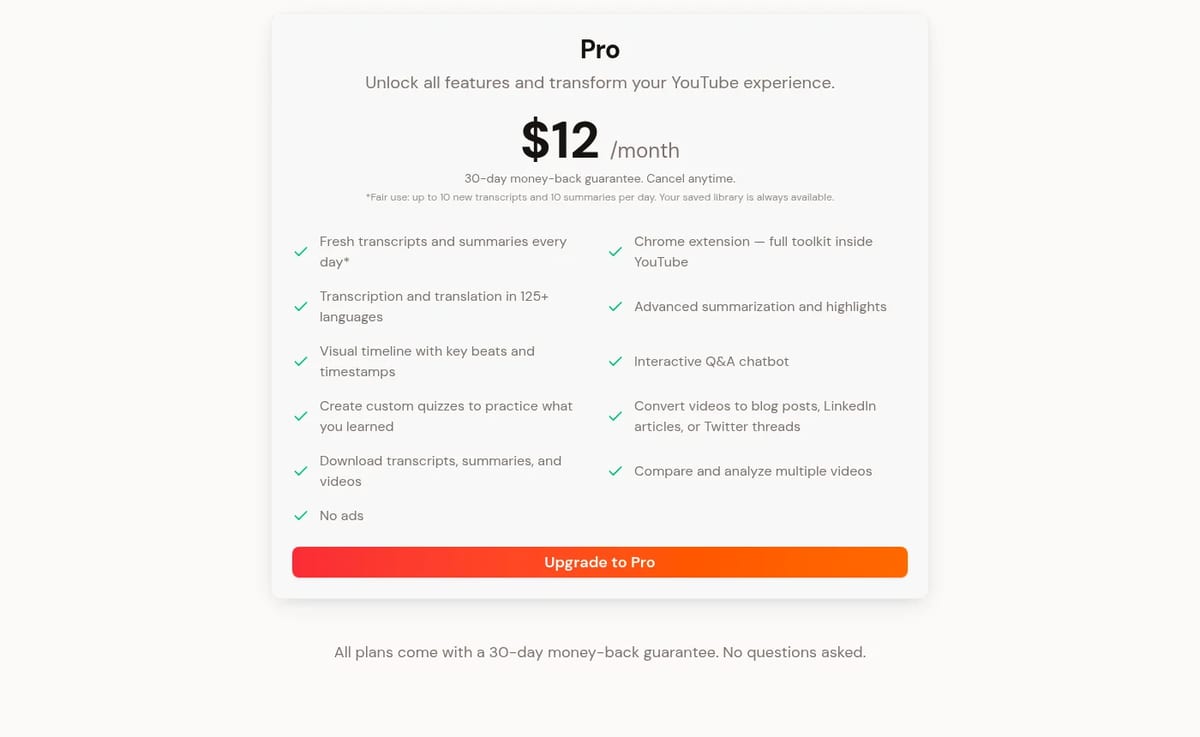
Is it worth $12? There is one paid plan, so the choice is simple. The daily cap of 10 new transcripts and 10 summaries is plenty for study or research, but heavy content teams processing dozens of videos a day will hit it. The 30-day money-back guarantee makes a test month low risk, and at the time of writing the homepage advertised 50% off the first two months with the code SAVE50.
Our verdict
YouTLDR is a focused, fairly priced YouTube summarizer with more depth than most: timestamped summaries, chat, translation and repurposing in one place. The lack of a real free tier is the main drawback, so use the refund window to decide whether you will use it often enough.
Alternatives
Eightify and NoteGPT are the closest YouTube summarizers, Gemini can summarize YouTube links for free, and NotebookLM works well if you want to combine videos with documents in one research notebook.
TechPilot.ai’s Verdict on YouTLDR
YouTLDR is a strong pick for students, researchers and marketers who live in long YouTube videos and want summaries they can verify by timestamp.
At $12 a month with a 30-day refund window it is easy to test; skip it if you only summarize a video now and then.
YouTLDR FAQ
Is YouTLDR free?
Not really. You can browse public transcript pages, but processing a YouTube video requires Pro at $12 a month. A 30-day money-back guarantee applies.
•
How much does YouTLDR cost?
YouTLDR Pro costs $12 a month, as listed on November 25, 2026. It includes up to 10 new transcripts and 10 summaries a day.
•
Is you-tldr.com the same as youtldr.com?
No. you-tldr.com is the YouTube summarizer and repurposing suite reviewed here; youtldr.com is a separate anti-clickbait Chrome extension.
•
Does YouTLDR have a Chrome extension?
Yes. The extension is free to install and adds a side panel inside YouTube, but processing videos still requires an active Pro plan.
•
Which languages does YouTLDR support?
YouTLDR supports transcription, translation and summaries in more than 125 languages, including Spanish, Hindi, Japanese and Arabic.

Hootsuite
Education
Hootsuite remains one of the most complete social media management suites, and Wisdom AI is now built into every plan.
YouMind
Education
As someone who is constantly researching and writing, my workflow has always been a patchwork of different apps. I use one tool to save…

Medeo AI
Education
I spent a good amount of time with Medeo AI, focusing on its advertised ability to create AI-driven animations. My main question was…